
Choosing the Best Software Development Course for 2026
· 24 min read

Why a comprehensive software development course matters in 2026
The world of technology is always changing, and it moves really fast. In 2026, it can feel like new tools and ideas pop up every day. This makes it hard for software teams to keep their skills sharp. It also makes it tough for people who want to learn how to start coding and join the tech world. There’s so much information out there, it’s easy to feel lost.
One big problem is that many new hires don’t have all the skills needed for their jobs right away. A recent survey from 2026 showed that almost half of new tech hires are missing key skills and knowledge about important frameworks. This means companies spend more time and money training people from scratch. Employers are actively using IT certifications to help close these skill gaps, showing how important good training is for teams today.
That’s why picking the right software development course is super important in 2026. It’s not just about learning a few coding tricks. A truly good course helps teams build strong skills, understand the latest ways of working like agile methodology for software development, and even learn about new things like using AI in their projects.
This guide will help decision-makers find the best software development course options. We will look at how to design courses that are practical, include lots of hands-on learning, and teach about AI integration.

We’ll also cover smart workflows, how to check what people have learned, and clear paths for career growth that everyone can trust. If you want to keep up with the latest in AI and tech, make sure you don’t miss out on important daily updates.
Get clear daily AI updates from The AI Newsletter Worth Reading.
1) Defining learning objectives and target outcomes
When you set out to create or choose a software development course, the very first step is to know exactly what you want people to learn and achieve. Think of it like planning a trip: you need to know your destination before you can pick the best route. For a good software development course, this means figuring out the specific skills and knowledge that people need for their jobs.
Different roles in a tech team need different skills. For example, a new developer might need to learn how to start coding and understand the basic "phases in software development life cycle". A product manager, on the other hand, might need to know more about how to guide a project using an agile methodology for software development and understand what developers do, even if they don’t code themselves. Engineering managers need to know how to lead teams and make sure projects run smoothly. So, a great course will have different goals for each of these roles. Knowing how to define clear paths for different team members helps to define developer levels and build clear engineering career paths.
To make sure a software development course is truly helpful, you need to set goals that you can measure. These are often based on a "competency model," which is just a fancy way of saying a clear list of what someone should be able to do. The Institute of Electrical and Electronics Engineers (IEEE) provides a helpful Software Engineering Competency Model that describes the skills software engineers need.
Here are some ways to measure what a person learns:
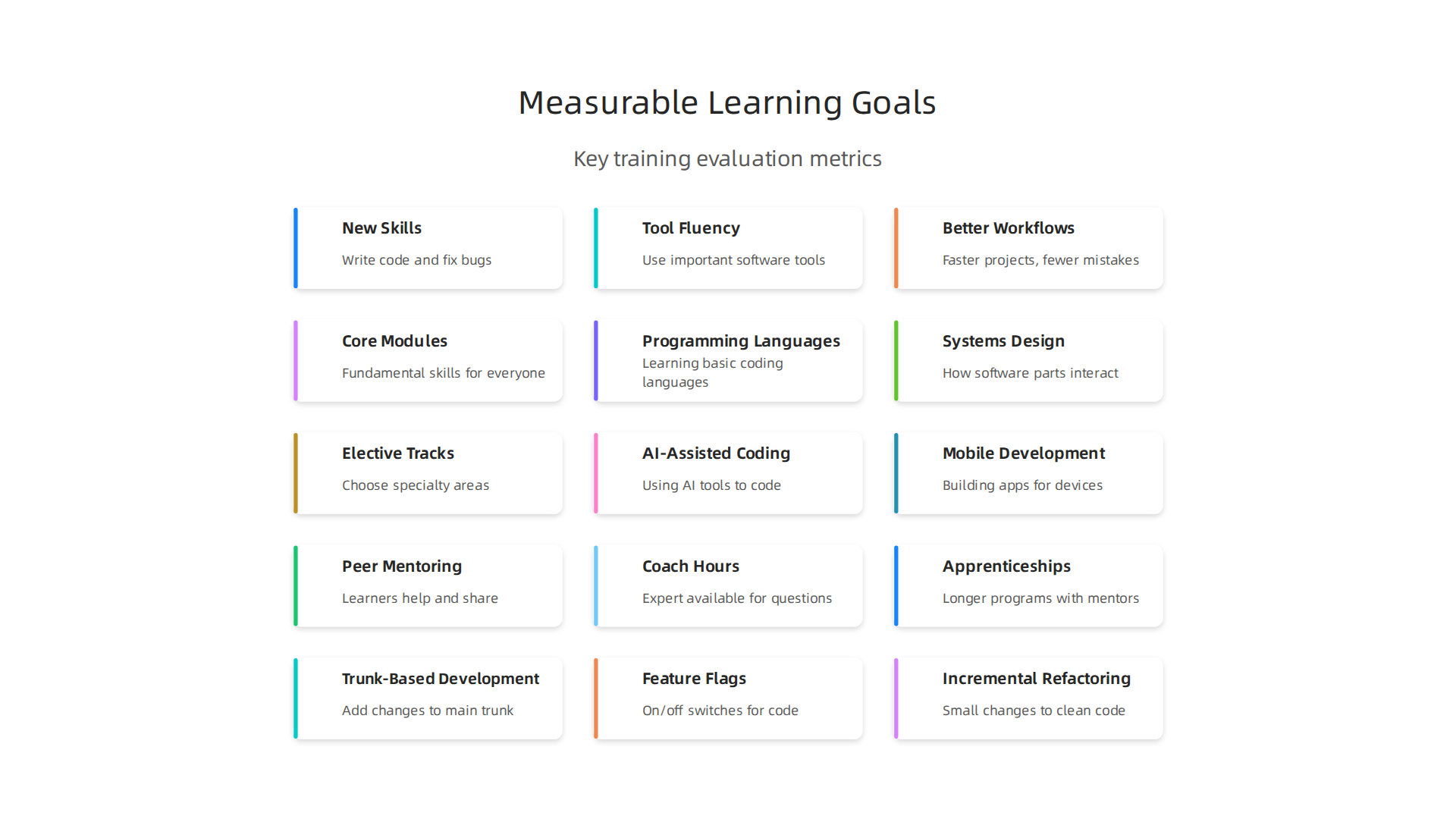
- New Skills: Can they now write code in a certain language? Can they fix bugs on their own?
- Tool Fluency: Can they use important software tools like a pro? This includes things like version control systems or testing tools.
- Better Workflows: Do their projects move faster? Are there fewer mistakes because they learned a new, smarter way to work?
By setting these clear, measurable goals, you can make sure that any software development course truly helps people grow and improves how your team works.
After knowing what skills people need, the next big step is to plan the actual learning path. This is called curriculum design. A good software development course needs a clear structure, usually made of two main parts: core modules and elective tracks.
Core Modules: The Must-Know Basics
Core modules are like the main ingredients in a recipe. Everyone taking the software development course should learn these. They cover the fundamental skills that every software developer needs in 2026. Think of them as the building blocks for any tech job.
Here are some ideas for core modules:
- Programming Languages: Learning one or more basic coding languages. This is where people truly learn to master programming language fundamentals in 2026.
- Systems Design: Understanding how different parts of a software system work together.
- Testing and Quality: How to make sure software works right and doesn’t have bugs.
- CI/CD (Continuous Integration/Continuous Delivery): This is about automating how software is built, tested, and released quickly and smoothly.
When putting together these parts of a course, it helps to think about "competency frameworks." These are like blueprints for what skills someone should have. The Association for Computing Machinery (ACM) offers useful guides on creating a competency model for a curriculum, which helps make sure all key skills are covered.
Elective Tracks: Choosing Your Specialty
Once people have the core basics down, they can pick elective tracks. These are like choosing your favorite toppings for a pizza. Elective tracks let people specialize in areas that match their interests or the specific needs of their team.
Some popular elective tracks in 2026 include:
- AI-Assisted Coding: Learning how to use smart tools that help write code faster and better. Understanding AI for software development is becoming very important.
- Mobile Development: Making apps for phones and tablets. This includes learning about new mobile app development trends in 2026.
- Cybersecurity: Protecting software from online threats and hackers.
Choosing these special paths helps people become experts in certain fields. It’s also a smart way to address skill shortages, like the demand for DevOps and cloud infrastructure experts that we see in 2026.
If you want to stay updated on how AI is changing coding and other tech topics, there’s a great resource. You can get clear daily AI updates.
The AI Newsletter Worth Reading
Structuring for Mixed Experience Levels
A common challenge is teaching a software development course to a group where some people are beginners and others have more experience. To handle this, a good course will:
- Start with the basics: Make sure the first modules are easy for everyone to understand, even those who are just starting out.
- Offer different paths: After the core lessons, you can let people choose between easier or harder elective tracks.
- Provide extra help: Have extra materials or mentors for those who need more support.
- Allow self-paced learning: Some courses let people learn at their own speed, which helps both fast learners and those who need more time.
By planning core modules and elective tracks carefully and thinking about how people with different levels of experience will learn, a software development course can be very effective for everyone involved.
When we plan a great software development course, getting the core modules right is super important. These aren’t just any lessons. They are the basic building blocks that help reduce problems later on and make it easier for different teams to work together. Think of them as the strong foundation for a house; without it, everything else might crumble.
These core lessons should teach people not just how to code, but how to build good software that lasts. For instance, knowing about different models for what a software engineer should be able to do, like the Software Engineering Competency Model, helps make sure the right skills are taught from the start.
Here are some practical topics that should be part of the core modules:
- Version Control: This is like a save button for all your code changes. Tools like Git help teams work on the same project without messing up each other’s work. It’s a key part of the modern workflow.
- Software Testing: Learning how to test software properly is huge. It helps find bugs early so the final product works well. It’s about making sure your code does what it’s supposed to do, every time.
- Design Patterns: These are like common solutions to common problems in coding. Knowing them helps people write cleaner, more organized code.
- CI/CD Basics: We talked about this before, but it’s so important that it needs to be a core skill. It means setting up automatic ways to build, test, and release software. This makes the whole process faster and smoother. Understanding these steps helps new developers see the 6 Phases of Software Development Life Cycle Reimagined for 2026 With AI clearly.
By focusing on these core skills, a software development course helps people learn the right way to build software from the very beginning. This strong start makes it easier for them to grow into excellent developers who can truly help their teams. It’s how people can best learn to code in 2026 and contribute meaningfully.
Electives and specialization: tailoring for teams
While core skills are super important, a good software development course also needs to offer choices. These choices are called electives, and they let people learn more about special areas.

This helps the course match what different product teams really need. For example, some teams might need people who are great at making AI for software development features. Others might focus on making mobile apps run super fast or making sure software is very safe and secure.
It is a known challenge that in 2026, many new hires still lack some specific skills needed for their jobs, especially in areas like cybersecurity and cloud tools Software Engineer Shortage & AI Coding [2026 Survey]. So, offering electives helps close these skill gaps.
We want to let teams pick these special topics without making the learning group feel split apart. The trick is to have these electives build on the strong core skills already learned. This way, everyone shares a common base, but they also get to dig deeper into areas that help their specific projects. Think of it like a team knowing how to play soccer (core skills) but then some learn to be great goalies and others learn to be great forwards (electives). Everyone still plays soccer together.
If you are keen to stay updated on the latest in AI and how it shapes software development, make sure to get helpful insights daily.
The AI Newsletter Worth Reading
3) Hands-on practice, labs, and mentorship models
After learning core skills and special topics, the next big step is putting those skills to work. A truly great software development course needs lots of hands-on practice. This means having practical labs that are like real product problems and use real code. When people get to work on problems that feel real, they learn much better. Studies show that learning by doing, like in open-ended experiments, helps people remember skills better and solve problems well Examining skill retention from a redesigned laboratory course to capstone design sequence.
These labs should follow the actual phases in software development life cycle. This helps future developers understand how to start coding for different parts of a project, from planning to testing. It’s like learning the rules of a game and then actually playing it, instead of just reading about it. Using real projects helps people get ready for how teams work with agile methodology for software development.
Beyond just doing labs, a good software development course also needs strong mentorship. This means getting help and advice from people who already know a lot. There are a few ways to do this:
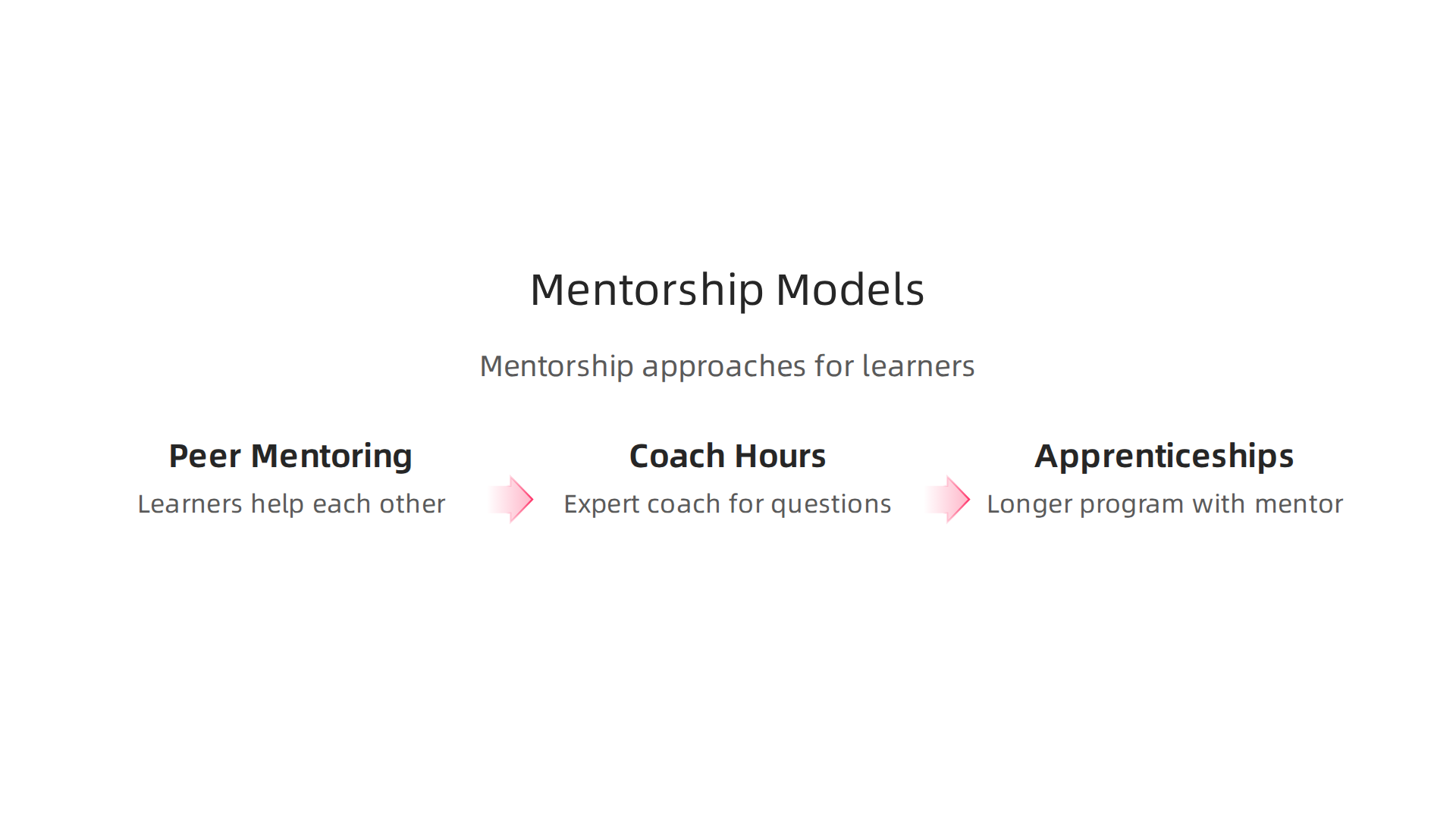
- Peer Mentoring: This is when people learning together help each other. They can share what they know and work through tough problems as a team.
- Coach Hours: These are special times when an expert coach is available to answer questions, give feedback, and guide learners. It’s like having a personal tutor for coding.
- Apprenticeships: This is a longer program where someone learns a skill by working closely with an experienced person for a real job. Apprenticeships are very good for learning on the job and helping people stick with their training for longer periods Factors that contribute to retention and completion for apprentices and trainees. This kind of training leads to better employee performance and growth over time The effects of training on improving employee performance.
These kinds of support help people grow their skills in a lasting way. They make sure that what’s learned in the course truly sticks and can be used on the job. If you’re looking for a good program, make sure it has plenty of opportunities to learn to code 2026: a practical roadmap for beginners using AI and real projects.
4) Effective AI integration in training and workflows
After practicing your coding skills, it’s super important to learn about the new tools that help developers today. One of the biggest changes we see in 2026 is how we use Artificial Intelligence, or AI, to help write code. A good software development course will teach you how to use these AI tools wisely.
This means you’ll learn things like:
- AI-assisted coding: This is where AI helps you write code faster. It can suggest parts of code or even whole functions.
- Pair programming with AI models: Imagine working with an AI as your coding partner. It can help you think through problems and spot mistakes. Tools like ChatGPT or Claude are often used for explaining code or giving advice on how to build software.
- Using guardrails: Since AI is still new, you also need to learn how to check its work. This means having "guardrails" or safety steps.
Actually, while AI tools are great for making code faster, they can sometimes make mistakes. Studies from 2025 and 2026 show that AI-generated code can have many security problems. For example, AI-made code has about 2.74 times more security flaws than code written by humans. Also, a lot of AI-made apps in early 2026 had at least one "hallucination flaw," which means the AI made up code that did not work as expected AI-generated code has 2.74x more security flaws than human code ….
So, a top-notch software development course needs to teach you how to balance using AI with your own smart thinking. This means learning to:
- Check AI code: Always review what the AI gives you, just like you would review another person’s code.
- Use your judgment: AI is a tool, not a replacement for your own engineering judgment. You need to understand why the code works and if it’s safe.
- Fix problems: Learn how to find and fix security flaws or "hallucinations" that AI tools might create.
Learning how to properly use AI coding assistants is a key part of becoming a good developer in 2026. It helps you stay fast and safe in your coding work. To keep up with all the rapid changes in AI and coding, it’s helpful to have a steady source of information.
Get clear daily AI updates from The Deep View Newsletter. The AI Newsletter Worth Reading
AI tools, prompts, and safety guardrails (practical primer)
To continue becoming a strong developer in 2026, you need to know how to use AI tools smartly. It is not just about writing code faster, but also about making sure that code is good and safe. A helpful software development course will teach you how to master these skills.
Here are some AI tools that are very useful:
- Code Completion Tools: These are like smart helpers that guess what you want to type next. They can finish lines of code or suggest whole parts, making you quicker.
- Static Analysis Tools: These AI tools act like tireless proofreaders. They scan your code for mistakes, bad practices, and security weaknesses even before you run the program. This helps catch problems early, which is part of using an agile methodology for software development.
- Test Generation Tools: Writing tests for your code is very important. AI can help by making new tests automatically. This makes sure your code works as it should and helps cover all the phases in software development life cycle.
Even with these great tools, you need to use "guardrails." This means having clear steps to make sure the AI is helping, not hurting, your work.
- Prompt Hygiene: When you ask an AI for help, how you ask is very important. This is called "prompt hygiene." If your question is clear and detailed, the AI will give you better answers. Learning Google Prompt Engineering can teach you how to write better prompts.
- Hallucination Checks: Sometimes, AI tools can make up information or code that looks real but is wrong. This is called a "hallucination flaw." As many as 91.5% of apps built with AI in early 2026 had at least one such flaw 2026 AI Coding Security Report: The Data Behind the Vibe …. You must always check the AI’s work. Run the code it gives you, and make sure it does what you expect. For example, check if API calls or data handling are correct, as AI can sometimes suggest non-existent packages or unsafe patterns AI Developer Tool Supply Chain Attacks: RCE, Fake Installers, and ….
By learning these tools and safety steps, you’ll be ready to tackle advanced software development in 2026 and beyond. This way, you can fully use AI’s power while keeping your code secure and reliable.
5) Embedding best-practice workflows and reducing technical debt
Even when you use AI to write secure and reliable code, how your team works together matters a lot. Using the right ways of working, called "best-practice workflows," helps keep your projects running smoothly. It also helps you avoid or fix "technical debt." Technical debt is like taking a shortcut in building something. It saves time now, but makes things harder to change or fix later.
One good way to work is called trunk-based development. Imagine your code as a tree. The "trunk" is the main, working version of your software. With trunk-based development, all developers add their changes directly to this main trunk, but in small, frequent steps. This means everyone’s work is always close together, making it easier to see and fix problems quickly. This is a core idea of an agile methodology for software development.
To make trunk-based development safe, teams often use feature flags. Think of a feature flag as an on/off switch for a new piece of code. You can write new code, put it into the main trunk, but keep it "off" using a feature flag. This way, the new code is there, but users don’t see it until you’re ready to flip the switch. Feature flags help teams ship code often without breaking anything. They also help manage technical debt because you can decide to remove a flag and its related code once a feature is fully launched and stable. Many companies schedule regular reviews to remove flags that are no longer needed to keep the code clean, as explained in a guide on how engineering teams reduce feature flag technical debt.
Another important practice is incremental refactoring. This means making small, careful changes to your code over time to make it cleaner and easier to understand. It’s like tidying up your room a little bit each day instead of letting it get super messy and then trying to clean it all at once. When you refactor often, you reduce technical debt, making your software easier to maintain and faster to improve.
A good software development course will teach you these workflows. It will also give you exercises that show you how technical debt can build up and how to fix it. Understanding these ideas is key whether you’re learning how to start coding or working through different SDLC Models Pick the Best for Your 2026 Software Projects. Mastering these practices ensures that your software projects are not only built well but also stay healthy over time.
For more insights into modern development strategies and AI, consider reading The AI Newsletter Worth Reading.
6) Assessments, feedback loops, and measuring impact
Learning new ways to build software is only half the battle. You also need to know if those new methods are truly helping your team and making your projects better. This is where looking at how you learn, getting feedback, and checking your results comes in.
First, let’s talk about how we check learning. There are two main types of checks, or "assessments." Think of them like school tests.
- Formative assessments are small checks along the way. They are like quick quizzes during a
software development course. They help you and your instructors see what you know and where you might need more help, so you can fix things as you go. - Summative assessments are like final exams. They happen at the end to see how much you’ve learned overall.
For software teams, these assessments should look like real work tasks. This means using "performance-based assessments," where you show what you can do, rather than just answering questions from a book. Actually, a study in 2026 showed that performance-based assessments are better at checking what employees have learned than simple knowledge tests [Performance-Based Assessments Beat Knowledge Tests in Evaluating]. This is important for anyone learning how to start coding or improving their skills.
Besides formal checks, getting regular "feedback" is key. This is like your teammates telling you what’s working well and what could be better. This constant talking helps everyone grow and improve quickly. It’s a big part of an agile methodology for software development because it helps teams adapt and change.
Finally, we need to measure the impact of all this learning and better workflow. This is about seeing if the time and effort put into training and new practices are worth it. We often call this "Return on Investment" or ROI. For software projects, you can look at:
- Quality Metrics: Are there fewer bugs in the code? Is the software more stable?
- Cycle Time: How fast can the team take an idea and turn it into working software? Shorter times often mean better efficiency.
- Team-level KPIs: These are key performance indicators, or important goals, the team tracks. For example, how often they release new features or how happy users are.
Studies show that training often leads to better work performance. For example, regular training can greatly improve how well employees do their jobs [The effects of training on improving employee performance]. Another study found that ongoing training helps improve a person’s work and their commitment to their job [Training & development, career development, and organizational …]. This helps show the value of investing in a good software development course. Knowing the different phases in software development life cycle helps you know when to measure things.
By designing good assessments and looking at these numbers, you can tell if your team’s learning and new ways of working are truly making a difference. This helps your team build better software faster and makes sure everyone keeps getting better. If you want to dive deeper into how modern training methods can change your team’s output, consider how to Transform Corporate Training with AI-Powered Homework Help.
After checking if new methods truly help, the next step is to plan what comes after a software development course. This means thinking about how people can keep learning and growing in their jobs. It’s about building clear career paths and making smart choices about extra training or certifications.
Designing Post-Course Pathways
Once a team member finishes a software development course, their learning shouldn’t stop. Companies need to design clear paths for continued growth. This often involves:
- On-the-job projects: The best way to learn is by doing. Give employees real projects where they can use their new skills right away. This is very important for those learning
how to start coding. - Advanced modules: After a basic course, offer more advanced classes or workshops. These can dive deeper into specific areas, like a new programming language or a special part of an
agile methodology for software development. - Mentorship: Pair newer developers with experienced ones. This helps them learn tricks of the trade and get personal guidance.
Then there’s the big question: should you focus on getting a "certification" or building a "portfolio" of your work?
- Certifications: These are official papers that show you’ve passed a test or completed a course from a known group. Many companies, in 2026, use IT certifications to fill important skill gaps, and they see good results from it. In fact, a 2026 report showed that employers get a lot of value from certified IT staff, with each certified employee adding almost $18,000 in value each year [Employers Use IT Certification to Close High Risk Skills Gaps].
- Portfolios: These are collections of your actual work, like code you’ve written or apps you’ve built. A good portfolio shows what you can really do. Experts suggest that certifications work best when you also have projects for your portfolio [Certifications in 2026: Worth It or Waste?].
Both are helpful. A certification can open doors, but a strong portfolio proves you have the skills.
Aligning Learning with Talent and Retention
For companies, designing these learning paths isn’t just about training. It’s about keeping good employees and making sure your team has the right skills for the future. This is part of a bigger plan called "talent strategy."
Organizations can do a few things:
- Continuous Learning: Create a culture where learning is always happening. This means giving time and tools for employees to grow their skills regularly.
- Upskilling and Reskilling:
- Upskilling means teaching employees new skills to get better at their current job.
- Reskilling means teaching them completely new skills for a different job within the company.
Statistics from 2026 show that workers who upskill can see their earnings go up by 15-20% within two years [Upskilling Statistics 2026]. This helps both the employee and the company.
- Clear Career Roads: Show employees how learning new skills can lead to promotions or new roles. This involves thinking about all the
phases in software development life cycleand how different roles fit in. You can learn more about how to navigate your career path with a guide to software engineering degrees or explore a Junior Software Engineer 2026 Skills roadmap. - Retention: When employees feel like their company cares about their growth, they are more likely to stay. Studies show that a focus on career development helps people stay with their jobs [Factors that contribute to retention and completion for apprentices and trainees].
By planning for learning after a course and linking it to how employees grow in the company, organizations can make sure their teams are always ready for what’s next in the fast-changing world of software. Staying on top of current trends is vital.
The world of software development, especially with AI, changes fast.
Get clear daily AI updates from The AI Newsletter Worth Reading.
Summary
This article explains why a comprehensive software development course is essential in 2026 and shows how to design one that actually works for teams and new hires. It walks through setting measurable learning objectives for different roles, building a curriculum of core modules plus elective specializations, and structuring training for mixed-experience cohorts. The guide stresses hands-on labs, mentorship (peer coaching and apprenticeships), and performance-based assessments to make learning stick. It covers practical AI integration—how to use code assistants, test-generation and static analysis tools—and the guardrails needed to avoid AI hallucinations and security flaws. The article also recommends best-practice workflows like trunk-based development, feature flags, and incremental refactoring to reduce technical debt. Finally, it shows how to measure ROI and design post-course pathways including certifications and portfolios to retain talent and grow capability.