
Learn to Code 2026 A Practical Roadmap for Beginners Using AI and Real Projects
· 21 min read

Introduction
You want to learn coding in 2026, but the options feel endless. Online courses, bootcamps, free tutorials, AI tools… where do you even start?

The demand for tech skills is exploding. Since 2019, the software and technology industry has seen a 3600% increase in demand for online learning, according to recent online learning statistics for 2026.
At the same time, the way we learn is changing fast. AI tools are now part of everyday coding, and employers want candidates who can use them. Python, JavaScript, and SQL lead the list of in-demand skills.
This guide gives you a structured, data-driven roadmap. Whether you are a complete beginner or an experienced developer looking to level up, we cover the best platforms like Coursera courses and Udemy free courses, which languages to focus on, how to use AI in your learning (including how to study AI effectively), how to build a portfolio that stands out, and how to stay current. We also highlight lesser-known options like government free online courses with certificates that can boost your resume without costing a dime. For a head start on finding the right course, check out our overview of the best online web development courses to learn in 2026.
One of the easiest ways to keep up with the rapid pace of change is to get daily insights from experts. That is why we recommend The AI Newsletter Worth Reading.

It delivers clear AI updates straight to your inbox, helping you stay ahead as you build your coding skills.
Why Learning to Code in 2026 Is Different
The way people learn to code today looks nothing like it did even a few years ago. If you are starting your journey in 2026, you are entering a world where artificial intelligence is your co-pilot, not just a fancy add-on. This changes everything.
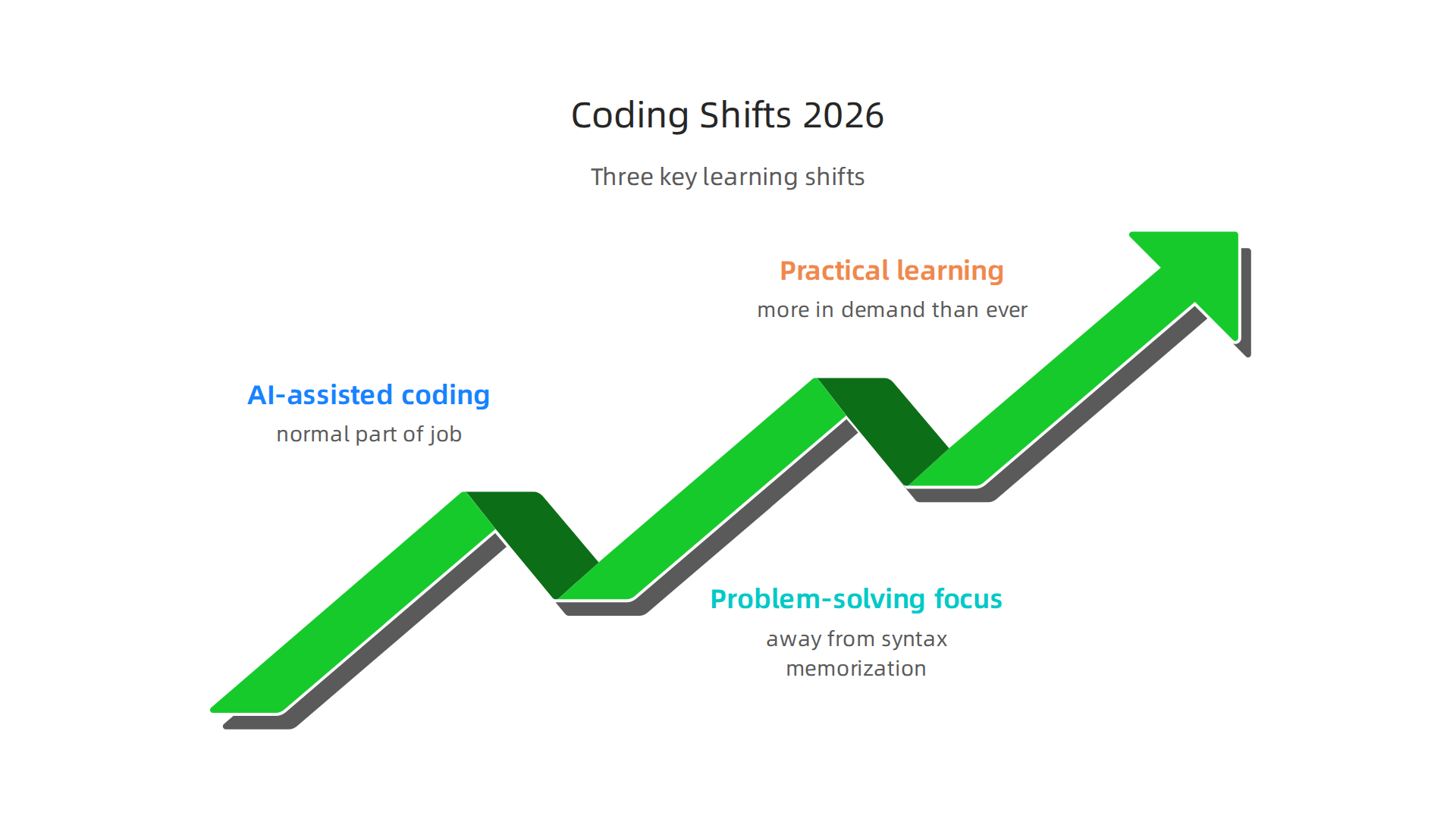
Here is the big shift: AI-assisted coding tools are now a normal part of the job.
According to recent Software Development Statistics for 2026, 85% of developers regularly use AI tools for writing code and development, and 62% rely on at least one AI coding assistant in their workflow. For beginners, this is both a blessing and a reason to rethink how you study. Instead of spending months memorizing every semicolon and bracket, you can focus on what the code should do. Tools like GitHub Copilot or Claude can write the boilerplate for you. Your real challenge becomes understanding the logic and the problem you are solving.
That leads to the second major change: the focus is moving away from syntax memorization and toward problem-solving and system design. Employers in 2026 care less about whether you can recite the exact syntax for a Python dictionary comprehension and more about whether you can break down a business problem into steps that a machine can execute. This is why project-based learning is exploding. Real projects teach you how to think, how to debug, and how to design systems. You can still start with AI coding assistants 2026 to help you along, but the real skill is knowing what to build and why.
Third, practical, hands-on learning is more in demand than ever. The shift toward project-based learning and gamification is evident across the market. For example, the online coding for kids market alone is projected to grow from $6.51 billion in 2026 to $13.7 billion by 2030, with major trends including project-based learning programs and interactive coding tutorials, as shown in the Online Coding for Kids Market Report 2026. This same trend applies to adult learners. Platforms like Coursera courses and Udemy free courses now emphasize building projects over watching lectures. Even government free online courses with certificates are designed around real-world tasks.
The bottom line: if you are planning to learn coding in 2026, embrace the AI tools, focus on concepts over syntax, and build projects as early as possible. The landscape is more supportive than ever for motivated beginners.
The Best Online Platforms for Learning to Code
Now that you know what matters in 2026, the next big question is where to actually learn. You have tons of options, but they fall into a few main categories. Your choice depends on how you learn best, your budget, and your schedule.
Structured Courses vs. Interactive Tutorials
Structured courses work well if you like a clear roadmap. Platforms like Coursera and Udemy offer full courses that walk you from zero to job-ready step by step. You get video lectures, reading materials, quizzes, and projects. This style is great if you need deadlines and a predictable pace. Many of these courses now include AI coding assistant exercises, so you learn how to use tools like Copilot right from the start.
Interactive tutorials are better if you learn by doing. Codecademy and freeCodeCamp let you type code directly in the browser. You get instant feedback, which speeds up the learning process. If you get bored watching long videos, interactive platforms keep you engaged. For beginners, starting with a free interactive site like freeCodeCamp can build confidence fast. And if you want a cloud-based code editor that needs zero setup, Replit is the best choice for beginners according to the AI Coding Tools Comparison 2026. It includes AI assistance right out of the box.
Coding Bootcamps vs. Self-Study
Bootcamps are intense, usually full-time, and cost between $10,000 and $20,000. They promise job readiness in 12 to 24 weeks. If you have the money and can dedicate yourself fully, bootcamps give you structure, mentors, and career support. But they are not the only path.
Self-study is much cheaper and more flexible. You can use government free online courses with certificates, or take free courses on Coursera and Udemy. You set your own pace. The tradeoff: you need strong self-discipline. You also have to build your own projects and portfolio without formal guidance. Many successful developers in 2026 are self-taught, especially because AI tools fill the gaps that used to require a teacher.
If you want a middle ground, check out the best online web development courses to learn in 2026. They combine structured lessons with hands-on projects.
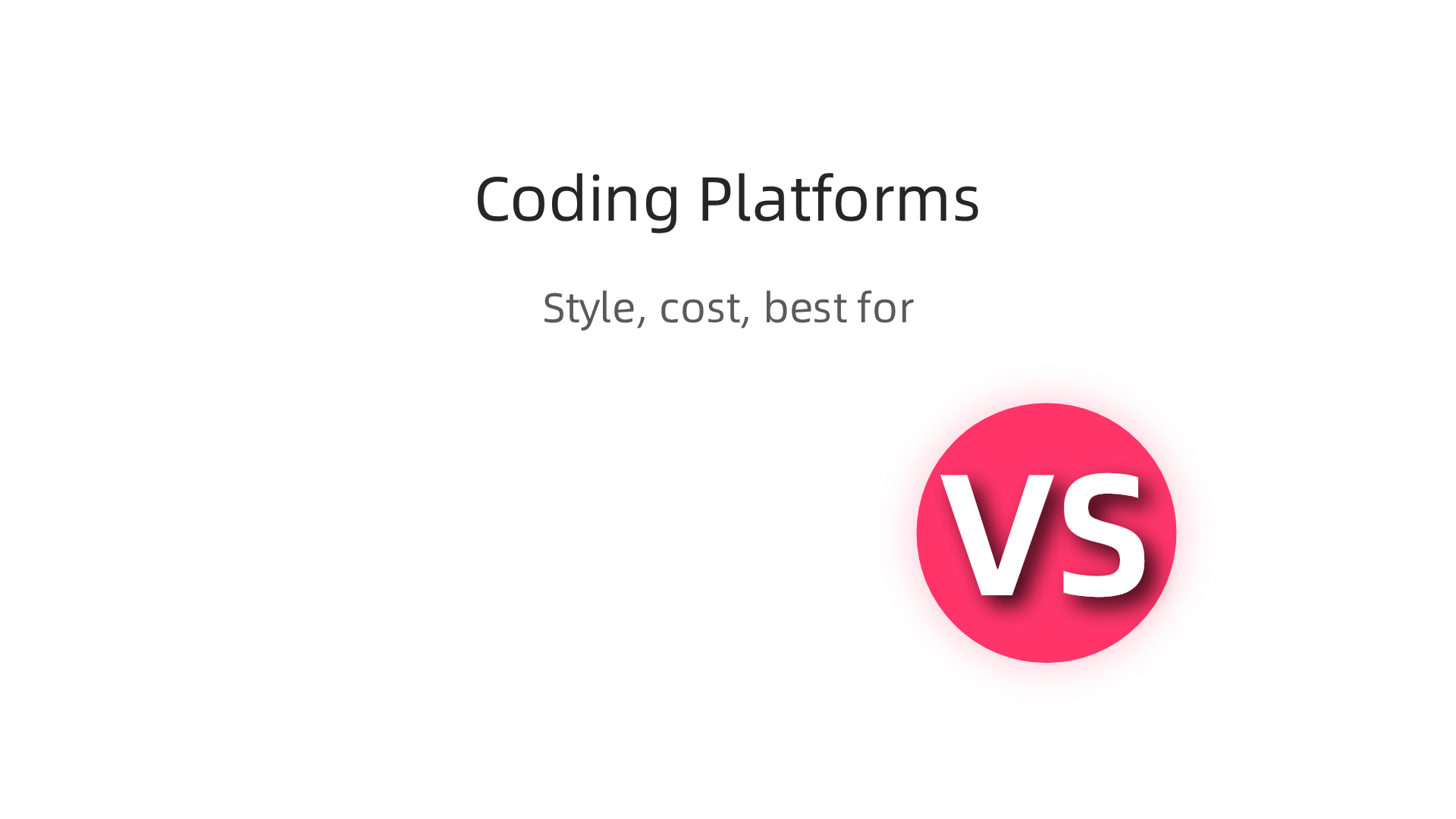
Quick Platform Comparison
| Platform | Style | Cost | Best For |
|---|---|---|---|
| Coursera | Structured courses | Free + paid certs | Visual learners who want certificates |
| Udemy | Structured courses | Sales as low as $15 | Budget learners who prefer one-time buys |
| Codecademy | Interactive tutorials | Free + Pro plan | Hands-on doers |
| freeCodeCamp | Interactive tutorials | Completely free | Total beginners with no budget |
| Replit | Cloud IDE + tutorials | Free tier | Beginners wanting instant coding |
No matter which platform you choose, the key is to start building small projects early.
And since AI is reshaping how we learn, staying up to date matters. The AI Newsletter Worth Reading delivers clear daily updates on AI trends that affect developers. It is a simple way to stay informed while you learn.
How to Choose the Right Programming Language to Learn
You have decided to learn coding. That is the hard part. Now comes a question that stalls a lot of beginners: which language should you pick? The answer is simpler than you think. It comes down to what you actually want to build.
Match the Language to Your Goal
Think about the end result first. Do you want to build websites? Then JavaScript is your starting point. It powers nearly every modern web page and works for both front-end and back-end development. If you want to build phone apps, you need Swift for iPhones or Kotlin for Android.
Interested in data science or artificial intelligence? Python is the clear winner. It has the largest collection of libraries for machine learning and data analysis. If you want to work on high-traffic systems or cloud infrastructure, Go is gaining fast because it handles many users at once without slowing down.
Here is a quick way to think about it:
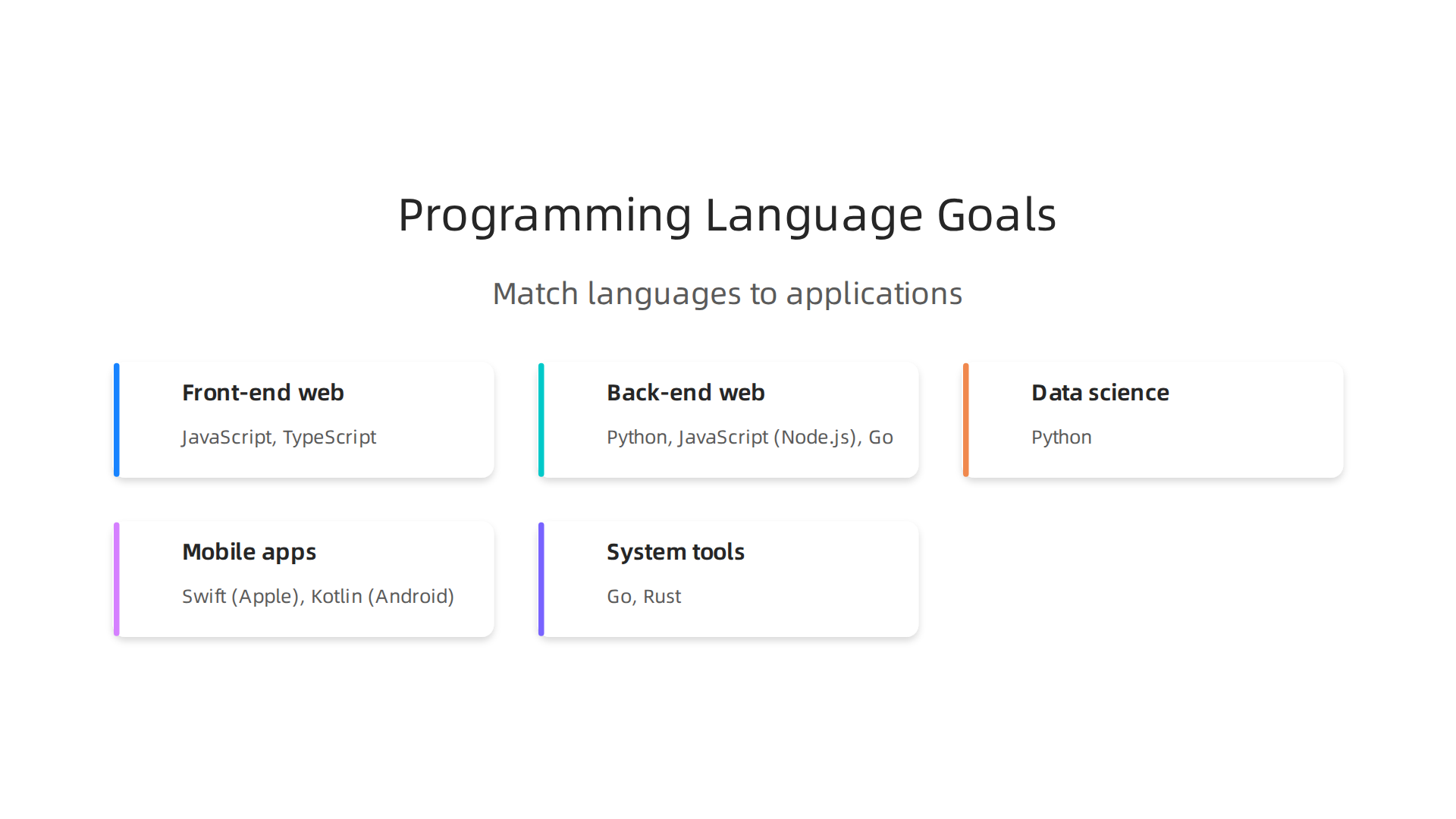
- Front-end web: JavaScript, TypeScript
- Back-end web: Python, JavaScript (Node.js), Go
- Data science and AI: Python
- Mobile apps: Swift (Apple), Kotlin (Android)
- System tools and cloud: Go, Rust
Learning Curve and Community Support
For a beginner, community size matters a lot. A language with millions of active users means more tutorials, more forums, and more answers when you get stuck. Python and JavaScript have the largest communities in 2026. That is why most "learn coding" advice starts with one of these two.
Python is often called the easiest language to read. The syntax looks almost like plain English. You can start building useful scripts within a week. JavaScript is slightly trickier at first because of how it handles certain concepts, but it pays off fast since you see results in a browser immediately.
If you want structured lessons, there are many coursera courses and udemy free courses for both languages. You can also find government free online courses with certificates in some countries. These give you a recognized credential without spending money. That matters when you are just starting out.
AI Is Changing Which Languages Matter
Here is something interesting about 2026: AI tools are now so good that the "best" language is often the one you already know. You can describe what you want in plain English, and an AI coding assistant writes the code for you. The best AI for coding in 2026 works with Python, JavaScript, Go, and most popular languages equally well. So the language you pick is becoming less about technical limits and more about which ecosystem you enjoy.
If you want to focus on study ai as a skill, Python is still the most natural choice. But if you want to build web apps quickly, JavaScript paired with an AI assistant is a powerful combo.
Final Advice for Beginners
Do not overthink this. Pick Python if you want a gentle start. Pick JavaScript if you want to build things you can see and share. Pick Go if you are drawn to performance and scalability. All three have strong job markets in 2026.
Once you pick a language, the next step is finding a solid class. Check out this guide on how to pick the best web development class online to match your learning style with the right course. That will save you time and frustration.
The language does not define you. Your projects do. Start with one, build something small, and grow from there.
Integrating AI Tools into Your Learning Journey
Once you pick a language, the next big question is how to actually learn it. In 2026, AI tools play a huge role in that process. ChatGPT, GitHub Copilot, and Cursor are not just for professionals. They are learning companions that can explain confusing concepts, show you examples, and catch your mistakes instantly.
But using AI the wrong way can actually slow down your growth. Let us look at how to get the most out of these tools without hurting your long-term skills.
Speed vs. Deep Understanding
AI tools make you faster. Developers using GitHub Copilot complete tasks about 55 percent faster, according to a large Microsoft study. That sounds great, especially when you are just starting out and every line feels hard.
Here is the trade-off though. A study from Anthropic found that people who used AI assistants while learning a new library scored 17 percent lower on a quiz than those who coded by hand. The AI group saved about two minutes, but they understood less. The biggest gap was in debugging skills. When something broke, they had no idea why.
The takeaway is simple. AI helps you move fast, but it can also let you skip the thinking that builds real skill. You need a balance.
Best Practices for Learning with AI
Think of AI as a tutor, not a replacement for your brain. Here are a few rules that work well for beginners.
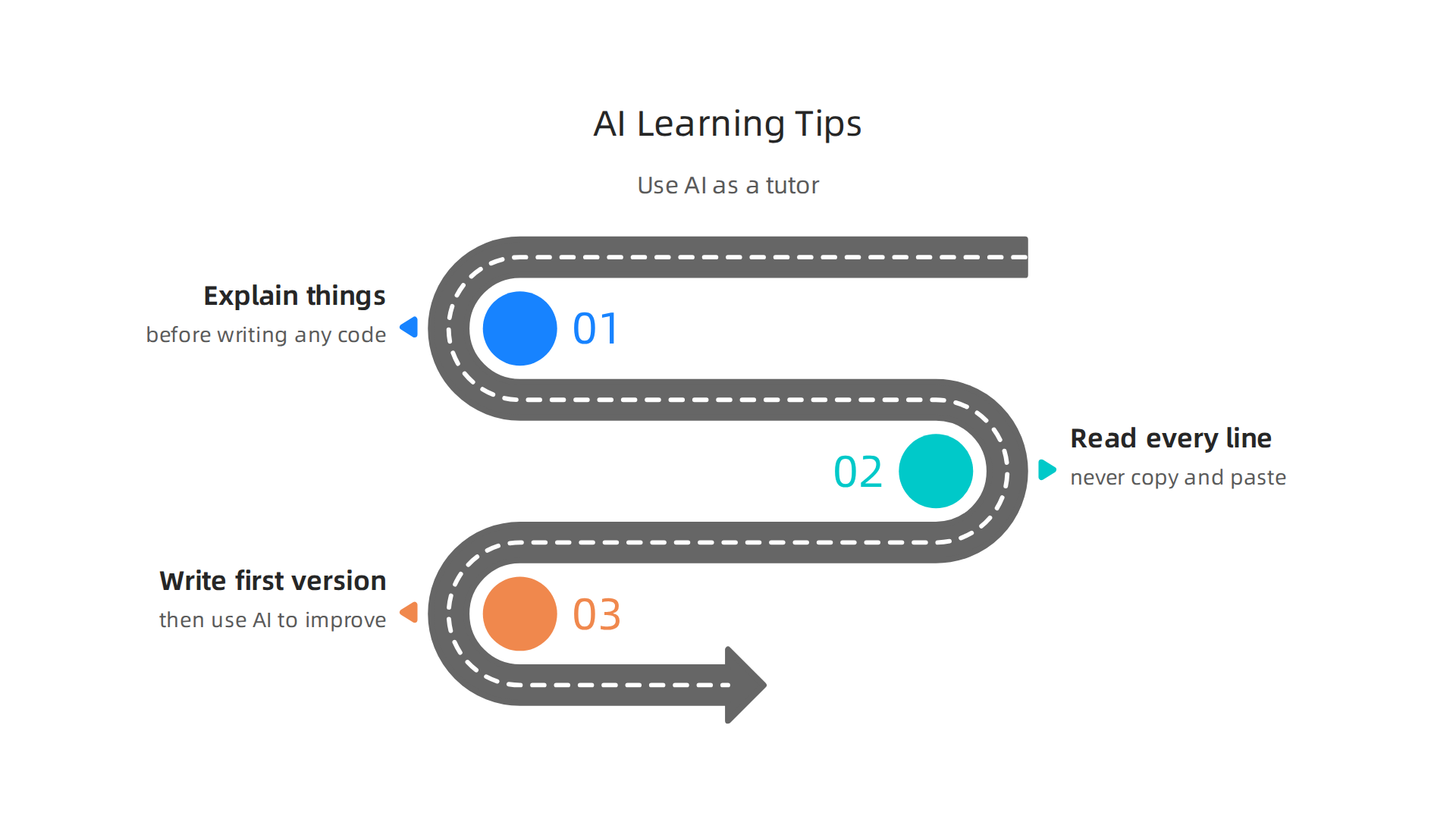
First, make the tool explain things before it writes code. Many AI coding tools can describe the steps out loud. Ask it: "Explain how to solve this problem step by step before writing any code." That turns the output into a lesson instead of a shortcut.
Second, never copy and paste without reading every line. Ask yourself why each part exists. If you do not understand something, ask the AI to explain it again.
Third, write the first version yourself. Then use AI to improve it. That way you build your own understanding first. According to recent developer surveys on AI-assisted learning, 44 percent of developers now use AI tools to learn, but the best results come when you stay in the driver seat.
If you want to dig deeper into how to keep control while using these assistants, check out this guide on AI coding assistants and prompt engineering to solve the trust problem. It shows you exactly how to ask questions that give you useful answers without losing your own learning.
Keep Growing With Daily AI Insights
AI tools change fast. The best coding assistant today might be different next month. You need a way to stay informed without spending hours reading every article.
That is why The AI Newsletter Worth Reading is such a useful resource. It delivers clear daily updates on AI trends, tools, and best practices straight to your inbox. Thousands of engineers rely on it to stay ahead.
Use AI as a partner, not a crutch. When you do that, you get the speed without sacrificing the understanding. And that is how you truly learn to code for the long haul.
Building a Portfolio That Stands Out
Learning to code is one thing. Proving you can actually build things is another. In 2026, hiring managers care less about your resume and more about what you have shipped. That is where your portfolio comes in.
A strong portfolio shows real-world skills. It does not need to be huge. According to a detailed portfolio guide from 2026, 3 to 5 polished projects are better than 10 average ones.

The key is to pick projects that solve actual problems. Build a tool that helps your local community. Create a small app that automates a boring task you deal with every day. Those projects stand out because they show you think like a builder, not just a student.
Open source contributions also carry a lot of weight. When you fix a bug in a popular library or add a small feature, you prove you can work with existing codebases. That is exactly what teams deal with every day. Even a single well-documented pull request can land you an interview.
Document Your Journey
Your portfolio is more than a list of projects. It is a story of how you grow. Hiring managers in 2026 want to see your thinking, not just your output. Write a clear README for each project. Explain what problem it solves, what tech stack you chose, and what tradeoffs you made.
You can also start a simple blog or a code diary. Write about a bug you fixed or a feature you shipped. That shows communication skills, which are just as important as coding skills. If you are looking for structured courses to help you build portfolio-worthy projects, check out the best online web development courses to learn in 2026. They can guide you from beginner projects to interview-ready work.
What Hiring Managers Look For
Here are the portfolio elements that hiring managers value most right now:
- Live demos. About 84 percent of employers want to see a working app, not just code. Host your projects on free platforms like Netlify or Vercel.
- Clean, well-organized code. Your GitHub repos should have meaningful commit messages, a clear file structure, and no secrets committed.
- Mobile-friendly presentation. Over 40 percent of recruiters browse portfolios on their phones. Make sure your site loads fast and looks good on a small screen.
- Real problem solving. Tutorial copies do not impress. Build something original or add a unique twist to an existing idea.
You do not need to show everything. Pick 3 to 5 projects that highlight your best work. Target the roles you want and align your projects with the tech stacks those companies use. That strategy works far better than trying to demonstrate shallow knowledge across twenty different tools.
Your portfolio is your proof. Make it count.
Staying Up-to-Date: The Developer’s Learning Ecosystem
So you landed your first coding job. Or maybe you are still working through your first few projects. Either way, here is the truth. Learning to code never really ends. Technologies shift. New tools pop up. What you knew six months ago might not be enough today.
That sounds overwhelming. It does not have to be. The developers who grow the fastest are not the ones who study eight hours a day. They are the ones who build a smart learning ecosystem. Think of it like a daily news feed, but tailored for your career.
Newsletters and Podcasts Keep You Sharp
You do not need to read every blog post. Pick one or two good newsletters and let the best ideas come to you. Podcasts work great during your commute or while doing chores. According to the top developer skills to learn in 2026, staying current with trends like AI integration and cloud-native development is essential. A daily newsletter can cover those topics in under five minutes.
Communities also help a lot. The Reddit learnprogramming community discusses the best IT paths for beginners and experienced developers alike. You see real questions, real answers, and real mistakes. That kind of learning sticks.
Micro-Learning Fits Your Schedule
You do not need a four-month course to stay updated. Micro-learning works better. Spend fifteen minutes a day on a new concept. That adds up to over ninety hours a year. Many platforms offer free resources. You can find coursera courses, udemy free courses, and even government free online courses with certificates. All of them help you fill gaps without burning out.
If you want to study AI, start small. Read one article about prompt engineering or API integration. Try it in a side project. Repeat. That is how real growth happens.
Curate Your Personal Learning Feed
Do not follow every tech influencer out there. That leads to noise, not knowledge. Pick a few sources that line up with your goals. If you are into full-stack development, follow newsletters about React and Node.js. If you want to understand how AI assistants change daily work, check out articles like this one on AI coding assistants 2026. They show you what actually works on the job.
A curated feed saves time and keeps you focused. You learn faster because you are not constantly switching topics.
For a steady stream of clear, daily updates on AI and tech, The AI Newsletter Worth Reading delivers exactly what you need. No fluff, just useful insights to fuel your growth.
Overcoming Common Pitfalls in Self-Directed Learning
Learning to code on your own is exciting. But it comes with real challenges. Two big ones are impostor syndrome and burnout. Let us talk about how to handle them.
Impostor Syndrome and Burnout
Impostor syndrome is that voice in your head telling you that you do not belong. It whispers that everyone else knows more than you. The truth is almost every developer feels this way sometimes. The key is to notice that feeling and keep moving. Burnout happens when you push too hard without rest. You feel tired, frustrated, and stuck. To avoid this, set small daily goals. Take real breaks. Sleep enough. Your brain needs rest to learn well.
Another way to fight impostor syndrome is to share your work early. Even imperfect code teaches you something. Getting feedback from others proves you are making progress. Many developers find that building a portfolio helps them see how far they have come. A good developer portfolio guide can show you how to present your work in a way that invites helpful comments.
Lack of Structured Feedback
When you learn alone, no one tells you what you are doing wrong. That is a problem. You might keep making the same mistakes without knowing it. The fix is to find a mentor or join a community. Look for local coding meetups, online forums, or study groups. Ask a more experienced developer to review your code. Even a quick review once a week can save you hours of frustration.
If you are not sure where to start, check out some best online web development courses that include instructor feedback or peer review. That kind of structured feedback makes a huge difference.
Motivation Techniques
Staying motivated for months or years is hard. That is normal. The trick is to break your big goal into smaller wins. Instead of "learn coding," set a goal like "build a simple weather app this week." Celebrate when you finish it.
Accountability groups also work well. Find a few people who are learning the same thing. Check in with each other every week. Share your progress and your struggles. Knowing someone expects an update helps you stay on track.
Remember, learning to code is a marathon, not a sprint. Be kind to yourself. Every developer started exactly where you are now.
The Future of Coding Education: What to Expect
The way you learn coding is changing fast. In 2026, the tools and methods look very different from just a few years ago. Three big trends are shaping the future of learning. Let us walk through them.
AI-Powered Personalized Learning Paths
AI is now a core part of how people learn code. In fact, 44% of developers are using AI tools to learn coding, according to a 2025 Stack Overflow survey. But here is what you need to know: blindly relying on AI can hurt your learning. Research from Anthropic found that using AI assistance led to a 17% lower score on a follow-up quiz compared to coding by hand. The study suggests that when you offload your thinking to AI, you retain less.
The smarter path is to use AI as a tutor, not a crutch. Personalized learning platforms will adapt to your pace. They will give you harder problems when you are ready and step back when you struggle. The key is to stay active in your learning. Review the code AI writes. Ask it to explain its choices. Do not just accept answers.
Some new tools are already moving in this direction. You can check out our guide on AI coding assistants trust problem to learn how to keep control.
Competency-Based Credentials Replacing Degrees
Traditional computer science degrees are no longer the only path. Employers now value what you can do more than where you studied. Micro-credentials and competency-based badges are growing fast. You earn them by passing hands-on projects, not multiple-choice tests. This shift makes it easier to prove your skills without spending years at a university.
Many online platforms now offer stackable credentials. You build them one skill at a time. This matches the way real software development works: you learn a tool, build something, and move to the next challenge. Expect more employers to accept these credentials in 2026 and beyond.
Immersive Learning with AR and VR
Imagine putting on a headset and coding inside a 3D space. Augmented reality and virtual reality are starting to enter coding education. You can see your code as blocks floating in front of you. You can grab variables, move functions around, and visualize how data flows. Early experiments show this helps beginners grasp abstract concepts faster.
These tools are still new, but they will grow. They make learning more hands-on and less like staring at a text editor. For now, keep an eye on this space. It may become a standard part of learning in a few years.
Staying on top of these changes is easier when you get daily updates from experts. That is why many developers subscribe to The AI Newsletter Worth Reading for clear, daily AI insights. It helps you know what matters without drowning in noise.
The future of coding education is flexible, personalized, and immersive. The best time to start is now.
Summary
This article is a practical roadmap for anyone learning to code in 2026, covering how the rise of AI has shifted what matters—concepts, problem solving, and projects—over rote syntax. It compares the main platform types (structured courses, interactive tutorials, bootcamps, and self-study), explains how to choose a language based on goals (web, mobile, data, systems), and shows how AI assistants can speed learning while warning about the trade-offs to deep understanding. You’ll learn how to integrate AI wisely, pick platforms that match your budget and learning style, and build a portfolio of 3–5 polished projects that hiring managers value. The guide also covers common self-directed learning pitfalls like impostor syndrome and burnout and offers practical habits—micro-learning, curated newsletters, and communities—to stay current. Overall, it helps you pick a path, use modern tools effectively, and produce real work that proves your skills.