
Google Prompt Engineering: A Developer Guide to Writing Better AI Prompts
· 20 min read

Introduction: Why Prompt Engineering Is the Developer’s New Superpower
You sit down to code, open your favorite AI assistant, and type a question. The response comes back fast, but it’s not quite right. Maybe it’s too generic. Maybe it misses the context. Sound familiar? You’re not alone. According to the AI Coding Assistant Statistics 2026 report, 84% of developers now use or plan to use AI coding tools. But the difference between getting a helpful answer and a frustrating one often comes down to one skill: prompt engineering.
AI-assisted coding has moved from a nice experiment to a daily must-have. By now, most developers have tried an AI tool. But the ones who get the best results are those who know how to talk to these models effectively. If you want to improve that skill, learning how to structure your prompts is essential.

A great resource is this guide on using AI for software development.
That’s where Google prompt engineering comes in. Google has been a leader in AI for years. They have shared clear frameworks, tools, and best practices to help developers write prompts that actually work. Their approach puts responsibility and clarity first.
Understanding context engineering vs prompt engineering helps, too. It’s not just about typing a one-line command. It’s about giving the model enough background, examples, and constraints so it can give you useful code. A good prompt can save hours of debugging and rework.
In this article, we will take Google’s guidance and turn it into a practical, step-by-step approach you can use today. We will cover how to set up prompts, what to avoid, and how to decide when to use AI or human judgment instead.
Before we dive into the details, staying on top of AI updates is key. That’s why we recommend The Deep View Newsletter. It delivers clear daily AI news straight to your inbox, so you never miss a trend.
Now, let’s look at what Google tells us about writing better prompts.
Why Prompt Engineering Matters: The Developer Productivity Shift
Here’s a simple truth: the developers who get the most out of AI are not the ones with the fastest computers. They are the ones who write better prompts. Google’s own research shows that learning prompt engineering can make you two to three times more productive on routine coding tasks. According to the AI Coding Assistant Adoption Rates 2026 report, 90% of developers now use AI tools at work, but only a fraction of them get consistently good results. The edge comes from knowing how to talk to the model properly.
Take code generation. A messy one-line request often returns a mess. But a well-structured prompt with context, examples, and constraints turns the same AI into a reliable pair programmer. Developers who invest time in prompt engineering report 30% to 50% faster task completion for code generation, debugging, and writing documentation. That is not a small improvement. That is the difference between finishing a ticket in one afternoon versus struggling for a full day.
The second big benefit is reduced mental strain. When you write a good prompt, you offload the busy work.

You stop switching between code, docs, and Stack Overflow a hundred times a day. The AI handles the grunt work so your brain stays fresh for architecture decisions, logic design, and problem solving. That is what we mean when we talk about cognitive load. Prompt engineering acts like a clean interface between you and the machine. You give clear instructions, the AI follows them, and you save your energy for the hard stuff.
Finally, understanding the return on investment matters. Learning prompt engineering takes a few hours of practice, but it pays back every single day. If you write ten prompts a day and each one saves you ten minutes, that is over an hour saved daily. Over a year, that is hundreds of hours. That is real time you can spend on learning, mentoring, or building something new. If you want to see practical examples of how teams are making this shift, check out this guide on AI coding assistants and prompt engineering.
So the question is not whether AI can help you code faster. The question is whether you are giving it the right instructions. Next, we will walk through the core techniques Google recommends for writing prompts that deliver real results.
Google’s Core Principles for Prompt Engineering
Google has published detailed guidance to help developers get the best results from their AI models. Their approach boils down to three main ideas: clarity, specificity, and iterative refinement. Instead of typing a vague request, you break down your task into clear pieces. The model responds much better when it knows exactly what you want.
Let’s look at clarity first. A prompt like "Write code for a login page" is too open. A better version says "Write HTML and CSS for a login page with email and password fields, a submit button, and a ‘forgot password’ link. Use a clean modern design." The difference is huge. The Prompt Engineering for AI Guide from Google Cloud explains that providing context and examples helps the AI understand your task. That is the first rule: be clear about what you need.
Specificity goes hand in hand with clarity. Tell the AI what programming language, framework, or output format to use. If you want Python, say it. If you need the output in JSON, say it. Google recommends adding constraints like "no external libraries" or "optimize for readability." Each constraint narrows the model’s options and boosts accuracy.
The third principle is iterative refinement. Your first prompt rarely gives the perfect result. That is normal. Google suggests treating prompts like drafts. Start simple, see what comes back, then tweak. Add a missing detail. Change the tone. Ask for a different format. Each round gets you closer to what you need. This loop is a core part of effective prompt engineering.
The REVAMP Framework for Complex Prompts
When your task is complicated, Google recommends using a structured framework called REVAMP.
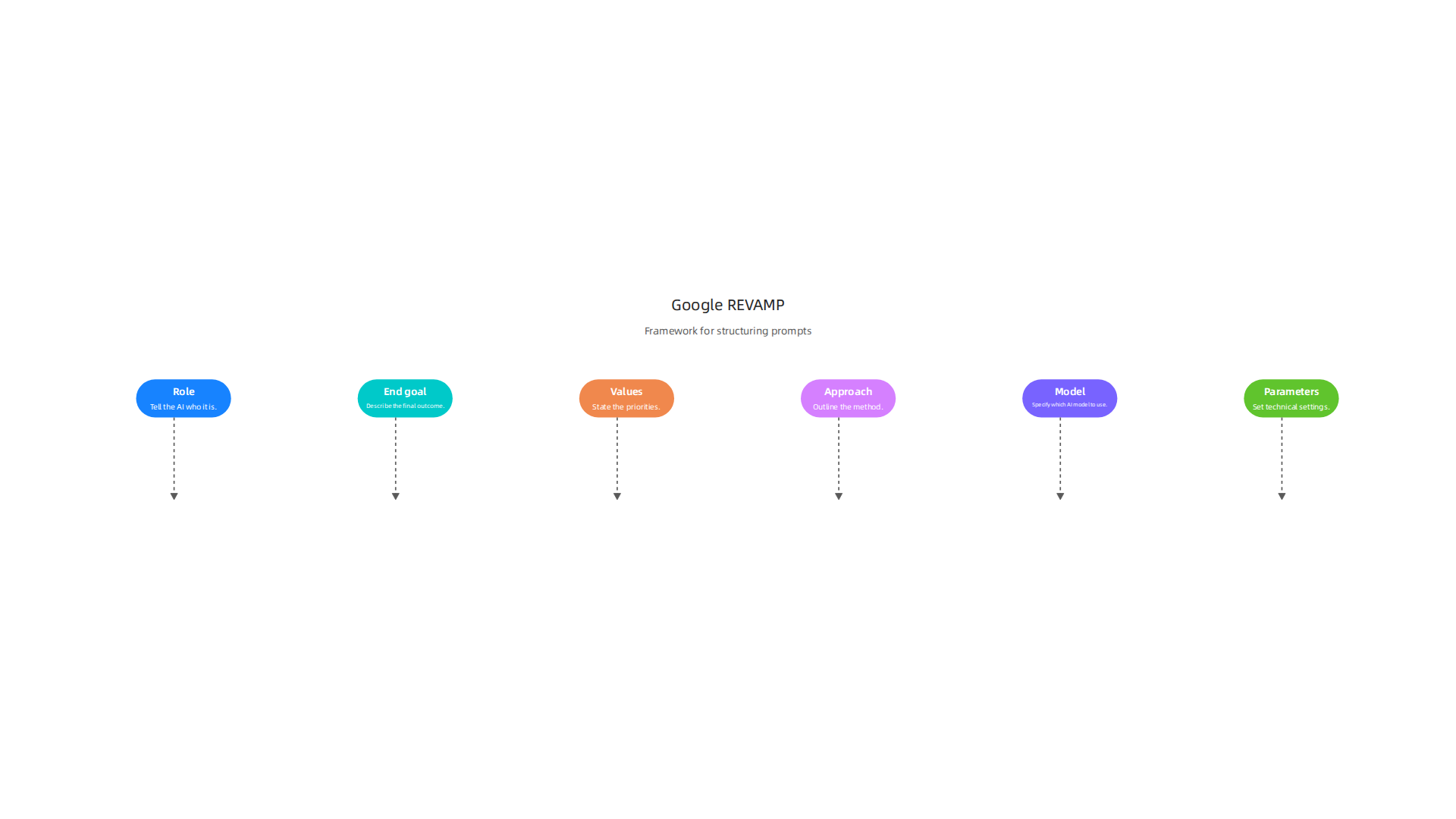
It stands for Role, End goal, Values, Approach, Model, and Parameters. Let me break that down:
- Role: Tell the AI who it is. "You are a senior Python developer with ten years of experience."
- End goal: Describe the final outcome. "Your goal is to write a clean, well-documented script that processes CSV files."
- Values: State the priorities. "Focus on speed and readability over fancy features."
- Approach: Outline the method. "Break the solution into three functions. Use pandas for data handling."
- Model: Specify which AI model to use. For Google models, you might say "Use Gemini 1.5 Pro" or just "Gemini."
- Parameters: Set technical settings like temperature or max tokens.
Using REVAMP turns a messy prompt into a clear instruction set. Your AI assistant understands the full picture, not just a single line.
Why Google’s Models Are Different
Gemini and PaLM 2 are trained differently from models like GPT-4. They tend to follow instructions more literally and need less extra context. But they also respond better to structured inputs. If you use Google’s models, lean into REVAMP and explicit formatting. The same prompt that works well on one model may fail on another. Understanding this difference helps you choose the right approach for your project.
If you are new to prompt engineering, start with the simple principles: clear, specific, iterative. Then layer in frameworks like REVAMP as you get comfortable. For more on building these skills, check out this guide on how to study AI for software development in 2026. It covers the learning path that includes prompt engineering and other essential AI tools.
Prompt engineering is a skill that keeps giving back. The more you practice, the faster your code flows. And if you want to stay on top of the latest AI updates and techniques, consider subscribing to The AI Newsletter Worth Reading for clear daily insights that help you keep your skills sharp.
Structuring Prompts for Code Generation and Debugging
Now let’s get practical. How do you actually write prompts that produce working code? The secret is structure. A vague prompt like "Write a login system" leaves too many decisions to the AI. A structured prompt tells the AI exactly what to build and how to build it.
Here is a template that works every time. Include these pieces:
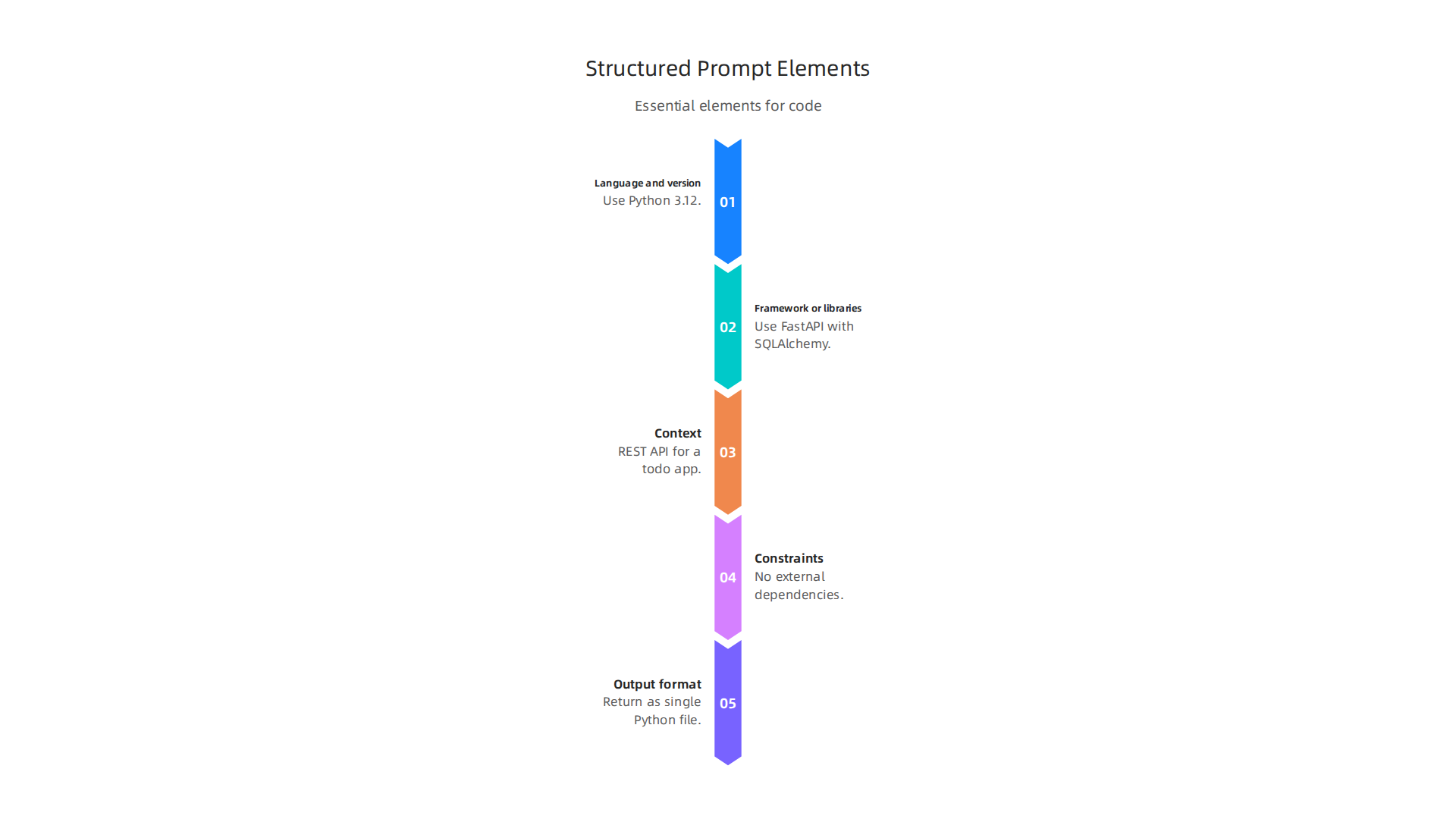
- Language and version: "Use Python 3.12"
- Framework or libraries: "Use FastAPI with SQLAlchemy"
- Context: "This is a REST API for a todo app with user authentication"
- Constraints: "No external dependencies beyond what I listed"
- Output format: "Return the code as a single Python file with comments"
When you combine these elements, the AI produces code that fits your project the first time. You waste less time fixing bad output.
Use Chain of Thought for Debugging
Debugging is where most developers get frustrated with AI. You paste an error, the AI guesses a fix, and you go back and forth for ten rounds.

Google has a better solution. Their research shows that chain of thought prompting improves debugging accuracy by roughly 40 percent in controlled tests.
Here is how it works. Instead of saying "Fix this bug," you say:
"Explain the bug in this code step by step. Then list three possible causes. Then suggest the fix."
This forces the AI to reason through the problem like a human developer would. It checks the logic, traces the variables, and only then offers a solution. The result is far more reliable. The Chain of Thought Prompting Guide on PromptHub explains that this technique works especially well for complex debugging tasks where the root cause is not obvious.
Try it next time you hit a bug. You will get better answers in fewer attempts.
Add Test Examples and Edge Cases
Here is a trick most developers miss. Include unit test examples and edge cases right inside your prompt. For example:
"Write a Python function that validates email addresses. Handle these cases: missing @ symbol, dots at the start, spaces in the address, and empty strings. Here is a test case: assert validate_email(‘[email protected]‘) == True."
When you give the AI a test to pass, it writes code that actually handles those cases. It does not just produce something that looks correct. It builds real logic.
This approach turns the AI into a more thorough engineer. You save time on testing and rewriting. And the code you get is production ready much faster.
Putting It All Together
Let me show you a full example prompt using everything we covered:
"You are a senior Python developer. Write a function called process_orders that reads a CSV file, validates each row, and returns a list of valid orders. Use pandas for data handling. Handle these edge cases: missing customer name, negative quantities, and duplicate order IDs. Include a test function with at least four test cases. Explain your logic step by step before writing the code."
That prompt includes role, language, framework, constraints, edge cases, output format, and chain of thought reasoning. It will produce a better result than any five word prompt ever could.
If you want to dig deeper into AI assisted code generation, take a look at this guide on the GLM coding plan for AI assisted code generation. It covers a complete framework for using prompts to write production code from scratch.
Structured prompts are not hard to write. You just need to know what to include. Once you build this habit, you will spend less time debugging and more time shipping features.
Advanced Techniques: Chain‑of‑Thought, Few‑Shot, and Context Management
But structured prompts are just the beginning. To get truly advanced results, especially when working with complex codebases, you need a few more techniques in your toolkit. Think of these as power moves. They take the google prompt engineering approach from good to great.
Chain of Thought for Complex Refactors
You already saw how chain of thought helps with debugging. But it shines even brighter when you need to refactor code across multiple files. The trick is to ask the AI to reason through the entire dependency graph before writing a single line.
For example, instead of saying "Refactor this payment module to use a new API," say:
"List all the files that depend on the current payment API. Explain how each one uses it. Then describe the changes needed in each file to switch to the new Stripe API. Finally, write the updated code for each file."
This forces the AI to plan like a senior engineer would. According to the Chain-of-Thought (CoT) Prompting guide, this technique works best for tasks where the solution requires multiple logical hops. The AI doesn’t guess. It walks through the steps and catches hidden dependencies.
If you want to see more real world examples of chain of thought in action, the Advanced Prompt Engineering: 12 Techniques (2026) guide breaks down several patterns you can copy and paste right into your projects.
Few Shot Prompting for Boilerplate and Configs
Few shot prompting means giving the AI two or three examples of exactly what you want before you ask it to generate something new. This is incredibly effective for boilerplate code, configuration files, and data transformation scripts.
Let’s say you need a YAML config for a new microservice. Instead of describing it in words, you provide a working example from another service, then ask for a similar one. Like this:
"Here is a valid Docker Compose config for a Flask app with PostgreSQL. Write a similar config for a FastAPI app with MongoDB. Keep the same structure and naming conventions."
The AI models itself after your example. You get consistent output that follows your team’s style. This is a core google prompt engineering recommendation for teams that need repeatable, high quality code generation.
Managing the Context Window
Here is a frustration every developer hits. You have a long conversation with the AI. It forgets something you said twenty turns ago. The model’s context window has a limit, and once you hit it, it starts losing earlier information.
The fix is simple but takes discipline. You need to summarize what matters. Before starting a new task, write a short recap of the project state. For example:
"Here is a summary of the code we have built so far: a Flask API with three endpoints, SQLAlchemy models for User and Order, and a Celery task for sending emails. Now I need to add a payment endpoint."
This refresh keeps the AI on track. If you are using Google’s AI Studio, you can also pin important messages or use the built in memory features to preserve key context across sessions. For deeper context management strategies, check out this guide on how to use AI for software development. It covers practical ways to keep your AI assistant from going off the rails.
Putting These Techniques Together
When you combine chain of thought, few shot examples, and smart context management, you get the full power of google prompt engineering. You are not just writing prompts. You are designing a workflow that produces reliable, production ready code every time.
And because the AI landscape moves fast, you need to stay informed. One way to do that is by subscribing to a daily source of curated insights. The team behind this site recommends The AI Newsletter Worth Reading for clear, daily updates that help you keep your skills sharp. It is a small habit that pays off big over time.
Evaluating and Iterating on Prompts: A Developer’s Workflow
Of course, even the best prompting techniques mean little if you never check how well your prompts actually work. That is where evaluation comes in. Let’s look at how to build a developer workflow for testing and improving your prompts.
Think of prompt engineering like test-driven development. You start by writing clear acceptance criteria. What should a good output look like? Maybe it must follow a specific format, include all the required code comments, or pass a set of unit tests. Once you have those criteria, you run your prompt and check the result against them.
This is exactly how you would google prompt engineering in a disciplined way. You do not guess if a prompt is good. You measure it.
Define Your Metrics First
Before you start tweaking, decide what matters. For code generation, common metrics include:
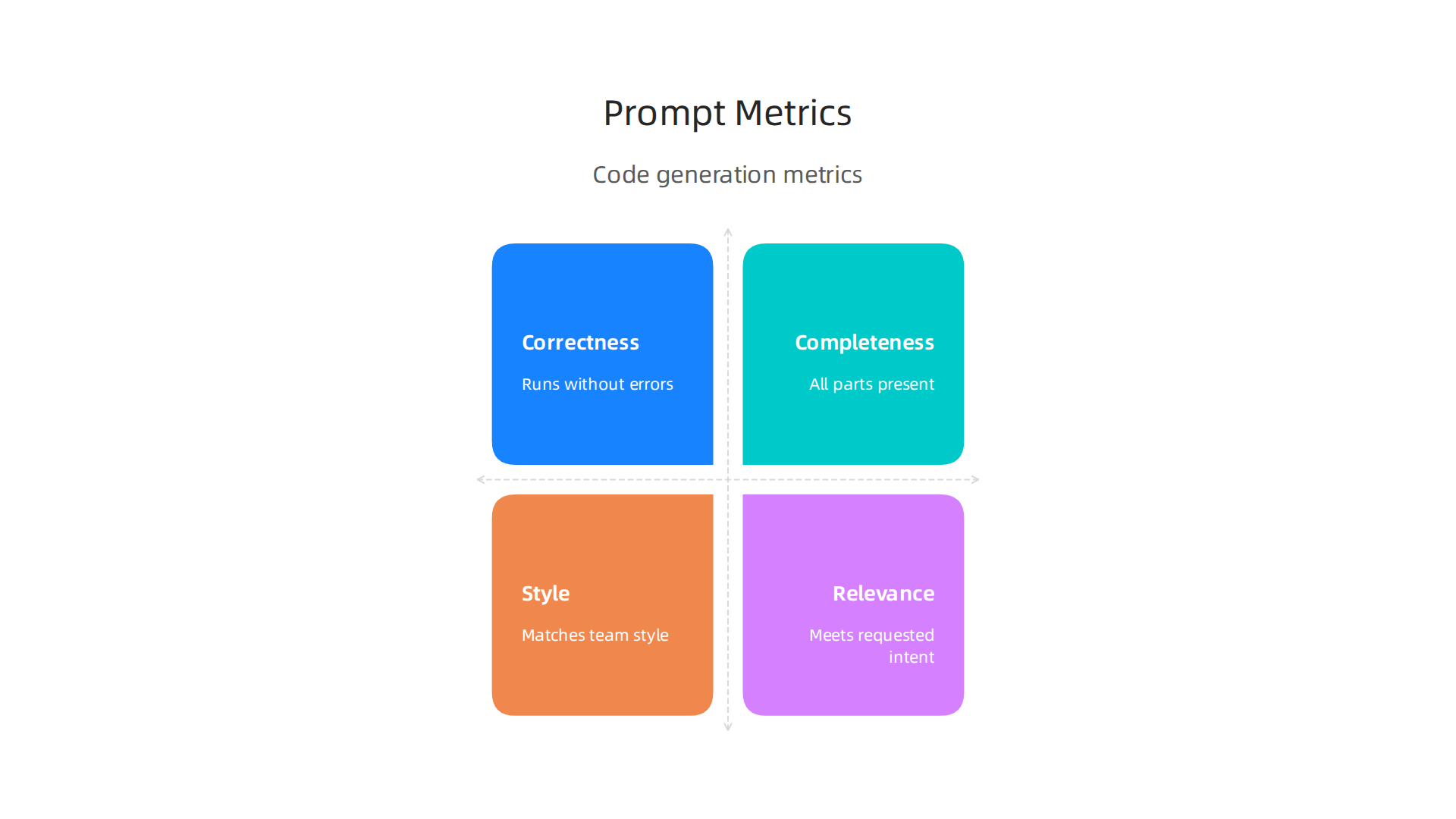
- Correctness: Does the generated code run without errors?
- Completeness: Are all required parts present?
- Style alignment: Does it follow your team’s naming conventions and structure?
- Relevance: Does the output match the intent of the request?
For a deeper look at how to set these up, the Portkey team covers key metrics and tools for prompt evaluation in a practical guide. It breaks down each metric and shows you how to track them.
Use Tools Like Google AI Studio for Interactive Testing
Google’s AI Studio makes this process much easier. It gives you inline evaluation scores for things like factual consistency and safety. You can run a prompt, see how it performs, and adjust it right there. No need to switch between tools.
For example, you can set up a test prompt, check the score, and then add a small instruction to fix a recurring mistake. Within a few iterations, you can boost your prompt’s quality significantly.
Watch Out for Common Pitfalls
Two mistakes trip up most developers.
First, overfitting prompts to a single example. You write a prompt that works perfectly for one file, but it bombs on the next. The fix is to test your prompt on at least three to five different cases before you call it done.
Second, not version controlling your prompts alongside your code. A prompt is just as important as a source file. Keep it in your repo so you can track changes and roll back if needed.
If you want to see how these ideas play out in real projects, check out this guide on AI coding assistants and prompt engineering. It shows how teams apply evaluation workflows to build trust in AI generated code.
Iterate Until It Sticks
Evaluation is not a one time thing. You treat your prompts like you treat your code. You write it, you test it, you fix it, and you repeat. Over time you build a library of proven prompts that you can reuse across projects. That is the real power of a solid google prompt engineering workflow.
Ethical Considerations and Guardrails in AI‑Assisted Development
But even the best prompting workflow falls short if you ignore the bigger picture. Ethics matter when you use AI to write code. Bias, security risks, and licensing problems can sneak into your project without careful guardrails. Let’s walk through what to watch for and how to stay safe.
Bias in Code Suggestions
AI models learn from existing code on the web. That training data often contains outdated assumptions, cultural biases, and even harmful patterns. For example, a model might suggest names or comments that reflect stereotypes. Or it might generate code that works for one user group but fails for another. These biases are not always obvious at first glance. The key is to review every suggestion with a critical eye. Always ask yourself: does this output treat all users fairly?
Security Vulnerabilities from AI Generated Snippets
Another big risk is insecure code. An AI model might generate a snippet that looks fine but contains a hidden vulnerability. Maybe it forgets to sanitize user input or includes a hardcoded credential. In 2026, with more than 25% of Google’s new code now AI generated, security leaders are paying close attention. The article on security implications of AI generated code explains how to shift security checks earlier in the development process. That is exactly what you should do too.
Licensing Issues
AI generated code can also land you in legal trouble. Models sometimes reproduce code that looks a lot like existing open source projects. If that code uses a restrictive license, you could violate its terms. Always check the license of any code your AI produces, especially for commercial projects.
Google’s AI Principles as a Framework
Google has published a clear set of guidelines to address these risks. Their Google’s AI Principles focus on fairness, safety, privacy, and accountability. As a developer, you can use these same principles when designing your prompts. For example, include instructions that avoid biased language or require security validation in the output. This simple step helps align your prompt engineering with responsible AI practices.
Practical Guardrails You Can Use Today
So how do you actually put these ideas into action? Here are three techniques that work:
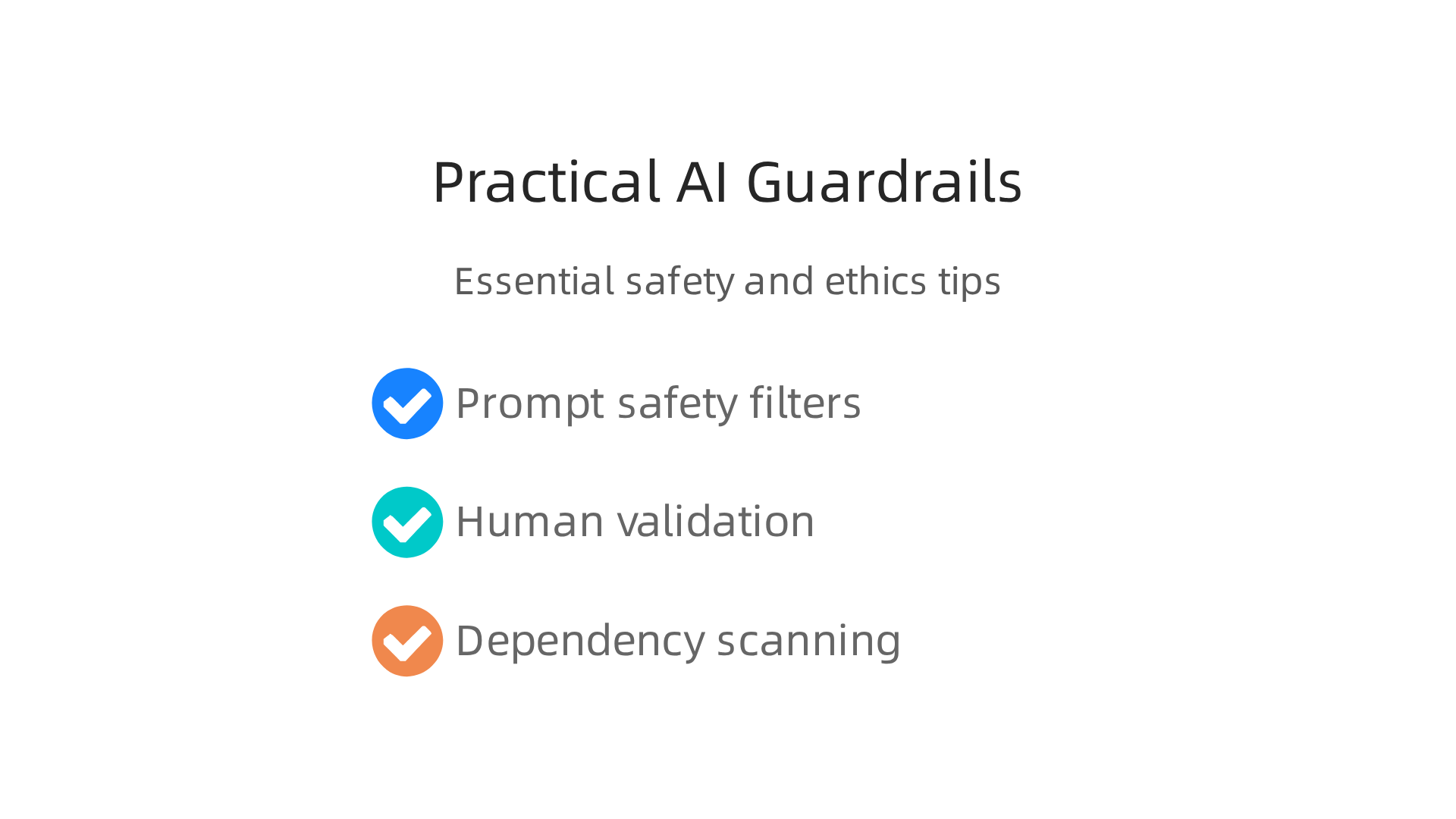
- Prompt safety filters: Add explicit rules to your prompts that block harmful or biased outputs. For example, "Do not generate code that uses hardcoded secrets."
- Human in the loop validation: Never deploy AI generated code without a human review. Have a team member inspect every snippet for logic errors, security flaws, and ethical concerns.

- Dependency scanning: Run automated tools that scan AI generated code for known vulnerabilities and licensing conflicts. This catches problems before they reach production.
These guardrails do not slow you down much. In fact, they save time by preventing costly fixes later.
If you want to dive deeper into building responsible AI workflows, check out this guide on how to use AI for software development in 2026. It covers practical steps to integrate these principles into your daily routine.
Staying informed about the latest AI developments and ethical standards is also crucial. That is why we recommend The AI Newsletter Worth Reading. It delivers clear, daily updates on AI trends and guidelines so you never miss an important shift.
Summary
This article explains why prompt engineering has become a crucial skill for developers using AI-assisted coding and walks through Google’s practical guidance for writing better prompts. It covers the three core principles—clarity, specificity, and iterative refinement—and introduces the REVAMP framework (Role, End goal, Values, Approach, Model, Parameters) for complex tasks. The guide gives concrete templates for code generation and debugging, including chain-of-thought prompting, few‑shot examples, and context management to keep multi-file refactors coherent. It also shows how to evaluate prompts with measurable criteria, use tools like Google AI Studio, and build a repeatable workflow. Finally, it highlights ethical risks—bias, security vulnerabilities, and licensing—and recommends guardrails such as human review and dependency scanning. Readers will finish able to write structured prompts, test and iterate them, and apply responsible practices when deploying AI-generated code.