
Awesome Claude Code A Guide to Leveraging AI in Software Development
· 23 min read

The world of building software changes super fast these days. It feels like there’s a new tool or idea every week. For people who make software, like developers and product teams, this means a lot of new information to sort through.

It also means there’s pressure to use the newest tools, especially those that use Artificial Intelligence (AI), in the right way. We need to make sure we use these generative AI tools wisely and safely.
This is where AI-enhanced ways of working come in. Imagine having smart helpers that can write code or check your work. Tools like "awesome claude code" are good examples of these new AI coding assistants. In fact, many developers are already using them. A survey in 2026 found that Claude Code and Cursor are popular choices, with many developers using a mix of tools in their daily work [1]. Another report shows that about 92% of developers use AI tools for things like coding and fixing problems [2].
But how do you use these tools well? This article will give you practical tips. We will look at how teams can pick the best AI tools, how to add AI into your regular coding steps (like checking code often), and how to see if these tools are really helping. We will also talk about how to deal with any problems or risks that might come up when using AI in your software development projects.
To stay on top of all the fast changes in AI and technology, consider subscribing to The AI Newsletter Worth Reading.
It provides clear, daily updates that can help you make smart choices. You can also learn more about how AI can change your coding process by reading about AI software development in 2026 transforms how you build and ship code.
[1] Digital Applied. (2026, July 3). AI Coding Tool Adoption 2026: Developer Survey Results.
[2] Index.dev. (2026, July 7). Top 100 Developer Productivity Statistics with AI Tools 2026.
How AI Is Reshaping Developer Workflows
The way software makers work is really changing. Before, a developer might work alone on a piece of code. Now, thanks to AI, it’s more like having a smart helper right by your side. This means building software is becoming a team effort with AI playing a big part. These changes are happening across all the steps of making software, from the very first plan to getting the finished product out to users.
Imagine AI helping you plan what to build, write the actual code, check for mistakes, and even get your app ready for everyone to use. This new way of working is called AI-augmented workflow. It means that generative AI tools are not just fancy add-ons; they are becoming a key part of how teams get things done. In fact, many reports in 2026 show that these tools are becoming standard. One study even found that most developers use AI to boost their work speed, with some gaining as much as a 10% increase in how fast they can finish tasks AI Coding Tools and Developer Productivity: What the Data Says.

So, how do developers actually use these AI tools every day?
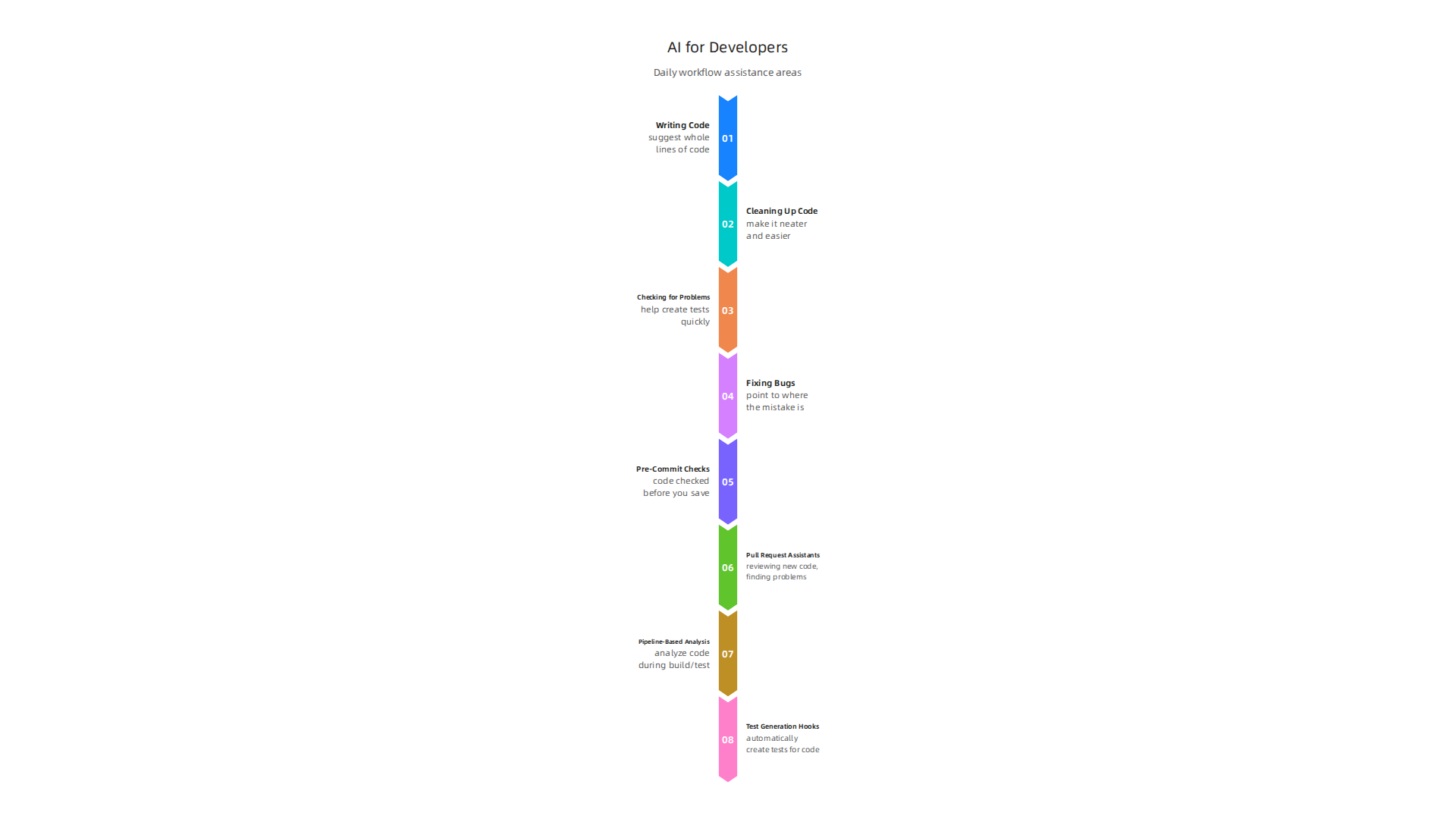
- Writing Code: Tools like awesome claude code can suggest whole lines of code or even small parts. This saves time and helps avoid simple errors. You can even ask AI to help with a tricky part of your code, like setting up a java compiler online for a project.
- Cleaning Up Code: Sometimes, code gets messy. AI can look at your code and suggest ways to make it neater and easier to understand. This is called refactoring, and it makes future changes much simpler.
- Checking for Problems: Before a new piece of software goes live, it needs to be tested a lot. AI can help create tests that find bugs quickly. This means developers can fix issues faster and make sure the software works well.
- Fixing Bugs: When a problem does pop up, AI can often point to where the mistake is and even suggest ways to fix it. This speeds up the process of getting things right.
These AI helpers change how developers handle their software development projects. They are no longer just coding, but also guiding the AI and checking its work. This teamwork with AI makes the whole process smoother and more efficient. To learn more about how AI can fit into your daily tasks, you can check out a guide on how to use AI for software development in 2026.
Cutting Through Information Overload: Evaluating Sources and Tools
With so many new generative AI tools popping up every day, it can feel like a lot to keep up.

Just like you might use awesome claude code for writing software, you’ll find AI helpers for almost everything now. But how do you pick the good ones? How do you know what information to trust and which tools are truly helpful for your software development projects? It’s important to look closely at these tools and the claims their makers share.
Here’s a simple checklist to help you decide if an AI tool or source of information is worth your time in 2026:
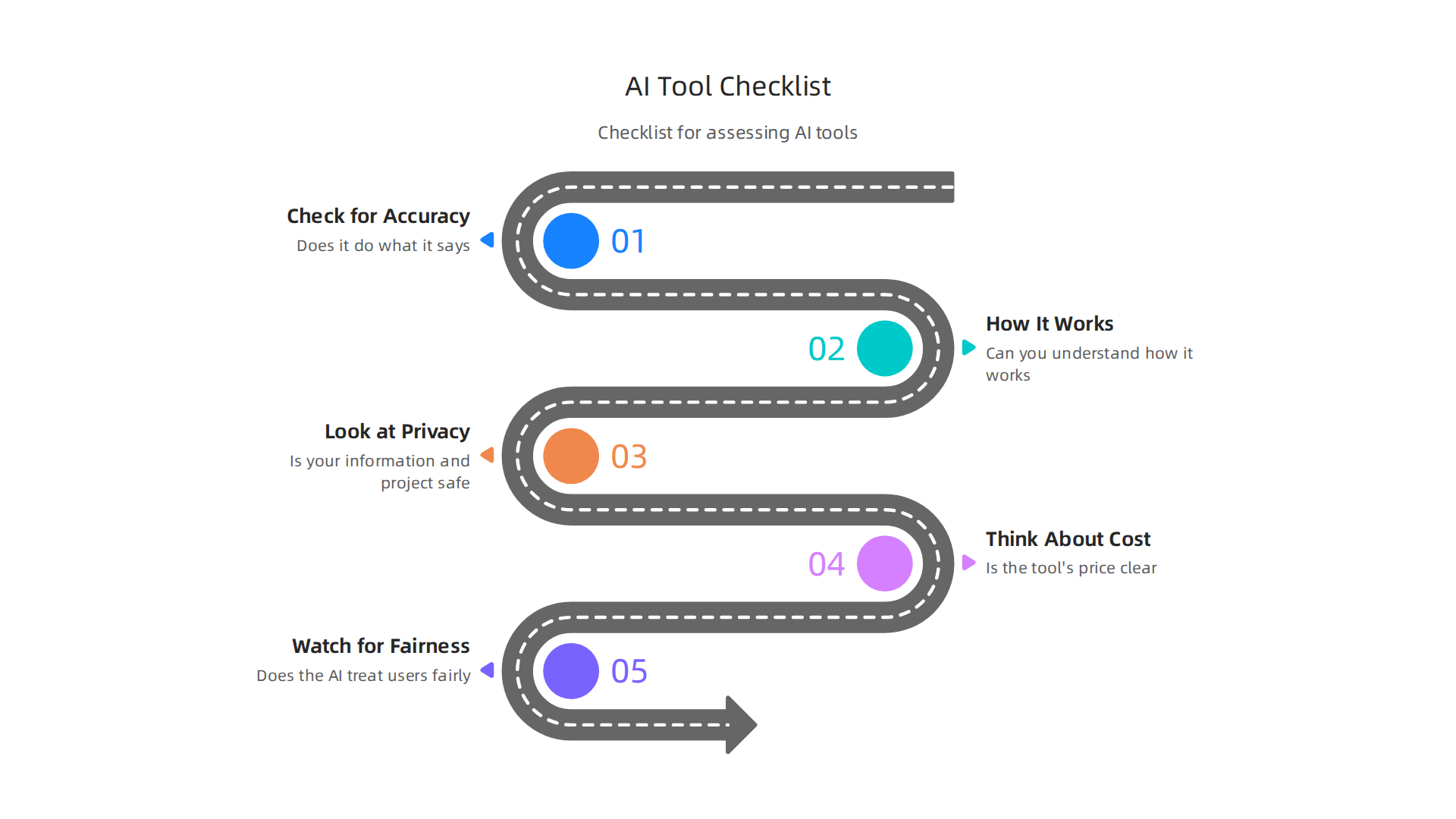
- Check for Accuracy: Does the tool do what it says it will do, and does it do it right? For example, if it’s supposed to help you with a java compiler online, does it give correct results every time? This is called "functionality" and it includes how well the tool works and where its information comes from How to Evaluate AI Tools.
- See How It Works: Can you understand how the AI came up with its answers? Good tools should be somewhat clear about their methods. This helps you trust the results, especially when working on important projects.
- Look at Privacy and Security: What kind of data does the tool use or ask for? Make sure your information and your project’s details are safe. Always check if the company tells you how they protect your privacy.
- Think About Cost: Is the tool’s price clear and easy to understand? Can you predict how much it will cost to use it over time?
- Watch for Fairness: Does the AI tool treat all users fairly and avoid showing biases? This is a big part of building trustworthy AI. To learn more about this, you can check out guides on AI ethics for software teams.
What to Watch Out For (Red Flags)
When you’re looking at different generative AI tools or reading about them, some things should make you pause. These are like warning signs:
- No Proof of How Good It Is: If a company just says their tool is "the best" but doesn’t show any real tests or numbers to back it up, that’s a red flag. You want to see how the tool performed in actual situations.
- Missing Details on Privacy: If a tool doesn’t clearly explain how it handles your data, or if it doesn’t offer strong security features, be careful. Your project’s data is very important.
- Vague Promises: Be wary of tools that make big, general promises without explaining exactly how they will deliver. This might be true for tools like Mindgrasp AI or others that claim to do many things at once without clear details.
- Lack of Transparency: If you can’t figure out how the AI tool makes its decisions, it’s harder to trust. Good tools often explain their processes or show you the data they used.
Finding good, reliable information in the fast-paced world of AI is key. When you need to choose the best partners for your software needs, knowing how to spot credible guidance is vital. If you’re looking for insights into the top companies, consider this guide to choosing AI companies.
To stay on top of the latest trusted information about AI and technology, there’s a great resource you might like.
Get clear daily AI updates from The AI Newsletter Worth Reading.
What ‘awesome claude code’ (Claude-like Assistants) Can and Can’t Do
Even after you learn how to spot good information and useful tools, it’s still important to know what specific generative AI tools, like those using "awesome claude code," can actually do for your software development projects.

These AI helpers are changing how developers work in 2026, but they aren’t magic and have their limits.
What Claude-like AI Can Do Well
These smart assistants are really good at many tasks that help make coding faster and easier. Think of them as a helpful friend who knows a lot about programming.
- Suggesting Code: They can give you ideas for code as you type, almost like a smart autocomplete. This includes helping with common tasks and even suggesting bigger parts of your program.
- Creating Tests: Writing tests to make sure your code works correctly can take a lot of time. AI tools can help by generating these tests for you, which saves hours.
- Helping with Refactoring: Refactoring means cleaning up your code to make it easier to read and maintain, without changing what it does. Claude-like assistants can spot messy parts and suggest ways to make them better.
- Writing Documentation: Explaining how your code works is super important for other developers. These AI tools can help write clear notes and guides for your software.
- Working with CI/CD: Many AI tools can now be built right into your team’s workflow, like in Continuous Integration/Continuous Deployment (CI/CD) pipelines. This means they can automatically review code, suggest fixes, and help with tests even before a human developer looks at a new change. For example, Claude Code can integrate with GitHub Actions to automate pull request reviews and flag issues early on Claude Code + GitHub Actions CI/CD Integration Guide 2026.

These tools act as "AI coding assistants" that support your whole team’s efforts AI Coding Assistants: Complete Guide and Best Practices (2026).
What Claude-like AI Can’t Do (Yet)
While these tools are powerful, they aren’t perfect. It’s vital to remember their downsides:
- Hallucinations: Sometimes, AI tools make things up. They can create code that looks right but has hidden problems or doesn’t work at all. This is why a human still needs to check everything.
- Context Limits: AI models have a "context window," meaning they can only remember and understand so much information at once. If your project is very large or complex, the AI might miss important details.
- Need for Human Oversight: Even the best generative AI tools need a human eye. You still need to understand the code, fix errors the AI might miss, and ensure it fits your project’s goals.
- Security Risks: Integrating AI tools into your workflows, especially in CI/CD, can bring new security challenges. For instance, if AI agents process untrusted content, they could accidentally expose important secrets Securing CI/CD in an agentic world: Claude Code Github …. Always be careful about what data you feed these tools.
Learning how to use these powerful tools wisely is a key skill for any developer in 2026. To explore more about adding AI into your daily tasks, check out this guide on How to Use AI for Software Development in 2026: A Developer’s Workflow Guide.
Integrating Claude-Like Assistants into CI/CD and Developer Tooling
Now that you know what generative AI tools like "awesome claude code" can do, let’s talk about how to actually use them in your daily work. Getting these AI helpers to work smoothly within your team’s existing systems, like Continuous Integration and Continuous Deployment (CI/CD), is a big step for modern software development projects in 2026.

How to Fit AI into Your Development Process
Putting AI into your workflow means more than just using it on your computer. It means having the AI check your code automatically as part of your team’s process.
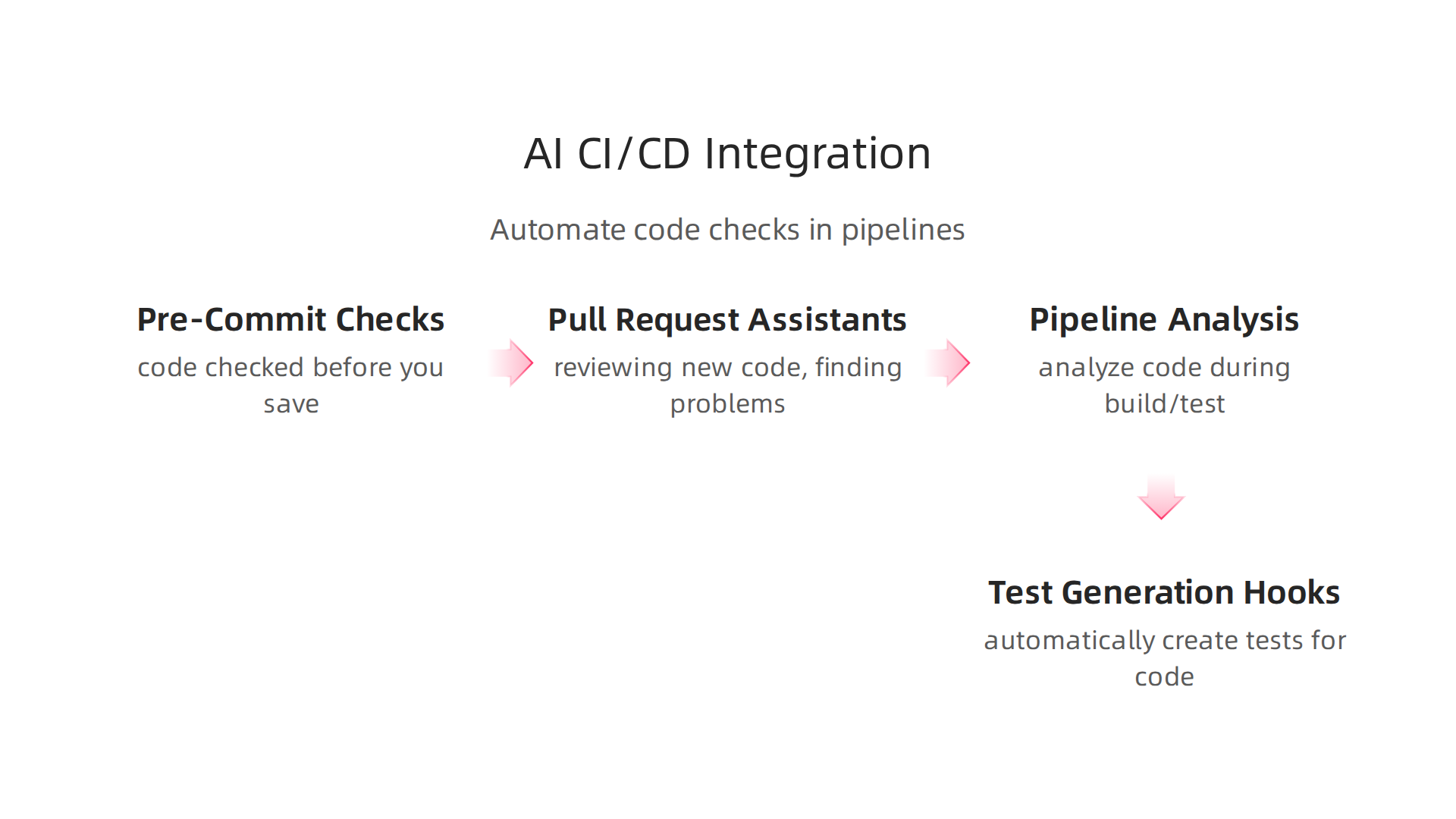
- Pre-Commit Checks: Imagine your code being checked for mistakes before you even save it fully. AI can do this, looking for common errors or style issues.
- Pull Request Assistants: When developers want to add new code to a project, they make a "pull request." AI can act like a smart helper, reviewing this new code, finding problems, and suggesting fixes before a human even takes a look. This speeds up the review process a lot and helps keep quality high. Tools like Claude Code can run as automated steps inside your CI/CD pipelines to do this CI/CD Pipeline Integration With Claude Code.
- Pipeline-Based Analysis: As your code goes through the automated build and test steps in CI/CD, AI can jump in to analyze it. It can spot security problems, find ways to make the code faster, or suggest parts that need to be cleaned up. For example, some tools use AI to review code as part of a multi-step pipeline Claude Code en CI/CD : Automatiser vos Pipelines DevOps ….
- Test Generation Hooks: Writing tests can be slow. AI can automatically create tests for your code, making sure new features work and old ones don’t break. Integrating awesome claude code this way helps ensure software quality from the start How to Integrate Claude Code with CI/CD: Full 2025 ….
Important Things to Think About
When you bring generative AI tools into your workflows, there are a few key things to manage:
- Speed (Latency): You want the AI to respond fast. Slow AI checks can hold up your team.
- Saving Work (Caching Prompts): If the AI is asked the same thing often, you can save its answers (cache them) so it doesn’t have to think from scratch every time. This makes things quicker.
- Keeping Track (Model Versioning): AI models get updated. You need a way to know which version of the AI is being used at any given time, so your results are always predictable.
- Who Can Use What (Role-Based Access): Make sure only the right people and systems can use the AI, and only in ways they are allowed. This is especially important for keeping your project’s secrets safe. Many awesome claude code setups need you to securely set up an API key, for instance, in GitHub Actions or GitLab CI/CD environments Streamlined CI/CD Pipelines Using Claude Code & GitHub … or in other cases Claude Code GitLab CI/CD.
- Security: As mentioned before, AI tools can sometimes expose secrets if not set up carefully. Always guard your important information.
Integrating AI into the software development lifecycle carefully can make a big difference in how fast and well your team builds things AI software development in 2026 transforms how you build and ship code. For more general guidance on using AI within your development processes and for mastering best practices, consider reading about Mastering the Software Development Lifecycle Models AI and Best Practices for 2026.
Staying on top of these trends is crucial for any developer. To get clear daily AI updates directly to your inbox, subscribe to The AI Newsletter Worth Reading.
Now that we’ve seen how helpful generative AI tools like awesome claude code can be when built into your CI/CD, let’s look at how to get the very best results from them. It’s not just about using AI, but about using it wisely. This means writing good prompts, testing what the AI creates, and always having human experts check the work.
Crafting Smart Prompts for Better AI Outputs
To get useful answers from generative AI tools, you need to ask smart questions. This is called "prompt engineering." Think of it like giving clear directions to a new team member. If your directions are fuzzy, the results might be fuzzy too. When working with AI, especially on important software development projects, good prompts help the AI avoid making things up, which we call "hallucinations," and make its answers more useful.
Here are some tips for writing good prompts:
- Be Very Clear: Tell the AI exactly what you want. Instead of "Write code," say "Write a Java function to sort a list of numbers in ascending order."
- Give Context: Explain why you need the code or what problem it solves. This helps the AI understand the bigger picture.
- Provide Examples: Show the AI what a good answer looks like. If you want a specific style of code, give an example of that style.
- Set Rules: Tell the AI what it should or shouldn’t do. For instance, "Do not use any external libraries" or "Keep the code under 10 lines."
- Ask for Explanations: Sometimes, asking the AI to explain its code helps you understand its thinking and catch potential mistakes.
Learning to write better prompts makes generative AI tools like awesome claude code much more effective for any coding task, even for complex things like using a java compiler online or analyzing code with tools like Mindgrasp AI. You can learn more helpful ways to guide AI with a Google Prompt Engineering a Developer Guide to Writing Better AI Prompts.
Testing What AI Creates
Even with great prompts, AI-generated code needs to be tested. Just like any code written by a human, AI’s output can have bugs or might not work exactly as planned. You should include AI-generated code in your regular testing process.
- Automated Tests: Make sure the AI’s code passes all your existing automated tests. If it creates new features, build new tests specifically for those.
- Test-Driven Workflows: You can even ask the AI to write tests first, then write the code to pass those tests. This makes sure the code works right from the start.
It’s important to have clear ways to check if AI tools are doing a good job. Criteria like accuracy, how it handles different kinds of data, and how often it’s updated are key to evaluating AI tools properly How to Evaluate AI Tools.
The Essential Role of Human Review
While AI can do amazing things, human review is still the most important step for quality and safety. AI is a tool, not a replacement for human judgment.
- Code Review Checklists: When you or another developer review AI-generated code, use a checklist. Look for security issues, how easy the code is to read, how well it performs, and if it fits your team’s style.
- Catching Nuances: Humans are good at understanding subtle problems or creative solutions that AI might miss. Your team’s experience is priceless here.
- Ethical Checks: Always consider the ethical side of the code, especially for important software development projects. Ensure the AI hasn’t introduced any unfairness or bias. For more on this, consider reading about AI ethics for software teams.
By combining smart prompting, thorough testing, and careful human review, you can make the most of awesome claude code and other generative AI tools to build better software. This balanced approach helps ensure your AI-powered development is both efficient and reliable. For a deeper understanding of how to assess and safely put AI into practice, you can explore Mastering AI Response Design Evaluation and Safe Implementation.
After making sure your generative AI tools are used well with good prompts, smart testing, and human checks, how do you know if they are truly helping your team? It’s important to measure if these tools are making your work better. This means looking at real numbers and setting goals for what you want to achieve with tools like awesome claude code.
Using Real Numbers to See AI’s Impact
To understand if generative AI tools are worth it for your software development projects, you need to look at clear data. This helps you see how much time and money you save, and if the quality of your code is getting better. Here are some key things to measure:
- Cycle Time: This is how long it takes for a task to go from start to finish. If AI helps you write code faster, this number should go down.
- Pull Request (PR) Size: A "pull request" is when a developer asks to add their new code to the main project. Smaller PRs are often easier and quicker for others to check. If AI helps create smaller, more focused code changes, this is a good sign.
- Defect Rates: This is about how many bugs or errors are found in the code. Ideally, with AI helping, you’d want fewer bugs being created in the first place, or easier ways to spot them.
- Mean Time to Resolution (MTTR): This measures how fast you can fix a bug once it’s found. If AI tools help quickly identify and suggest fixes, your MTTR should improve.
Many companies track these numbers by connecting tools like awesome claude code to their existing systems. This helps them see a clear picture of how AI is changing how their teams work. For example, some research shows that looking at data directly from provider APIs helps precisely measure developer AI productivity for tools like Claude Code and GitHub Copilot, showing real impact on code and review time Developer AI Productivity & Analysis Tools.
Setting Goals and Measuring What Matters
Before fully using any new AI tool, it’s smart to run a small test, called a pilot program. For this pilot, you should have clear goals for what you expect the AI to do.
- Surveys and Feedback: Ask your developers how they feel about using the AI tools. Are they saving time? Is their work easier? What challenges are they facing? Developer perspectives on productivity with AI coding are key to understanding their impact.
- Real Code Analysis: Look at the code created during the pilot. Compare its quality and how long it took to write with code made without AI. Some studies in 2026 found that while AI coding tools like awesome claude code and Cursor offer real gains, these are often around 10% AI Coding Tools and Developer Productivity: What the Data Says. Others show developers using AI coding tools were 18% faster a year later compared to early 2025 AI Coding Productivity Study Data.
By carefully tracking these points, you can make sure your investment in generative AI tools truly helps your team build better software, faster.
To keep up with the newest insights on AI and how it’s shaping the tech world every day, consider subscribing.
The AI Newsletter Worth Reading
When using generative AI tools like awesome claude code to help with your software development projects, it’s not just about how fast or good the code is. You also need to think carefully about security, rules, and making sure everything follows the law. This means looking at how you keep your data safe and who is in charge of what.
Data Leakage and IP Concerns
One big worry with generative AI tools is something called data leakage. This happens if your secret company information or customer data accidentally gets shared with the AI model. For example, if you ask an AI tool that runs in the cloud to help fix a piece of code that contains private details, that data might become part of the AI’s learning. This is a risk, especially with third-party models, as your sensitive data could end up in places you don’t want it to be. Companies must set clear rules about what information developers can share with AI assistants to prevent this AI Code Security: Complete Guide.
Another concern is about Intellectual Property (IP). This is about who owns the code that the AI generates. If awesome claude code helps you write a new feature, does your company own that code fully? What if the AI model was trained on code from other places, and some of that code has licenses that don’t mix well with your project? It’s important for companies to have policies about using AI-generated code to make sure there are no legal problems later Enterprise AI Coding Assistants: Governance, Security, IP.
Also, think about dependency management. When AI suggests code, it might also suggest using new pieces of software or libraries. You need to be sure these new parts are safe and don’t have security holes or other issues.
Setting Up Smart Rules for AI Use
To deal with these worries, your team needs clear rules and ways to check how generative AI tools are used. This is often called "governance."
Here are some important practices:
- Access Controls: Decide who on your team can use which AI tools. Not everyone might need access to every tool, especially if some handle very sensitive data.
- Logging: Keep a record of when and how AI tools are used. This helps you see what’s happening and can be useful if problems come up.
- Versioning: Track changes made by AI tools, just like you would with human-written code. Knowing which version of an AI model created certain code can be helpful.
- Model Evaluation Policies: Have a plan to regularly check how well the AI models are working and if they are creating safe and correct code. This is part of making sure AI tools are trustworthy How to Securely Implement AI Coding Assistants Across the Enterprise.
Security teams should treat AI code assistants like special team members with specific jobs and clear limits on what they can access AI coding assistant security demands tighter code and access controls. This means giving them only the permissions they absolutely need. Also, it’s very important to have human developers always review any code created by AI before it goes into your main software. This helps catch mistakes, bugs, or security risks that the AI might have missed. For more about building trust in AI systems, you can learn about AI Ethics for Software Teams: Build Trustworthy AI in 2026.
By putting these rules in place, your team can use generative ai tools like awesome claude code more safely and with more confidence.
Summary
This article explains how generative AI coding assistants—like Claude-style tools—are changing developer workflows and how teams can adopt them safely and effectively. It covers everyday uses (code suggestions, refactoring, test generation), concrete ways to integrate AI into CI/CD and developer tooling, and practical prompt-writing and testing techniques to reduce hallucinations and defects. The piece also gives a short checklist for evaluating tools, highlights security and intellectual property risks, and outlines governance controls such as access, logging, and model versioning. You’ll learn how to run small pilots, set measurable goals (cycle time, PR size, MTTR), and apply human review to every AI output. By following these practices you can speed development while keeping quality, privacy, and compliance under control.