
Mastering AI Response Design Evaluation and Safe Implementation
· 25 min read

Why ‘AI response’ matters for modern development teams
In 2026, artificial intelligence (AI) is changing how we work faster than ever before. With all this quick change, new words and ideas pop up daily. It can feel like a rush to keep up. One of the biggest challenges for development teams today is understanding what these new terms really mean, especially something as key as an AI response.

When words are unclear, it’s easy to make mistakes when building new AI tools or features.
Different groups are even working to create common language for AI. For example, the EU and U.S. have put together their own shared list of terms and ways to group AI systems to help everyone speak the same language EU-U.S. Terminology and Taxonomy for Artificial Intelligence. Without this kind of clear understanding, building effective AI systems becomes much harder. Imagine trying to build a bridge if everyone had a different idea of what a "girder" was. That’s a bit like what happens when terms like AI response are left open to many meanings. This lack of clarity can lead to errors, delays, and tools that do not work as expected.
This guide is here to clear things up. We will look closely at what an AI response truly is. You will learn how to design AI systems that give clear and helpful answers, leading to more lucid AI outputs. We will also dive into how to check and make sure these responses are doing their job well. For those interested in deeper dive into AI development, learning how to improve your skills is key. If you want to know how to study AI for software development in 2026, this guide is a great start.
We will share practical steps for engineering teams to avoid common pitfalls. You will discover how to improve your agentic engineering practices to build smarter AI agents, like a helpful personal AI assistant, that provide reliable AI response every time. By the end, you will have a much clearer roadmap for creating and evaluating AI that genuinely works for your users.
Staying on top of these fast changes in AI and technology can be tough. For daily insights and clear updates on AI and other tech topics, there’s a valuable resource available.
Get clear daily AI updates from The AI Newsletter Worth Reading.
Understanding what an AI response truly means is the first step towards building smarter AI systems. Simply put, an AI response is any output generated by an artificial intelligence model in reply to an input. This input is usually called a "prompt." But an AI response is not always just text; it comes in many forms depending on the AI model and what it is designed to do.
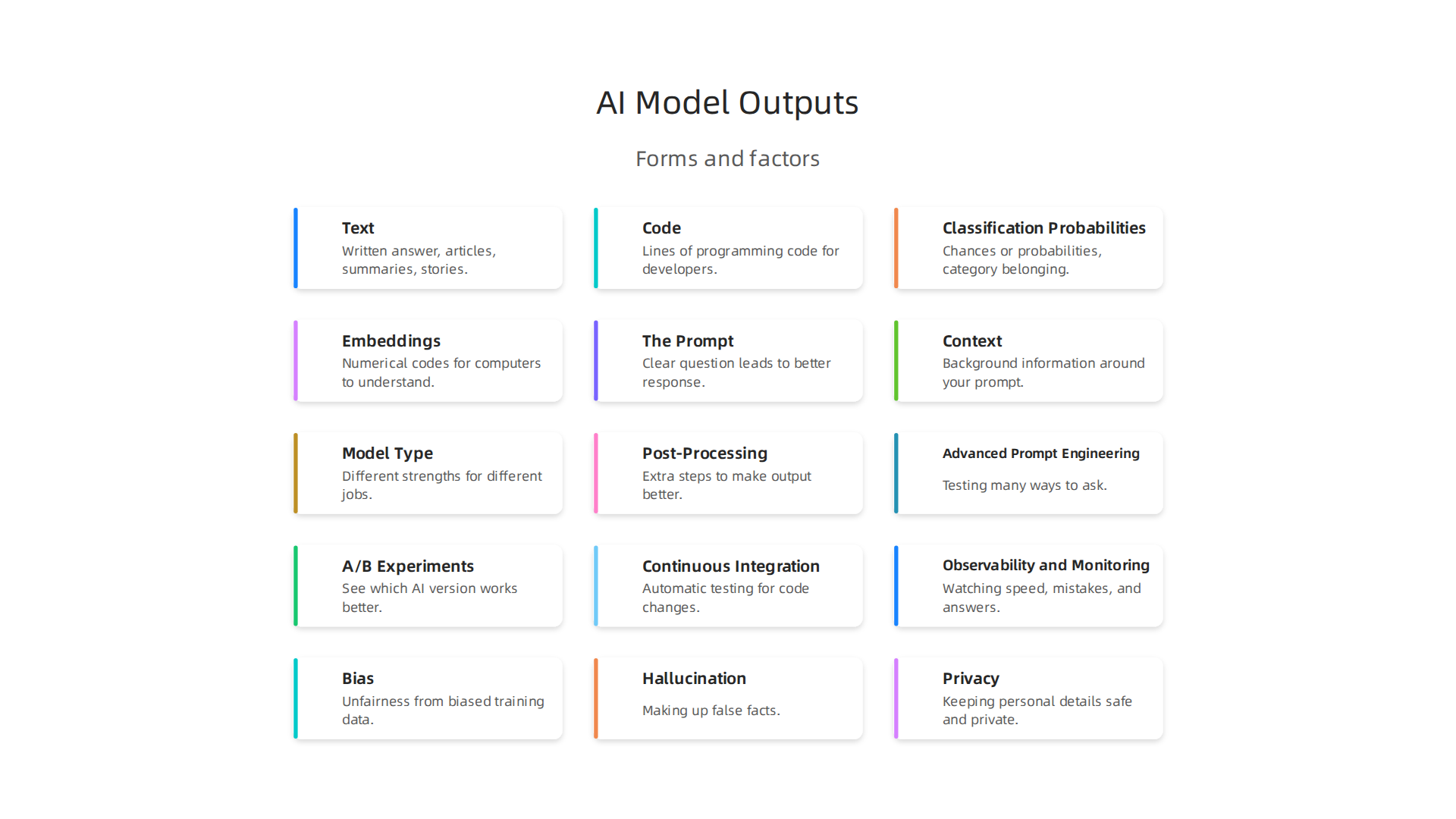
Types of AI Model Outputs
AI models are like different kinds of specialized workers. Each one creates a certain type of output:
- Text: This is what most people think of first. When you ask a
personal AI assistanta question and it gives you a written answer, that’s a text response. This also includes long articles, summaries, or even creative stories. - Code: Some AI models are built to write software code. When a developer asks an AI to create a function or fix a bug, the
AI responsewill be lines of programming code. - Classification Probabilities: Imagine an AI looking at a picture and saying, "This is 90% a cat, 8% a dog, and 2% a bird." This type of response is about chances or probabilities. It helps systems decide which category something belongs to.
- Embeddings: These are special numerical codes that represent words, images, or other data in a way that computers can understand and compare. They are not meant for humans to read directly but are very important for how AI models work internally to find patterns and relationships.
Why AI Taxonomy Matters
Having a clear way to sort and name these different types of AI outputs and systems is called "taxonomy." It is super important because it helps everyone speak the same language. Without a good taxonomy, it’s hard for teams to work together, for rules to be made, and for new AI tools to be built correctly. Groups like the Council on Criminal Justice even define AI as machine-based systems that use inputs to make outputs An AI Taxonomy for Criminal Justice. This shows how vital a shared definition of AI and its outputs is.
A well-defined AI taxonomy helps in several ways:
- Clear Communication: Everyone on a team knows exactly what an
AI responsemeans in a given situation. - Better Design: It helps engineers design models that produce the right kind of output for the job.
- Easier Evaluation: When you know the exact type of response expected, it’s easier to check if the AI is working well.
- Safer AI: Understanding the different parts of an AI system helps ensure it behaves responsibly. The Royal Academy of Engineering notes that an AI taxonomy helps researchers, developers, and policymakers understand the complex layers of AI AI taxonomy – Royal Academy of Engineering.
How Responses are Shaped
The final AI response isn’t magic. It is shaped by several key things:
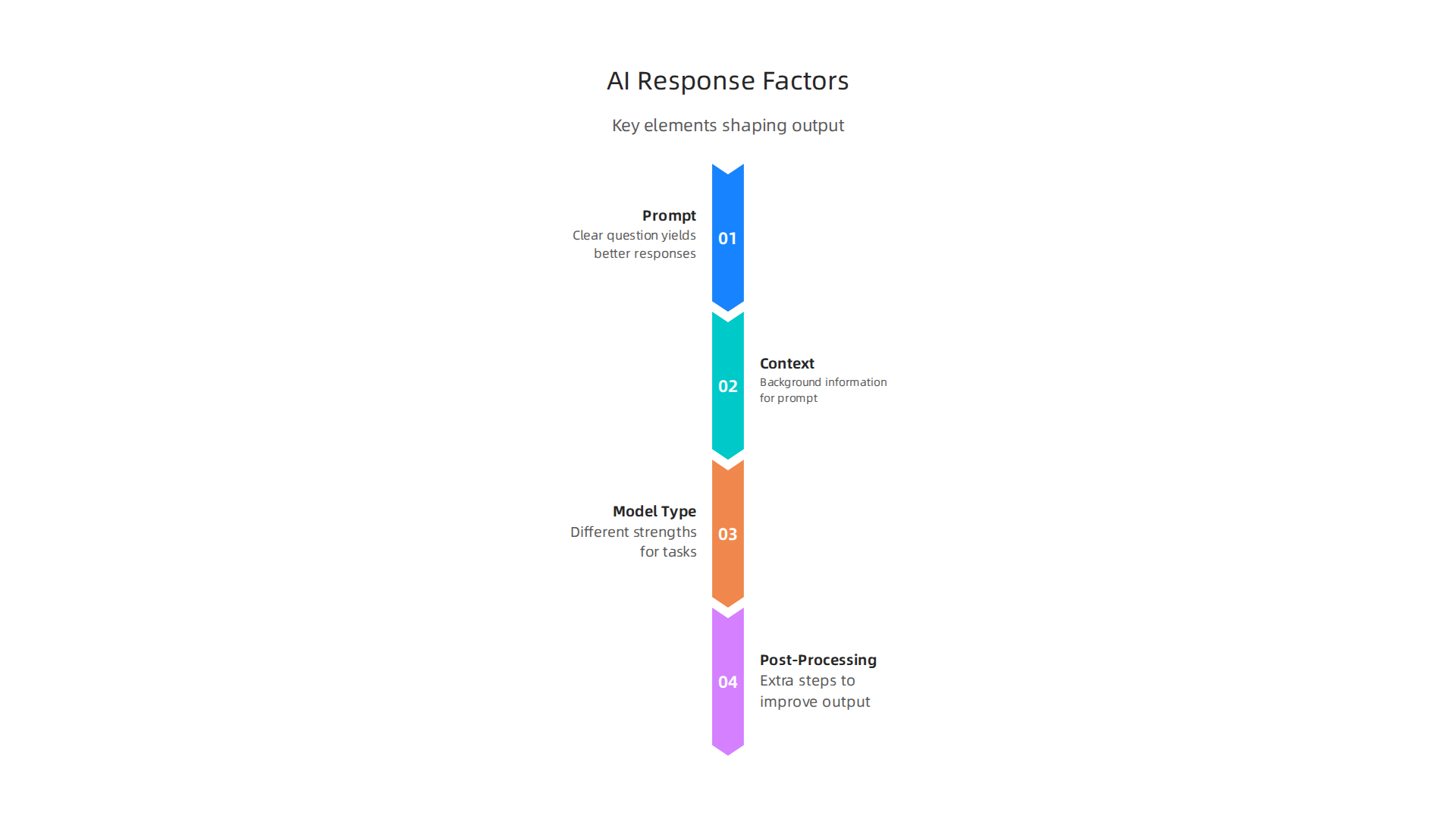
- The Prompt: This is the question or command you give the AI. A clear, well-written prompt leads to a better response. Think about it like giving instructions to a person: the clearer your instructions, the better the result. Learning to write effective prompts is a crucial skill for developers today. You can explore how to improve your prompts with a guide like Google Prompt Engineering: A Developer Guide to Writing Better AI Prompts.
- Context: The AI needs to understand the background information around your prompt. If you ask, "What is its capital?", the AI needs to know "it" refers to a specific country you mentioned earlier.
- Model Type: Different AI models have different strengths. A large language model (LLM) is great for text, while another model might be better for images or numbers.
- Post-Processing: After an AI model creates its raw output, extra steps can be taken to make it better. This might involve checking for mistakes, formatting the text nicely, or making sure the response fits certain rules. This step is part of what leads to truly
lucid AIoutputs.
By carefully managing these parts, development teams can ensure their AI systems, including those built using agentic engineering principles, deliver reliable and helpful answers every time.
To truly shape an AI’s answers, developers must understand the main ideas behind how these systems work.

It’s like knowing how a car’s engine works to make it run better. Here, we’ll look at the key concepts in machine learning (ML) that shape every AI response.
How AI Models Learn and Respond
Think of an AI model like a student. It goes through two big steps:
- Training: This is when the AI learns. Developers feed it lots of examples, like showing a child many pictures of cats and dogs until it learns the difference. During training, the model finds patterns in the data. This helps it understand what kind of
AI responseto give later. - Inference: After training, the AI is ready to work. When you give it a new question or input, it uses what it learned to give an answer. This is called inference. For example, if you show a trained AI a new picture, it will use its knowledge to say if it’s a cat or a dog.
A core part of an AI system is the model itself, which takes inputs and changes them to create outputs. This is what helps the system do its main job, like knowing what an image is or predicting the next word in a sentence EU-U.S. Trade and Technology Council Working Group 1 ….
AI’s Best Guess: Probabilities and Confidence
Most of the time, an AI response is not a "yes" or "no" answer. Instead, it’s often a "best guess" with a level of confidence.
- Probabilistic Outputs: As we saw, an AI might say it’s "90% sure" something is a cat. These are probabilities. It means the AI found strong patterns suggesting that answer, but it’s not 100% certain. This is important for tasks where there’s no single perfect answer.
- Calibration: For a
lucid AIsystem, its confidence needs to be accurate. If an AI says it’s 90% sure, it should be right about 90% of the time. Making sure the AI’s confidence matches its actual accuracy is called calibration. This helps us trust theAI responsemore, especially in important situations. - Confidence Scores: Every time an AI gives an
AI response, it also gives a score. This score tells developers how certain the AI is about its answer. Higher scores mean more confidence. This helps developers refine the models and makes thepersonal AI assistantmore reliable.
How Design Choices Affect AI
The way an AI model is built and what data it learns from heavily impact its reliability and behavior.
- Model Architecture: This is like the blueprint of the AI. Different designs are better for different jobs. A design meant for writing creative stories might not be good for giving exact financial advice. Choosing the right architecture helps create the right kind of
AI response. - Data Choices: The quality and type of data used for training are super important. If an AI learns from biased or incomplete data, its
AI responsemight also be biased or incorrect. Developers must carefully pick and clean the data to make sure the AI is fair and accurate.
Understanding these core concepts helps developers build strong agentic engineering systems that give useful and trustworthy answers. If you’re a developer looking to deepen your skills in this fast-changing field, knowing how AI works under the hood is a must. You can learn more about how to get started with AI development by exploring how to study AI for software development in 2026.
Want to stay informed on the latest AI advancements and how they impact development? Get clear daily AI updates from The AI Newsletter Worth Reading.
Designing reliable AI responses: data, prompts, and architecture
We just learned how what an AI model is built from and the data it uses truly changes how it behaves. Let’s dig deeper into how choices about data, the questions we ask, and the way the AI system is put together all work to create a trustworthy AI response.
The Power of Good Data and Smart Labeling
The quality of the data an AI learns from is super important. Think of it like cooking: if you use bad ingredients, you won’t get a tasty meal. For AI, poor data can lead to incorrect or unfair AI response outputs. Developers need to be very careful when picking and cleaning data. This means making sure the data is complete, correct, and fair.
One key step is called data labeling. This is where humans help the AI learn by marking or tagging pieces of data. For example, telling the AI that a certain picture shows a "cat" or that a piece of text expresses "happiness." This human touch helps the AI understand the world better. In fact, human experts are vital for making sure AI evaluations are accurate, especially for important tasks, as highlighted in the Methodological News, June Quarter 2026. When done right, this thoughtful labeling helps create a more lucid AI that gives answers you can trust.
Crafting Better Questions with Prompt Engineering
It’s not just about the data the AI learns from; it’s also about how we talk to the AI. The way you ask a question or give an instruction to an AI is called "prompt engineering." A well-made prompt can guide the AI to give a much better and more useful AI response. It’s like asking a clear question to get a clear answer from a person. Learning to write good prompts is a crucial skill for developers who want to get the best out of AI tools, and you can learn more about it with a guide to Google prompt engineering. For advanced tasks, especially in agentic engineering where AI systems complete complex jobs, clever prompts are key to guiding the AI through many steps.
How AI’s Hidden Structure Affects Its Answers
Beyond the data and prompts, the way an AI system is actually built behind the scenes makes a big difference. This includes things like:
- Microservices: This means breaking a big AI system into smaller, easier-to-manage parts. Each part does a specific job, which can make the whole system faster and more reliable.
- Model Serving: This is how the AI model quickly gives answers when you ask it a question. It needs to be super-fast, especially for a
personal AI assistantthat users rely on in real-time. - Caching: This is like a short-term memory for the AI. If it has answered the same question before, it can remember the answer and give it back faster, saving time and power.
- Post-processing: Sometimes, after the AI gives an answer, extra steps are taken to clean it up or make sure it follows certain rules. This can make the
AI responsesafer and more helpful before it reaches you.
All these parts work together to make sure the AI runs smoothly and gives accurate answers. Understanding these design choices is part of how to learn AI development effectively. Thinking about how AI software development in 2026 transforms how you build and ship code helps developers create powerful and dependable AI applications.
Implementation patterns and engineering workflows for AI responses
Making an AI system work well in the real world needs more than just good data and smart questions. It also needs smart ways of working and clear plans for how the AI will fit into a bigger product. In 2026, developers use special methods to make sure their AI products are strong and reliable, especially when it comes to the AI response users get.
Practical Workflows for AI Responses
Think about how you build any software. You test it, you update it, and you keep an eye on it. The same is true for AI.
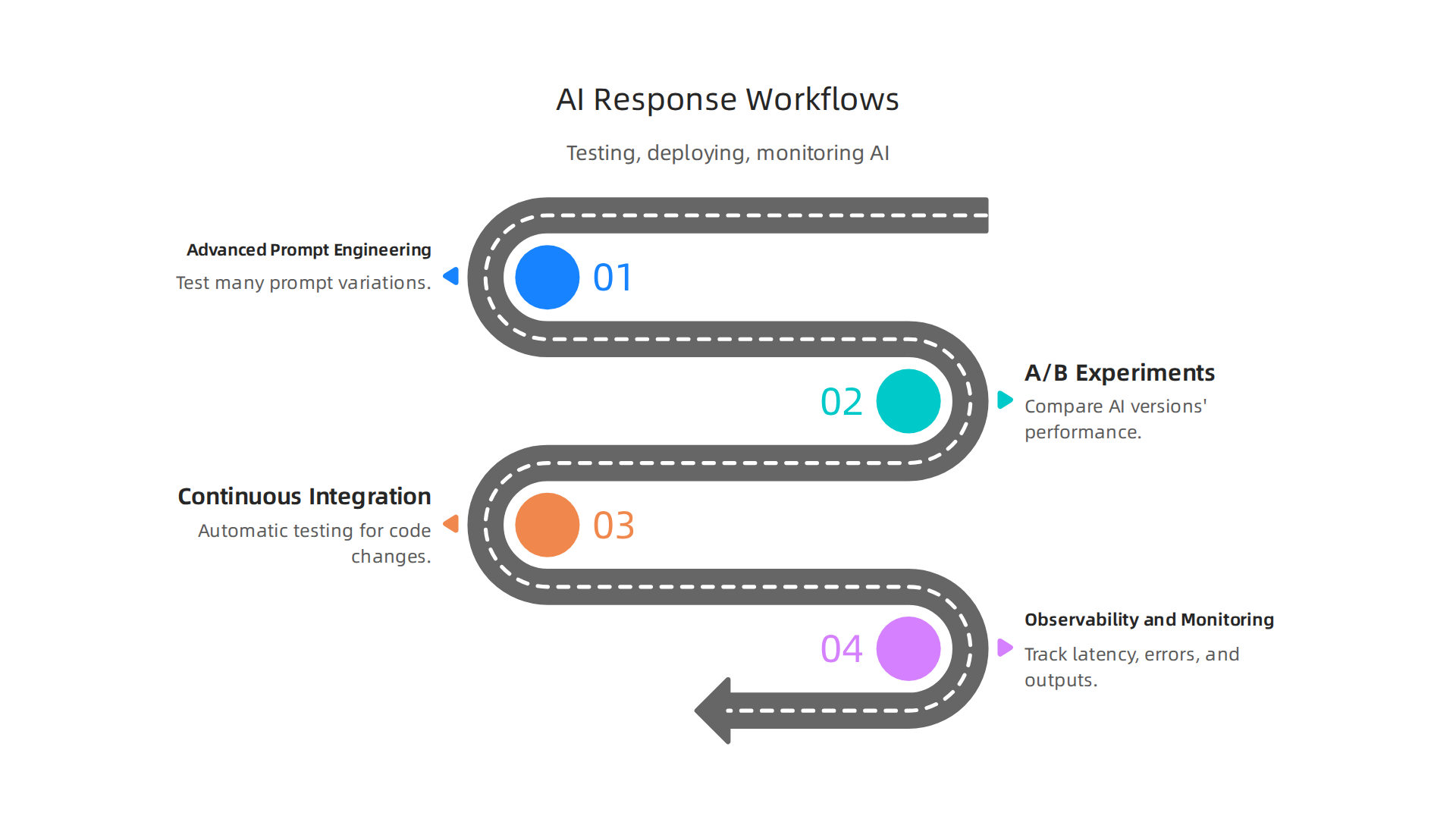
- Advanced Prompt Engineering: While we talked about asking clear questions, a real workflow involves testing many different ways to ask. Developers run experiments to see which prompts give the most
lucid AIresponses. This might mean trying out ten different prompts and seeing which one helps the AI give the best answer. This hands-on approach is key for anyone wanting to truly understand how to study AI for software development in 2026. - A/B Experiments: Just like trying out two different website designs, developers use A/B tests for AI. They might show one group of users an
AI responsefrom one version of the AI and another group a response from a different version. This helps them see which AI version works better in practice. - Continuous Integration (CI) for AI Models: This is a fancy way of saying that every time a developer makes a small change to the AI code or data, it gets automatically tested. This helps catch problems early. For example, in 2026, building scalable and observable MLOps systems means having testing and quick ways to fix issues when deploying models to traffic groups, as outlined in a Google Cloud guide to Building Scalable, Observable MLOps Systems on Google Cloud. Having a good CI process makes sure that every new
AI responseis checked for quality before it goes out. This is a core part of modern MLOps, making sure models are deployed reliably and updated safely, as a 2026 MLOps learning guide explains MLOps Learning Road: Step by Step Guide (2026). - Observability and Monitoring: Once an AI is running, you need to watch it closely. This means checking its speed, how often it makes mistakes, and if its answers are still good. Monitoring helps developers spot problems with the
AI responsequickly. This is crucial for apersonal AI assistantor anyagentic engineeringtask where trust is key. In 2026, MLOps monitoring covers things like system speed, data quality, and how well the model performs over time, according to the mlops-engineering-roadmap-2026/README.md at main – GitHub.
Building Robust AI Integration Patterns
When you put an AI into a larger product, like an app or a website, you need smart ways to connect them so everything works smoothly, even if the AI hits a snag.
- Feature Flags: These are like on/off switches for AI features. They let developers turn a new
AI responsefeature on for a few users first, and then slowly for more. If something goes wrong, they can quickly turn it off without affecting everyone. - Fallback Strategies: What if the AI can’t give an answer, or gives a bad one? A fallback strategy means having a backup plan. Maybe the system shows a human-written message, or it tries a simpler, older AI version. This ensures users still get a helpful experience.
- Retries and Rate Limits: Sometimes, an
AI responsesystem might be busy, or there might be a small network glitch. Retries mean the system tries to ask the AI again if the first attempt fails. Rate limits prevent the system from asking the AI too many questions too fast, which could overload it. These patterns help ensure a stable experience.
Learning these workflows and integration patterns is a big part of mastering the software development lifecycle models for AI.
Staying updated on the latest AI development strategies and tools is vital in 2026.
Get clear daily AI updates from The AI Newsletter Worth Reading.
When you have your AI system working, the next big step is to make sure it’s doing a good job.

This means checking its answers, or AI response, to see if they are clear, correct, and helpful. You need to measure how well it performs and test it in different ways. This is super important for any AI, especially if it’s a personal AI assistant or handles complex tasks in agentic engineering.
Measuring, testing and evaluating AI responses
To truly know if your AI is effective, you need to look at it from many angles. In 2026, developers use a mix of numbers and human judgment to evaluate their AI.
Key Metrics to Track for AI Responses
Think about what makes a good answer. Is it always right? Is it fast? Do people like it? Here are some key things developers watch:
- Accuracy: Is the
AI responsefactually correct? This is often the first thing people check. If your AI gives wrong information, it’s not very useful. - Calibration: Does the AI know when it’s unsure? A well-calibrated AI might say, "I’m not certain, but here’s my best guess." This helps users trust it more.
- Latency: How fast does the AI give an answer? For a live chat or a voice assistant, a slow
AI responsecan be very frustrating. - User Satisfaction: Do people find the AI’s answers helpful and easy to understand? This might be the most important metric. Even if an answer is technically correct, if users don’t like it, the AI isn’t doing its job well. This also covers things like clarity and tone, as noted in 2026 evaluation frameworks that look at contextual relevance and grounding of responses Methodological News, June Quarter 2026. Measuring how users complete tasks with an AI agent is also key to understanding its value AI Evaluation Metrics 2026: Tested by Conversation Experts.
It’s a balancing act, though. Sometimes, making an AI response super accurate might make it a bit slower. Or, making it really fast might mean it’s less thorough. Developers often have to choose what’s most important for their specific AI tool. A guide for 2026 points to over 80 different metrics for evaluating AI, covering quality, embedding, and agentic actions AI Evaluation Metrics Reference Guide 2026: 80 Metrics.
Testing Strategies for Better AI Responses
Measuring helps you see how things are going. Testing helps you make them better.
- Unit Tests for Prompts: Remember how important asking the right question is for a
lucid AI? Developers write small tests for their prompts to make sure they get the kind of answers they expect. This can be compared to how we test normal code. If you’re learninghow to learn AIand want to write better prompts, this is a great skill to develop. You can learn more about this in a guide on Google prompt engineering. - Synthetic Datasets: It’s not always easy to get real-world data for testing every possible situation. So, developers create fake but realistic data to test their AI. This helps them find problems before real users do. These simulated scenarios are crucial for pre-deployment testing of AI systems The State of AI Evals in 2026.
- Human Evaluation Protocols: Even with all the numbers and automated tests, humans are still the best judges of an
AI response. Experts review AI outputs to make sure they are helpful, safe, and fair. This is often the final step before an AI goes out to the world AI Benchmarks 2026: Top Evaluations and Their Limits. Human review is critical for the trustworthiness of AI, especially for AI coding assistants in 2026.
By using these methods, developers can continuously improve how AI systems perform and ensure they deliver the best possible AI response to users. To keep up with all the ways people are learning and growing in this field, it’s good to follow resources that teach you how to use AI for software development effectively.
After we check how well our AI works, the next step is to use it wisely in our daily jobs, especially for coding. AI tools can help developers write code, but we must also make sure the code is good and safe. This means knowing when to trust the AI and when to review its suggestions closely.
Tooling and developer workflows: leveraging AI-assisted coding safely
AI-assisted coding tools are very common in 2026. These tools can suggest code, complete lines of code, or even write whole functions for you. They help developers work faster. For example, generative AI is known for its ability to speed up code generation. Some reports even show that using AI can make coding tasks 55.8% faster and help developers complete 26.08% more tasks overall AI Automation ROI Benchmark Report 2026. This kind of AI response can be a huge help.
But here’s the thing: just because an AI response is fast, it doesn’t always mean it’s perfect. Sometimes, the code an AI suggests might have small errors, or it might not be the most efficient way to do something. It could even introduce security risks or add "technical debt," which means code that is hard to maintain later.
Practical guardrails and review processes to reduce technical debt and security risks
To use AI-assisted coding safely, developers need good rules and ways to check the AI’s work.

It’s like having a helpful personal AI assistant, but you still need to make sure its advice is solid.
Here are some important steps:
- Review all AI-generated code: Developers should always look over code suggested by AI. Think of it as a first draft. You need to make sure it fits your project’s needs, is secure, and is easy for other people to understand.
- Automated testing: Just like with any other code, AI-generated code needs to be tested. This means running special programs that check for bugs or mistakes. This is a key part of modern software development, often called "continuous integration/continuous deployment" (CI/CD). MLOps (Machine Learning Operations) and LLMOps (Large Language Model Operations) practices include this. They make sure that every time code changes, it goes through automated tests before it’s used MLOps Pipeline Automation in 2026: From Experiment to Production Without the Pain.
- Version control: Keep track of all code changes, whether made by a human or an AI. This helps you go back to an earlier, working version if something goes wrong. This process is similar to how you manage versions of any software project. For any AI system used in production, having clear versioning is a must, along with automated testing and the ability to quickly undo changes Building Scalable, Observable MLOps Systems on Google Cloud.
- Monitoring: Once AI-assisted code is put into use, you still need to watch it. Does it work as expected? Is it causing any new problems? Continuous monitoring helps catch issues quickly. This is especially important for
agentic engineeringwhere AI might make decisions on its own. Reliable LLM-powered systems need constant monitoring of output quality, cost, and speed LLMOps in 2026: AI Demo to Production Guide.
By using these guardrails, developers can fully enjoy the benefits of AI-assisted coding without taking unnecessary risks. This helps make the AI response not just fast, but also trustworthy and helpful for building great software. You can dive deeper into these topics by exploring resources on AI software development in 2026.
If you want to stay on top of all the latest changes and best practices in AI and technology, consider subscribing to a reliable source.
Get clear daily AI updates from The AI Newsletter Worth Reading.
Even with good rules for checking code, there are still bigger picture risks with AI that we need to think about. When we use AI systems, especially with an AI response that goes out to people, we need to be careful about common problems like bias, making up facts, and privacy.
Risk, safety, and governance for AI responses
It’s true that AI can help us work faster and smarter. But every powerful tool comes with things we need to watch out for. When AI gives us an answer or acts on its own, we call this an AI response. We need to make sure these responses are safe and fair. The world is putting a lot of thought into this, as shown by the International AI Safety Report 2026 Examines AI Capabilities, Risks, and Safeguards. This report talks about risks like people using AI to cause harm, AI systems not working right, and bigger problems that affect society as a whole.
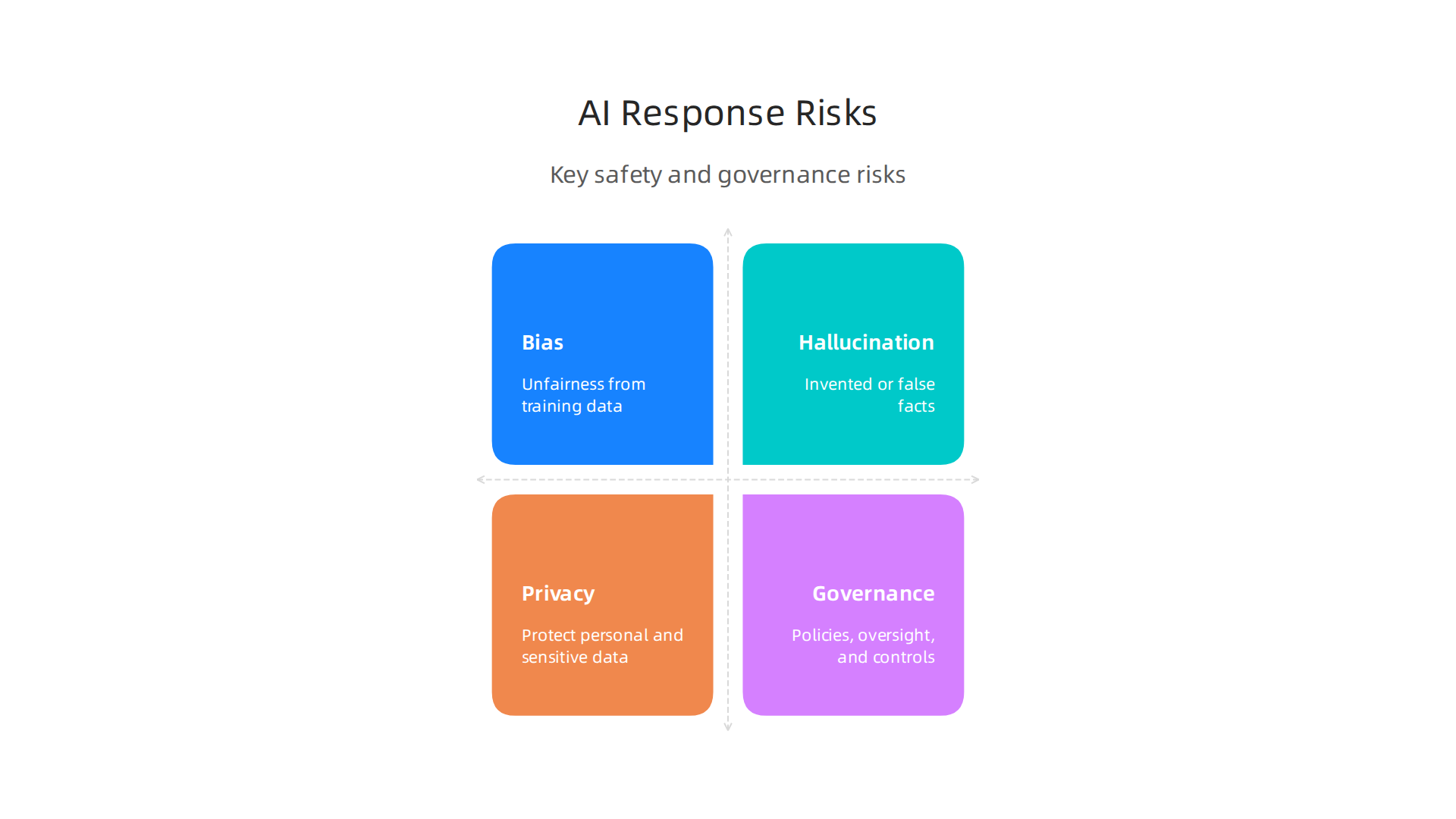
Here are some common risks and how we can work to fix them:
- Bias: AI learns from the information we feed it. If that information has unfairness or old ideas, the
AI responsecan also be unfair. For example, an AI meant to help with hiring might favor one group of people over another if it learned from biased hiring records. To avoid this, we need to use diverse and balanced data when training AI. - Hallucination: Sometimes, AI can make up facts or information that is not true. This is called "hallucination." It’s like a
personal AI assistanttelling you something with great confidence, even though it’s completely wrong. We can lessen this by making sure AI gets information from trusted sources and by checking its answers. - Privacy: AI often needs a lot of data to work well. This data might include personal details. Keeping this information safe and private is very important. Companies must follow strict rules about how they use and store your data.
Keeping AI safe through smart management
To make sure AI systems are safe, we need strong ways to manage them. This includes constant watching, knowing what to do when problems happen, and making sure all the rules are followed. Think of it as a safety plan for every AI response.
- Monitoring: We need to watch AI systems closely after they start working. This means checking if they are doing what they are supposed to do and if they are causing any new problems. Tools that monitor AI can spot odd behavior or issues with the quality of AI’s answers quickly. This helps us catch problems before they become big. Good monitoring is a key part of making sure AI works well and stays safe over time, as highlighted in the Top 10 AI Security Best Practices for 2026: A CISO’s Guide.
- Incident Response: Even with the best plans, sometimes things go wrong. We need a clear plan for what to do when an AI system has a problem or gives a bad
AI response. This plan should tell us how to find the problem, fix it, and learn from it so it doesn’t happen again. Experts are even talking about Open Problems in AI Incident Governance to make these responses better. - Compliance: As AI becomes more common, more laws and rules are being made about how to use it safely and fairly. Companies need to make sure their AI systems follow all these rules. This can involve regular checks and reports to show that everything is in order.
Making sure AI systems are trustworthy is a big job. It means building safety into every step, from how we design AI to how we watch it when it’s working. If you’re interested in building systems you can truly rely on, you might want to learn more about how to create trustworthy AI. You can find more helpful information on how to build reliable systems, even for serious fields, by reading about Doctor AI in Practice. This kind of careful work helps us use AI’s power for good, making sure it helps everyone fairly and safely.
Summary
This article explains what an