
Mastering Google Cloud Services for API Development in 2026
· 23 min read
Why Google Cloud services matter now – the problem and our promise
In 2026, the world of software moves really fast. New cloud tools and features come out all the time. Many companies are now building their apps using cloud-native application development and need to use lots of different tools that talk to each other through APIs. This quick change brings many chances for teams to build amazing things. But it also means there’s a huge amount of information to keep up with, which can feel overwhelming for engineering teams. Choosing the right parts for your project has never been more important.
When you look at big cloud providers like Google Cloud, you find many google cloud services that help businesses grow. These services cover everything from storing data to running complex programs. But with so many options, it’s hard to know which ones are best for your needs. Teams often worry about things like security, privacy, and making sure their systems follow the rules. It is crucial to consider a well-architected framework that includes security and compliance from the start Well-Architected Framework: Security, privacy, and compliance pillar. Making smart choices about which API-driven platforms to use is key to building strong and safe apps. If you’re looking to make big tech decisions, it helps to understand how to approach these choices strategically. For more help on this, you can read about how to choose enterprise IT services in 2026.
This guide is here to help you cut through the noise. We will show you how to look at different google cloud services for your projects that use APIs. You will learn how to pick the best tools, decide which connections to make first, and lower any risks when you start using new services. Our goal is to make sure you feel confident in your choices for your cloud-native application development journey.
To stay on top of all the fast changes in AI and tech, get daily updates directly in your inbox. Check out The AI Newsletter Worth Reading for clear, in-depth insights.
Top 2026 trends for cloud platforms and APIs
As we move forward from understanding how to pick the right tech, let’s look at the big changes happening in cloud services and APIs in 2026. These changes are making it easier and faster to build powerful applications.
AI and Machine Learning are Everywhere
One of the biggest shifts we see in 2026 is how Artificial Intelligence (AI) and Machine Learning (ML) are becoming a core part of cloud platforms. Companies like Google Cloud are putting AI right into their services, making it simpler for developers to use smart features without having to build everything from scratch. This means new platform-level AI/ML services are changing what APIs can do. For example, instead of just sending data, an API might now send data that has already been analyzed by AI. This makes the API’s job more powerful and useful.
These AI tools within Google Cloud services help with many tasks, from understanding what people say to making quick decisions based on huge amounts of data. This trend makes cloud-native application development smarter and more efficient. You can see many of these new smart tools listed in the Google Cloud products at a glance. Knowing how to use these new AI tools is a skill that will help any software team. To learn more about how AI helps developers, check out how AI software development in 2026 transforms how you build and ship code.
Event-Driven and API-First Designs
Another big trend is how new systems are being built. We’re seeing a clear move towards "event-driven" and "API-first" designs.
- Event-driven systems react to things that happen, like a new customer signing up or a product being added to a cart. These systems use messages to talk to each other, making apps fast and flexible. This design helps
cloud-native application developmentby letting different parts of an app work together smoothly without waiting on each other. - API-first designs mean that developers think about how APIs will work before building the rest of the application. This makes sure that apps can easily connect with other services, whether those are
google cloud services, tools from anaws marketplace, or even specialized APIs like theoverpass apifor map data or thedocusign apifor electronic signatures. By planning with APIs first, it becomes much easier to create strong, connected systems. You can explore the full range of options in the APIs & Services section of the Google Cloud Console.
These trends mean that the APIs we use are not just simple ways to access data anymore. They are smart, responsive connections that drive the next generation of software. Keeping up with these changes is key for any team building in the cloud today.
Mapping Google Cloud services to common API and platform needs
After looking at how important AI and API-first ways are, let’s dive into picking the right google cloud services for your projects in 2026. Think about what your API needs to do. Does it need to handle many users at once? Store lots of information? Or perhaps make smart decisions using AI? Google Cloud has many tools for different tasks.
Matching Services to Your API Needs
Building a great API often means using a mix of services. Here’s how different google cloud services can help:
-
For the "Brains" (Compute Services): These services run your code.
- App Engine is great for web apps and mobile app backends where you don’t want to worry about servers. It handles all the scaling for you automatically.
- Compute Engine gives you more control, like renting virtual computers. You pick the size and type, good for when your API needs very specific setups.
- Cloud Run is perfect for
cloud-native application developmentthat needs to start up super fast and only pay when your code is actually running. Many developers find these compute options useful, as seen in the Top 10 Google Cloud Services Every IT Professional Should Know.
-
For Storing Information (Storage and Database Services): Your API often needs to save or fetch data.
- Cloud Storage is like a big online hard drive for files, videos, or anything large.
- Cloud SQL is good for structured data, like customer lists or product catalogs. It works with popular databases.
- Firestore is a flexible database for mobile, web, and server development, great for real-time updates.
-
For Handling Big Data and AI: If your API needs to be smart or process lots of information.
- BigQuery helps you quickly look through and understand huge amounts of data.
- Vertex AI offers many tools to build and use AI models, making your API smarter. The previous section talked about AI being everywhere, and this is where you can make your
google cloud servicestruly intelligent. For instance, an API could use AI to understand spoken commands or analyze images. To stay ahead with AI, consider subscribing to The AI Newsletter Worth Reading for daily updates.
Key Things to Think About When Choosing
Picking the right services isn’t just about what they do. You also need to think about these factors:
- Manageability: How easy is the service to set up, run, and fix? Some services handle more for you, letting your team focus on building new features instead of maintenance.
- SLAs (Service Level Agreements): These are promises about how often a service will be working. For an API that needs to be online all the time, you’ll want services with high SLAs. You can check the health and status of
google cloud servicesto understand their reliability promises, as listed on the Google Cloud Service Health page.
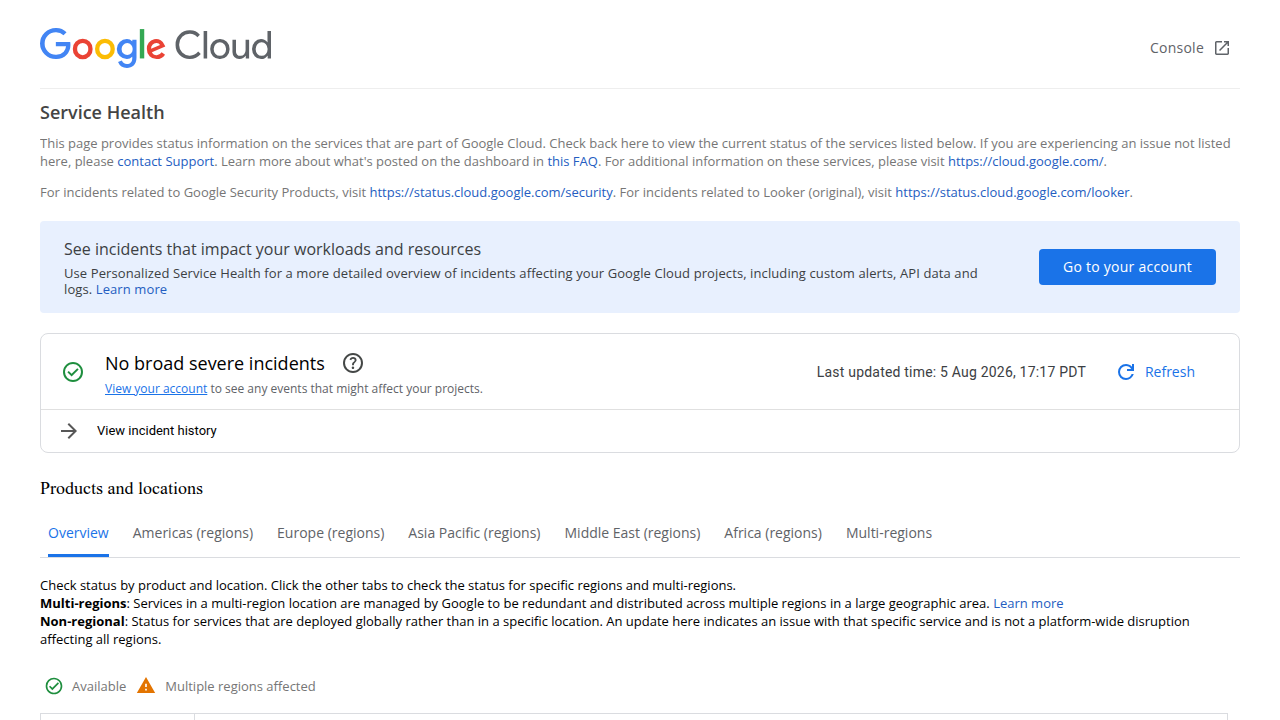
- Regional Availability: Where are your users? Choosing services available close to them makes your API faster. For example, some services might be readily available in Europe, as noted by the Europe (regions) status page.
- Integration Surface Area: How well does the service connect with other tools you use? Whether it’s connecting to an
aws marketplacesolution, using theoverpass apifor map data, or even integrating with thedocusign api, smooth connections are key for complexcloud-native application development. - Cost: Understanding how much each service will cost is super important. Google Cloud uses a "pay-as-you-go" model, where you only pay for what you use. This can vary a lot, so it’s good to keep an eye on your spending. Things like the number of API calls or how much data you transfer can affect the bill. You can learn more about how to handle costs in 2026 by checking out GCP pricing: Breaking down costs in 2026.
By carefully matching google cloud services to your API’s needs and thinking about these factors, you can build powerful and reliable applications. Knowing about cloud architecture and operations can greatly help in this process. You can explore more about this in our guide on your TCAPS cloud guide for architecture, migration, and operations in 2026.
API integration best practices on Google Cloud
After picking the right google cloud services for your API, the next big step is making sure these services work well together. This means making your API integrations secure, easy to watch, and simple to test. Following these best practices in 2026 helps you build strong and trustworthy cloud-native application development.
Smart Ways to Integrate Your APIs
Connecting different parts of your API needs careful planning. Here are some key patterns to help:
-
API Gateway as a Front Door: Imagine an
API Gatewayas the main entrance for all requests coming into your API. It helps manage traffic, makes sure users are who they say they are, and can even protect against bad attacks. It is a key tool for how your APIs talk to the world outside, and you can learn more about its design from the API Gateway documentation. Google Cloud’s API Gateway can be used withgoogle cloud serviceslike Cloud Functions to make them safer. You can even use tools like Google Cloud Armor to protect your API Gateway from threats, as discussed in Securing GCP API Gateway with Google Cloud Armor. This helps keep yourcloud-native application developmentsafe. -
Secure Authentication and Authorization: It’s super important to know who is using your API and what they are allowed to do. You should always use strong methods to check user identities. This involves making sure tokens are real and setting up rules for who can access what, often called Role-Based Access Control (RBAC). These practices are vital for facing Security Challenges in API Gateway Design for Cloud…. Also, how identity information moves through your API gateway matters, which is explained in Identity Propagation in an API Gateway Architecture. For special cases where you need secure two-way communication between different services or clouds, patterns like Gated egress and gated ingress can be very useful.
-
Service Mesh for Internal Talks: For bigger applications with many small services, a "service mesh" can manage how these services talk to each other inside your network. It helps with things like traffic rules, security, and seeing what’s happening. This is great for making sure your internal
google cloud servicescommunicate securely and reliably. You can find Best Practices for using Cloud Service Mesh egress for securing outbound traffic.
Making Integrations Easy to Watch (Observability)
You need to know what’s going on with your APIs all the time. This is called observability.
-
Monitoring and Logging: This means collecting information about how your API is working, like how many requests it gets or if there are any errors. You should gather all logs in one place to make them easier to review. Google Cloud offers tools to help you watch and understand your systems better, as seen in Observability and monitoring – Google Cloud. You can also learn about Observability on Google Cloud to help you set up good logging for your
cloud-native application development. Seeing how your API gateway handles this is also helpful, as shown in this video on Handling Observability from an API Gateway Perspective. -
Tracing: When a request comes into your API, it might go through many different
google cloud services. Tracing helps you follow that request’s journey from start to finish. This makes it easier to find where problems are happening if something goes wrong.
Testing and Releasing APIs Well
To keep your APIs running smoothly, you need good habits for testing and updating them.
-
CI/CD for APIs: This stands for Continuous Integration and Continuous Delivery. It means you have automatic steps that build, test, and then release your API updates. This helps catch mistakes early and makes updates faster and safer. To learn more about how this fits into your overall development plan, check out our guide on Mastering the Software Development Lifecycle Models AI and Best Practices for 2026.
-
Contract Testing: This is a way to make sure that different parts of your system that talk to each other still agree on how they will communicate, even after updates. It prevents one part of your system (like an
aws marketplacetool or a service using anoverpass api) from breaking another. -
Versioning: As your API grows, you’ll need to make changes. Versioning means giving your API different versions (like API v1, API v2). This lets you update your API without breaking older applications that rely on the previous version. Think of it like
docusign apiupdates; they often provide new versions while supporting older ones for a time. -
Progressive Rollout: When you release a new version of your API, it’s a good idea to show it to a small group of users first. If all goes well, you then show it to more and more people. This "progressive rollout" helps you find any hidden problems before they affect everyone.
Security, compliance, and governance for cloud APIs
After you’ve learned to build, test, and release your APIs smoothly, the next big step is making sure they are super safe and follow all the rules. This is where security, compliance, and governance come in. For any cloud-native application development, keeping things secure is not just a good idea, it’s a must.
How Google Cloud Keeps Your APIs Safe
Google Cloud has many tools to help protect your APIs and the data they use. These tools make sure that only the right people and systems can access your important information.
- Identity and Access Management (IAM): Think of IAM like a security guard that checks everyone’s ID at the door. It makes sure that only authorized users and services can do certain things with your
google cloud services. This means giving people only the permissions they truly need, a practice called "least privilege" access. Using IAM is one of the top 6 Google Cloud Security Best Practices for Enterprise GCP. - VPC Service Controls: Sometimes, you have very sensitive data that needs extra protection. VPC Service Controls create a secure boundary around your
google cloud servicesto help prevent data from leaving your private network without permission. This is like building a strong fence around your most valuable things. You can learn more about VPC Service Controls directly from Google. - Encryption: Keeping your data secret is very important. Google Cloud uses strong encryption to scramble your data so that if someone unauthorized gets a hold of it, they can’t read it. This is true whether your data is sitting still (at rest) or moving around (in transit). You can even manage your own encryption keys for a higher level of control, which is a key part of the Best Security Practices for Google Cloud Platform in 2026.
These features work together to help you build very secure cloud-native application development that uses google cloud services.
Following the Rules: Compliance and Governance
Beyond just security, your APIs often need to follow specific rules and laws. These rules might come from your industry or the country you operate in. This is called compliance.
- Understanding Your Rules: Different businesses have different rules. For example, a healthcare API has to follow strict privacy laws like HIPAA. A financial API might need to follow other regulations. Google Cloud helps you understand and meet these rules. You can find many Cloud compliance and regulations resources to guide you.
- Platform Controls and Auditing: Google Cloud provides tools that help you prove you are following the rules. You can set up specific "controls" that match different compliance frameworks, and then easily check if your systems are meeting those requirements. This also includes keeping detailed records (auditing) of who did what and when, which is needed for many compliance checks. Tools like Security Command Center’s Compliance Manager frameworks help you track this. Making sure your
cloud-native application developmentfollows ethical guidelines is also important, which you can read about in AI Ethics for Software Teams Build Trustworthy AI in 2026. - Global Standards: Google Cloud itself follows many global standards, like ISO/IEC 27001, which means its systems are designed with high security in mind. This makes it easier for you to build compliant applications. The Trust Center – Security and Compliance offers even more details.
By using Google Cloud’s security features and understanding its compliance support, you can build powerful APIs with confidence, knowing they are protected and follow the necessary guidelines.
For those looking to keep up with the fast-changing world of technology and its impact on development, it’s wise to stay informed. Get clear daily AI updates from The AI Newsletter Worth Reading.
After making your APIs secure and compliant, the next big thing is to make sure they don’t cost too much and still work really fast. This part is about finding the right balance between how much you spend and how well your APIs perform on google cloud services. For any cloud-native application development, it’s not enough to just build it; you also need to run it smartly.
What Makes Your API Costs Go Up?
When you run APIs on Google Cloud, several things can make your bill bigger. Knowing these can help you save money.
- Data Leaving Google Cloud (Egress): Sending data out of Google Cloud to users or other networks often costs money. This is called "egress" fees. If your API sends a lot of data, especially to users far away, these costs can add up quickly.
- Managed Services: Google Cloud offers many services that do a lot of work for you, like databases or special API tools. While super helpful, these "managed services" have their own costs. For example, using Google’s API Gateway has its own pricing structure based on the number of API calls your service handles each month, with costs changing after a certain number of calls according to API Gateway pricing.
- Autoscaling: This is when your services automatically grow or shrink based on how many people are using them. If your API suddenly gets very popular, autoscaling will add more resources to handle the load, which means more cost.
- Lots of Little API Calls: Even small actions, like checking a data file or asking a database for a tiny bit of information, count as API requests. When you have millions of these requests, they can turn into real money. A helpful resource on understanding these types of costs is GCP pricing: Breaking down costs in 2026.
You can even get cost estimates for your Google Cloud workloads to plan better.
It’s important to keep an eye on these costs. Google Cloud provides tools like Cost Management to help you see where your money is going and ways to optimize costs with the Cost Explorer.
How to Make Your APIs Faster (Performance Tuning)
Just like you want to save money, you also want your APIs to be quick and responsive. Here are some ways to speed things up:
- Regional Placement: Think about where your users are. If most of your users are in Europe, it makes sense to run your API in a Google Cloud region in Europe. This makes the data travel a shorter distance, making your API feel faster. For instance, for
cloud-native application developmentusing Cloud Run, choosing a Tier 1 region can lead to lower costs and better performance, as highlighted in the best practices for cost-optimized Cloud Run jobs. - Caching: Imagine your API often serves the same information over and over. Caching means storing that information closer to your users for a short time. When someone asks for it again, the API can grab it from the cache super fast instead of doing all the work again.
- Edge Services: These services are like mini-caches placed at the "edge" of the internet, even closer to your users than a full region. They help deliver content and API responses with very little delay.
- Smart Autoscaling Policies: While autoscaling can increase costs, setting it up wisely helps with performance. Your APIs can quickly get more power when needed and then shrink back down when things are quiet. This makes sure your users always have a fast experience without you paying for too much power when it’s not busy.
By playing with these different "levers," you can make your google cloud services perform better. But remember, often there’s a trade-off: making things faster might cost a bit more, and saving money might mean things are a little slower. Finding the sweet spot is key for good cloud-native application development. For a deeper dive into managing your cloud setup for optimal spending and speed, you might want to explore a comprehensive TCAPS Cloud Guide for Architecture, Migration, and Operations in 2026.
Moving your existing APIs and services to google cloud services is a big step that needs a clear plan. It’s not just about copying files; it’s about making sure your services work even better, faster, and more affordably once they are there. Just like we talked about running things smartly on the cloud, bringing new things onto the cloud needs smart planning too. This part will guide you through how to do that.
Strategy and Checklist for Migrating APIs and Services to Google Cloud
When you decide to move your APIs and services to Google Cloud, you have a few main ways to go about it. Each way has its own pros and cons, especially for cloud-native application development.
Choosing Your Migration Path
Picking the right strategy depends on how much you want to change your current systems.
- Lift-and-Shift: This is like packing up your entire house and moving it to a new location without changing anything inside. For APIs and services, it means moving them as they are from your old servers to Google Cloud without major code changes. This is often the quickest way to get onto the cloud. For example, some companies simply move their virtual machines from their own data centers to Google’s cloud computing service to ensure continuous operation, as seen in a Case Study: Migration From on-premise to Google Cloud.
- Replatforming: With this method, you move your services to Google Cloud, but you also make some small changes to take advantage of cloud features. For instance, you might switch from your own database to a managed database service offered by Google Cloud. This can help with performance and make managing your data easier. It’s a good middle-ground that offers more benefits than lift-and-shift without a complete overhaul.
- Refactor-and-Replace: This is the most involved option. Here, you basically rebuild your API or service from scratch to be truly
cloud-native application development. You design it to use all the advanced features and services that Google Cloud offers, getting the most out of the platform. This approach costs more time and money upfront, but it can lead to the best performance, scalability, and cost savings in the long run. For complex systems like anoverpass apior adocusign apithat need deep integration and high efficiency, this might be the best choice. For a full guide on the steps involved, you can watch How to Migrate to Google Cloud: The 4-Phase Framework.
Many companies have had great success migrating their services. A global e-commerce platform, for example, moved to Google Cloud API Gateway with Cloud Run backends, leading to huge improvements and cost cuts, as shared in the Click To Freedom – MigrateForce Blog.
Getting Ready to Operate Your Cloud Services
Once you’ve decided on a migration path and started moving your APIs and services, you need to make sure you’re ready to run them well. This is called operational readiness.
- Observability: You need good tools to see how your APIs are working. This includes monitoring tools that show if they are fast enough and logging tools that record what’s happening. With good observability, you can quickly find and fix problems with your
google cloud services. - Security Baselines: Before your APIs go live, you must set up basic security rules. This means protecting them from unwanted access and threats. Keeping your systems safe is a must in 2026.
- Runbooks: These are like instruction manuals for your team. They explain step-by-step what to do when common issues come up, making it easier to handle problems quickly and correctly.
- Team Capability Building: Your team needs to know how to work with the new
google cloud services. This means training them on new tools and ways of doing things. Investing in your team’s skills is key to a smooth operation. To help your team grow their skills, consider exploring resources on careers in tech, such as the Junior Software Engineer 2026 Skills, Hiring, Career Roadmap.
By planning carefully for both the move itself and how you’ll operate afterward, you can make your migration to Google Cloud a big success.
Want to keep up with the latest in tech and AI that affects your development work?
The AI Newsletter Worth Reading
Summary
This article explains why Google Cloud services matter for cloud-native application development in 2026 and walks you through how to choose, connect, secure, and run APIs on the platform. It outlines major trends—especially AI/ML integration and API-first, event-driven designs—and maps common API needs to Google Cloud products like Cloud Run, BigQuery, Vertex AI, and Firestore. You’ll learn practical integration patterns such as using an API Gateway, service mesh, and identity propagation, plus observability, testing, and CI/CD practices that reduce risk. The guide covers security and compliance features (IAM, VPC Service Controls, encryption), cost drivers and performance levers (egress, caching, regional placement), and three migration paths (lift-and-shift, replatform, refactor). After reading, you’ll have a clear checklist to pick services, design secure integrations, manage costs, and plan a migration or modernization with confidence.