
Master Component-Based Software Engineering Principles and Practices for 2026
· 27 min read

Why component-based design matters now and what this guide will deliver
Building software today is harder than ever before. Programs are getting bigger, teams are growing, and new tools like AI are changing how we work every single day in 2026. This means we need smarter ways to build and manage our software projects. That’s where "component-based software engineering" comes in.
Think of it like building with LEGO bricks. Instead of building everything from scratch each time, you use small, ready-made parts called components.

These components have clear jobs and can be put together easily to make a larger system. This way of working helps software engineering professionals build complex systems faster and more reliably. It also helps manage projects better, especially when many people are working together. The main idea is to create systems by putting together parts that are already made and tested, making the whole process simpler and more efficient. For example, a software component is like a small, independent piece of a system that does a specific job and can be swapped out if needed, much like a car part that can be replaced without changing the whole car [https://www.cse.cuhk.edu.hk/lyu/_media/conference/xcai_apsec2000_component-based.pdf?id=publications:all_by_year&cache=cache].
This guide will give you a clear roadmap for using component-based design. We will start with the basic ideas and then move on to how to test these parts. We’ll also look at useful tools and resources to help you learn more. We know many software engineering professionals are looking for deep knowledge, so we’ll even point you to authoritative learning materials, including where to find a good component based software engineering book pdf that can help you master this approach. By the end, you will understand how to use these methods to build strong, flexible software for today’s fast-paced world.
To stay on top of all the new tools and changes, especially with AI, it’s really helpful to get fresh insights every day.
You can get clear daily AI updates by subscribing to The AI Newsletter Worth Reading.
When we use component-based design, it’s not just about breaking things into small parts. It’s also about making sure those parts work well alone and together. There are some main ideas, or "core principles," that guide us. These principles help make software easy to build, change, and understand.
Here are the main ideas that make component-based software engineering strong:
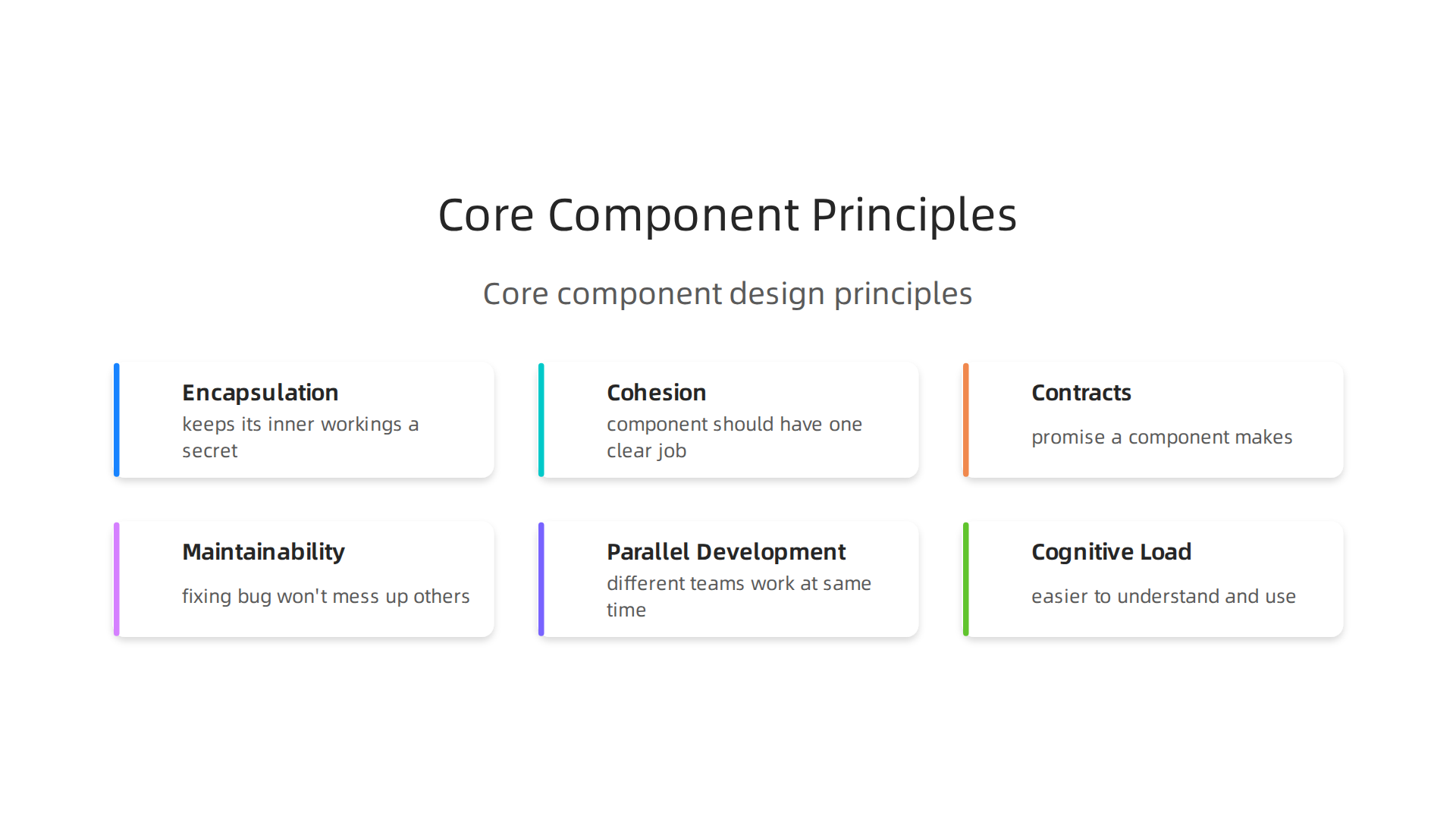
- Encapsulation: Think of encapsulation like a toy car. You can make it go, turn, or stop without knowing how the gears or motor inside work. Encapsulation means each component keeps its inner workings a secret. It only shows what it does, not how it does it. This is great for keeping things simple. If you change something inside a component, other parts of the system won’t break because they don’t depend on the hidden details.
- Cohesion: This principle means a component should have one clear job and do it very well. All the little pieces inside that component should work together for that single purpose. For example, a component just for showing messages should only handle messages. It shouldn’t try to also manage user logins. When components have high cohesion, they are easier to understand, test, and reuse. This helps reduce the amount of information software engineering professionals need to keep in their heads, which lowers "cognitive load." Good cohesion also makes a component easier to test properly during a software engineering test.
- Coupling: This describes how much components rely on each other. We want "low coupling," meaning components should not be too dependent on other specific components. If your message display component needs to know too much about how the login component works, then they are "highly coupled." If you change the login component, the message component might break. Low coupling means components are more independent. It’s like having car parts that you can swap out without changing the whole car. Component-based design aims to break software systems into loosely connected, reusable parts, which helps with this component based design overview.
- Contracts and Well-Defined Interfaces: A contract is like a promise a component makes about how it can be used. An "interface" is the specific way other components can talk to it, like the buttons on a remote control. These interfaces must be very clear. They tell you exactly what information a component needs and what it will give back. This clarity is super important for teams working on different parts of a project.
How These Principles Make a Difference
These core principles solve big challenges for software engineering professionals in 2026:
- Maintainability: Because components are encapsulated and loosely coupled, fixing a bug or adding a new feature in one component usually won’t mess up others. This makes maintaining large software systems much easier. It’s like repairing a single brick in a LEGO house instead of rebuilding the whole wall.
- Parallel Development: With clear contracts and low coupling, different teams can work on different components at the same time. Team A can build the login component while Team B builds the message component, as long as they agree on how these parts will talk to each other. This kind of work is very similar to an incremental model software engineering approach, where parts are built and added step by step. This speeds up the whole building process.
- Cognitive Load: High cohesion and clear interfaces mean each component is easier to understand and use. Software engineers don’t have to remember all the tiny details of every component. They only need to know how to use its interface. This reduces the mental effort needed to work on a big project.
Learning these core principles is vital for anyone wanting to master this way of building software. Many excellent resources, including a good component based software engineering book pdf, cover these topics in great detail, giving you the deep knowledge you need to succeed.
After understanding the core ideas of component-based design, the next step is to learn how to put them into practice. This means truly understanding how to model what a component does and how to design its interfaces so other components can use it easily and safely.
Modeling Component Responsibilities
When we model a component, we are essentially figuring out its job. What tasks should it handle? What data does it need? What results does it give back? Good modeling means that each component has a clear purpose, aligning with the principle of high cohesion we talked about before.
For software engineering professionals in 2026, defining these responsibilities clearly from the start is very important. It’s like drawing a blueprint for a specific room in a house before you start building. This early design, often called "designing the contract first," helps avoid problems later on, making sure the component behaves exactly as expected, rather than just building it piece by piece and hoping it works later on. This method is much better than trying to make changes to a component once it’s already built, which can sometimes break other parts of a system, according to experts in Components Are Contracts, Not Files.
Designing APIs and Data Contracts
The "interface" or "API" (Application Programming Interface) of a component is like the control panel that other components use to interact with it. Designing this control panel involves deciding:
- What inputs (like buttons or sliders) does it need?
- What outputs (like lights or screens) does it provide?
- What are the rules for using it?
These rules are called "data contracts." A data contract clearly defines the type and format of information a component expects and what it will give back. Think of it as a formal agreement between components. If a component expects a number, the contract says it must receive a number, not text. Having these clear data contracts helps prevent components from breaking when they try to talk to each other, a common issue discussed in Why your components break in production (and how to fix it). This practice helps developers keep things predictable and maintainable, as highlighted in a guide on Component API Design: Predictability and Flexibility.
Using specific definitions, like those found in TypeScript or PropTypes for web development, helps create these clear contracts. This makes it easier for developers to know how to use a component correctly, reducing surprises and making the whole system more stable, as noted in a piece on Component API Design: The Art of Developer-Friendly Interfaces.
Version-Safe Interfaces and Evolution
Software changes all the time. New features are added, and old ones are improved. This means component interfaces need to change too. But how do you change an interface without breaking other parts of the system that rely on it? This is where "version-safe interfaces" come in.
The goal is to allow interfaces to evolve gracefully. This means making changes that don’t force every other component to update at the same time. This is a big challenge for many teams.
Here are some ways to handle interface changes:
- Semantic Versioning: This is a simple numbering system (like 1.0.0, 1.0.1, 2.0.0) that tells you what kind of changes a new version of a component brings.
- The first number (major) changes if you make big changes that might break existing parts.
- The second number (minor) changes if you add new features but don’t break anything old.
- The third number (patch) changes for small bug fixes that don’t affect how the component works.
This system helps software engineering professionals understand the impact of updating a component without needing to dig into all the code.
- Backward Compatibility Strategies: This means designing new versions of a component so they still work with older parts of the system. For example, if you add a new optional input to a component, older components that don’t provide that input can still use it without issues. This is crucial for avoiding widespread problems when updating software. A good strategy for designing robust and scalable APIs often involves strict versioning practices to ensure older clients can still function, as detailed in Scalable API Design: Best Practices for Contract-First.
- Deprecation: Sometimes, a feature in a component needs to be removed. Instead of just taking it away, you mark it as "deprecated." This tells other developers that the feature will be removed in a future version, giving them time to update their code.
By using these methods, teams can manage changes to their software in a more controlled way. This allows for continuous improvement without constantly disrupting the entire system, making development smoother and more efficient. For those looking to deepen their understanding of these advanced software development topics, exploring resources like an online PhD program for engineers can provide specialized knowledge. Also, staying updated with modern practices, including those on AI software development in 2026, is vital for thriving in the current tech landscape.
Components don’t just work alone. They often need to team up with other components to make a whole software system. How these components fit and talk to each other is what we call an "architectural pattern." Thinking about these patterns helps software engineering professionals build big, strong software that can change and grow easily.
Architectural Patterns: Composition, Orchestration, and Distribution
When we put small pieces together to build something bigger, that’s called composition. In software, component composition means linking up different components. This makes sure that bigger parts of a system work well by using smaller, focused parts. This way of building helps make systems that are easy to manage and update, much like assembling LEGO bricks to build a bigger structure. Experts agree that a scalable component architecture relies on good design patterns and organization, as highlighted in "Secrets of a Scalable Component Architecture".
Here are some ways components can be put together:
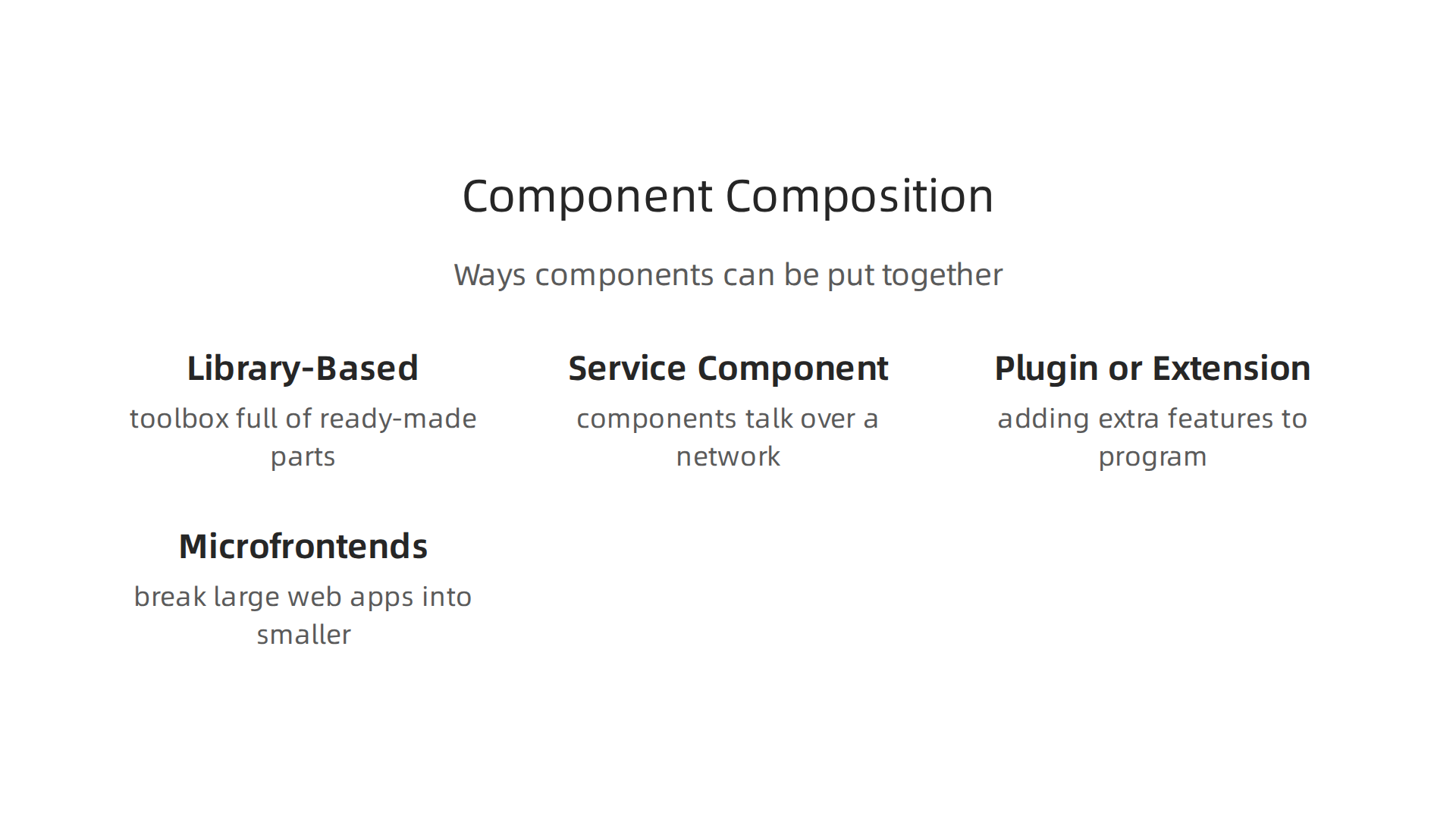
- Library-Based Composition: Imagine having a toolbox full of ready-made parts, like buttons, forms, or data handlers. When you need one, you just pick it from the library and use it in your software. This is common in web development, where developers use reusable pieces to build interfaces quickly and consistently. You can learn more about how this works in "Reusable Component Design Patterns".
- Service-Component Models: In this setup, components act like mini-services. They might not be directly linked in the code, but they talk to each other over a network. Think of different departments in a company; they each do their job and send messages to other departments when needed.
- Plugin or Extension Models: These are like adding extra features to a main program without changing the main program itself. For example, a web browser uses plugins to add new tools. This makes the main software stay simple while allowing users to customize it.
- Microfrontends: This is a way to break down large web applications into smaller, independent parts. Each small part (or "microfrontend") is built and handled by a different team, almost like small, separate websites that come together to look like one big app. This approach helps make big projects more manageable for software engineering teams.
How Components Talk: Orchestration vs. Choreography
Once components are put together, they need to communicate. There are two main ways they can do this:
- Orchestration: This is like a conductor leading an orchestra. One main component (the "orchestrator") tells all the other components exactly what to do and when to do it. It controls the whole process from start to finish. This can be easier to understand because there’s one clear leader.
- Choreography: This is like dancers performing together without a single leader. Each component knows its role and reacts to events that happen in the system. When one component finishes its job, it sends out a signal, and other components that need to react to that signal will start their own tasks. This can make the system more flexible and less likely to break if one part goes down, because there’s no single point of control.
Both ways have their good and bad points. Orchestration is simpler to set up for smaller, straightforward tasks. Choreography often works better for bigger, more complex systems that need to be very flexible and resilient.
When Distribution Matters for Components
Sometimes, components need to be spread out. This "distribution" means they might live on different computers, in different cloud services, or even in different parts of the world. Why would you want to do this?
- Better Performance: Spreading out components can make software faster, especially if many people are using it from different places.
- More Reliability: If one part of the system breaks, the other parts can keep working.
- Scalability: It’s easier to add more power to the system by adding more computers or services where components are hosted.
- Team Autonomy: Different teams can work on their components independently, which speeds up development.
For software engineering professionals, deciding when and how to distribute components is a big choice that affects how the whole system will perform and how easy it will be to maintain. This can involve thinking about things like network speed, data security, and how components will find each other.
Learning about these architectural patterns and how to apply them is a key step for anyone diving deeper into component-based software engineering. If you’re looking for an excellent resource to understand software development models and best practices, consider reading "Mastering the software development lifecycle models AI and best practices for 2026".
Staying updated on all the fast changes in software development, especially with AI, is super important in 2026. Keep yourself in the loop with the latest trends and insights by subscribing to The AI Newsletter Worth Reading.
Reuse, Packaging, and Versioning: Libraries, Packages, and Component Registries
After learning how software pieces, or components, are put together and how they talk to each other, the next big step is to think about how we share and manage them. Making sure components can be easily reused is a huge part of building good software today. It’s like having a well-stocked pantry where you can grab ingredients for many different meals, instead of buying new ones every time. This idea is central to component-based software engineering.
Packaging Components for Easy Sharing
When a developer creates a useful component, they "package" it. This means bundling all the code, instructions, and other files needed for that component to work into one neat bundle. These packages are often called libraries or modules. For example, a library might contain all the code for handling dates and times, or for showing maps. This way, other software engineering professionals don’t have to write that code from scratch every time. They can just use the ready-made package.
Many teams follow best practices to make sure their components are packaged correctly. This helps keep things organized and makes sure others can use them without trouble. If you’re looking for a deep dive into these concepts, you might find valuable information in a component based software engineering book pdf that covers packaging standards.
Component Registries: Your Software Stores
Once components are packaged, where do developers find them? They often use "component registries." Think of these as online stores or catalogs for software parts. Popular registries exist for different programming languages and types of software. For example, npm is a registry for JavaScript packages, and PyPI is for Python packages.
These registries make it simple for teams to share their own internal components and also to use components made by others. This helps speed up development and ensures that everyone is using tested, reliable code.
Managing Different Versions
Software components often change and get updated. This leads to different "versions" of the same component. Imagine an app needs a button library. Over time, that library might get new features or fixes. Developers need a way to say, "I want to use version 2.0 of this button library, not the older 1.0 version." This is called versioning. Good version management means:
- Tracking Changes: Knowing what’s new or fixed in each version.
- Preventing Conflicts: Making sure that using one version of a component doesn’t break another part of the software that needs a different version.
- Updating Smoothly: Allowing teams to update components when they are ready, instead of being forced to.
This is a key area where careful management is needed, especially when using an incremental model software engineering approach, where changes are added piece by piece.
Governance: Keeping Component Use in Check
As software systems grow, they can end up using many components from different sources. This can lead to something called "dependency sprawl," where it becomes hard to keep track of all the different parts your software relies on. This is where governance comes in.
Governance means setting rules and policies for how components are used. This helps reduce dependency sprawl, which is when too many different components are used for the same thing, or when older, unsafe versions are kept around. For example, one important rule is to avoid using many different tools for the same job, like multiple ways to parse JSON data. Also, it’s wise not to include dependencies that are only needed indirectly, making sure you only directly add what you actually use and need to know about, as suggested by Dependency Management — Dataverse.org.
Software engineering professionals also use these policies to make sure all components are secure and follow company rules. They might use tools for Dependency Management Data to get a better view of how dependencies are used across their projects. This helps teams manage risks and keep their software safe from common attacks like "dependency confusion," as outlined in Best practices for dependency management.
Finally, rigorous software engineering test practices are vital here. Testing helps confirm that new versions of components or changes in dependencies don’t break existing functionality and that the software remains robust and reliable. Thinking about all these aspects carefully is crucial for building software that lasts and can be easily improved over time.
Testing, CI/CD, and Observability for Componentized Systems
After we’ve talked about how to manage software parts well, the next important step is to make sure these parts actually work right. This is where testing comes in. Rigorous software engineering test practices are super important for building reliable software, especially when you’re using many different components.
A Smart Way to Test Your Components
Building software with many pieces means we need smart ways to test each piece and how they work together. Here’s how:
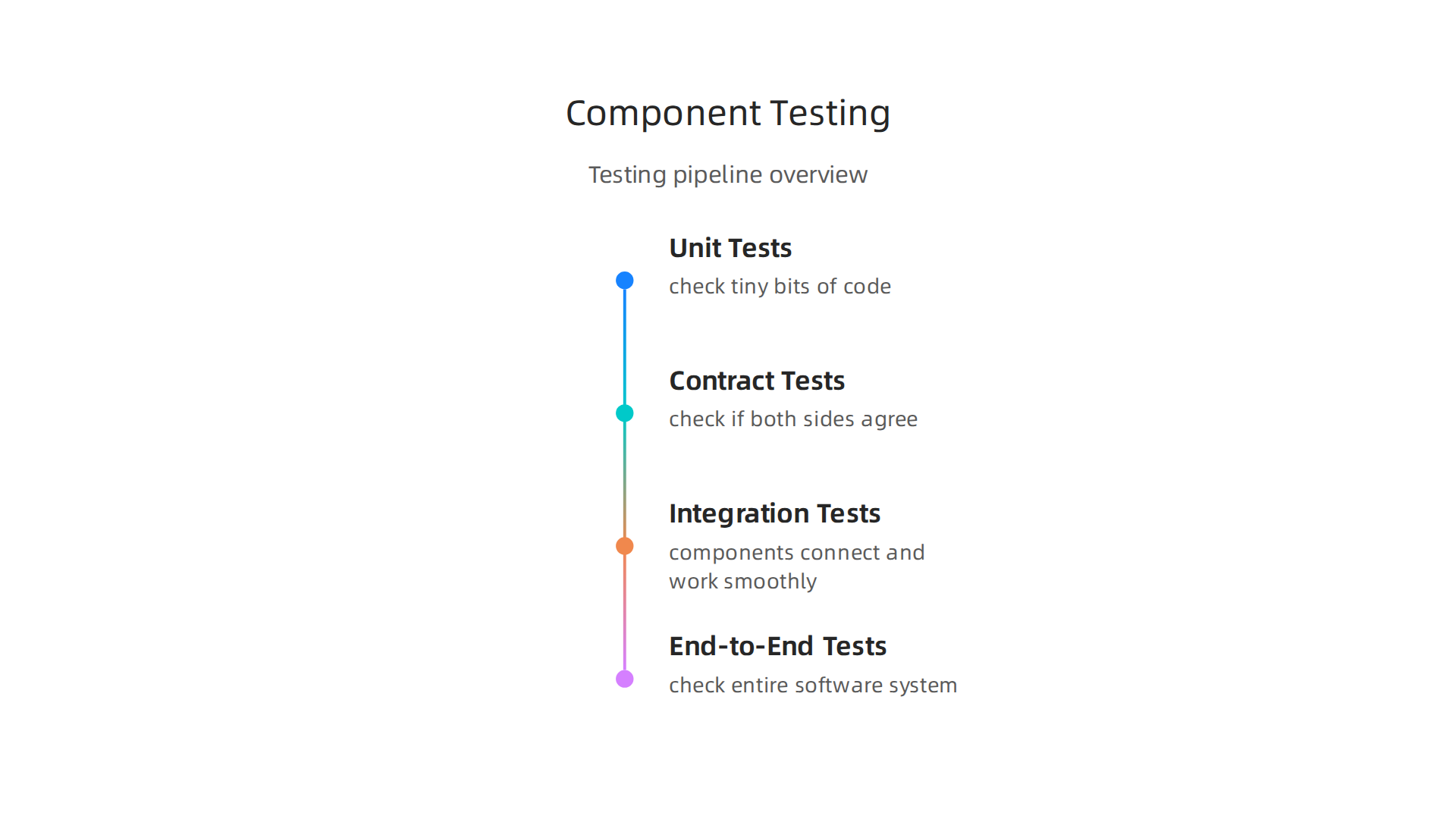
- Unit Tests: These are like checking one small gear in a big machine. They make sure the tiny bits of code inside a single component do exactly what they’re supposed to.
- Contract Tests (Consumer-Driven): Imagine two components need to talk to each other. A "contract" defines what one component expects from the other and what it promises to send back. These tests check if both sides are holding up their end of the deal. For example, clear definitions of what information a component expects are vital to prevent issues once the software is running, as highlighted in "Why your components break in production (and how to fix it)" from a blog post by Murphy Trueman. These components are like contracts, not just simple files, needing clear definitions before coding even starts. If you want to dive deeper, you might find more on this in a
component based software engineering book pdf. - Integration Tests: These tests make sure that when different components are put together, they connect and work smoothly as a group.
- End-to-End Tests: These are the big tests. They check the entire software system, from start to finish, just like a user would. This ensures the whole experience is correct.
Fast Development with CI/CD
After testing, software engineering professionals use something called CI/CD. This stands for Continuous Integration and Continuous Delivery (or Deployment).
- Continuous Integration (CI) means that developers regularly combine their new code changes into a main project. Every time someone adds new code, it gets built and tested automatically. This catches problems early.
- Continuous Delivery/Deployment (CD) means that once the code passes all tests, it can be quickly and automatically moved to a place where users can see it.
For systems built with many components, CI/CD is extra powerful. Each component can have its own testing and delivery pipeline. This means one component can be updated and released without waiting for the whole system, speeding things up a lot. This approach works very well with an incremental model software engineering strategy, where software is built and improved in small, quick steps. To learn more about how these practices fit into the bigger picture of software development, check out our guide on Mastering the Software Development Lifecycle Models, AI, and Best Practices for 2026.
Seeing What’s Happening with Observability
Once your componentized software is running, how do you know it’s working correctly all the time? This is where "observability" comes in. It’s about being able to "see" inside your running software to understand what it’s doing. This is super important because if a component has a problem, you need to find it fast.
Observability often uses:
- Logs: These are like a diary of what your software is doing. They record events, warnings, and errors.
- Metrics: These are numbers that tell you how your software is performing, like how fast it’s responding or how much memory it’s using.
- Traces: These show you the path a request takes through different components in your system. If something goes wrong, you can see exactly which component caused the issue.
By using these tools, software engineering professionals can quickly spot problems, understand why they happened, and fix them. This keeps your component-based systems running smoothly and reliably.

Staying on top of these trends and best practices is crucial for any developer in 2026.
Get clear daily AI updates from The AI Newsletter Worth Reading.
Once we understand how to test and monitor our software parts, the next big thing is to make building them even easier. This is where AI and smart tools come into play. They help software engineering professionals quickly find, put together, and keep their component-based systems in top shape.
AI, Tooling, and Developer Experience for Component-Based Development
In 2026, building software with many small parts gets a big boost from artificial intelligence and helpful tools. These advancements make it simpler for teams to work together and create powerful applications faster.
How AI Helps with Component-Based Development
Imagine you’re building with LEGOs, but you have thousands of different pieces. AI acts like a super-smart assistant that helps you:
- AI-Assisted Coding: AI can help write the code for new components or fill in missing parts. This makes coding quicker and can reduce mistakes. It’s like having a smart helper suggest the right brick for your build. If you want to dive deeper into how AI helps with coding, you can read our guide on how AI software development in 2026 transforms how you build and ship code.
- Finding Components: With so many components, it can be hard to find the right one. AI can search through libraries of existing components and suggest the best ones for what you need to build. This means you don’t have to build everything from scratch.
- Putting Components Together: AI can also help you understand how different components can connect and work together, suggesting common patterns or ways to combine them effectively. This helps in building a scalable component architecture.
- Automated Refactoring: Sometimes, components can get messy over time. AI tools can look at your code and suggest ways to clean it up or make it work better without changing what it does. This process, called refactoring, helps maintain healthy code. For more on the role of AI in coding, check out insights on AI coding assistants in 2026.
Smart Tools for Component Management
Beyond AI, a whole set of tools makes component-based development smoother:
- Component Registries: Think of these as organized online stores for all your software components. Developers can easily find, share, and reuse components from these registries. This consistency is a core part of component-based design.
- Linters: These are like spell checkers for your code. They check if your components follow good coding rules and spot small errors early on, helping keep code neat and uniform.
- Automated Contract Tests: As we talked about before, components need to agree on how they talk to each other. Tools can automatically run these contract tests to make sure that these agreements are always met. This helps prevent unexpected issues when components are updated.
- Developer Portals: These are central websites where developers can find everything they need for their projects. This includes documentation for components, guides on how to use tools, and ways to get help. This helps teams work more efficiently and makes it easier for new people to join a project.
By using these AI-powered methods and helpful tools, software engineering professionals can build component-based systems that are more reliable and easier to maintain. This approach encourages teamwork and makes sure that everyone can work with the right parts, quickly and correctly. If you’re looking for more in-depth learning, finding a good "component based software engineering book pdf" can provide a strong foundation for understanding these complex topics.
Learning Path: Books, PDFs, Courses, and Authoritative Resources
Learning about component-based software engineering is a smart step for any software engineering professional in 2026. While the previous section showed how AI and smart tools make things easier, a strong foundation of knowledge is still key. If you want to go beyond what you can learn from blog posts, getting a good component based software engineering book pdf or taking a course can be very helpful.
How to Pick the Best Learning Materials
With so many resources available, how do you know which books, PDFs, or courses are worth your time? Here are a few things to look for:
- Edition and Date: Software engineering changes fast. Always check the publication date of a book or course. Materials from 2026, or at least very recent, will give you the most up-to-date information on tools and best practices. Older books might still have good basic ideas, but they won’t cover modern trends like AI assistance.
- Author’s Background: Look into who wrote the material. Do they have a lot of experience as software engineering professionals? Are they known experts in component-based development? Authors with strong backgrounds often provide more trustworthy and practical advice. For example, a book like "Component-based Software Engineering: Putting the Pieces Together" by George T. Heineman and William T. Councill is a well-known resource in the field, even if it’s an older edition, because of its respected authors and comprehensive nature.
- Reviews and Feedback: What do other learners say? Check online reviews from people who have read the book or taken the course. This can give you an idea of how clear the explanations are and if the material is actually useful.
- Included Examples and Code: The best learning tools often come with real-world examples, code snippets, or even full project files. These hands-on resources help you practice what you learn and see how components work in action. Some advanced materials might even include datasets for you to test with.
Your Learning Path for Component-Based Development
Once you know how to choose good materials, here is a suggested path to learn component-based software engineering:
- Start with Foundational Textbooks: Begin with books that explain the core ideas of component-based software engineering. These will teach you what components are, why they’re important, and the basic rules for designing them. Think of these as your building blocks for understanding the whole picture. An introductory text can lay out the principles needed for building reliable systems. For more on different ways to learn coding, you might find our guide on learn to code 2026 a practical roadmap for beginners using AI and real projects helpful.
- Move to Practical Tutorials and Guides: After the basics, look for online tutorials, workshops, or step-by-step guides. These will show you how to apply the ideas you’ve learned using real tools and programming languages. Many of these might be available as free or paid PDFs. This is where you might start looking into different software development lifecycle models, like an incremental model software engineering, to see how components fit into a larger project plan.
- Hands-On Project-Based Learning: The best way to truly understand component-based software engineering is to build something yourself. Find projects where you can design, create, and test components.

This helps you face real challenges, like ensuring components work together correctly, a key part of software engineering test practices. Consider taking Coursera online courses for software developers in 2026 that offer project-based learning.
By following a clear learning path and picking trustworthy resources, you’ll gain the skills needed to build great software with components.
Staying updated with the fast-moving world of AI and technology is crucial for software professionals.
If you’re interested in keeping up with the latest in AI and tech, you might like The AI Newsletter Worth Reading.
Summary
This article explains why component-based software engineering matters today and gives a practical roadmap for adopting it. It covers the core principles—encapsulation, cohesion, low coupling, and clear contracts—and shows how those ideas improve maintainability, parallel development, and reduce cognitive load. You will learn how to model component responsibilities, design APIs and version-safe contracts, and choose architectural patterns such as library composition, microfrontends, orchestration, and choreography. The guide also covers packaging, registries, versioning, and governance to avoid dependency sprawl, plus testing strategies (unit, contract, integration, end-to-end), CI/CD pipelines, and observability techniques. Finally, it highlights how AI and modern tooling speed component discovery, code generation, and refactoring, and it suggests a learning path of books, tutorials, and hands-on projects so you can start building reliable, evolvable component-based systems.