
Build Fast, Resilient Systems with the Java Queue API
· 34 min read
In 2026, building software that works fast and talks to many other systems is a big deal. Imagine you have an app that needs to do a lot of things at once, like processing many customer orders or sending out tons of emails.

If these tasks aren’t handled well, things can get slow, crash, or even lose important information. This is a common problem for teams trying to connect different parts of their software or handle many jobs in the background.
This is where the Java Queue API comes in. It’s a very helpful tool in Java for managing tasks in an orderly way. The Queue interface is a core part of Java that lets you store and get items in a specific order, usually "first-in, first-out," like people waiting in a line. This helps your software deal with many tasks without getting overwhelmed. According to Oracle’s official documentation, the Queue (Java SE 26 & JDK 26) defines how elements are added, examined, and removed in a disciplined way.
Using the java queue api correctly can make your applications much stronger. But it’s not always easy. Teams often struggle with making sure their queue-based systems are:
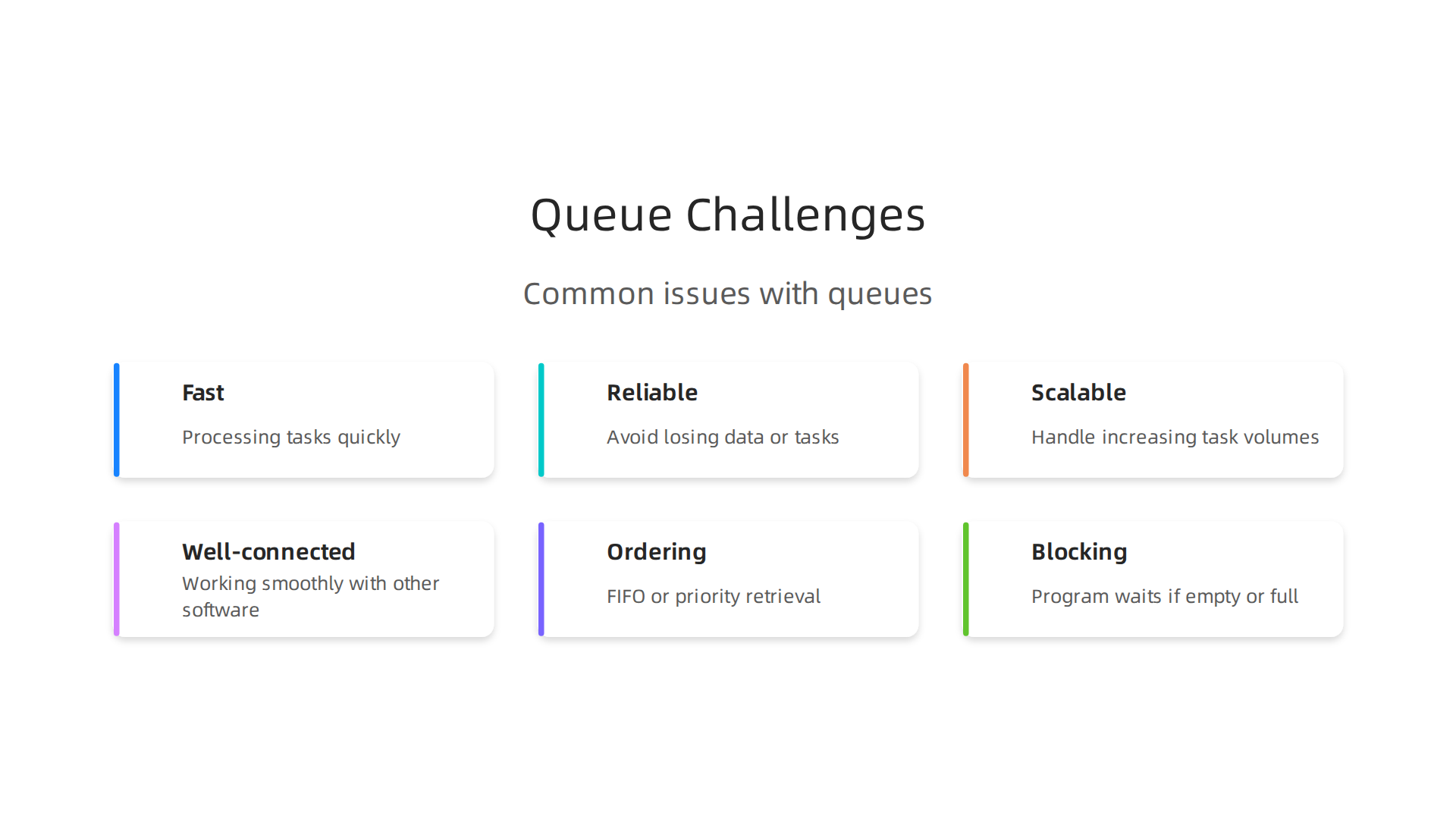
- Fast: Processing tasks quickly without delays.
- Reliable: Not losing any data or tasks, even when things get busy.
- Scalable: Able to handle more and more tasks as your needs grow.
- Well-connected: Working smoothly with other software parts.
This guide will walk you through how to use the java queue api effectively in your projects today. We will cover the basic ideas of the API, show you how to handle many tasks at the same time (called concurrency), and explain how to make your systems run really fast for top performance. You’ll also learn about common ways to connect different parts of your software using queues. We aim to give you practical, example-driven advice. If you’re looking to boost your skills in connecting systems, consider checking out resources on Mastering Google Cloud Services for API development in 2026.
To stay on top of all the latest changes in technology and software development, including new ways to use APIs and AI, it’s important to keep learning. Get clear daily AI updates from The AI Newsletter Worth Reading.
Understanding the Java Queue API: Interfaces, Semantics, and Common Implementations
The java queue api gives developers a strong set of tools for managing collections of items in a special order. Think of it like a line at a store: people join at the back and leave from the front. This "first-in, first-out" (FIFO) rule is what the main Queue interface is all about. It defines methods for adding elements, checking what’s at the front, and removing elements from the front, all in a very organized way.
However, the world of queues in Java is richer than just a simple line. The core Queue interface has several important relatives, or "subinterfaces," that add special powers for different situations. According to Oracle’s documentation, important subinterfaces include BlockingQueue and Deque (Double-Ended Queue), which then lead to BlockingDeque and TransferQueue for more complex needs. Understanding these differences is key for building solid software.
Key Behaviors of Java Queues
When you pick a Java queue, you need to know about three main behaviors:
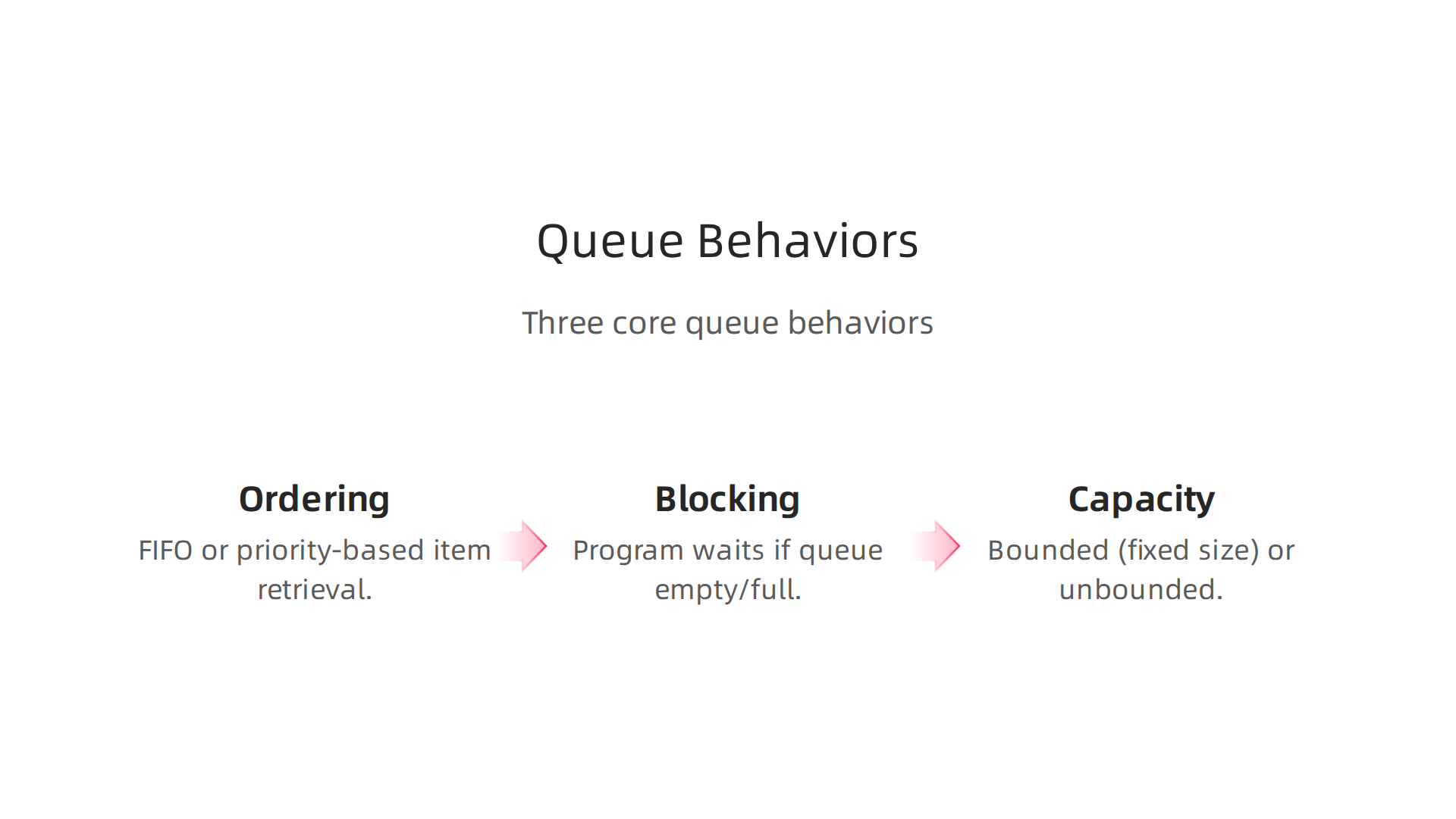
- Ordering: Most queues follow the FIFO rule, where the first item added is the first item removed. But some queues, like
PriorityQueue, sort items based on their importance, not just when they arrived. This means the "most important" item leaves the queue first, even if it was added later. This is a big change from standard FIFO behavior. - Blocking: Some queues are "blocking." This means if you try to take an item from an empty queue, your program will wait until an item appears. Likewise, if you try to add an item to a full queue, your program will wait until there’s space. This is very useful when many parts of your program (threads) are trying to use the same queue at the same time. The
BlockingQueueinterface adds these special waiting abilities to the basic queue operations, as noted in earlier Java platform documentation on the Queue (Java Platform SE 8). - Capacity: Queues can be either "bounded" or "unbounded."
- Bounded queues have a fixed size. Once they are full, you cannot add more items until some are removed. This helps control how much memory your program uses.
- Unbounded queues can grow as much as needed. They don’t have a fixed limit on how many items they can hold. While this might seem easier, it means you need to be careful not to let them grow too large and use up all your computer’s memory.
Common Java Queue Implementations
Java provides many ready-to-use classes that put these queue ideas into practice. Each one is built for specific use cases:
LinkedList: This is a very flexible class that can act like aQueue(FIFO) or aDeque. It’s unbounded and not thread-safe, meaning you shouldn’t have multiple parts of your program touching it at the same time without extra care. This is a good choice for simple, single-thread queue needs.ArrayDeque: Similar toLinkedList,ArrayDequecan also work as a queue or a deque. It’s usually faster thanLinkedListfor many operations because of how it stores data, but it’s also not thread-safe. You can learn more about its behavior and other implementations in guides like Queue Interface In Java.PriorityQueue: This is a special queue that orders elements based on their "priority" (like their natural order or a rule you set). The smallest or highest priority item is always at the front. It’s unbounded and not thread-safe. If you need a thread-safe version, you’d look forPriorityBlockingQueue, which extends theBlockingQueueinterface. As the PriorityQueue API reference states, it’s not synchronized for multi-thread access.ConcurrentLinkedQueue: This is an unbounded, thread-safe queue. It’s designed to work well when many threads are adding and removing items at the same time without needing to "lock" the whole queue. This makes it a great choice for high-speed, concurrent systems, as detailed in the ConcurrentLinkedQueue (Java SE 26 & JDK 26) documentation.ArrayBlockingQueue: This is a bounded, thread-safe queue that uses an array inside. Because it’s bounded, it helps control resource usage. It also offers the blocking features mentioned earlier, making it suitable for situations where producers and consumers of tasks need to wait for each other.LinkedBlockingQueue: Similar toArrayBlockingQueue, but it uses linked nodes (likeLinkedList) inside. It can be optionally bounded, meaning you can set a maximum size or let it grow very large. It’s also thread-safe and blocking.PriorityBlockingQueue: This is a thread-safe and unbounded version ofPriorityQueue. It combines priority ordering with blocking operations, which is perfect for tasks that need to be processed in a specific order in a multi-threaded environment.
Choosing the right java queue api implementation depends on your project’s specific needs for speed, memory use, and how many parts of your program will access it at once. For more details on comparing these options, a helpful resource is Queue Implementations in Java – Which One to Use?.
When working with APIs and coding practices, understanding fundamental computer science concepts is crucial. If you want to deepen your knowledge of core programming building blocks, consider exploring computer science fundamentals. This foundational knowledge helps you better grasp how tools like the java queue api work under the hood and allows you to write more efficient and reliable code.
When choosing the best java queue api implementation, it’s like picking the right tool for a job. You need to look beyond just what it can do and think about what your program needs it to do. This means looking at several key aspects of how the queue will perform.
Here are the main things to consider:
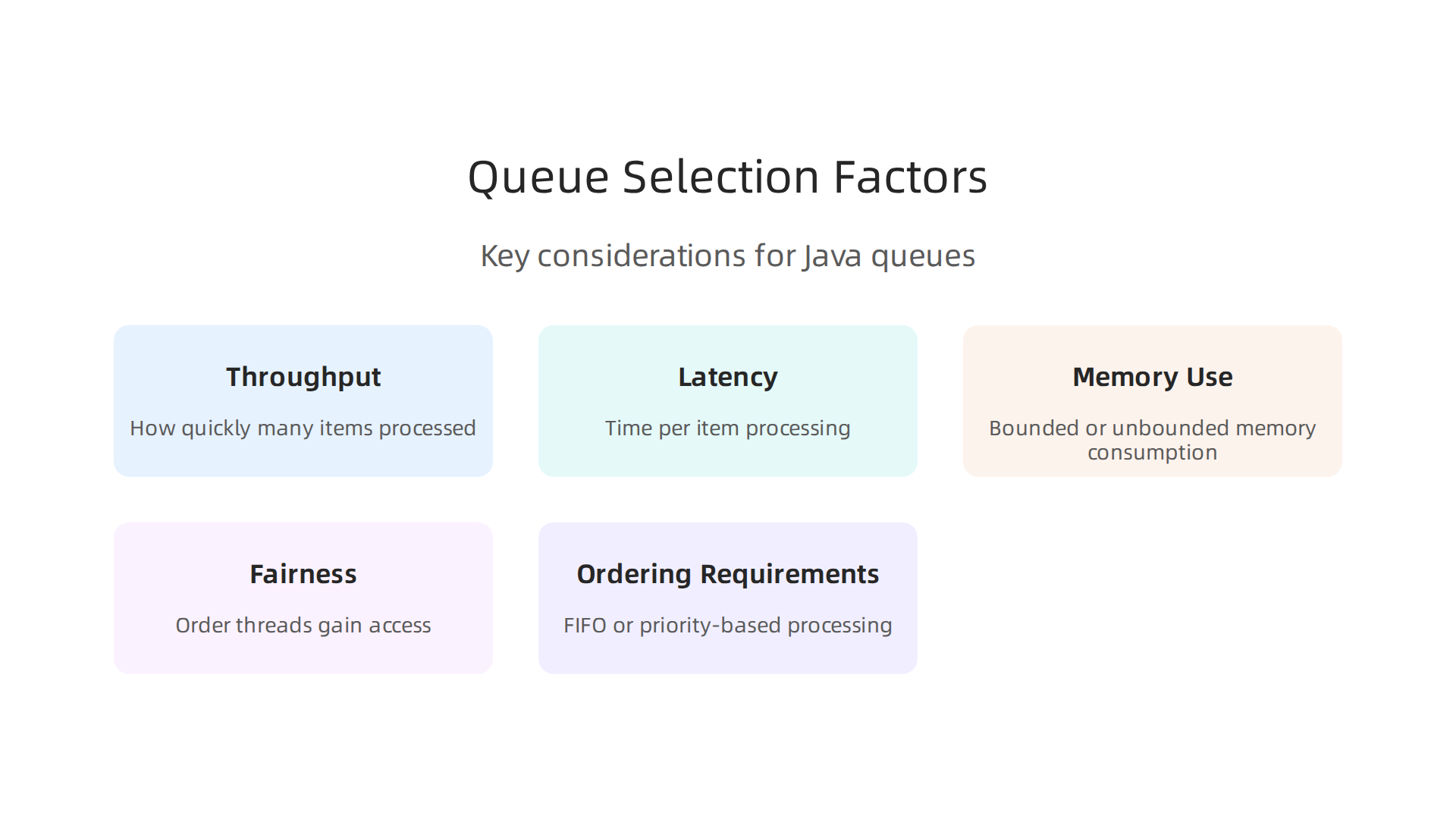
- How Many Items Pass Through (Throughput): This is about how quickly the queue can handle a lot of items being added and removed. If your program sends many items to the queue very fast, you need an implementation that won’t become a bottleneck. For programs where many parts (threads) are working at the same time,
ConcurrentLinkedQueueis designed to be very efficient because it lets multiple threads work without getting in each other’s way too much. It’s built for high-speed, multi-thread systems, as noted in the Java Queue Interface and implementations overview. - How Long Each Item Waits (Latency): This is the time it takes for one item to go from being added to being removed. For some applications, even a small delay can be a problem. Non-blocking queues often offer lower latency because threads don’t pause and wait.
- Memory Use (Memory Footprint): Does your program have a lot of memory, or is it running on a machine with limited resources?
ArrayBlockingQueueis a "bounded" queue, meaning it has a fixed maximum size. This helps keep memory usage in check. On the other hand, "unbounded" queues likeConcurrentLinkedQueuecan grow as large as needed, which is good if you have plenty of memory but requires careful management to prevent your program from using too much. Understanding these options is key for efficient resource use, as explained in discussions about Queue Implementations. - Fairness: When several threads are waiting to use a "blocking" queue (like
BlockingQueue), how does it decide which thread gets to go next? Some queues offer a "fairness" option, meaning threads get access in the order they asked. This can sometimes make the queue a bit slower but is important for making sure no thread gets stuck waiting forever. - How Items Are Ordered (Ordering Requirements): Most queues are "first-in, first-out" (FIFO), meaning the first item added is the first one removed. But if some items are more important and should be processed sooner, you need a "priority" queue.
PriorityQueueandPriorityBlockingQueuehandle items based on their importance rather than arrival time. The PriorityBlockingQueue API reference states that it’s an unbounded blocking queue usingPriorityQueue‘s ordering rules.
Trade-Offs to Consider
The choice between blocking and non-blocking queues is a major one. Blocking queues are excellent for "producer-consumer" setups where one part of your program makes tasks and another part processes them. If the queue is empty, the consumer waits. If it’s full, the producer waits. This helps manage the flow of work and prevents tasks from being lost or systems from being overwhelmed. The BlockingQueue interface adds these special waiting abilities to the basic queue operations, as discussed in Oracle’s documentation for the Queue interface. Non-blocking queues, like ConcurrentLinkedQueue, are faster because threads don’t wait for each other. They just try to add or remove an item and move on if they can’t.
Similarly, deciding between bounded and unbounded queues affects how your program uses memory. A bounded queue acts as a safety net, preventing runaway memory use if an unexpected rush of items happens. An unbounded queue, while simpler to use when you don’t want to worry about limits, needs careful oversight to make sure it doesn’t grow too large.
When to Look Beyond Standard Queues
Sometimes, the built-in Java queues might not fit a very specific need. For example, if you’re dealing with very complex ways of sending messages, you might look at specialized libraries or even features in other programming languages. Different languages, like the elixir programming language, have their own ways of handling many tasks at once. Good api documentation template will always help you understand both standard and custom queue options clearly.
Making smart choices for your java queue api implementation is a key part of writing strong, dependable software. It’s just as important as making sure your code for a line break is handled correctly across different systems. Continuous API training can also help you become a master at picking the right tools for your projects in 2026.
Want to stay informed about the latest developments in AI and technology that affect your coding decisions?
The AI Newsletter Worth Reading
Choosing the right java queue api implementation means understanding common patterns that make software work well with many tasks at once. Let’s look at how Java queues help build strong, concurrent programs.
Concurrency patterns with Java queues: producer-consumer, backpressure, and batching
When you build software that handles many things at the same time, using queues wisely is key.

Java provides tools that let different parts of your program work together smoothly, like a well-oiled machine.
Safe Producer-Consumer Workflows
The producer-consumer pattern is a very common way to use queues. Imagine one part of your program (the producer) makes tasks or data, and another part (the consumer) takes those tasks and finishes them. The queue sits in the middle, holding the tasks until a consumer is ready.
This setup helps keep things orderly. Producers can add items without knowing exactly when a consumer will take them, and consumers can grab items without needing to know where they came from. Java’s BlockingQueue implementations are perfect for this. They automatically handle waiting:
- If a consumer tries to get an item from an empty queue, it waits until an item is available.
- If a producer tries to put an item into a full
ArrayBlockingQueue(a bounded queue), it waits until there’s space.
To manage many producers and consumers, you often use Java’s threading tools, like an ExecutorService. This lets you run many tasks at once in a controlled way. For complex applications, thinking about modern frameworks for concurrency is vital, as discussed in Advanced Java Programming: Modern Frameworks, Concurrency …. Using the correct java queue api helps make sure these threads work together without issues.
Backpressure Techniques
What happens if your producer creates items much faster than your consumer can handle them? The queue might grow very large, using up too much memory. This is where "backpressure" comes in. Backpressure is a way for the consumer to tell the producer, "Slow down, I can’t keep up!"
With Java queues, backpressure is often handled naturally by bounded blocking queues. If a producer tries to add an item to a BlockingQueue that has reached its maximum size, the producer’s put() method will pause until space becomes available. This pause forces the producer to slow down, protecting your system from getting overwhelmed and running out of memory. It helps align the speed of producers and consumers, making your application more stable. Properly managing resource flow is just as important as managing your code for a line break for cross-platform compatibility.
Batching and Windowing Approaches
Sometimes, processing items one by one is not the most efficient way. Think about sending letters: it’s often faster to send a whole pile of letters at once (batching) than to send each one individually. The same idea applies to queues.
Batching means gathering several items from the queue and processing them all together. This can greatly improve "throughput" (how many items are processed over time) because it reduces the overhead of handling each item separately. For example, instead of saving one database record at a time, you might collect 100 records and save them all in one go.
Windowing is similar, but often involves processing items that arrive within a certain time frame. For example, "process all items that arrive in the next 5 seconds." Both batching and windowing aim to increase efficiency by dealing with groups of items, which can be a smart approach when the delay for any single item (latency) is less critical than the overall speed of processing many items.
Using these patterns with your java queue api is essential for building strong, scalable software in 2026. Knowing these tricks can make a big difference in how well your applications perform.
Want to stay informed about the latest developments in AI and technology that affect your coding decisions? The AI Newsletter Worth Reading
After you’ve put in place clever ways to use your queues, like the producer-consumer pattern or batching, the next big step is making sure they run as fast and smoothly as possible. This means looking closely at how your Java queues perform and finding ways to make them even better.
Performance tuning & benchmarking Java queues: microbenchmarks, contention analysis, and GC effects
Making sure your java queue api runs fast means doing some detective work. You need to test it, see where it slows down, and then fix those spots. This is like tuning a car to go faster.
Testing with Microbenchmarks
To truly understand how fast a java queue api is, you often use "microbenchmarks." These are tiny tests that focus on just one small part of your code, like how quickly you can add or remove items from a queue.
When you make these tests, it’s important to:
- Make them real: Your tests should try to act like the real work your program does. If your program often adds many items quickly, your test should do that too.
- Avoid common mistakes: Java has many hidden things that can make your tests seem faster or slower than they really are. For example, the Java engine (JVM) can be smart and remove code it thinks does nothing, making your test look super fast. Tools like JMH (Java Microbenchmark Harness) help you avoid these tricky problems. They help you get true numbers for how your
java queue apiperforms.
Learning how to set up good benchmarks is an important part of API training.
Dealing with Contention
When many parts of your program try to use the same queue at the same time, it can cause "contention." This is like many people trying to use one door at once; things get crowded and slow.
Java queues handle this using different methods:
- Locking: Some queues use "locks" to make sure only one thread can change the queue at a time. This keeps data safe but can slow things down if many threads are waiting for the lock.
- Compare-And-Swap (CAS): Other queues, especially the "non-blocking" ones, use a trick called CAS. This lets threads try to make a change without locking. If two threads try at the exact same time, only one wins, and the other tries again. This can be faster in some cases.
- Memory Barriers: These are special instructions that help make sure changes to memory are seen by all parts of the program in the correct order. They are important for keeping concurrent code correct and fast.
Finding where contention happens in your code helps you choose the best java queue api for your needs and write faster programs.
Garbage Collection’s Role
Java automatically cleans up old, unused objects from memory. This process is called "Garbage Collection" (GC). While helpful, GC can sometimes pause your program, which is not good for performance-sensitive tasks.
When you use queues, you’re constantly creating and getting rid of objects. If you create too many temporary objects too fast, it can make the Garbage Collector work harder and cause more pauses. This is especially true for queues that involve many small objects.
Modern Java offers different kinds of Garbage Collectors, like G1GC, ZGC, and Shenandoah, which are designed to reduce these pauses, especially for large programs in 2026. For example, proper GC setup can greatly improve how quickly your application runs and reduce how long it pauses, sometimes by a lot, as detailed in research on Advanced Java Programming: Modern Frameworks, Concurrency …. Choosing the right GC and understanding its settings is key to getting the best performance from your java queue api. You can learn more about picking the right GC for different workloads in The Ultimate 10 Years Java Garbage Collection Guide (2016–2026).
Paying attention to these details can make a huge difference in how well your applications run.
After looking at how to make your Java queues faster, it’s also important to know when to use them inside your program and when to use bigger, outside messaging systems. Sometimes, a simple java queue api inside your application is enough. But for bigger needs, like making sure messages don’t get lost or when many different programs need to talk to each other, you might need stronger tools like Kafka, RabbitMQ, or SQS.
Integrating Java queues with messaging systems: Kafka, RabbitMQ, SQS and hybrid designs
Using a java queue api right inside your program is great for speed and simplicity. These "in-process" queues live in your computer’s memory. They work well for small tasks, like quickly smoothing out bursts of activity within a single application. However, if your program crashes, you might lose any messages that were waiting in these in-memory queues.
For bigger jobs, or when you can’t afford to lose messages, you need "durable external messaging systems." Think of these as super-strong post offices for your messages. Systems like Kafka, RabbitMQ, and Amazon SQS save messages to disk. This means if your application or even the whole server stops working, your messages are safe and will be delivered later. They are built for reliability and helping many different applications work together and scale up. Choosing between in-memory queues and persistent brokers often depends on how critical your messages are and how many applications need to share them, as discussed in detail on In-Memory vs Persistent Queue Storage.
Blending In-Memory with External Brokers
You can often get the best of both worlds by combining internal Java queues with external messaging systems. This is called a "hybrid design." For example, your application might use a fast in-memory java queue api to collect messages quickly. Then, it sends these messages in batches to a durable external broker like RabbitMQ. This way, your immediate application stays fast, and the external broker makes sure your messages are saved and delivered without loss. This approach also helps keep problems contained; if one part of your system fails, the messages are still safe in the durable broker. This is a common pattern to handle sudden traffic without crashing, as noted in techniques for Handle Burst Traffic Without Crashing Systems.
To make external queues durable, you often need to set them up specially. For example, in RabbitMQ, you must declare queues as "durable" and send messages as "persistent" to make sure they are saved to disk and survive restarts. This is a key practice for message durability and reliability.
Important Things to Think About for Integration
When connecting your Java queues to external messaging systems, there are a few key points:

- Serialization: Your Java objects need to be turned into a common format (like JSON or plain text) before they can be sent across the network to an external queue. The other side then turns them back into objects.
- Batching: Instead of sending each message one by one, it’s often more efficient to group several messages together and send them as a single batch. This saves network trips and speeds things up.
- Ordering Guarantees: This is about making sure messages arrive in the order they were sent.
- RabbitMQ generally keeps messages in order within a single queue, following a "First In, First Out" (FIFO) rule.
- Kafka guarantees message order within a "partition." A topic can have many partitions, so if you send messages to different partitions, the overall order might not be kept. However, messages with the same "key" usually go to the same partition, keeping their order there. You can learn more about how message order works in these systems by reading about RabbitMQ vs Kafka Part 4 – Message Delivery Semantics and Guarantees.
- Transactional Boundaries: Sometimes you need a group of messages to either all be sent successfully or none at all. This is called a "transaction." Messaging systems have different ways to support this, making sure your data stays correct even if things go wrong.
Understanding these points helps you build strong, reliable systems that can handle many messages and keep your applications running smoothly.
Staying informed about how AI is changing software development can help you make better decisions about system architecture and integration. Get clear daily AI updates from The AI Newsletter Worth Reading.
Ensuring your messages are reliably handled is super important when building systems with queues. This means thinking about how messages are delivered, how they’re stored safely, and what happens when parts of your system break down.
Message Delivery: At-Least-Once vs. Exactly-Once
When you send a message through a queue, you need to know if it will definitely be processed. There are different ways this can happen:
- At-Least-Once Delivery: This means a message is delivered to its receiver at least one time, and maybe more. It’s the most common guarantee in messaging systems because it’s easier to achieve. The downside is that a message might be processed multiple times if there are network issues or system retries. While this sounds tricky, it’s often preferred over losing messages completely. To make sure repeated processing doesn’t cause problems, you can design your message handlers to be "idempotent." This means doing the same action many times will have the same result as doing it just once. For example, if a message says "add $10 to account X," processing it twice would only add $10, not $20.
- Exactly-Once Delivery: This is the "holy grail" of messaging. It means a message is delivered and processed exactly one time, no more, no less. It’s much harder to guarantee in real-world distributed systems because it requires very careful coordination and can slow things down. Many systems, even those that try, often offer "effectively once" processing through clever use of at-least-once delivery combined with idempotent processing. The paper Kafka versus RabbitMQ – arXiv talks about how different systems approach these guarantees.
Durable Storage, Replay, and Disaster Recovery
For important messages, you can’t afford to lose them if your application or server restarts. This is where durable storage comes in. As we talked about earlier, external messaging systems like RabbitMQ and Kafka can save messages to disk. This means they are persistent and will survive outages.
To make sure your RabbitMQ queues and messages are durable, you need to set them up correctly. You must declare queues as "durable" and send messages with a "persistent" delivery mode. This tells the system to write them to disk. Doing this for both queues and messages protects against data loss if the system crashes or restarts, as explained in articles about RabbitMQ Best Practices and how to Handle RabbitMQ Message Persistence.
When messages are stored durably, it also allows for message replay. This means you can "play back" old messages from the queue’s log. This is useful if you need to reprocess past events, fix bugs, or even test new versions of your application with old data.
For bigger problems, like a whole datacenter going down, disaster recovery strategies become important. This can involve replicating your queues across different locations or having backups of your message logs. If you’re using a java queue api to interact with these external systems, understanding these capabilities is key to designing resilient applications.
Graceful Degradation and Retries
No system is perfect; things will sometimes go wrong. How your system handles these failures is called fault tolerance.
- Graceful Degradation: This means your system can keep working, even if some parts are not. Maybe it runs slower, or some less critical features are paused, but it doesn’t completely stop. For example, if a background service processing images goes down, the main website might still load, but new image uploads might just wait in a queue until the service is back.
- Retries: A common way to handle temporary problems is to try again. If your application sends a message to an external service and it fails, you can set it to retry after a short wait. However, you need to be careful not to retry too many times, or you might flood the failing service.
- Dead-Letter Queues (DLQs): If a message fails to process after several retries, you might not want it to keep trying forever and block other messages. Instead, you can send it to a special "dead-letter queue." This queue holds messages that couldn’t be processed. You can then look at these messages later to figure out what went wrong, fix the issue, and decide if they should be processed again.
By planning for these scenarios, you can build systems that are strong and reliable, even when facing unexpected issues. Learning about software engineering principles, like those in Mastering Component Based Software Engineering Principles and Practices for 2026, helps a lot in creating such robust designs.
Building strong, reliable systems means more than just handling messages well. It also means making sure your systems are thoroughly tested and watched closely once they’re running. This helps you catch problems before they become big issues.
Testing, observability, and operational best practices for queues
To really trust your messaging systems, you need to test them carefully.
- Unit Testing for Concurrency: This means testing small parts of your code that work with queues. You want to make sure your code handles messages correctly, even if many messages arrive at the same time. If you’re using a
java queue apito send or receive messages, you’d test just that part to ensure it behaves as expected, no matter how busy the system gets. - Integration Tests with Brokers: These tests check if your application works well with the actual messaging system, like RabbitMQ or Kafka. You’d send real messages to a test queue and make sure your application can pick them up and process them correctly. These tests help ensure your
java queue apicode talks to the messaging broker the right way. - Chaos Tests for Resilience: This is like purposely trying to break your system in a controlled way to see how it holds up. What if the queue server suddenly goes offline? Does your application recover gracefully? Chaos tests help find weak spots before they cause real outages.
Once your system is running, you need to keep a close eye on it. This is called observability.

- Metrics: These are numbers that tell you about the health of your queues. You should track things like:
- Queue Depth: How many messages are waiting to be processed? If this number grows too large, it means your system is falling behind, also known as "backpressure." Tools can help you monitor event bus backpressure and dead letter queue metrics.
- Consumer Lag: How far behind are your workers in processing messages?
- DLQ Growth: How many messages are ending up in your dead-letter queue? A growing DLQ often points to a bug or a problem downstream. Monitoring the growth of your dead letter queues for error handling is very important.
- Distributed Traces: Imagine following a single message as it moves through your entire system. Traces let you see exactly what happened to a message, which services it touched, and where it might have failed or slowed down.
- Logs: These are detailed notes your application makes about everything it does. When a problem happens, logs are crucial for figuring out what went wrong.
Finally, having a plan for when things go wrong is vital. These are called operational runbook items.
- Common Alerts: Set up alerts for important metrics. For instance, you should get an alert if your dead-letter queue starts filling up, or if the queue depth gets too high. Experts suggest setting up alerts when DLQ volumes exceed thresholds.
- Scaling Triggers: Know when to add more processing power. If your queue depth is consistently high, you might need to automatically start more workers to handle the load.
- Incident Response Patterns: Have clear steps to follow when an alert goes off. If messages are piling up in the DLQ, your runbook should tell you how to sample and diagnose the issue, like inspecting the messages to find the root cause. Staying updated on these trends is crucial for any developer. To stay ahead in the fast-changing world of software and AI, you can always learn more about software developer employment in 2026.
These practices ensure that your queue-based systems are not only robust but also easy to manage and troubleshoot in real-world situations. To deepen your understanding of modern API development and other essential technical topics, consider exploring further learning opportunities.
Get clear daily AI updates from The AI Newsletter Worth Reading.
Monitoring and alerting patterns for Java queue systems
Watching your java queue api systems closely is key to keeping them healthy. We use specific numbers, called metrics, to understand what is happening.
First, queue length (or depth) shows how many messages are waiting. If this number gets too big, your system is slowing down. You should set an alert if the queue depth goes past a certain point, like when there are more than 10 messages waiting in a critical queue, or even 1000 for very busy ones, as experts suggest in 2026.
Next is consumer lag. This tells you how far behind your workers are in handling messages. High lag means messages are not being picked up fast enough. An alert should trigger if this lag grows steadily.
Then, processing latency measures how long it takes for a message to be fully processed. If this time gets too long, delays can impact users.
Finally, error rates are crucial. If messages often fail or end up in your dead-letter queue, that’s a big warning sign. Many experts suggest alerting on dead letter queue growth rate instead of just the total count. You can also alert if a message stays in the DLQ for more than an hour.
To avoid getting too many alerts (alert fatigue), set smart limits. For example, alert when errors jump suddenly, or when java queue api processing slows too much. Mastering API management is part of modern development. You can learn more about Mastering Google Cloud Services for API Development in 2026. This way, you only get alerts for real problems needing attention.
Failure handling and retry strategies
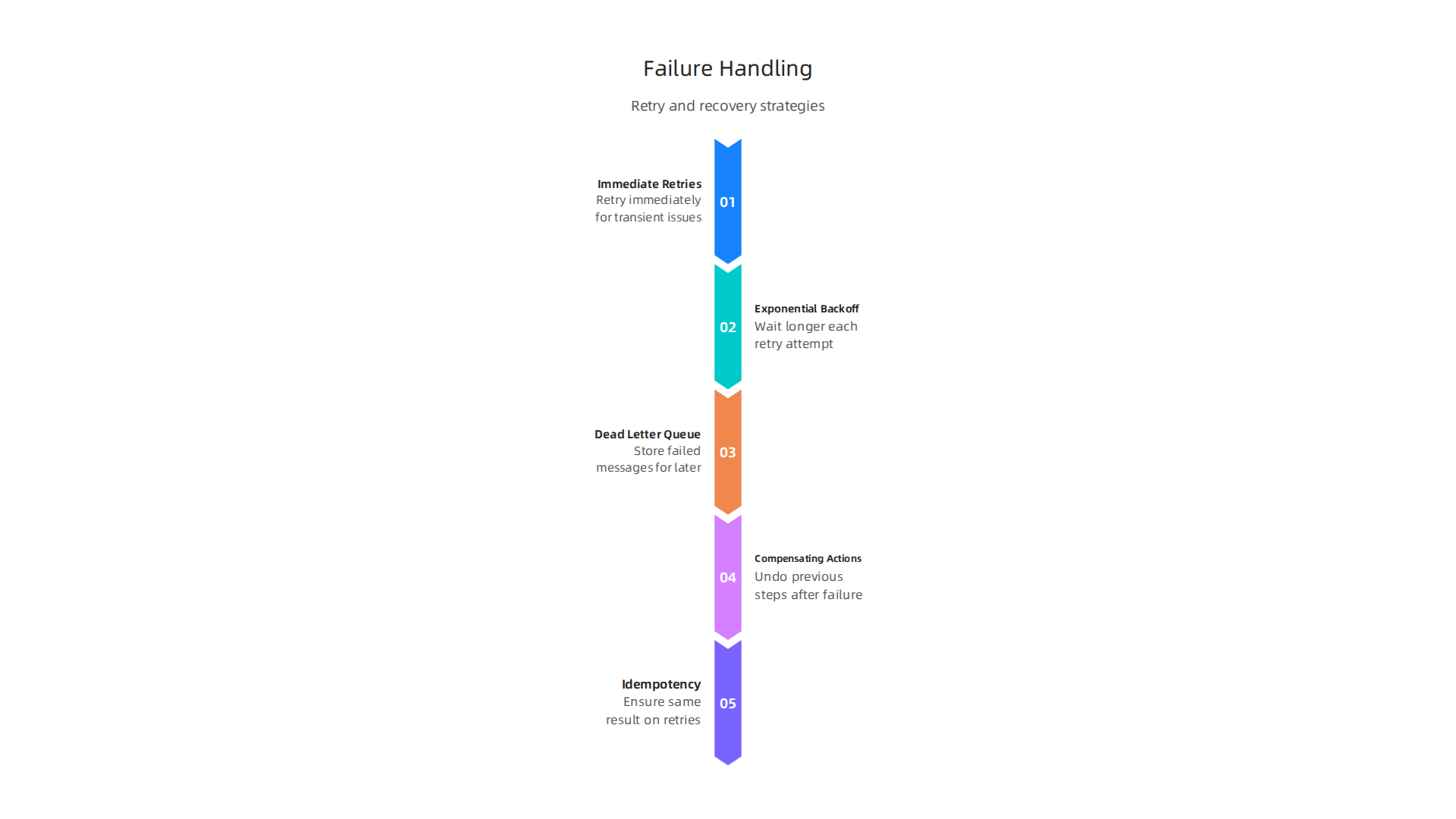
After you find problems using monitoring, the next step is to fix them. When a message fails in your java queue api system, you need a plan. Here are ways to handle those failures.
Immediate Retries
Sometimes, a message fails just because of a tiny, quick problem. Like a network hiccup that lasts for a second. For these, an immediate retry can work. The system tries again right away. This is simple, but it can make things worse if the problem is not a quick one.
Exponential Backoff
A smarter way to retry is called "exponential backoff." This means waiting a bit longer each time you try again. For example, wait 1 second, then 2 seconds, then 4, then 8, and so on. This gives the system more time to recover and keeps you from overwhelming it with too many retries at once. It’s a good idea to set a limit on how many times you try, and how long the longest wait can be. Experts recommend using retry logic with exponential backoff to avoid problems.
Dead-Letter Queues (DLQs)
If a message keeps failing even after several retries, it might have a bigger problem. This is where a dead-letter queue (DLQ) comes in. It’s like a special waiting room for messages that couldn’t be processed. Instead of trying forever, a message goes to the DLQ after a certain number of failed attempts. For example, you can set a rule that after a message fails 5 times, it goes to the DLQ. This limit is often called maxReceiveCount in many queue systems, as mentioned by AWS documentation on using dead-letter queues.
Once messages are in the DLQ, you can look at them later to figure out what went wrong. You might find a bug in your code or a problem with another service it talks to. Many teams sample and diagnose messages from their DLQ to find the root cause, according to a production guide for dead letter queues and retries.
Compensating Actions
Sometimes, a failed message means you need to undo something that already happened. For instance, if you process an order but then the payment fails, you might need a "compensating action" to cancel the order. This is for more complex tasks that have many steps.
Idempotency
When you use retries, it’s very important that your java queue api operations are "idempotent." This is a fancy word meaning that doing the same thing many times has the exact same result as doing it only once. For example, if you send a message to "add 5 to a user’s score," and the message is processed twice, their score should only go up by 5, not 10. Ensuring idempotency helps prevent bad data or double actions when messages are retried. Learning about job queues, retries, DLQs, and idempotency is a key part of building reliable systems.
Building strong software needs you to think about these details. You can improve your work and knowledge by staying updated on general development practices.
Want to stay ahead in the fast-moving tech world, especially with AI changing everything? Get the latest updates directly in your inbox with The AI Newsletter Worth Reading. You can also discover more about mastering the software development lifecycle models for best practices in 2026.
Advanced patterns: custom queue implementations, off-heap approaches, and async processing frameworks
While standard Java queues are great for many tasks, some complex systems need more speed and control. This is where advanced java queue api patterns come in. Teams sometimes build their own custom queue solutions when they need very low delays (latency), want to avoid pauses from garbage collection (GC), or need special ways to manage memory.
One smart way to handle data in very fast systems is using "off-heap" memory. This means data is stored outside the normal memory Java uses. When data is off-heap, Java’s garbage collector doesn’t have to clean it up, which can stop annoying pauses and make things run smoother. This approach is helpful for applications that need predictable speeds and can’t handle any delays, like those used in high-frequency trading. Solutions like Chronicle Queue are known for managing data outside the Java heap, which helps messages stream without triggering garbage collection pauses, as explained in a deep dive on Chronicle Queue in Production. Learning about off-heap algorithms in Java can help a lot. Some custom queues even use special designs, like K-FIFO Queues for Maximum Throughput, to handle bursts of data better. Developers also explore ways to create off-heap queues using the Unsafe class to achieve low-latency messaging without synchronization or garbage creation.
Another important idea is "async processing," which means doing tasks without waiting for each one to finish before starting the next. This makes your system faster and more responsive. Many frameworks help with this, letting you build what are called "reactive streams" or "composable pipelines." These are like assembly lines where data flows from one step to the next easily. This helps different parts of your system work together smoothly. For example, you can set up producer-consumer patterns and async communication to manage how tasks are added and completed. You can also configure custom thread pools for asynchronous processing in tools like Spring Boot, ensuring that your java queue api system uses resources efficiently. If you want to learn more about how different types of software are built, our guide on mastering software development lifecycle models can offer further insights.
Summary
This article explains how to use the Java Queue API to build fast, reliable, and scalable systems that handle background work and inter-component messaging. It walks through Queue semantics (FIFO, priority, blocking, capacity), common implementations (LinkedList, ArrayDeque, PriorityQueue, ConcurrentLinkedQueue, ArrayBlockingQueue, etc.), and how to decide between blocking vs non-blocking and bounded vs unbounded options. You’ll learn practical concurrency patterns such as producer–consumer, backpressure, batching, and windowing, plus how to integrate in-process queues with durable brokers like Kafka, RabbitMQ, and SQS. The guide covers performance tuning—microbenchmarks, contention analysis, and GC impact—along with failure handling (retries, exponential backoff, DLQs), testing approaches, and observability metrics and alerts. Finally, it outlines advanced patterns including off-heap queues and async processing frameworks so you can pick the right tool and operational practices for real-world production systems.