
HubSpot AI for Product Teams: Accelerate Development & Insights
· 22 min read

Why AI in product development matters now — and where HubSpot AI fits in
The world of software is changing very fast, and artificial intelligence (AI) is at the heart of it. In 2026, we see AI doing more than ever before. It’s not just a fancy new thing; it’s a powerful tool that helps make software products better and smarter. For product teams and engineers, understanding this shift is super important. It means thinking about how AI can make their work easier and create better tools for users.

This big move into the "ai world" offers many chances for product teams. They can use AI to build new features, make old ones work better, and help users get more done. It’s about making software that can learn and adapt. For example, AI can act like an ai personal assistant inside your apps, guiding users or automating tasks. This new way of building software means developers need to learn how to use these new tools wisely. To learn more about how AI is changing coding, check out AI for software development in 2026 transforms how you build and ship code.
One important player in this space is HubSpot. HubSpot AI has grown a lot. It offers many tools that product and engineering teams might use when building their own software or connecting to other services. HubSpot’s AI features help businesses with things like creating content, scoring leads, and making customer service smarter, as highlighted in a complete review of HubSpot AI Features for 2026. If your team uses HubSpot for sales, marketing, or service, then understanding how hubspot ai works will be key for building useful connections and tools. It’s about using these new AI powers to help your customers in better ways.
To keep up with all the fast changes in the AI world, you need reliable information.
Get clear daily AI updates from The AI Newsletter Worth Reading.
What is HubSpot AI? Features product teams need to know
To really understand what HubSpot AI brings to the table, especially for product and engineering teams, let’s look at its main parts. HubSpot has made its AI tools much stronger, bringing them all together under the name "Breeze AI" in 2026. Breeze AI is like the smart layer that helps different parts of HubSpot work better, making it easier for companies to build and grow their own products.
Here are some key things about HubSpot AI that product teams should know:
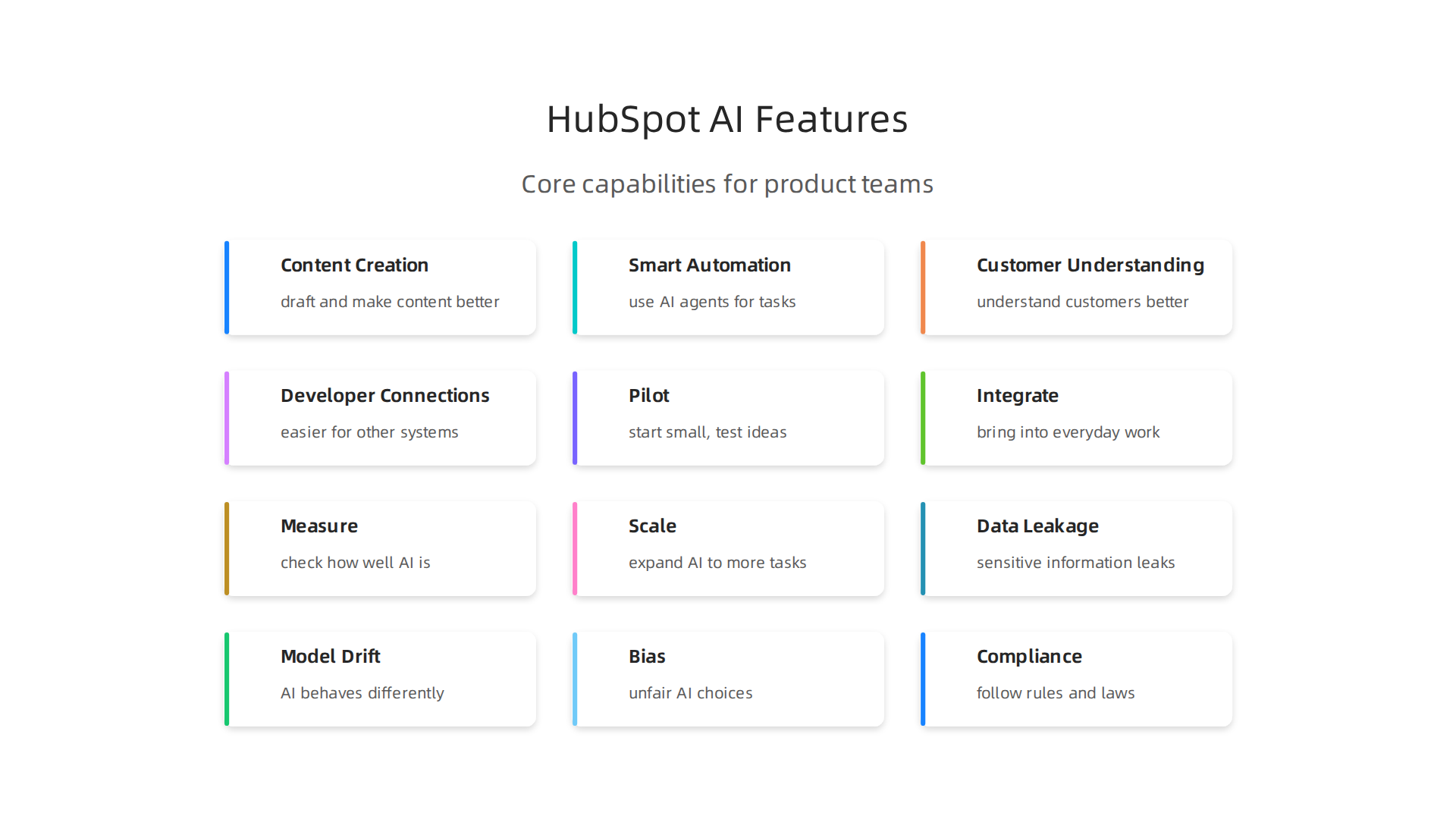
- Content Creation and Optimization: HubSpot AI has tools like Content AI that help draft and make written content better. For product teams, this means they can quickly create things like help articles, feature descriptions, or even marketing messages for their own software. Breeze AI helps with email writing, search results, and more. This saves time and ensures a clear message for users.
- Smart Automation with AI Agents: HubSpot now uses AI agents for many tasks in sales, marketing, and customer service. These agents can do things automatically, like helping a customer or getting a sales lead ready. For product developers, this means they can use or connect to these smart agents to automate parts of their own applications or workflows. It’s about letting AI do the repetitive work so humans can focus on bigger ideas, as mentioned in a discussion about HubSpot’s AI Sales and Marketing Tools.
- Deep Customer Understanding: The platform uses AI to understand customers better. This includes things like predictive lead scoring, which helps find the most interested customers. It also has AI-driven sentiment analysis, which can tell you how customers feel about your product from their support tickets or social media comments. These insights are gold for product teams. They help decide what new features to build or what problems to fix to make customers happier. Understanding customer feelings is key for a product’s success.

- Developer-Friendly Connections: HubSpot has made it easier for other systems and AI tools to talk to its data. For example, the HubSpot Connector for Claude allows AI to read and act on important customer data. This is very useful for engineers who want to build custom tools that use HubSpot’s information without a lot of extra work. They can even make new workflows that use this data, which is a big deal for creating new products or improving existing ones. The HubSpot Developer Platform also includes serverless functions, giving developers more ways to build on top of HubSpot’s services directly, according to the HubSpot AI Integration Developer Guide 2026.
These features directly help product teams with their everyday tasks:
- Roadmaps: By using AI to understand what customers need and how they interact with products, teams can plan their product roadmaps more smartly. They know which features will bring the most value.
- Experimentation: With easier ways to connect and automate, product teams can try out new ideas and features faster. They can run tests and see what works best using the data that HubSpot AI helps gather. This is part of how teams are adopting modern development practices for Agile Software Development Engineering for AI-assisted Teams.
- Customer Insights: AI gives product teams a clearer picture of their users. This helps them build products that truly solve customer problems and make their lives better.
HubSpot AI is not just a collection of tools; it’s a way for product and engineering teams to build smarter, more user-friendly software by tapping into powerful AI capabilities. It helps teams be more efficient and make better decisions in the fast-paced "ai world" of 2026.
AI is changing the "ai world" of software development in big ways, especially for how teams write code, test it, and make sure it’s ready to go live. In 2026, many developers are using AI tools every day. This shift makes development workflows faster and smarter.

How AI is changing development workflows: coding, testing, and CI/CD
The rise of AI has had a huge impact on how developers work. It’s not just about big companies anymore. Even small teams are finding ways to use AI to build better software. Many developers have started using AI coding tools regularly. In fact, a 2026 survey found that 90% of developers use at least one AI tool for their work, with many using them daily for tasks like coding and testing.
AI-Assisted Coding
Imagine having a smart helper that suggests code as you type. That’s what AI-assisted coding does. Tools powered by AI can help developers write code much faster by:
- Suggesting Code: They predict what you’re trying to write and offer full lines or blocks of code. This saves a lot of typing time.
- Fixing Bugs: AI can spot common mistakes and suggest ways to fix them, even before you finish writing.
- Making Code Better: It can look at your code and suggest ways to make it cleaner or run faster.
It’s clear that AI is becoming a key part of how code is created. Reports show that around 42% of code today is either made or helped by AI, and this number is expected to grow a lot by 2027. While AI helps create code, developers still spend a good amount of time checking what the AI has made to make sure it’s correct and safe to use, according to the State of Code Developer Survey report. This mix of human and AI effort is shaping the future of coding. If you want to dive deeper into how this works, you can check out how AI software development in 2026 transforms how you build and ship code.
Automated Testing
Testing is a very important part of building software, but it can take a lot of time. AI helps here too:
- Creating Tests: AI can look at your code and figure out what kinds of tests are needed. It can even write those tests for you.
- Finding Problems: Instead of humans having to click through every part of an app, AI can do it much faster, looking for things that are broken or don’t work right.
- Smart Checks: AI can learn from past tests to focus on areas of the code that are more likely to have issues.
This means that software can be tested more thoroughly and quickly, leading to fewer bugs for users.
AI in CI/CD and Quality Assurance
CI/CD stands for Continuous Integration and Continuous Delivery. It’s a way for development teams to get new code out to users often and reliably. AI fits into this process by:
- Automating Releases: AI can help decide when new code is ready to be released by checking test results and performance data.
- Improving QA (Quality Assurance): Beyond just automated tests, AI can analyze user feedback, crash reports, and performance metrics to help QA teams understand the real-world quality of a product.
- Monitoring: After software is released, AI can keep an eye on how it’s performing. If there are problems, it can alert the team right away.
While HubSpot AI isn’t a direct CI/CD tool, its strengths in customer understanding and automation can connect to these pipelines. For example, HubSpot AI’s ability to analyze customer sentiment and predict user needs, which we talked about earlier, can feed directly into a product team’s QA and monitoring strategy. If customers are unhappy about a specific feature, HubSpot AI can flag this, letting developers know what to focus on in their next update. Developers can also use AI Tools for HubSpot Developers to build custom solutions that tie HubSpot’s customer data into their quality checks. This helps teams make sure that the changes they release are truly making customers happy and improving their experience.
The integration options within HubSpot’s platform, such as the ability to Connect Your AI Agent to HubSpot, allow developers to build bridges between customer insights and their technical pipelines. This means that important customer data can influence every stage of development, from the first line of code to the final release and ongoing monitoring.
To keep up with all the big changes AI is bringing to the tech world, there’s a great resource that can help.
Get clear daily AI updates from The AI Newsletter Worth Reading.
Using AI tools like HubSpot AI effectively within product teams means more than just turning them on. It means thinking about how your team works, who does what, and how you will make sure the AI is helping in the right ways. This needs careful planning, almost like having a special map to guide you.
Best practices for adopting HubSpot AI in product teams
When your product team brings in new AI tools, especially something powerful like HubSpot AI, everyone’s jobs can change a little. It is important to know who will be in charge of what. For example, someone needs to "own" the AI models. This person or group makes sure the AI understands the goals of the team. They also help craft the best ways to talk to the AI, known as "prompt engineering," so the AI gives useful answers. Another key part is monitoring the AI to check that it is working well and fairly, without showing any bias.
Having clear rules for how the team uses AI is very important. This is called AI governance. It helps make sure that the AI is used in a safe and ethical way. For example, some guidelines might focus on preventing bias in AI or managing risks as highlighted in an AI Governance Policy. Understanding how to set these rules is part of building trustworthy systems. If you want to dive deeper into this, you can learn about AI ethics for software teams.
An Operational Playbook for HubSpot AI
To successfully bring HubSpot AI into your product team, following a simple plan can make a big difference. Think of it as a playbook with a few steps: pilot, integrate, measure, and scale.
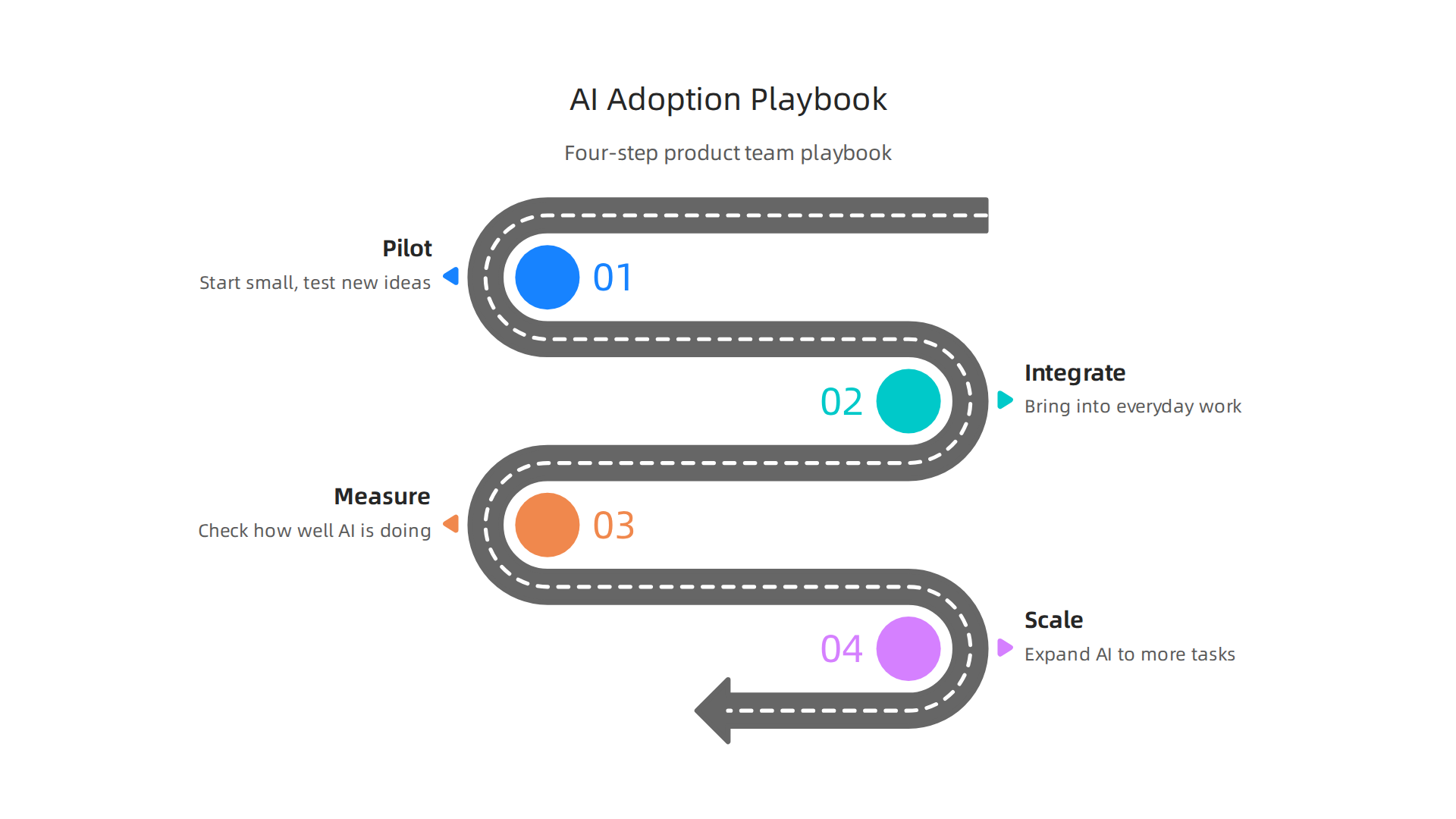
- Pilot: Start small. Do not try to use HubSpot AI for everything at once. Pick just one or two small, clear tasks where it can help a lot. For example, you might use it to help analyze customer feedback or write first drafts of marketing messages. This step is like a test run. A smart way to start is by selecting a few high-value tasks, as advised in A playbook for successful AI adoption. Starting with a pilot is a common practice when bringing in new AI tools, ensuring you work through any issues first.
- Integrate: Once your pilot shows good results, start bringing HubSpot AI into your team’s everyday work. This means changing how your team does certain things to include the AI. It might mean updating your workflow or teaching everyone how to use the new tools smoothly. Learning how to make these changes helps with effective LLM AI adoption for developers in general.
- Measure: Always check how well HubSpot AI is doing. Are you saving time? Are customers happier? Is the product getting better? You need to look at real numbers and feedback to know if the AI is truly helping. Instead of just looking at how accurate the AI is, it is also important to measure how it helps your business goals and helps your team adopt the new tools.
- Scale: If everything is going well, you can slowly expand HubSpot AI to more tasks or more teams. This might mean teaching other product managers or marketing folks how to use it. Expanding carefully helps make sure the AI keeps working well as more people use it. This kind of careful expansion is key to AI mastering for custom software teams.
By following these steps, product teams can bring HubSpot AI into their work in a smart way. This helps them get the most out of these powerful tools while avoiding problems. It’s all about making sure that the AI is truly a helpful "ai personal assistant" for your team.
When bringing powerful tools like HubSpot AI into your product team, it is not just about using them. It’s also about understanding the possible problems that can come with them. Engineering leaders must keep a close eye on risks, ethics, and how these tools are managed.
Risks, ethics, and governance: what engineering leaders must track
Using any AI from another company, like HubSpot AI, comes with some important things to watch out for.
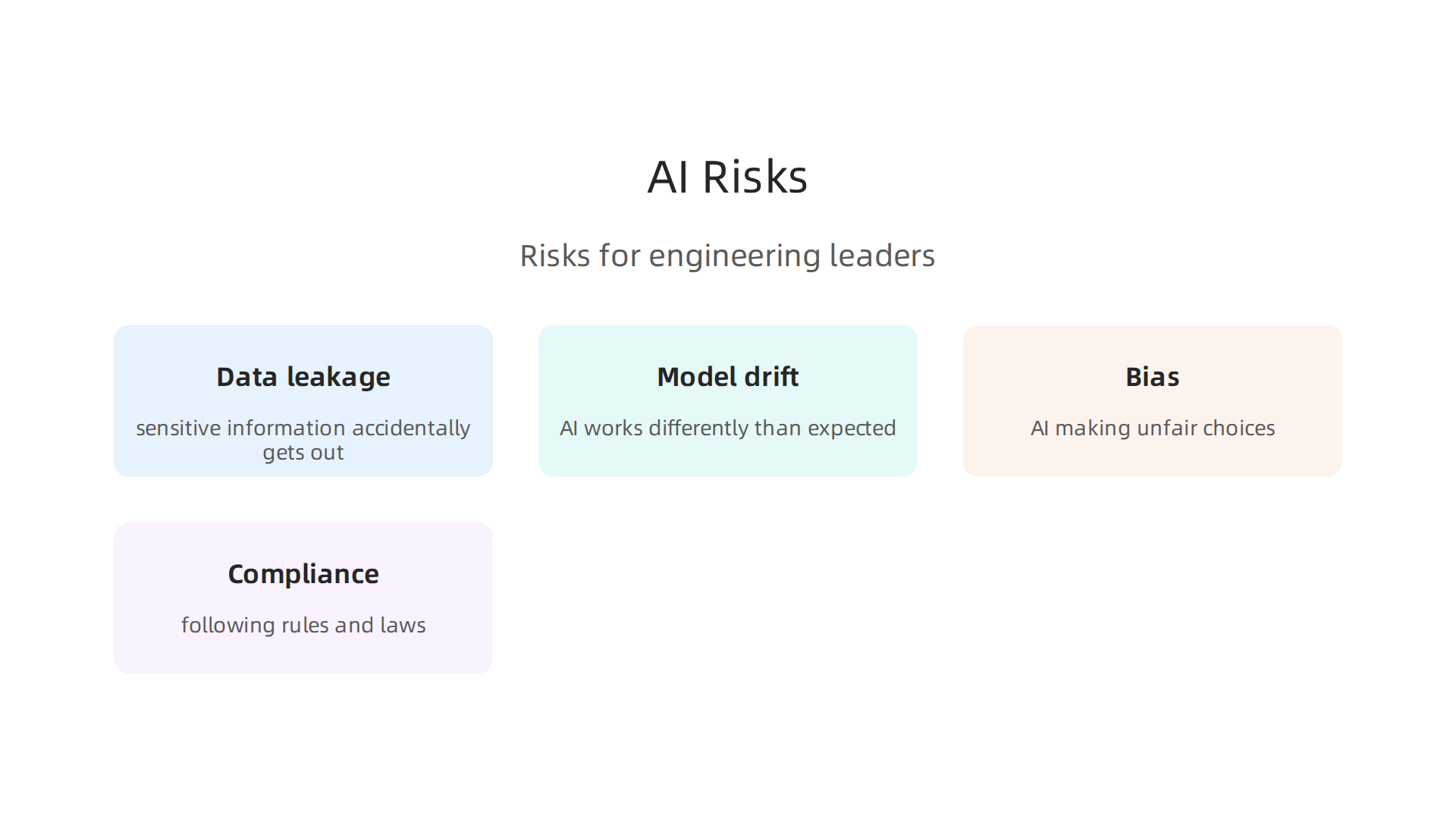
- Data leakage: This happens when sensitive company or customer information accidentally gets out or is used in ways it shouldn’t be. When you feed data into an AI tool, you need to be sure it stays safe.
- Model drift: AI models learn over time. Sometimes, they can start to work differently than expected, or their answers might not be as good as before. This is called "model drift," and it means the AI is no longer as helpful or accurate.
- Bias: AI learns from the data it is given. If that data has unfair patterns, the AI can learn these unfair ways too. This can lead to the AI making unfair choices or giving biased results, which is a big problem for ethics. For example, some guidelines for AI tools look at how to stop bias. This is part of reviewing AI systems to make sure they are fair for everyone involved, as noted in the AI Review Framework_20260302 from Yale.
- Compliance: This means following all the rules and laws about how AI and data are used. As the AI world grows, new rules are always coming out. Your team needs to make sure HubSpot AI use stays within these legal lines. Many places are setting up rules for how AI is governed to make sure it is used responsibly, as discussed in a paper on System level governance of generative AI risks.
To deal with these risks, you need strong governance structures and clear policies. Think of governance as the rules and systems that keep the AI working correctly and safely.
- Logging: Keeping a detailed record of how the AI is used and what it does helps you track its behavior. If something goes wrong, you can look back at the logs to see why.
- Human-in-the-loop: This means people are always involved in checking the AI’s work and making important decisions. The AI acts like an ai personal assistant, but people remain in charge. This helps catch mistakes, reduce bias, and make sure the AI is used ethically.
- Model audits: Regular checks of the AI model itself are important. These audits help find if the model is drifting, showing bias, or causing any other problems. You can learn more about how to study AI for proper use in development through guides like How to study AI for software development in 2026.
- Defined policies: Clear rules for using AI need to be in place. These policies cover everything from data privacy to how to handle mistakes the AI might make. Having a framework that brings together risk assessment and checking for compliance into how AI works for a business is key, as highlighted in a review on Responsible AI governance in Enterprise Systems.
By actively managing these risks and putting good governance in place, engineering leaders can make sure HubSpot AI is a valuable tool that works ethically and safely for everyone. Staying informed about the latest developments in AI and its risks is crucial for any leader in the tech space.
Want to keep up with the fast-changing world of AI? Get clear daily updates directly to your inbox.
The AI Newsletter Worth Reading
After making sure your HubSpot AI tools are safe and used properly, the next big step is to see if they are actually helping. How do you know if these smart tools are doing a good job for your product team? It all comes down to measuring success and understanding the return on investment (ROI). This means looking at what changes for the better after you start using AI.
Measuring success: KPIs and ROI for AI in product development
When you add HubSpot AI to your product work, you need clear ways to check its value. Here are some key ways to measure if your AI features are a hit:
- Cycle Time: This is about how long it takes to complete a task, from start to finish. If HubSpot AI helps your team write code faster or move through product stages more quickly, your cycle time should go down. This shows the AI is making things more efficient. For example, some reports show that developers using AI tools see big boosts in how fast they get things done. In 2026, many developers now use AI coding tools daily to speed up their work, with reports noting high adoption rates for these tools across the board AI Coding Agents: Adoption Trends.
- Feature Velocity: This metric looks at how many new features your team can ship in a certain time. If HubSpot AI helps your developers build and release more features without adding more people, that’s a clear win. It shows your team is moving faster and getting more done. Data from 2026 suggests that AI can significantly increase output metrics like task completion speed for developers AI Coding Benchmarks 2026: Adoption, Output, and Quality ….
- Engagement Lift: This measures how much more users interact with your product’s new AI-powered features. Are people using the AI tools more often? Are they spending more time with the parts of the product that use AI? Higher engagement means users find the AI helpful and valuable. This is a crucial part of seeing the impact of your AI features.
To truly understand how HubSpot AI is impacting these metrics, you need to do a little detective work with experiments.
Designing Experiments and A/B Tests
The best way to see if your new HubSpot AI feature is working is to compare it to what you had before. This is where A/B testing comes in handy.
- Split Your Audience: Show the new AI feature to one group of users (Group A) and keep the old version (or no AI feature) for another similar group (Group B).
- Track the Metrics: Watch how both groups perform on your chosen metrics: cycle time (for internal teams), feature velocity (for internal teams), and user engagement (for end-users).
- Compare Results: After a set time, compare the numbers. If Group A shows better results, you can be pretty sure that the AI feature is making a positive difference. This helps isolate the impact of the AI, meaning you can tell if the changes you see are truly because of the AI, not just other things happening.

Learning about these kinds of methods can help you with AI software development in 2026 transforms how you build and ship code.
By using clear metrics and careful tests, you can show the real value of HubSpot AI to your product development and prove its return on investment. This helps your team and the whole company see how AI is helping you grow.
Now that you know how to measure if your HubSpot AI tools are working, let’s talk about how to get started the right way. Using AI in your product team needs careful steps to make sure it helps instead of causes problems. Here’s a simple checklist to guide you, along with a few examples of how teams are putting HubSpot AI to good use in 2026.
Implementation checklist and mini case studies for teams starting with HubSpot AI
To truly bring HubSpot AI into your work, you need a clear plan. It is important to think about the people involved, not just the technology itself, because how people use AI affects if it succeeds or fails.
Your HubSpot AI Launch Checklist
Here are the key steps for product teams looking to add HubSpot AI:
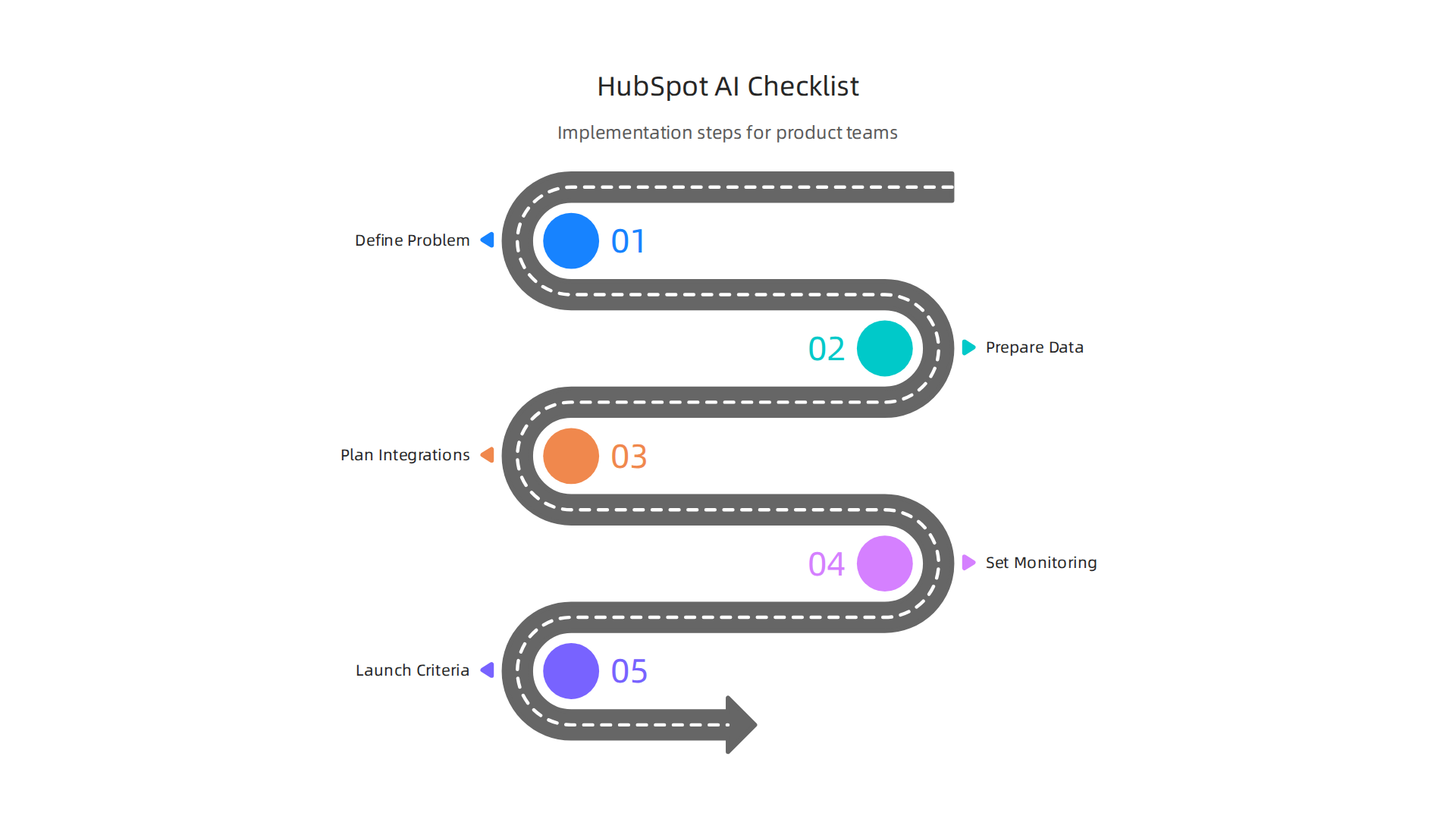
- 1. Figure Out the Problem (Discovery): Before anything else, ask: What problem are we trying to fix with AI? Do we want to answer customer questions faster? Or help our sales team find better leads? Pinpointing real problems helps you pick the right AI tools. Many companies find success by defining specific use cases and making sure they tie back to clear business outcomes AI Adoption Strategies: Your 2026 Playbook.
- 2. Get Your Data Ready: HubSpot AI works best with good, clean data. Make sure your customer information and product data are organized and easy for AI to understand. This is like giving the AI clear instructions.
- 3. Plan the Connections (Integration Points): How will HubSpot AI talk to your other tools? Will it connect to your customer service chat or your marketing emails? Knowing this early helps avoid future headaches. There are different ways to connect AI agents to HubSpot, like using its native tools or building custom links Connect Your AI Agent to HubSpot: Complete 2026 Guide. This step is about making sure everything works smoothly together.
- 4. Set Up Monitoring and Feedback: Even after launch, you need to watch how your HubSpot AI is doing. Are users happy? Is it saving time? Collecting feedback and keeping an eye on how it performs helps you make it better over time. Remember, the goal is not just to use AI, but to use it well. Making sure you design for adoption is a key step, measuring what matters to your business Escaping AI Pilot Purgatory: From POC to P&L.
- 5. Decide When to Go Live (Go/No-Go Criteria): Before rolling out AI to everyone, have clear rules for success. This means knowing what good results look like from your tests. If the AI doesn’t meet these goals, it’s okay to go back and improve it. This is like a green light/red light system for your project.
Real-World Examples of HubSpot AI in Action
Here are some simple ideas for how different teams use HubSpot AI to solve everyday problems:
- Customer Service Team: Imagine a team that gets hundreds of common questions every day. They use HubSpot AI to create an AI personal assistant that answers basic questions automatically. This frees up human agents to help with more complex issues, making customers happier and reducing wait times.
- Marketing Team: A marketing team wants to write more engaging content faster. They use HubSpot AI to help brainstorm ideas for blog posts and social media updates. The AI also helps them quickly make different versions of their ads for various groups of people, saving hours each week.
- Sales Team: For a sales team, connecting with the right people at the right time is key. They use HubSpot AI to look at past customer data and suggest which potential clients are most likely to buy their product. This means salespeople spend less time guessing and more time talking to interested buyers.
The world of AI is always changing, with new tools and practices popping up all the time from the biggest AI companies. Staying informed about the latest trends and breakthroughs can give your team a real edge.
To get clear daily AI updates that help you make sense of the fast-moving AI world, consider subscribing to The AI Newsletter Worth Reading.
Summary
This article explains why AI is reshaping product development and how HubSpot AI (now unified under Breeze AI) fits into modern engineering and product workflows. It outlines the platform’s key capabilities—content generation, AI agents, customer insights, and developer-friendly connectors—and shows how these features help teams plan roadmaps, run experiments, and automate routine work. The piece also covers how AI changes coding, testing, and CI/CD by speeding coding, generating tests, and improving monitoring. Practical adoption advice includes a pilot-to-scale playbook, an implementation checklist, and examples for support, marketing, and sales teams. It highlights governance needs—data protection, model audits, human-in-the-loop checks—and offers metrics (cycle time, feature velocity, engagement lift) and A/B testing to prove ROI. Engineering leaders get a balanced view of opportunities and risks so teams can adopt HubSpot AI responsibly and measure real business impact.