
Future Proof Your Games with Unity API Integration Security and AI
· 29 min read

Why Unity API integration matters now
Making games and apps today is much more involved than it used to be. Think about your favorite game or mobile application. It probably does a lot more than just what you see on your screen. It might connect to online leaderboards, let you chat with friends, save your game progress in the cloud, or even use smart AI to make things more exciting.
All these connections happen thanks to something called an API, which stands for Application Programming Interface. APIs are like special doors that allow different computer programs to talk to each other and share information. For example, if your game needs to know the real-world weather, it asks a weather service through its API. Because modern games and apps in 2026 often rely on so many different online services, getting all these APIs to work together smoothly can feel like solving a very complex puzzle.

This is exactly where the unity api becomes so important. Unity is a very popular tool for creating games and interactive apps. Its built-in unity api offers developers a special set of ready-made tools and instructions. These tools help them build games faster and connect to outside services with less effort. It’s like having a big toolbox filled with just the right instruments for every job.
Using the unity api well helps in many ways. First, it makes the whole development process quicker. Instead of writing every bit of code from the start, developers can use existing parts of the unity api to add features. This includes things like moving objects around in a game or creating user menus. Tools like the api inspector help developers look at and change how these parts work directly inside their chosen ide integrated development environment.
Second, proper unity api use helps add powerful features that run in the background. These are often called "backend features" and include important things like safely storing user data, managing online multiplayer games, or connecting to social media. The UnityEditor assembly itself gives developers special APIs just for the editor, making it easier to build custom tools right within Unity Scripting API: UnityEditor.
Third, and very crucial in 2026, a strong understanding of the unity api is key for using new AI tools. AI is a huge part of making smart games and applications. The unity api helps connect games to advanced AI systems, whether it’s for making characters think on their own or generating new game content. Knowing about how APIs work, including their entire API Lifecycle • Unity Services Web APIs, helps developers be ready for new changes and tools. This makes sure the games and apps built today will continue to work well even as new technologies like AI quickly change. To dive deeper into how AI is changing how we build software, you can read AI for Software Development What AI Takeover Means Now for Teams.
Want to stay informed about the latest changes and powerful new tools in AI that are impacting software development daily?
The AI Newsletter Worth Reading
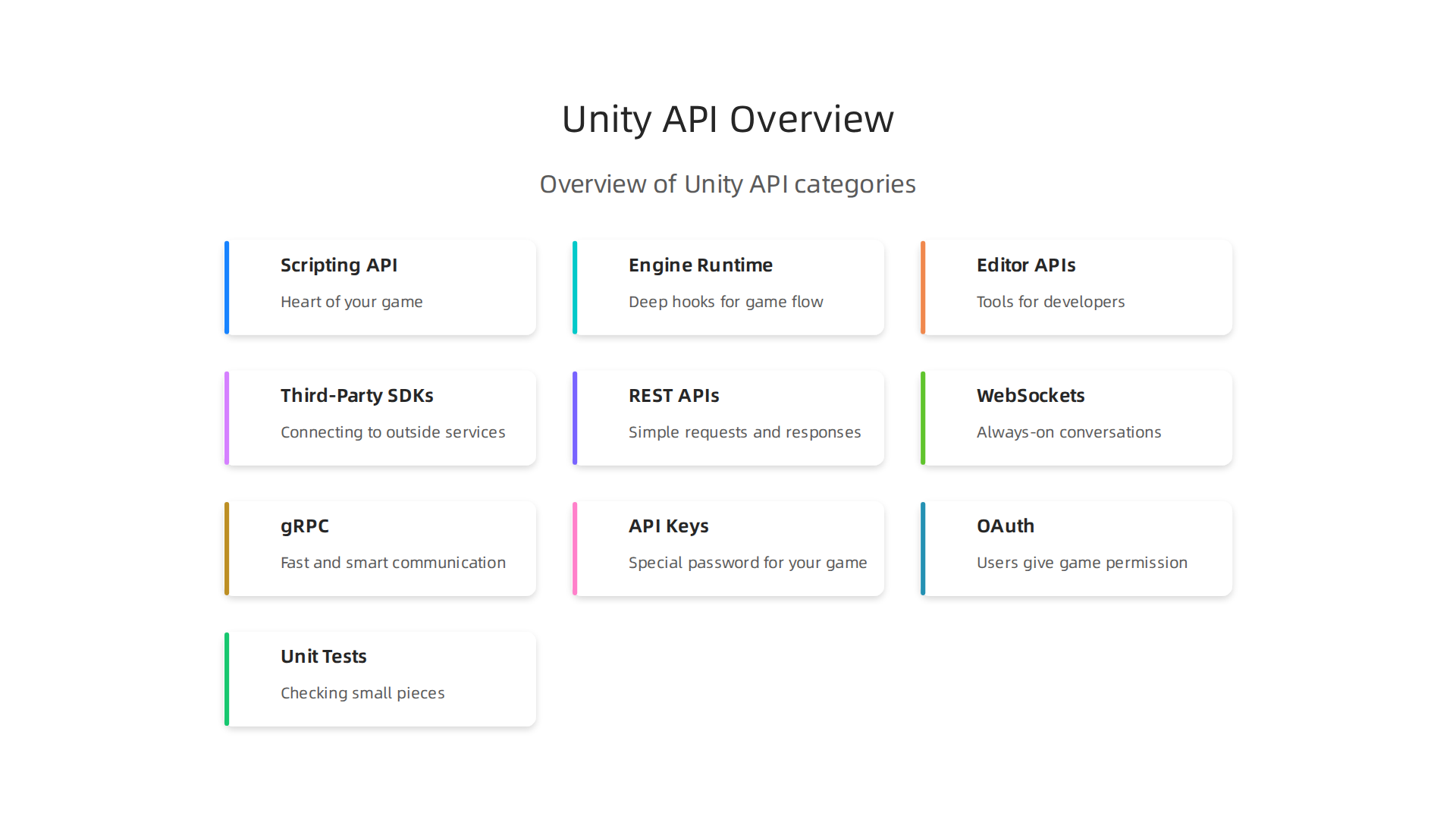
Unity is like a huge playground for creating games and apps, and it gives developers many special tools to build amazing experiences. These tools are all part of the unity api. Thinking of it as one big thing can be tricky, so let’s break down the different kinds of APIs Unity offers.
Scripting API: The Heart of Your Game
The most common kind of unity api is the Scripting API. This is what developers use all the time to tell game objects what to do. For example, if you want a character to jump, you’d use a command from the Scripting API. If you want to create a menu button, you’d use these APIs too. They are the building blocks for almost everything that happens in your game or app. Learning these basics is a key step if you want to master programming language fundamentals in 2026.
Engine Runtime APIs: Deep Hooks for Game Flow
Beyond the basic scripts, Unity also has "Engine Runtime APIs." These are like deeper controls that let developers connect directly to how Unity’s game engine works when your game is actually running. They allow for very specific changes or actions that might not be possible with just the regular Scripting API. For instance, sometimes developers need to check the "Scripting Runtime Version" to make sure their code works correctly with Unity’s internal parts Scripting Runtime. You can even find tools like a Runtime Editor that lets you change things while the game is playing.
Editor APIs: Tools for Developers
Then there are the Editor APIs. These are special unity api tools that developers use inside the Unity Editor itself, not in the game you play. They help create custom tools or special windows that make it easier for the developer to build the game. For example, a game studio might build a tool with Editor APIs to quickly place many trees in a forest scene. These tools usually live in a special part of Unity called the UnityEditor assembly.
Third-Party SDKs: Connecting to Outside Services
Finally, Unity also works with third-party SDKs (Software Development Kits). These are like pre-made packages from other companies that let you easily add their services to your Unity project. Think about adding ads, social media logins, or special online features from another company. The SDK provides its own API that works smoothly with the unity api, making it simple to integrate these outside services without building everything from scratch.
Knowing Which APIs are Stable and How They Change
When using any unity api, it’s important to know if it’s "stable" or if it might change.
- Stable APIs are ones that Unity expects to keep working the same way for a long time. These are generally safe to use for your main game features.
- Experimental APIs are newer tools that Unity is still testing. They might change or even be removed in future Unity updates, so developers use them knowing there’s a small risk. For example, Unity Visual Scripting is currently in "maintenance mode," meaning it won’t get major updates and might be phased out.
Unity uses a system called "versioning" to keep track of changes to its APIs. This means each unity api has a version number, like 1.0.0 or 2.1.5. When Unity updates a tool, they might release a new version. If a part of the unity api is going to be removed in the future, it’s often marked as "deprecated" first CoreCLR, Scripting, and Serialization Update – June 2026. This warns developers to stop using it and update their code. When parts of the API are deprecated, it means they won’t exist in future versions, and you might have to rewrite parts of your code to upgrade dangers of using deprecated unity code. Luckily, Unity often has an API updater tool that helps fix older code to work with newer versions.
Understanding this wide range of unity api tools and how they are updated helps developers build stronger, more future-proof games and applications. It’s a big part of mastering the software development lifecycle models, AI, and best practices for 2026. If you’re looking to build your own games, consider exploring online game development courses to get started with the Unity platform.
Building games and apps with Unity often means connecting them to the internet or other services.

This allows your game to do things like save player scores online, let players chat with each other, or show ads. To make these connections, developers use different communication methods that help the unity api talk to the outside world. Let’s look at the common ways this happens.
REST APIs: Simple Requests and Responses
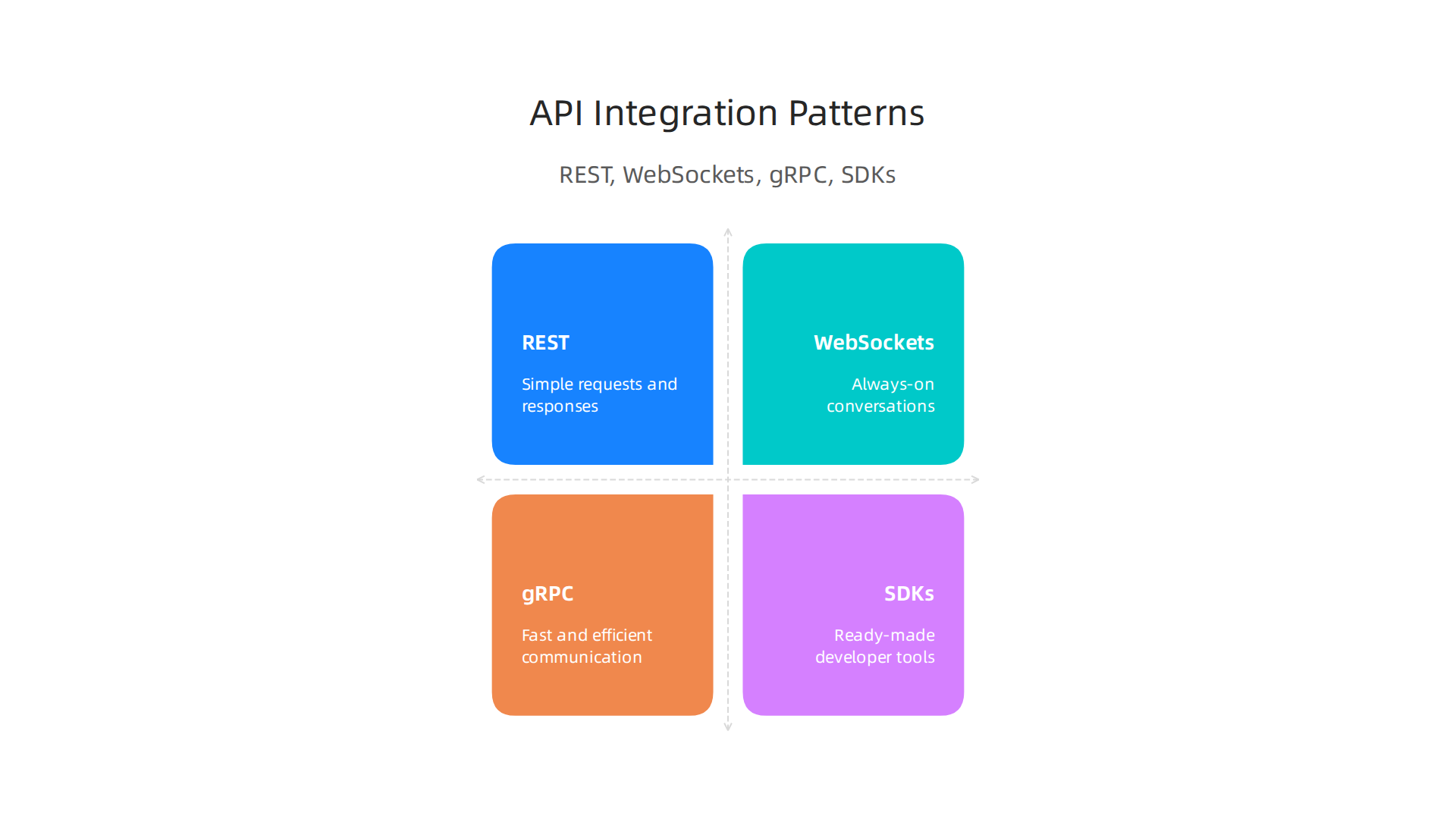
Think of REST APIs like sending a letter and getting a reply. Your Unity game sends a request for information, like asking for a player’s high score. Then, the service sends back the score. This is a very common way to connect.
- How it works: Your game asks for something (like a webpage), and the server sends back data, often in a simple text format.
- When to use it: Good for things that don’t need instant updates, like leaderboards, user profiles, or sending small bits of information not in real-time. It’s easy to set up and uses less power if you’re not constantly asking for new info.
- Trade-offs: Not great for fast, live updates because each request is separate. You have to keep asking if you want to know if something changed.
WebSockets: Always-On Conversations
WebSockets are like a phone call that stays open. Once the connection is made, both your Unity game and the server can send messages back and forth at any time.
- How it works: A single connection is made, and it stays open for a long time. This allows for constant, two-way communication.
- When to use it: Perfect for real-time multiplayer games, live chat features, or anything where you need instant updates.
- Trade-offs: Keeping an open connection uses more power and internet data. It can be more complex to set up than a simple REST API.
gRPC: Fast and Smart Communication
gRPC is a newer, faster way for services to talk, especially good when speed is super important and you want to use less data. It’s like sending highly organized, super-fast messages.
- How it works: It uses a special, faster internet language (HTTP/2) and sends very small, structured messages. This makes communication much quicker. For example, benchmarks in 2026 showed gRPC can offer much lower latency and smaller data usage compared to REST APIs gRPC vs REST 2026: 77% Faster, 10x Smaller Payloads.
- When to use it: Ideal for high-speed, internal services within a bigger system, or for mobile games where saving data and battery is key.
- Trade-offs: It can be harder to set up because it needs special tools to define the messages. This means developers might need to work more in their
ide integrated development environmentto get it right. Also, looking at the data might be less straightforward than with REST APIs, needing specialapi inspectortools.
SDKs: Ready-Made Tools
We talked about SDKs before, and they fit here too. An SDK (Software Development Kit) is a set of pre-built tools and code from another company that helps your Unity game connect to their service. For example, if you want to add social media login, you might use an SDK provided by that social media company. The SDK often uses REST, WebSockets, or gRPC behind the scenes, but it hides the hard work from you.
- How it works: You add the SDK to your Unity project, and it gives you simple commands to use its service.
- When to use it: Great for quickly adding features like ads, analytics, or user authentication without building complex connections yourself.
- Trade-offs: You depend on the company that made the SDK. If they stop updating it, your features might break.
Choosing the right way to connect your Unity game to outside services depends on what you want to do. Do you need instant updates? How much data are you sending? How easy do you need it to be to set up? Thinking about these things helps you make smart choices. Learning how to connect your Unity project to various external services is an important part of mastering Google Cloud Services for API development and other platforms.
Staying current with all the new ways to build and connect software is a big job.
Get clear daily AI updates from The AI Newsletter Worth Reading.
Staying current with all the new ways to build and connect software is a big job. But just knowing how to connect isn’t enough. It’s super important to make sure these connections are safe and secure.

When your Unity game talks to outside services using a unity api, you need to protect your players’ information and your game itself from bad actors. Let’s talk about making your API calls secure.
Authentication, security, and best practices for API calls in Unity
When your Unity game connects to a server, the server needs to know who is asking for information. This is called authentication. It’s like showing your ID to get into a special club. Without proper security, bad people could pretend to be your game or your players, causing problems.
How Your Game Shows its ID (Authentication)
There are a few main ways your Unity game can prove its identity to a server:
- API Keys: Imagine an API key as a special password for your game. You send this key with your requests, and the server knows it’s really your game trying to connect.
- Keep them secret! Never put API keys directly into your game code where anyone can easily see them. If someone gets your API key, they can pretend to be your game.
- Tokens (like Access Tokens): These are like temporary passes. After your game or a player logs in, the server gives back a short-lived token. Your game then uses this token for a while to make more requests, instead of sending a password every time. When the token expires, you get a new one.
- OAuth: This is a smart way for users to give your game permission to use their information from another service (like a social media site) without actually giving your game their password. The user logs into the other service directly, and then that service gives your game a special token. This is a very common and safe method for user authentication. Following standards like OAuth 2.1 is key for building secure solutions in 2026, as noted in expert recommendations for API Design and Integration Best Practices for 2026.
Keeping Your Secrets Secret (Secrets Management)
You’ve learned that you shouldn’t put API keys or other secret information right into your game’s code. So, how do you handle these secrets safely in Unity?
- Don’t hardcode them: "Hardcoding" means writing the secret directly into the program. Don’t do this. Anyone can look at your game’s files and find those secrets.
- Fetch secrets from a secure server: The best way is for your game to ask a very secure server for the secrets only when it needs them. This server keeps the real secrets safe. Your game only needs a small, less powerful key to talk to that secure server.
- Use environment variables or external files (for development): While building your game, you can use special files or settings outside your code. But remember, for the final game, these should still be protected or fetched securely.
Avoiding Security Mistakes in Unity Projects
Even with good authentication, mistakes can happen. Here are some common problems and how to avoid them:
- Not checking what users send: Never trust information coming from a player’s game. Always check and clean any data sent to your server. This stops players from trying to cheat or break things. This kind of input validation is a core defense for API Security: Best Practices and OWASP Top 10.
- Exposing too much data: Only send your game exactly the information it needs. Don’t let your game’s
unity apiask for or show data that isn’t necessary, because that data could be stolen. - Not using secure connections (HTTPS): Always make sure your game talks to servers using HTTPS. This makes sure that nobody can listen in on the conversation and steal information.
- Testing for security often: Just like you test your game for bugs, you need to test it for security holes. There are tools and checklists, like the OWASP API Security Testing Checklist 2026, that help you find weak spots.
- Using proper developer tools: When you are building and checking your code, make good use of your
ide integrated development environment, like Visual Studio or JetBrains Rider, which often have built-in debugging features. These tools allow you to step through your code and see what’s happening, helping you find security issues before they become problems. You can also use anapi inspectortool to look closely at the data being sent and received by yourunity apicalls.
By paying close attention to authentication, managing secrets carefully, and following security best practices, you can make sure your Unity game’s API calls are safe and reliable for everyone. To truly excel in software development, especially when dealing with advanced features and security, it’s wise to continuously update your knowledge. Consider exploring further options to choose online courses for career development that deliver real impact.
After learning how to keep your Unity API calls safe, let’s look at the tools that make building and connecting your game easier and faster. Think of these tools as helpers that speed up your work, so you can build amazing things without getting stuck. Good tools make a big difference in how quickly you can make your game work with outside services.
Developer tooling: SDKs, editor extensions, logging, and local debugging
When you’re making a Unity game, you want everything to fit together smoothly. This includes how your game talks to other services using a unity api. Developer tools are like your personal workshop gadgets that help you connect all the parts of your game, test them, and fix any problems. These tools help reduce how much trouble you have when putting everything together. They also make your work time much more enjoyable.
Ready-Made Helpers: SDKs
An SDK, or Software Development Kit, is like a box of pre-made LEGOs for connecting to a specific service. Instead of writing all the code to talk to, say, a social media site or a payment system, you use their SDK. It has all the basic code you need already built. This makes integrating new features much quicker because you don’t have to start from scratch. Using an SDK can greatly improve your integration speed.
Making Unity Smarter: Editor Extensions
Unity’s own editor is a powerful place, and you can make it even better with editor extensions. These are small tools that add new features right inside Unity. They can help you:
- See things better: Imagine an
api inspectorthat shows you exactly what data yourunity apicalls are sending and getting back, all within Unity. This helps you spot issues fast. - Automate tasks: Maybe an extension can set up test data for you, or help you organize your game’s files.
- Test more easily: Some extensions let you create "local mocks." This means your game can pretend to talk to a real server even when it’s not connected to the internet. This lets you test your
unity apicalls offline, which is a great way to improve developer experience.
You can even create your own custom Unity Editor tools to fit your special needs.
Knowing What’s Happening: Logging
Logging is like giving your game a diary. Every time something important happens, your game writes it down. When your unity api sends or receives data, or if an error pops up, the log records it.
- What to log: Important events, errors, and warnings.
- What not to log: Never log sensitive player information or API keys!
- Why it helps: If something goes wrong, you can look at the log to see the steps that led to the problem. It’s like finding clues to solve a mystery.
Good logging is super important for finding and fixing problems quickly without causing too much friction.
Finding and Fixing Issues: Local Debugging
Debugging is the process of finding and fixing bugs in your code. For Unity games, this often means connecting your ide integrated development environment, like Visual Studio or JetBrains Rider, to your running game.
- Step-by-step checking: With a debugger, you can pause your game’s code, look at the values of your variables, and go through your code line by line. This helps you understand exactly what your
unity apicalls are doing. - Integrated tools: Tools like Visual Studio Tools for Unity make this easy. You can attach your code editor to the Unity Editor itself or even to a special "debug" version of your game running on a local network. Debugging C# code in Unity is a standard practice that helps pinpoint issues quickly and efficiently, as explained in the official Unity documentation on managed code debugging.
- Real-time insight: This kind of local debugging lets you see problems as they happen, making it much faster to fix them than just guessing. This is key for a good developer experience.
Staying updated on the latest development techniques and tools is always a smart move. To master your programming skills, consider exploring resources on master programming language fundamentals in 2026.
These tools, from SDKs to debuggers, are essential for any developer working with Unity and its APIs in 2026. They help reduce the headaches of integration and let you focus on making great games.
Staying informed about new technologies and trends, especially in fast-moving fields like AI, can give you a significant advantage.
Get clear daily AI updates from The Deep View Newsletter.
The AI Newsletter Worth Reading
Staying informed about new technologies and trends, especially in fast-moving fields like AI, can give you a significant advantage. Let’s explore how artificial intelligence (AI) is changing the way we build games with Unity and its APIs in 2026.
Integrating AI-assisted coding and automation with Unity APIs
AI tools are quickly becoming key helpers for game developers using Unity. They make writing code faster and help with everyday tasks. Think of AI as another tool in your kit, much like the SDKs and debuggers we talked about. It can speed up how you work with your Unity API connections.
AI for Generating API Code
One great way AI helps is by creating code for you. When your Unity game needs to talk to an outside service, it uses a unity api. Writing this connection code can take time. AI tools can:
- Make client code: These tools can write the basic code needed for your game to send and receive data from an API. It’s like having a super-fast assistant write the first draft.
- Create stubs: This means AI can quickly build simple, placeholder bits of code. These stand in for the real API responses, so you can test your game even if the full API isn’t ready yet.
- Automate tasks: Many coding tasks are repetitive, like setting up simple data structures. AI can handle these boring parts, freeing you up to focus on the fun, creative side of game development.
Using AI can help you get things done much faster. For instance, you can use AI to master your AI skills with an AI-powered learning platform in 2026 and improve your workflow.
Checking AI-Generated Code: Trust and Safety
While AI is amazing, it’s very important to be careful with the code it creates. In 2026, most developers use AI coding tools, but many don’t fully trust the results, with only 29% trusting the output according to some statistics AI Coding Assistant Statistics 2026: Adoption & Trust. Here’s what you need to know:
- Treat AI code as untrusted: Always review AI-generated code carefully, just like you would any new code from someone else Best AI Code Security Solutions for 2026. AI can sometimes introduce security problems without meaning to.
- Look for security issues: AI-generated code can sometimes have flaws. It’s important to check it for common security weaknesses before using it in your game AI-Generated Code Security: The CISO Guide (July 2026).
- Clear ownership: Every piece of AI-generated code should have a real person who checks it and takes responsibility for it. This person must approve the code before it goes into your game Building Secure Code with AI in 2026. This helps close the AI-Generated Code Security: Closing the Governance Gap.
- Set up rules: Companies are setting up clear rules for how to use AI in coding. This includes having a plan for reviewing AI code and tracking where it’s used AI Code Governance – SIG. You can also learn about AI policy for developers to make sure you’re working safely and smartly.
Using AI in your Unity projects can make development faster, but always remember to double-check its work. A good code viewer or api inspector can help you quickly scan AI-generated code for errors.
Want to keep up with the newest AI advances and how they affect software development every day?
The AI Newsletter Worth Reading
Using AI to help with your code is smart, but it’s only half the battle. After the code is written, whether by you or AI, it needs to be tested. Good testing makes sure your Unity game works well, especially when it talks to outside services using a unity api. Let’s look at how to test your game in 2026.
Why Testing is Important in Unity
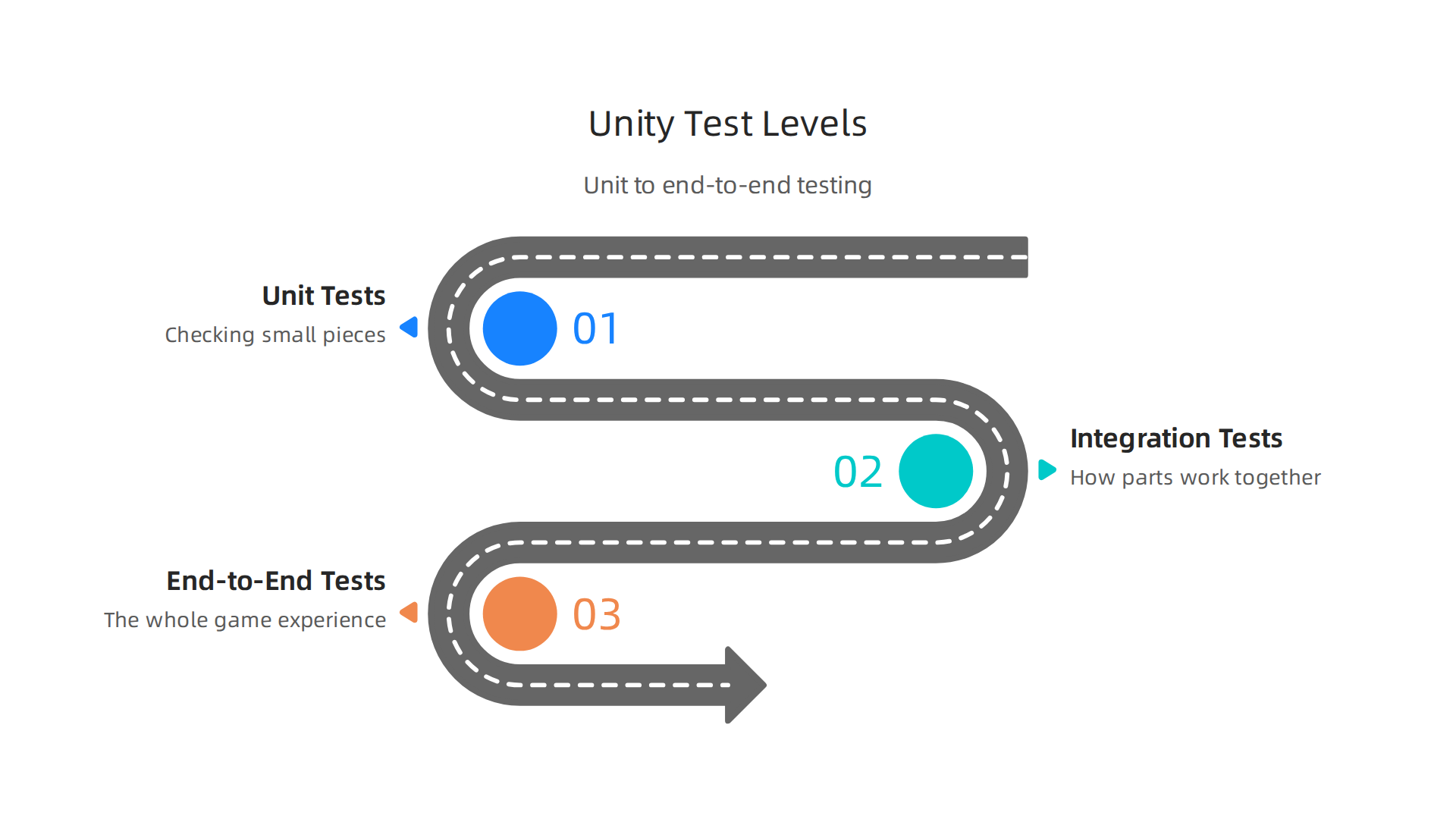
Testing helps you find and fix problems early. This means less stress later on. For game development, testing covers different levels, from small pieces of code to the whole game.
This helps ensure quality, as outlined in Game Development Testing and QA Best Practices.
Unit Tests: Checking Small Pieces
Unit tests are like checking each LEGO brick before you build something big. They test the smallest parts of your code, like a single function or script. If a small part of your game logic works wrongly, a unit test will catch it right away. For example, if you have a script that calculates a player’s score, a unit test checks if that calculation is always correct. Many game developers find value in this type of testing for breaking down complex systems, as discussed in Do you unit test your games? : r/gamedev.
Integration Tests: How Parts Work Together
Integration tests check if different parts of your game work well when put together. This is where your unity api connections come into play. If your game needs to get information from an online server, an integration test would check that your game can properly ask for that information and understand the answer. These tests make sure that the pieces of your game can communicate without breaking. You can think of an api inspector tool helping you see these connections clearly.
API Integration vs. Mocked Tests:
- Real API Tests: Sometimes you need to test with the actual
unity apito make sure everything works with the real service. This is important for checking live connections and data. - Mocked Tests: Often, using the real API can be slow or cost money. For many tests, you can use "mocked" tests. This means you pretend the API is sending back certain information. You create fake responses so your game thinks it’s talking to the real API, but it’s actually just talking to your test code. This makes tests run much faster and lets you test different situations easily.
End-to-End Tests: The Whole Game Experience
End-to-end tests check the entire game flow, from start to finish. They make sure that a player can play the game as expected, using all the systems, including your unity api calls to external services. These tests are like playing the game yourself, but done automatically by a computer. They ensure that all parts, big and small, work together to create a good game experience.
Automated Testing and CI in Unity
In 2026, most game studios use automated testing with Continuous Integration (CI). CI means that every time someone makes a change to the game’s code, a system automatically runs all the tests. This quickly finds new problems. Continuous Integration Testing: Types, Best Practices, and … explains how effective CI combines fast local checks with deeper system validations.
- Setting up CI: Tools can be set up to watch your game’s code. When changes happen, the system automatically builds your game and runs all your unit, integration, and end-to-end tests. This is a key part of modern game development. For Unity, this helps catch issues early. Automated testing practices in Unity can be set up in a productive way to solidify how systems interact, as highlighted in developer discussions on How to use automated testing in Unity in a productive way?.
- Test Data Management: For integration tests, managing test data is crucial. You need consistent data for your tests to be reliable. This might mean setting up a special test database or creating specific data files that your tests can use.
Using these testing strategies can help you make sure your Unity game is strong and reliable. It’s a vital part of building successful games, and something you’ll want to learn more about as you forge your 2026 career path with online game development courses.
After ensuring your Unity game works correctly through thorough testing, the next step is to make sure it performs well and can handle many players. This is super important for games that rely on a unity api to connect with online services. In 2026, players expect games to run smoothly, no matter how much is happening in the background.
Performance Monitoring for Unity Games
When your Unity game uses a unity api to talk to servers, those calls can sometimes slow things down. It’s like asking someone a question; if they take too long to answer, everything else has to wait. To keep your game fast, you need to watch its performance closely.
Key things to check are:
- Frame Rate: How many pictures per second your game shows. A low frame rate makes a game feel choppy. API calls should not make the frame rate drop.
- Memory Usage: How much computer memory your game is using. Too much memory can make a game crash or run slowly. Getting lots of data from a
unity apican use a lot of memory if not handled carefully. - CPU Usage: How much your computer’s main brain (CPU) is working. Heavy API processing can make your CPU work too hard.
Unity has special tools, like the Unity Profiler, to help you see what’s happening inside your game. This tool lets you check the performance of your game in real time. You can use it to pinpoint if your unity api calls are causing delays or using too many resources. For the best results, it is wise to monitor your memory usage in Unity by asset type. Following best practices for profiling game performance helps you find problems before they reach players.
Observability for Server-Backed Features
Observability means being able to tell what’s going on inside your game and its connections, even when things go wrong. For Unity games that use a unity api to connect to server-backed features, good observability helps you understand problems quickly. Think of it as having an api inspector that shows you everything happening in your game’s online talks.
Here’s what observability often involves:
- Metrics: Numbers that tell you how things are performing, like how many times your game calls the
unity apior how long each call takes. These observability metrics are important for understanding performance. - Logs: Messages that record events in your game and on the server. If an API call fails, a log can tell you why.
- Traces: These show the full journey of a request through different systems. For example, a trace could show how a player’s action in Unity travels to the server through the
unity apiand what happens at each step.
Having good observability helps you fix issues faster. It’s about getting a clear picture of what is happening across your systems, as explored in Observability That Works: Understand System Failures and …. This visibility strengthens security and ensures a seamless player experience.
Scaling API-Driven Unity Applications
Scaling means making sure your game can handle more and more players without breaking or slowing down.

If your Unity game uses a unity api to power online multiplayer or shared content, scaling is vital. You want your game to stay fast and responsive, whether you have 10 players or 10,000.
Some things to consider for scaling:
- Efficient API Design: Design your
unity apicalls to be light and fast. Don’t ask for more data than you need. API design and integration best practices for 2026 can help. - Server Infrastructure: Your servers need to be strong enough to handle many requests at once. This might mean using cloud services that can automatically grow as more players join.
- Load Balancing: Spreading player requests across many servers so no single server gets too busy.
By planning for scaling, you make sure your game can grow in popularity without hitting performance walls. Good API integration is a big part of this, ensuring your online features always work well. Learn more about making smart choices for your technical path by reviewing the best ways to master systems and services technologies for enterprise IT leaders in 2026.
Keeping up with how these advanced topics affect your game can feel like a lot.
Get clear daily AI updates and dive deeper into tech topics with The AI Newsletter Worth Reading.
Summary
This article explains why Unity API integration is essential for modern game and app development, showing how APIs connect Unity projects to online services, multiplayer systems, and AI tools. It walks through the main kinds of Unity APIs — Scripting, Engine Runtime, Editor APIs — and covers common connection methods (REST, WebSockets, gRPC) with practical trade-offs for each. The guide also details security best practices like authentication, secret management, and avoiding common mistakes, plus developer tooling such as SDKs, editor extensions, logging, and local debugging. You’ll learn how AI can speed up API client code while requiring careful review and governance, and how to test integrations using unit, integration, and end-to-end tests with CI. Finally, the article covers performance monitoring, observability, scaling strategies, and Unity API versioning so you can build secure, reliable, and future-proof games and services.