
Master Installed Apps Performance for Flawless Speed and User Experience
· 27 min read
Why performance and UX for installed apps matter now
In 2026, people expect installed apps to work perfectly. Think about it: when you tap an app icon, you want it to open right away. If it’s slow or keeps crashing, you might just delete it. This is why how well an app performs and how easy it is to use (UX) are super important for any business or developer.

Poor performance for all apps can truly hurt. Users get frustrated, leave bad reviews, and tell others not to use your app. For example, if an app takes longer than 2 seconds to start, many users might just give up. And if an app crashes too often, say more than 1% of the time, it can really damage your reputation and cost you users and money. According to guides on app performance, a crash rate should ideally be under 1% and load times under 2 seconds Mastering Mobile App Performance Metrics for 2026.
Other experts suggest that a "cold start" time, which is the time from tapping the icon to the first screen, should be under 2 seconds. Anything above 3 seconds causes a big drop in users Mobile App Performance Testing: How to Find Bottlenecks ….
Common problems that slow down installed apps include long loading times, apps freezing, or even too many background apps running at once on a device. Sometimes these issues come from the way the app was built, perhaps due to choices in mobile development frameworks or coding practices. These problems can lead to higher costs for companies, as they need to fix issues or try to win back lost users.
Later in this article, we will look at smart ways to monitor your app’s speed, use the right tools, and set up good ways of working for developers. These steps will help you make sure your installed apps are fast and delightful for everyone. To keep up with broader changes in how software is made, check out Mobile App Development Trends 2026.
For more daily insights into AI and technology, consider subscribing to The AI Newsletter Worth Reading.

To make sure your installed apps are running well, you need to measure them. This means looking at certain numbers that tell you how fast and smooth your app is.
These numbers are called Key Performance Indicators, or KPIs for short. For installed apps, focusing on the right KPIs helps you understand what users truly experience.
Key Numbers to Watch for Installed Apps
Here are some important KPIs for any installed app:
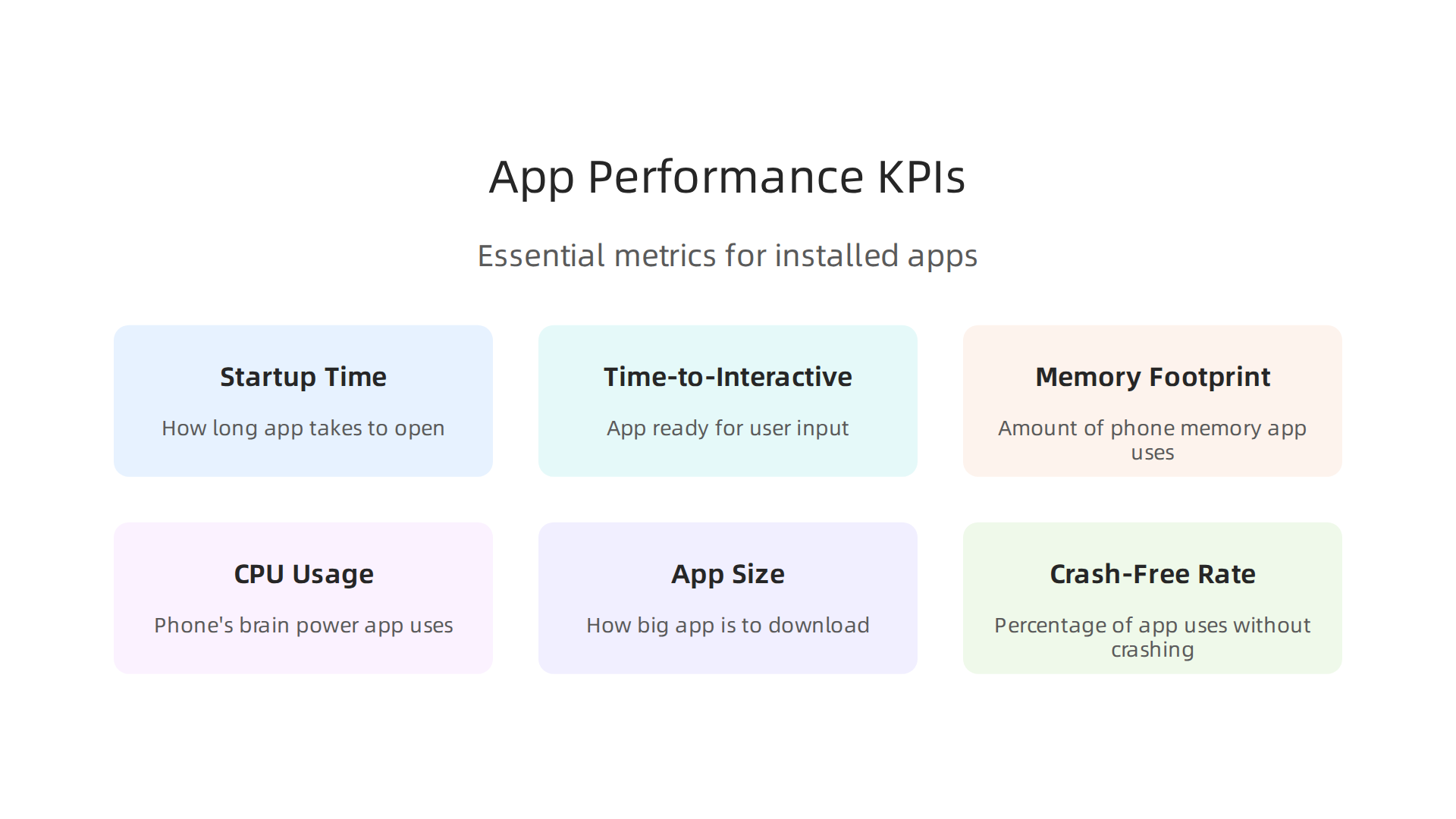
- Startup Time: This is how long it takes for your app to open from when someone taps its icon. There are two kinds:
- Cold Start: When the app opens for the very first time, or after being fully closed. An ideal cold start should be under 2 seconds. If it takes longer than 3 seconds, many people might just give up on the app Mobile App Performance Metrics: Essential KPIs to Track in 2026. Some even aim for 500 milliseconds or less for a cold start Measure Mobile App Performance With the Right KPIs.
- Warm Start: When the app was recently used and some parts are still ready in the phone’s memory. This should be even faster.
- Time-to-Interactive (TTI): This measures how long it takes for your app to be ready for the user to touch or type. Even if the screen shows up, the app might not be ready. TTI ensures the app responds quickly.
- Memory Footprint: This tells you how much of a phone’s memory your app uses. If an app uses too much memory, it can slow down the phone or cause the app to crash, especially if other background apps are running.
- CPU Usage: This shows how much of the phone’s brain power (CPU) your app is taking up. High CPU usage can drain battery life and make the phone hot.
- App Size: This is how big your app is when users download it. Smaller apps take less time to download and use less storage space on a phone. The average Android app is about 108 MB, for example Apps Statistics: 2026 Market Report – worldmetrics.org.
- Crash-Free Session Rate: This is the percentage of times people use your app without it crashing. You want this number to be very high, usually above 99%. A good goal is a crash-free rate higher than 99.5% for Android and 99.7% for iOS App Performance Metrics: a 2026 Guide for Product Teams.
How We Measure Performance
To keep installed apps running smoothly, developers use different ways to check these numbers:
- Lab-Based Profiling: This is like testing the app in a special science lab. Developers use powerful tools on their computers to see exactly how the app works under different conditions. They can check how much memory or CPU it uses step-by-step.
- Field Metrics (Real User Monitoring, RUM): This is about watching how real people use the app in their everyday lives. It gathers information directly from users’ phones, like how long the app takes to open for them or if it crashes. This gives a true picture of user experience.
- Synthetic Benchmarks: These are automated tests that run again and again to check the app’s speed and other features. They are like robots constantly checking the app to make sure it performs the same way every time.
Choosing the right mix of these methods helps companies understand their app’s health deeply.
Setting Goals and Keeping Promises
Once you know your app’s KPIs, you can set goals. These goals are often called Service Level Agreements (SLAs) or just targets. They help make sure your app works well for your users. For example, you might set a goal that your app’s cold start time must always be under 2 seconds, or that it crashes less than 1% of the time.
By keeping these goals in mind, you can connect app performance directly to how happy your users are and how well your business is doing. Good performance leads to users sticking with your app, telling others good things, and feeling satisfied. This is key for any successful installed app. To learn more about how to manage the overall process of making software, including performance goals, check out how to master the Software Development Lifecycle Models.
A quick cold start and fast loading are super important for keeping users happy with your installed apps. Nobody likes waiting around for an app to open. When an app takes too long to show up or be ready to use, people often close it and might not come back. To make sure your installed apps are loved, speeding up these first few moments is key.
Why Cold Starts Take Time
When you tap on an app icon, a lot happens behind the scenes. This is especially true for a "cold start" where the app is opening from scratch. Here are some reasons why it might take a while:
- Package Initialization: This is like the app unpacking all its bags. It has to set itself up and get ready to run.
- Dependency Loading: Apps often need help from other bits of code or tools. These are called "dependencies." The app has to load all these helpers before it can fully start.
- Just-In-Time (JIT) Compilation: Some apps turn their code into a language the phone understands better right when you open them. This makes the app run faster later, but it adds time to the start.
- Lazy Loading: Sometimes, apps try to be smart and only load parts of themselves when they are needed. But if the app needs too much too soon, it can still feel slow. Different mobile development frameworks handle these steps in their own ways, which can affect startup speed.
A good cold start should be under 2 seconds. If it takes longer than 3 seconds, many people might leave the app Mobile App Performance Testing: How to Find Bottlenecks …. For even better performance, some aim for a cold start under 1.5 seconds, especially on mid-range devices Screen Render Time.
Smart Ways to Speed Up Your Apps
Developers use many tricks to make installed apps start faster:
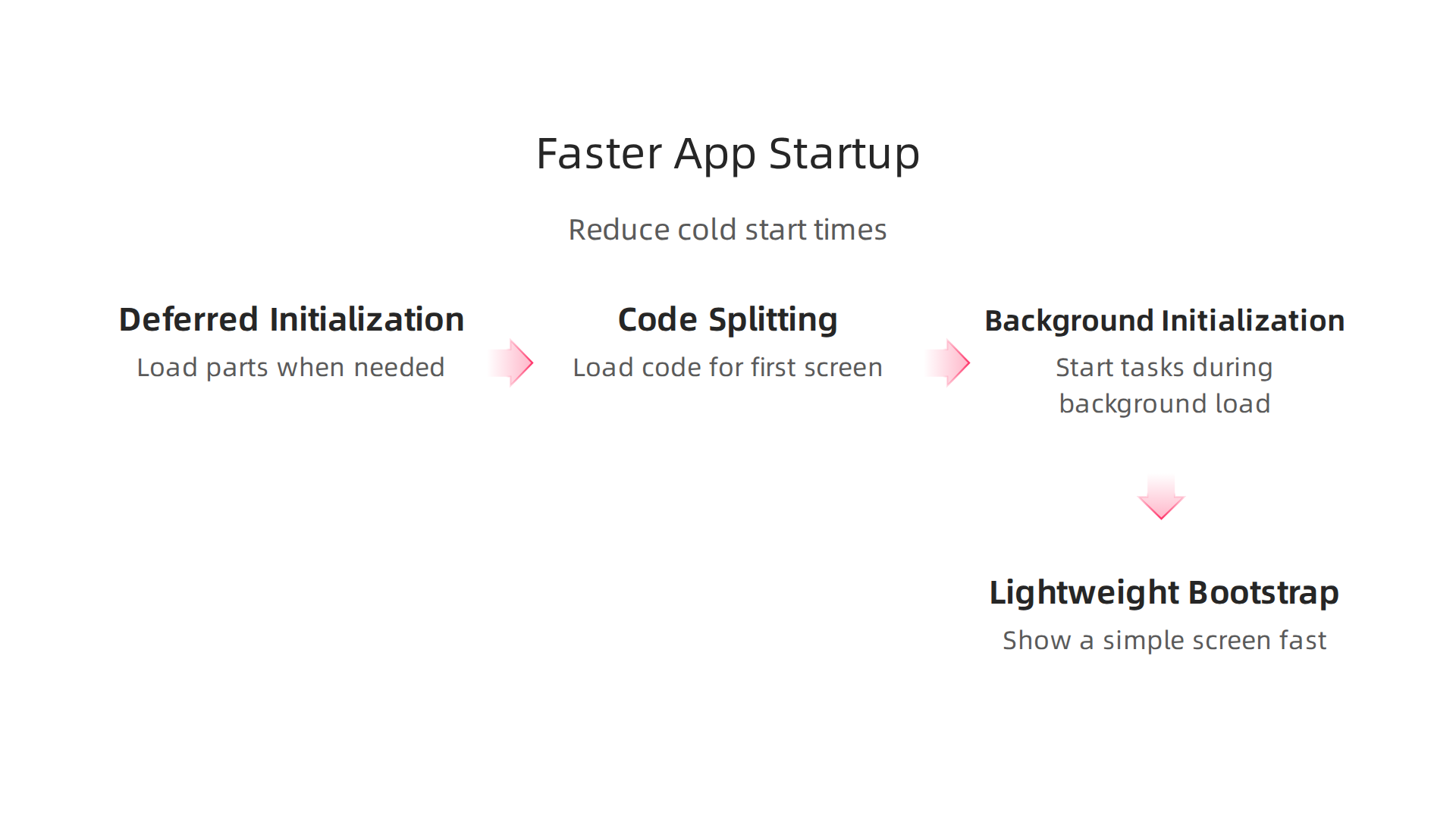
- Deferred Initialization: Instead of loading everything at the very beginning, the app waits to load certain parts until they are actually needed. This makes the first screen appear much quicker.
- Code-Splitting: Imagine your app is a big book. Code-splitting is like only bringing the first chapter when you start reading, and then getting the rest of the chapters as you need them. This means the app only loads the code needed for the first screen.
- Background Initialization: Some important tasks can start loading in the background while the app shows a simple loading screen. This makes it feel like the app is ready sooner.
- Lightweight Bootstrap Paths: This means showing a very basic, simple screen really fast. It gives the user something to look at while the rest of the app loads fully. This makes the app feel quicker, even if the entire app isn’t ready yet.
These methods help make sure that when users open your app, they don’t get stuck waiting. Keeping up with the newest ways to build fast apps is a big part of successful mobile app development trends 2026.
Testing for Better Performance
After making changes to speed up an app, it’s super important to test them. Developers need to check how the app starts on many different types of phones and operating systems. This includes older phones, newer phones, Android, and iOS. This testing helps make sure that the speed improvements work for all users, not just those with the latest devices.
By carefully reducing what the app does when it first opens, and by testing these changes, developers can make sure their installed apps deliver a smooth, quick experience every time.
Want to stay on top of all the latest in tech, including new ways to make apps faster?
The AI Newsletter Worth Reading
After getting your app to start quickly, the next big step is making sure it runs smoothly. This means everything on the screen moves nicely, and nothing feels jerky or slow. For a truly great experience with installed apps, improving how things look and move is super important.
Why Apps Can Feel Slow or Choppy
Even after a fast start, apps can sometimes act sluggish. This often happens when the app tries to draw too much on the screen at once or do too many things at the same time. Here are some common reasons:
- Too Many Complex Parts: Imagine building a big castle out of many tiny bricks. If the app’s screen has too many tiny, fancy pieces, it takes a lot of effort for the phone to draw them all. This is like having an "expensive UI tree."
- App Thinking Too Hard: Sometimes, the app needs to figure out exactly where every item should go on the screen. If it tries to do all this thinking at the same moment you are trying to use it, the app can freeze for a bit. This is called a "synchronous layout pass." To make sure your app’s building blocks are set up efficiently, it helps to understand master component based software engineering principles and practices for 2026.
- The Main Brain Is Busy: Every app has a "main thread," which is like its main brain. If this main brain is doing too many big tasks at once, like downloading files, crunching numbers, and drawing the screen all at the same time, it can get overloaded. This causes the app to slow down or even pause.
- Bad Animations: Animations make apps feel alive, but they can also cause problems. If an app tries to animate too many things, or if it animates things in a way that is hard for the phone, the screen can become choppy. This is called "jank," and it makes the app feel broken, even if it’s not. To avoid this, it’s best to animate properties that make smaller layers, like how things move or change their see-through level Animation performance guide. Trying to rearrange the whole page during an action can also cause problems Jank busting for better rendering performance.
Tricks to Make Apps Run Super Smoothly
Developers use smart ways to make installed apps run without any hiccups:
- Move Work to the Background: Just like you might have background apps running, developers can ask parts of the app to do their heavy lifting behind the scenes. This is called "offloading work to background threads." It keeps the main brain free to respond to your taps and swipes quickly.
- Draw Only What Changes: Instead of redrawing the entire screen every time something moves, apps can be smart and only redraw the small parts that actually change. This "optimizes redraw regions" and saves a lot of effort for the phone.
- Let the Graphics Chip Help: Modern phones have special parts, like a "GPU-accelerated layer," that are really good at drawing pictures and making things move. Developers can tell the app to use this special chip for animations, which makes them much smoother. Using hardware acceleration can make animations "buttery smooth" Speeding Up and Optimizing Your Animations for the Web: The Ultimate Guide.
- Keep Animations Short and Simple: For animations to look smooth, the app needs to draw 60 new pictures (frames) every second. This means each picture must be drawn very, very fast. Developers follow a "frame-budget discipline" to make sure no animation takes too long to draw, keeping things at 60 frames per second CSS Animations Best Practices 2026: Performance …. It’s best to keep animations under 300 milliseconds Web Animation Best Practices & Guidelines – GitHub Gist.
Using Tools to Find Problems
To find out why an app might be running slowly, developers use special tools called "profilers." These tools are like detectives that watch everything the app does. They can show exactly when the app slows down and what parts of the code are causing the trouble. By looking at "frame drop patterns" (when the app misses drawing a picture on time), developers can figure out what to fix first to make all apps run as smoothly as possible.
Even after an app starts fast and runs smoothly, it still needs to talk to the internet a lot. But what if the internet is slow or drops out? Making sure installed apps handle these network issues well is the next big step for a great user experience. This means being smart about how apps use the internet and what they do when there’s no connection.
4) Network efficiency, caching, and offline-first strategies
Many installed apps need to connect to servers to get new information or send updates. These "network calls" can sometimes be slow, especially if your internet isn’t great. Developers use clever ways to make sure these connections don’t slow down your app.
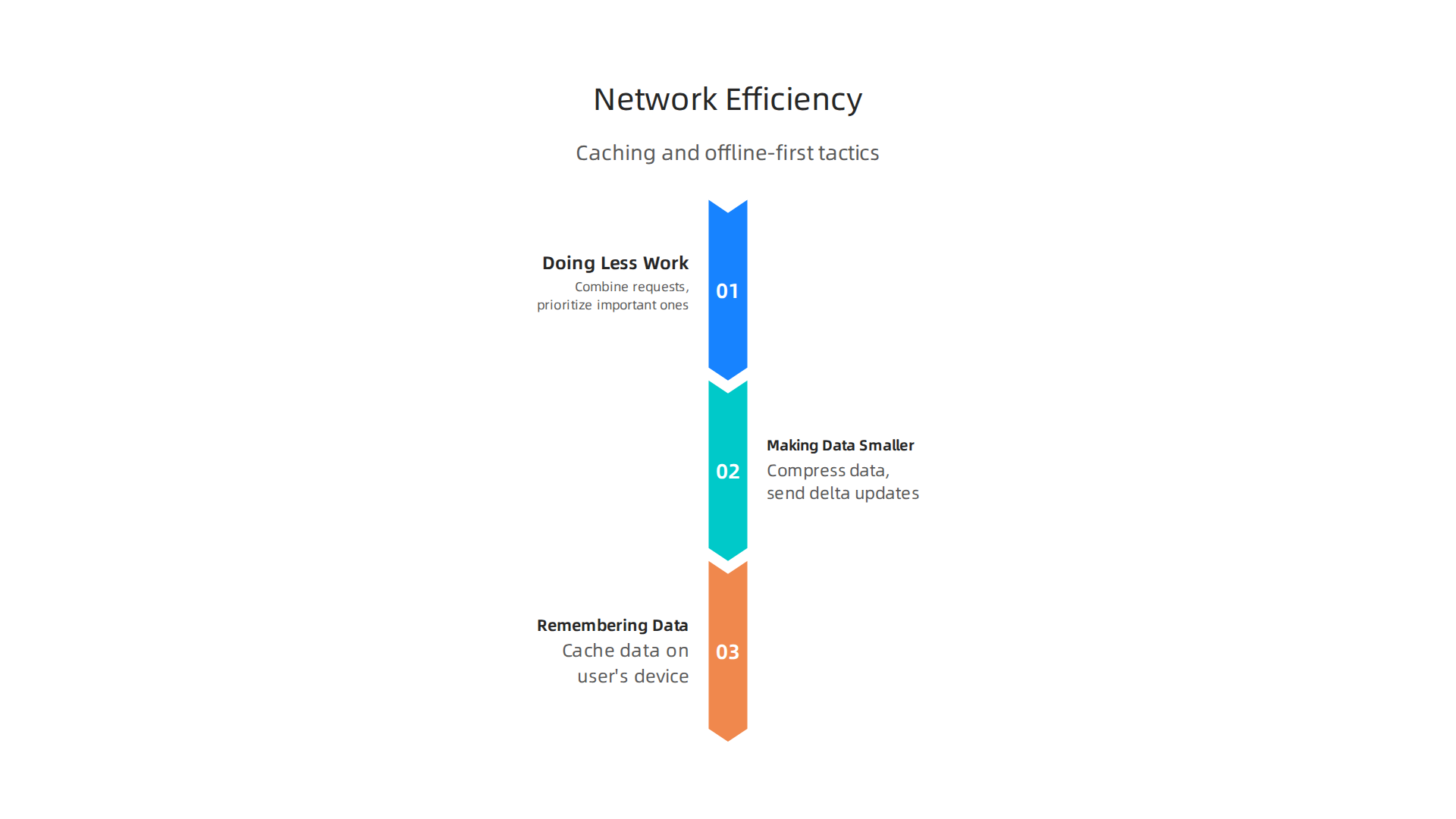
- Doing Less Work: Instead of sending many small requests to the internet, apps can gather them up into one bigger request. This is like sending one big package instead of many tiny letters. This idea is called "request coalescing." Apps can also decide which requests are most important and handle those first, which is known as "prioritization."
- Making Data Smaller: Imagine sending a very long message. If you can make that message shorter without losing any meaning, it will travel faster. Apps do this by "compressing" the data they send and receive. Also, if only a small part of a piece of information has changed, the app can use "delta updates" to send only those changes, not the whole thing again. This saves a lot of time and data.
- Remembering What It Saw: Just like you might remember facts for a test, apps can "cache" data they’ve already received. This means they save a copy of the information on your device. The next time they need that information, they can grab it from your device much faster than asking the internet again. This "intelligent caching" makes installed apps feel much quicker.
Making Apps Work Without Internet
Sometimes, you might not have internet at all. This is where "offline-first" thinking comes in. It means designing apps to work as much as possible even when there’s no connection.
- Local Data First: An offline-first app stores important information right on your phone. This "local-first data" lets you keep using the app to view information, create new things, or make changes, even if you’re completely offline.
- Smart Syncing: When your phone gets back online, the app needs to "sync" your local changes with the main server. This needs careful planning to make sure all your updates are saved and that nothing gets lost.
- Handling Conflicts: What if you change something offline, and someone else changes the same thing on the internet? The app needs rules for "conflict resolution" to decide which change to keep or how to combine them.
- Clear Messages for You: It’s important for the app to tell you what’s happening. If it’s offline or trying to sync, clear messages and visual clues help you understand why things might be acting a certain way. This attention to "UX considerations for intermittent connectivity" makes all apps more reliable and less frustrating.
Testing for Tricky Networks
To make sure installed apps handle bad internet well, developers use special tests. They don’t wait for real users to have problems.
- Playing Pretend: Developers use tools to "emulate" poor networks. This means they can make their development computers act like they have slow, spotty, or even no internet connection. This helps them find and fix problems before the app is released.
- Slowing Things Down: They can also "throttle" the network, which means purposefully limiting how fast an app can send or receive data. This helps them see how the app performs under slow conditions.
- Automated Checks: These network tests are often built into the app’s regular building process, called "CI pipelines." This means every time a developer makes a change, the app is automatically tested on different network conditions to "validate" its performance. This helps ensure that mobile development frameworks keep delivering reliable installed apps.
Staying on top of these complex development strategies, including the latest in AI, is crucial for anyone involved in building software.
Get clear daily AI updates from The AI Newsletter Worth Reading.
After making sure installed apps connect well to the internet, there’s another important step for a smooth experience: how much space an app takes up. A smaller app size means it’s easier to download and doesn’t fill up your phone’s storage too quickly.
5) Minimizing app size and storage footprint for installed apps
When you decide to download an app, its size can make a big difference. Think about it: a huge app takes longer to download, especially if your internet is slow. Also, every app uses up space on your phone, and that space is limited. In 2026, people download a lot of apps, with many users having 80 to 90 apps on their phones on average. This makes managing storage even more important. A smaller app usually leads to more people downloading it and keeping it on their devices. It also helps your phone run faster, as less storage space means less work for your device.

According to a 2026 market report, many apps are light, with about 41% being under 50 MB when you first download them. This shows that developers are trying to keep things small.
Ways to Make Apps Smaller
Developers use smart tricks to shrink the size of installed apps. This makes them faster to download and lighter on your phone’s storage.
- Cutting Unused Code: Imagine a big book with many chapters, but you only read a few. Developers do something similar. They remove any code that the app doesn’t actually need or use. This is called "code stripping."
- Squeezing Pictures and Sounds: Pictures, videos, and sounds can take up a lot of room. Developers "compress" these things, making them smaller without losing too much quality. This is like packing clothes tightly in a suitcase.
- Downloading Parts When Needed: Instead of getting the whole app at once, some apps only download the important parts first. Other parts, like extra levels in a game or less-used features, are downloaded later, only when you need them. This is known as "modular installs" or "on-demand resources."
- Different Sizes for Different Devices: Your new smartphone is very different from an older tablet. Apps can be made to deliver "adaptive delivery," meaning they send only the parts that fit your specific device. This stops your phone from downloading high-quality graphics it doesn’t need or can’t even show.
Managing the Space Apps Use on Your Phone
Even after an app is installed, it keeps making new data, like your saved games, photos, or messages. How apps manage this data is key to your phone’s health.
- Setting Limits: Apps can have "quotas" to limit how much space they use for your data. This helps prevent one app from hogging all your storage.
- Smart Cleanup: Sometimes, an app saves old information that’s no longer needed. Apps can have "cleanup policies" to automatically get rid of these extra files. This is like tidying up your room regularly.
- Moving Data Safely: If an app gets a big update, it might need to change how it stores your data. "Data migrations" are processes that safely move your old data to the new format without losing anything.
- Showing You What’s Happening: Good apps will clearly show you how much space they are using. This "transparent UX for storage usage" helps you understand what’s taking up room and if you need to clear some space. Understanding these strategies is a key part of modern mobile app development trends 2026 reshape how teams build software.
By paying close attention to app size and how they manage storage, developers make sure that all apps are friendly to your phone and your internet plan. This helps keep your device running well and encourages you to try new installed apps without worry.
Making sure your installed apps are small and don’t hog space is important. But there’s another clever way developers make apps better: they make them feel faster, even if the actual speed stays the same. This is called "perceived performance." It’s like when you’re waiting for a friend who says they’ll be "just five minutes."

If they text you an update, those five minutes feel shorter than if you hear nothing at all. Apps use similar tricks to make waiting feel less boring and more like progress.
How Apps Feel Faster
Developers use smart design patterns to make apps respond smoothly.
- Skeleton Screens: Instead of a blank screen or a simple spinning circle while content loads, some apps show "skeleton screens." These are faded, wireframe-like outlines that look like the content is about to appear. This helps users feel like something is happening, shortening the perceived wait time. Research shows that users often perceive apps with skeleton screens as much as 30% faster compared to traditional spinners, even when the actual loading time is the same Perceived Performance Law in UX Design | UX/UI Principles. This approach helps reduce user frustration and bounce rates Why Skeleton Screens Matter: The Real Benefit Beyond ….
- Progressive Rendering: Imagine seeing the basic layout of a page first, with text appearing, and then pictures and other details filling in shortly after. This is progressive rendering. It shows you something right away, so you don’t feel like you’re waiting for everything at once.
- Optimistic UI: When you tap a "like" button or send a message, the app might immediately show your action as successful, even before it gets a full "okay" from the internet. This is "optimistic UI" because the app is being optimistic that the action will work. If there’s a problem, it will let you know. This instant feedback makes the app feel very responsive Performance First UX 2026: The Guide to High-Speed ROI.
Small Touches That Make a Big Difference
Beyond how things load, many little details help make installed apps feel better to use.
- Microinteractions: These are tiny animations or sounds that happen when you interact with an app. For example, a button might briefly light up when you tap it, or a notification might make a soft chime. These small bits of feedback confirm your actions and make the app feel more alive and responsive.
- Quick Responses to Your Taps: When you touch your screen, you want the app to react right away. Developers work hard to reduce "input latency," meaning the delay between your touch and the app’s response. A super-fast response makes you feel more in control.
- Clear Feedback: If something is taking a bit longer, good apps offer clear feedback. This could be a progress bar, a message saying "uploading," or a small animation that shows the app is working in the background. This way, you’re never left guessing what your installed apps are doing.
These design choices are not just about looks. They are about how you experience using all apps. Developers often use tools like A/B testing, where they show two different versions of an app to different groups of users to see which one feels faster or more satisfying. This helps them make sure the design changes truly improve how users feel. Understanding these important details is key for anyone involved in mobile app development trends 2026 AI super apps and privacy first.
Keeping up with these design ideas and new ways to make apps better is important in the fast-moving tech world.
Get clear daily AI updates from The Deep View Newsletter. The AI Newsletter Worth Reading
The last section talked about how apps can feel faster to you. Now, let’s look at how developers make sure all installed apps are actually running well, all the time. This is where "observability," "profiling," and making sure things get better all the time come into play. It’s like having a constant check-up for your apps to keep them healthy.
Observability, Profiling, and Continuous Performance Improvement
Making sure your apps run smoothly isn’t a one-time job. It’s about always watching and improving.
Seeing Inside Your Apps with Observability
Observability means being able to understand what’s happening inside your running applications by looking at the data they send out. Think of it as giving your apps a voice so they can tell you if they’re feeling slow or if something broke.
This involves a few key things:
- Client-Side Telemetry: This is data collected right from your phone or computer as you use an app. It tells developers how fast things load, if buttons work, and if the app crashes. This helps them see the app experience through your eyes. Many tools offer built-in observability for installed apps to help with this Built-in observability, APM, and profiling.
- Crash Reporting: When an app stops working unexpectedly, it’s called a crash. Crash reporting tools automatically send details about what went wrong to developers. This is super important for quickly fixing serious problems and making your installed apps more reliable. Some platforms specialize in mobile observability, helping track these issues Best Mobile Observability Software • January 2026.
- Performance Traces: These are like a detailed map of how a user’s action travels through an app. They show every step and how long each step takes. This helps find bottlenecks, which are slow parts that hold everything up.
- Meaningful Dashboards: All this data gets put into easy-to-read charts and graphs called dashboards. Developers use these dashboards to get a quick overview of how their installed apps are performing and if any background apps are causing trouble. Knowing how to set up these systems is a big part of Application Observability: Use Cases, Tools, and Practices.
Having a good observability setup is key to knowing if your apps are working as they should be, or if they need some help. It helps keep all apps running at their best.
Finding and Fixing Problems with Continuous Profiling
Observability tells you what is slow or broken. Profiling helps you figure out why. It’s a way to dig into the app’s code and see exactly which parts are taking too long to run.
- Continuous Profiling: This means always running profiling tools in the background, not just when a problem pops up. This helps developers catch small slowdowns before they become big issues. Many tools exist for this, covering various continuous profiling tools to boost your performance insights.
- Feedback Loops: Once a problem is found, the information goes back to the development team. They then prioritize fixes based on how much the problem affects users.
- Automating Regressions: Developers also set up automatic checks. These checks make sure that new changes to the app don’t accidentally make things slower. This is often done as part of the "Continuous Integration" (CI) process, which ensures code is always being tested. Modern AI Software Development in 2026 can even help identify potential performance issues before they become real problems.
How Teams Keep Performance High
It’s not just about tools; it’s about how people work together.
- Performance Sprints: Teams might have special work periods called "sprints" where they focus only on improving app speed.
- SLAs (Service Level Agreements): These are agreements that set clear goals for how fast an app should be. For example, "99% of pages must load in under 2 seconds."
- Aligning Product Metrics with Engineering Incentives: This means making sure that everyone, from product managers to engineers, cares about app performance. When an app is fast and reliable, users are happier, and that’s a win for everyone. Understanding good workflows and development models is critical for this, as detailed in guides on Mastering the Software Development Lifecycle Models AI and Best Practices for 2026.
By using good observability, smart profiling, and clear team goals, developers can keep installed apps running fast and smooth for everyone in 2026 and beyond. This approach is vital for the success of any application, from simple tools to complex ones built using advanced mobile development frameworks.
Summary
This article explains why performance and UX for installed mobile apps are critical in 2026 and outlines how teams can measure, improve, and maintain them. It covers the most important KPIs—like cold and warm startup times, time-to-interactive, memory and CPU usage, app size, and crash-free session rate—and gives concrete targets (for example, cold starts under ~2 seconds and crash rates below ~1%). You’ll learn the main measurement approaches (lab-based profiling, real-user monitoring, and synthetic benchmarks) and the practical techniques to speed cold starts, reduce runtime jank, optimize network usage with caching/offline-first strategies, and shrink app size. The piece also explains perceived-performance tactics (skeleton screens, optimistic UI, microinteractions) that make apps feel faster and details observability, continuous profiling, and CI checks that keep performance from regressing. Overall, readers will come away with a clear set of metrics, tools, and workflow changes they can apply to make installed apps faster, more reliable, and more delightful for users.