
How to Use AI for Software Development in 2026 A Developer’s Workflow Guide
· 25 min read

Introduction
2026 is the year AI became standard in software development. 97% of organizations are now using or evaluating AI in their development workflows. This is not a future prediction. It is happening right now.
But here is the problem: Many developers feel stuck. They hear about AI coding assistants, source code scanning tools, and AI agents, but they do not know where to start. Information overload is real. You might be worried about picking the wrong tool or using AI in a way that creates more problems than it solves.
This article is your practical guide. We will show you exactly how to use AI across every stage of building software.

You will learn how to pick the right tools, write better prompts, review AI-generated code, and build trust in your AI workflow. No fluff. Just clear steps you can use today.
If you are looking for a more structured path, check out our guide on learning how to use AI for software development in 2026. It covers the best resources and learning strategies.
And to keep up with the fast-changing world of AI, consider subscribing to The AI Newsletter Worth Reading for clear daily updates.
Now let us get started with the first step: understanding what AI can and cannot do for your development process.
Assessing Your Workflow for AI Readiness
Before you jump into using AI coding assistants, take a step back. The biggest mistake teams make is rushing to adopt AI without first looking at how they currently work. Here is a simple truth: If your current workflow is messy, adding AI will only make it messier. As one expert puts it, adding AI to a disorganized process simply magnifies that disorganization. That is why checking your workflow readiness is your real first step.
So where do you start? Look for repetitive tasks that eat up your team’s time. Think about things like writing boilerplate code, running routine tests, formatting documentation, or fixing the same linting errors over and over. These are perfect candidates for AI automation. AI is great at handling boring, well-defined work. But if a task requires deep business knowledge or creative problem solving, keep a human in the loop.
Next, evaluate your team’s current toolchain and data quality. Do you have clear coding standards? Are your ticket descriptions specific enough for an AI to understand? The experts at AgilityFeat explain that successful AI integration requires clear processes and engineers who can verify the output. You need to provide AI with good context: style guides, documentation, and a consistent codebase. If your data or requirements are vague, AI will give you vague results. For more depth on choosing the right tools for your stack, check out our guide on AI coding assistants and trust.
Now, create a simple scoring system to prioritize where to use AI. Ask yourself these questions for each part of your workflow:
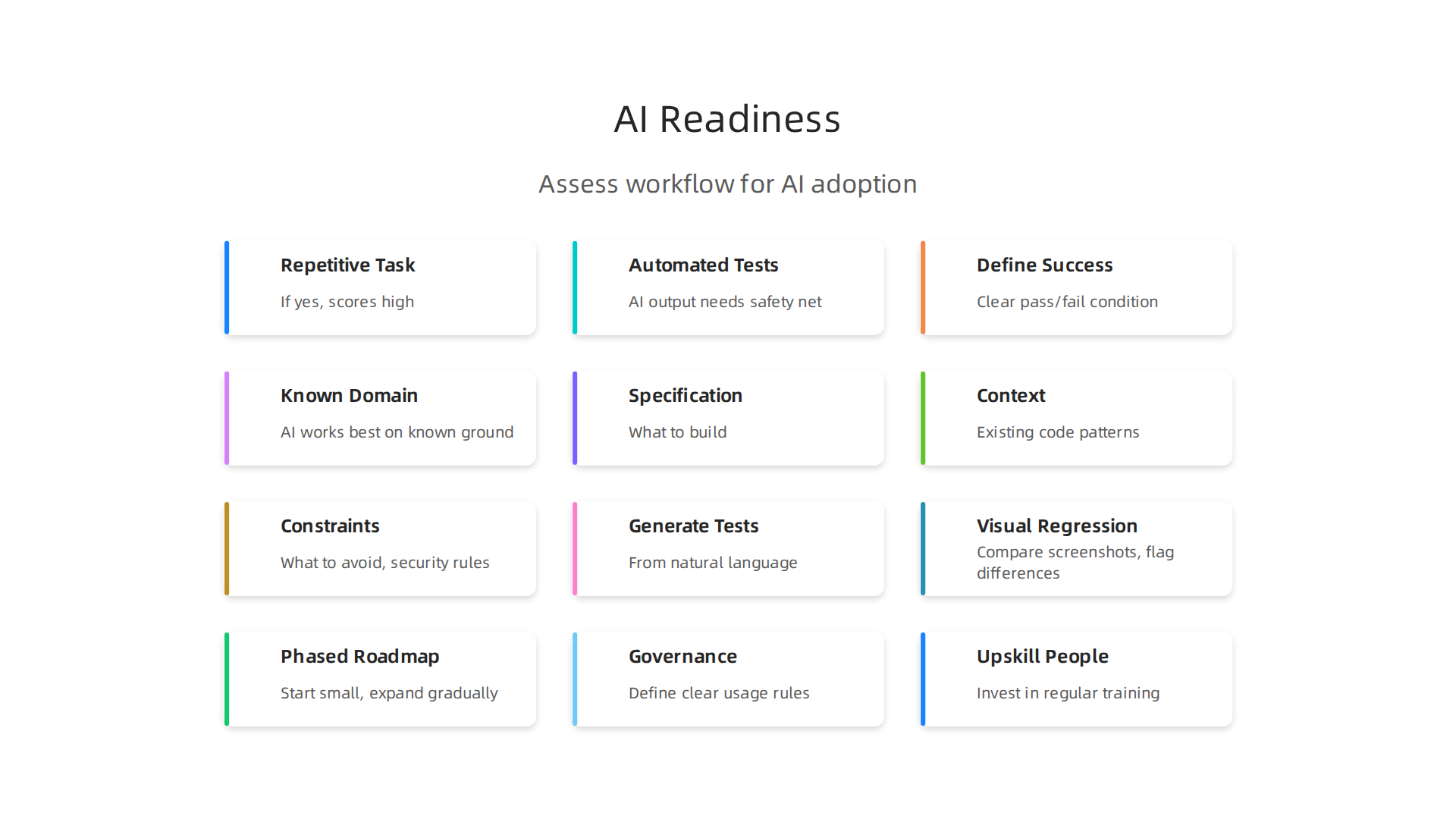
- Is this task repetitive and well-understood? If yes, it scores high for AI.
- Do we have automated tests for this area? AI output needs a safety net. Tests give you confidence.
- Can we clearly define success? If you cannot write a clear pass/fail condition, AI may not help.
- Does our team understand this domain deeply? AI works best on known ground, not for learning new fields.
Score each task from 1 to 5. Start with the highest scoring ones first. This method stops you from wasting time on areas where AI will cause more trouble than value.
Finally, make sure your team has the skills to evaluate what AI generates. AI is not a replacement for human judgment. You need developers who can read AI-generated code, spot logical errors, and ensure it fits your architecture. This is exactly why following solid best practices for AI-assisted software development matters so much.
By doing this assessment now, you set yourself up to use AI in ways that actually speed up your work instead of creating new headaches.
Choosing the Right AI Coding Assistant
Once you know your workflow is ready, the next big question is: which AI coding assistant should you use? The market is full of options in 2026, and picking the wrong one can waste time and money.

Here is how to compare them so you get the best fit for your team.
Start with accuracy and language support. Different tools excel at different programming languages. Some AI assistants are great at Python and JavaScript but struggle with niche languages like Rust or Go. Check how the tool handles your stack. Look for assistants that understand modern frameworks and libraries you use daily. A tool that generates buggy code for your primary language is not worth the cost, no matter how good its other features are. For a deeper look at how specific tools handle trust and code quality, check out our coverage on Anthropic AI for developers and how Claude supercharges your coding workflow.
Next, look at integration with your existing tools. The best AI assistant is one that fits into the environment you already use. Does it work inside your IDE? Can it connect to your version control system? Some tools offer deep integration with platforms like VS Code or JetBrains, while others are more standalone. The experts at SketchDev point out that when choosing AI tools, you should evaluate options based on your tech stack and how they plug into your current workflow. An assistant that forces you to switch editors or copy code between windows will slow you down more than it helps.
Privacy and compliance matter, especially for enterprise teams. If you work with sensitive customer data or follow strict regulations like GDPR or HIPAA, you need to know where your code goes. Some AI assistants send your prompts to external servers for processing. Others offer on-premise options or local models. Before you commit, ask the vendor: Do they train on your code? Do they encrypt data in transit and at rest? Can you set up a private instance? Getting this wrong can expose your intellectual property or violate client agreements.
Finally, weigh cost against performance for your team size. AI coding assistants usually charge per user per month. A small team of five might pay a few hundred dollars a month, which is easy to justify if the tool saves each developer a few hours weekly. But for larger teams of fifty or more, costs add up fast. Some tools offer tiered pricing with better features at higher tiers. Others have free tiers that are good for testing but limited in power. Make a list of the features you actually need and compare prices. Do not pay for enterprise features if you are a three-person startup. And do not cheap out on a basic plan if your team needs advanced context awareness and custom model training.
A good rule of thumb is to start with one tool on a small project. Test it for two weeks. See if it actually saves time and catches mistakes. If it does, roll it out to more of your team. If not, try a different assistant.
The goal is to find a tool that feels like a natural extension of your team, not a clunky add-on that everyone ignores. And as you explore these tools, staying informed about the latest AI developments can help you make smarter choices. That is where The AI Newsletter Worth Reading comes in. It delivers clear daily updates on AI trends and tools straight to your inbox, so you never fall behind on what works and what does not.
Writing Code with AI: Prompts and Best Practices
Now that you have your AI coding assistant picked out, it is time to put it to work. But here is the thing most developers miss: AI does not read your mind. It reads your prompt. And if your prompt is vague, the output will be messy. The difference between a useful code suggestion and a broken one often comes down to how you ask.
Craft prompts that leave no room for guesswork. The most effective prompts include three things: the specification (what to build), the context (existing code patterns, dependencies, and style rules), and the constraints (what to avoid, performance limits, security rules).
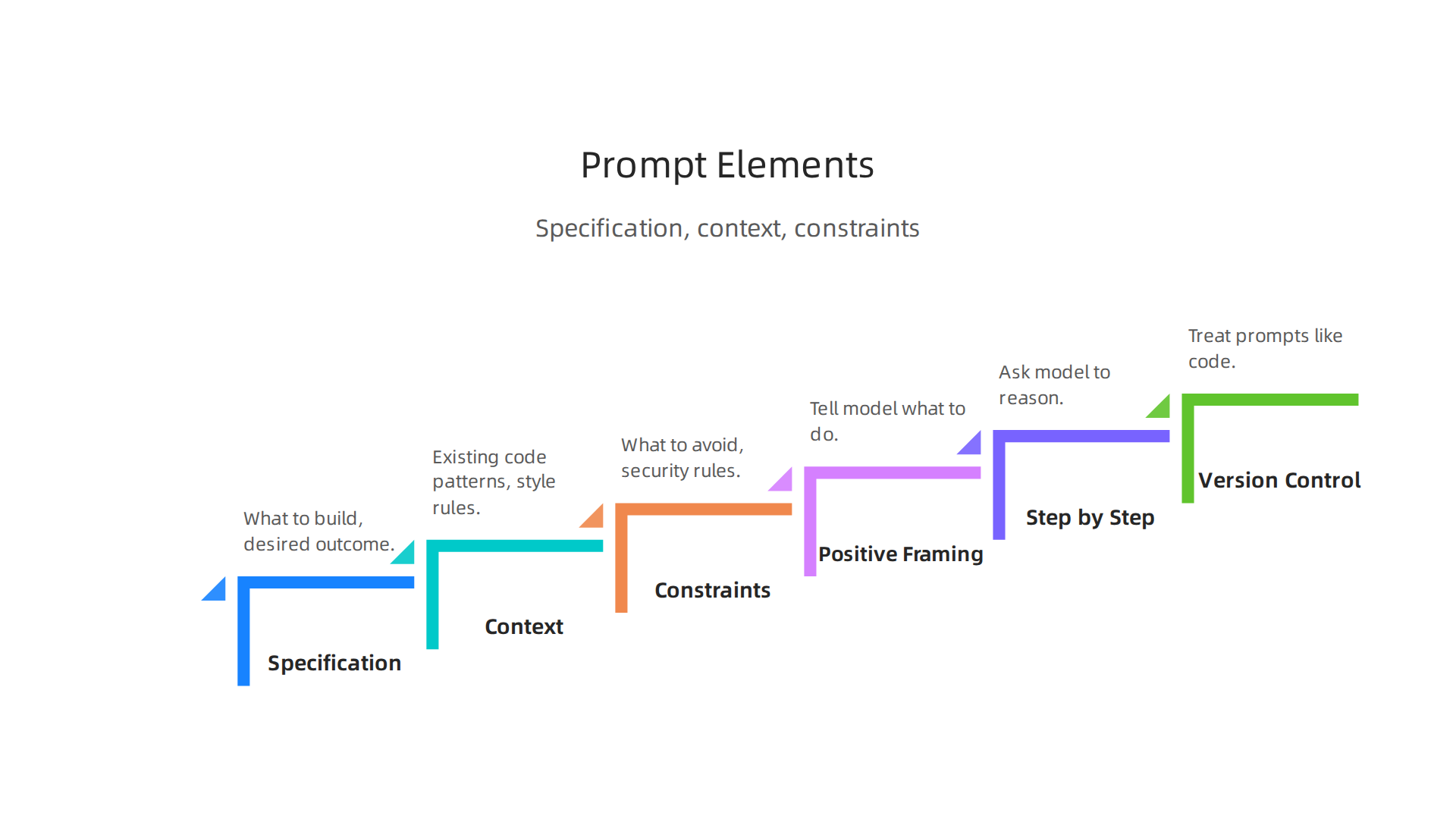
According to the guide on production prompt engineering patterns for developers, missing any one of these triples the iteration count. Another simple trick is to use positive framing. Instead of saying "do not use mock data," say "only use real data." Telling the model what to do works better than telling it what not to do.
Always walk through step by step. Chain-of-thought prompting asks the model to reason step by step before giving a final answer. This works especially well for code review prompts and complex logic tasks. You just add a phrase like "explain your reasoning step by step" and the quality of the output jumps noticeably.
Treat your prompts like code. That means version control, testing, and iteration. Build a golden test set of inputs with expected outputs, and run it every time you change a prompt. Teams using structured test generation prompts achieve way higher coverage than teams using vague instructions. Iteration is normal. Your first prompt will not be perfect. A good workflow is to start simple, test the output, see what is missing, and add only what fixes that specific gap. This keeps your prompts short and focused. As noted in the prompt engineering best practices guide for 2026, anything over 300 words should be questioned.
Use AI as a pair programmer, not a replacement. The AI can write a solid first draft, but you are still the engineer. You need to review the logic, check for security flaws, and make sure the code fits your project. Think of the AI as a junior developer who is fast but needs guidance. You would not ship a junior developer’s code without reviewing it. Treat AI output the same way. For a deeper look at how to evaluate and trust AI generated code, check out our article on ai coding assistants and prompt engineering for trust.
The bottom line: write clear prompts, test the output, and stay in control. That is how you use AI to write better code faster without introducing unnecessary risk.
Refactoring and Debugging with AI
Writing new code is only half the story. The other half is dealing with code you already have. Refactoring old code and hunting down bugs take up a huge chunk of every developer’s week.

AI powered coding assistants can make both tasks faster and less painful.
Let AI scan your legacy code first. Old codebases are hard to read. They have outdated patterns, missing comments, and shortcuts from years ago. A modern AI tool can analyze your entire codebase in seconds. You ask it to find unused variables, duplicated logic, or functions that are too long. It gives you a clean list of what to change and why. This turns a boring manual audit into a fast, automated review. For teams working with large legacy systems, this alone can save days.
Use AI for automated bug detection. Finding the root cause of a bug often takes longer than fixing it. AI can look at your error logs, compare them against your source code, and point you to the exact line causing the problem. Some tools even run through possible edge cases and surface bugs you did not know existed. This works best when you combine it with step-by-step reasoning. Ask the AI to explain the bug in detail, and it will often reveal the real issue hiding behind a surface error. The ultimate guide to prompt engineering in 2026 explains how step-by-step reasoning leads to more accurate debugging outputs.
But keep your judgment for the critical paths. AI refactoring suggestions are great for cleaning up formatting, renaming variables, and removing dead code. But when the suggestion touches core business logic, performance-critical loops, or security-sensitive code, you need to review it carefully. The AI does not understand your business context. It sees patterns. Sometimes those patterns look right but break your specific logic. Always run AI refactoring suggestions through your test suite before merging. And if you want to get better at reading and improving code with AI, check out our guide on understanding forge code with AI.
The sweet spot is letting AI handle the boring, repetitive refactoring work while you focus on the decisions that need human judgment. That is how you use AI to clean up your codebase without introducing new problems.
Want to stay on top of the latest AI tools and techniques for developers? The AI Newsletter Worth Reading delivers clear daily updates so you never miss what matters.
Automating Testing with AI
Testing is another area where AI can save you hours of manual work.
Think about how often you skip writing tests because it takes too long. You are not alone. But in 2026, you do not have to choose between speed and coverage.
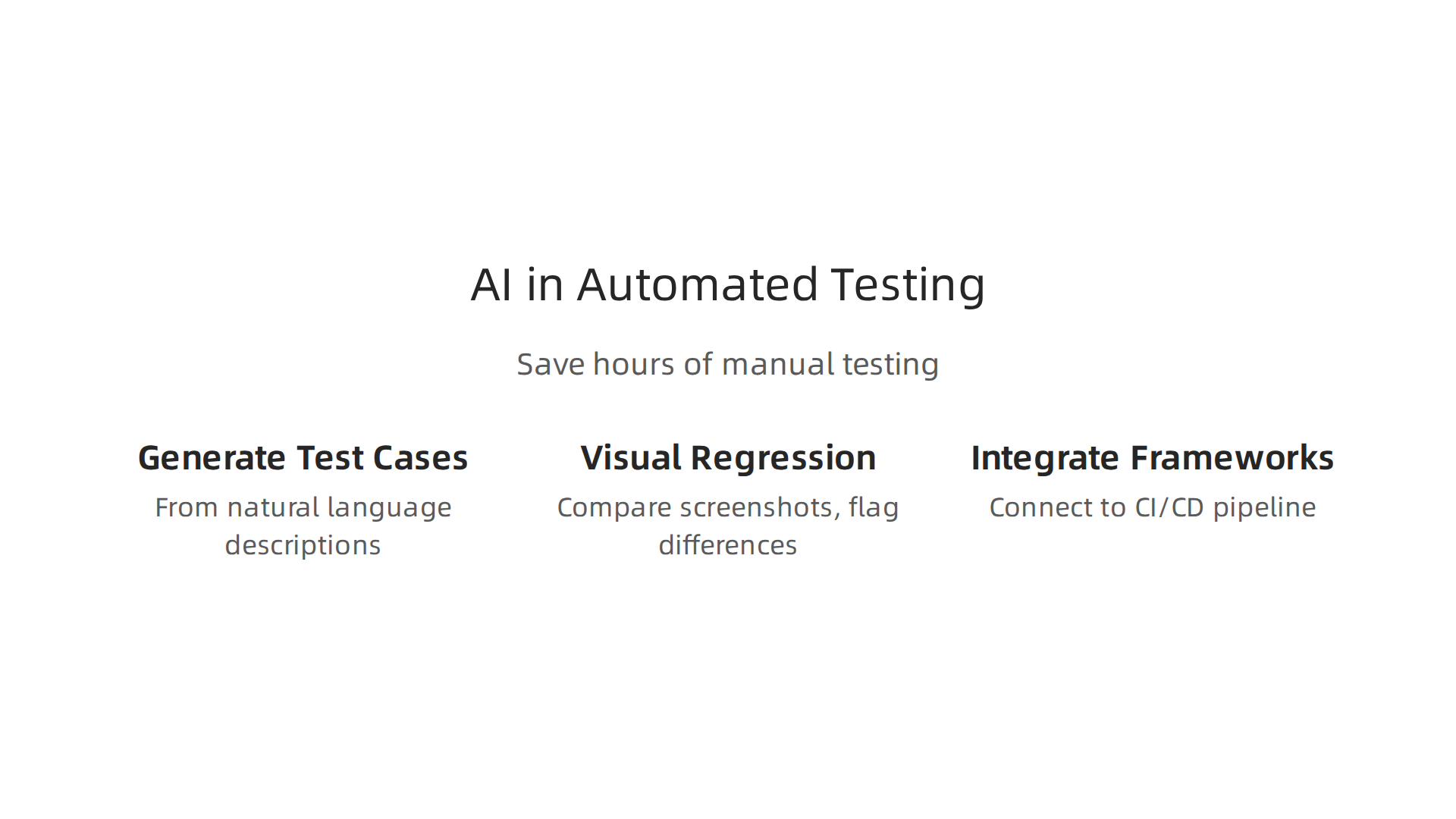
Generate test cases from natural language. Instead of writing every test script by hand, you describe the behavior you want to test in plain English. The AI reads your description and turns it into runnable test code. For example, you type "check that the login form shows an error when the password is wrong." The AI produces a test that fills in the fields, submits the form, and checks for the error message. This works for unit tests, API tests, and even end-to-end browser tests. According to a 2026 overview from TestQuality, AI test case generation tools now combine natural language authoring with self-healing capabilities, so your tests stay valid even when the interface changes.
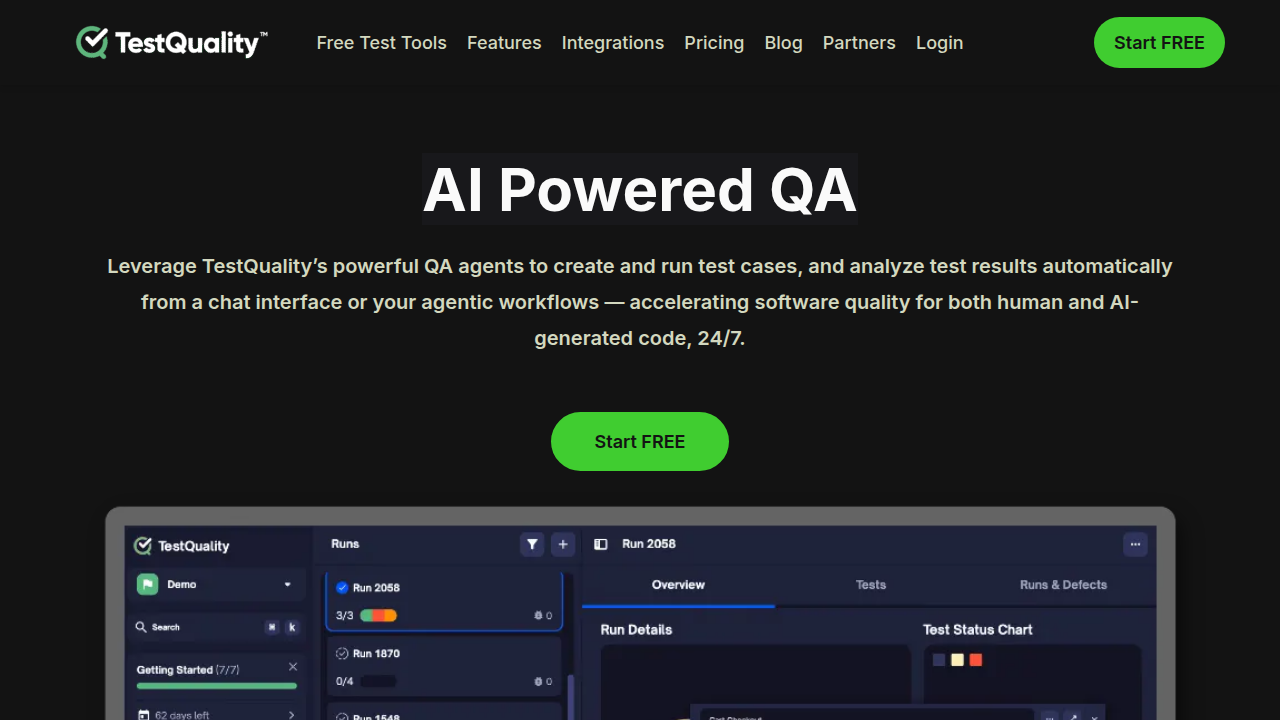
You can check the full article on how AI is transforming test case generation in 2026 for more details.
Use AI for visual regression testing and accessibility checks. Visual bugs are easy to miss when you test by hand. A button moves two pixels to the left, or a color contrast drops below accessibility standards. AI can compare screenshots of your app before and after a code change and flag every visual difference. It can also scan for accessibility issues like missing alt text, low contrast, or confusing tab order. This catches problems before they reach real users. The best part is that AI learns what changes are intentional and what are real bugs, so you get fewer false alarms.
Integrate AI test generation into your existing testing framework. You do not need to throw away your current setup. Modern AI testing tools connect directly to your CI/CD pipeline. They run on every pull request, generate tests for the new code, and report results in your usual dashboard. The key is to start small. Pick one module that you know has poor test coverage, let the AI generate tests for it, and see how many bugs it catches. Once you see the value, expand to the rest of your codebase.
AI does not replace the need for thoughtful test design. But it does remove the boring work of writing repetitive test cases. You still decide what to test. The AI just writes the code faster. If you want to build a strong foundation in AI-powered development, our guide on how to study AI for software development in 2026 gives you a clear learning path.
AI for Documentation and Developer Knowledge Management
You know the feeling. You open an old project and the README is completely wrong. The API docs still describe an endpoint you removed months ago. For new team members, that broken documentation turns a two-day onboarding into a two-week headache. In 2026, AI can finally fix this pain.
Automate API documentation generation and keep it fresh. Instead of writing docs by hand and praying they stay accurate, you can now use AI tools that read your source code and produce documentation automatically. Tools like Mintlify and Kodesage scan code comments, function signatures, and module structures to generate clean API references. According to a 2026 guide on best AI documentation tools, these platforms also add AI assistants that answer user questions directly inside your docs. The best part is that when you change the code, the AI updates the documentation without you having to file a separate ticket.
Create interactive knowledge bases that learn from code changes. A static wiki dies the moment someone merges a pull request without updating it. You need a knowledge base that stays alive. AI-powered documentation platforms now index your entire codebase, including syntax trees and call graphs. They serve real-time answers to developers who type questions like "how does the payment module handle refunds?" The system pulls the latest code and surfaces the right explanation. This turns your documentation from a dusty archive into a living assistant that always tells the truth.
Use AI to summarize PRs and code reviews for faster onboarding. When a new developer joins your team, they need to understand what has changed over the last few months. Reading through hundreds of pull requests is not practical. AI can summarize each PR in a few sentences and group them by feature area. Code review tools also generate clean PR summaries automatically, so anyone can catch up quickly without digging through every comment thread. This slashes onboarding time from weeks to days.
Staying current with these AI tools is important. If you want regular updates on the latest AI developments that affect how you build software, check out The AI Newsletter Worth Reading. It delivers clear daily insights so you never fall behind.
And if you are curious about specific AI coding assistants that can also help with documentation, explore our guide on Anthropic AI for developers to see how tools like Claude fit into your workflow.
Integrating AI into CI/CD Pipelines
Your documentation is now automated and always correct. The next logical step is to make your entire build and release pipeline smarter. In 2026, the best teams do not just push code faster. They use AI to catch problems early and keep deployments safe. Here is how to use AI in every stage of your CI/CD process.
Add AI-powered code quality gates and vulnerability scanning. Instead of relying on static rules that miss new threats, AI models now scan every pull request for logical bugs, security flaws, and risky patterns. The AI learns from your past bugs and from community data. It can block a PR instantly if it finds a known vulnerability in your dependencies. According to a 2026 guide on AI-powered testing in CI/CD pipelines, organizations that use AI testing see a 40 to 60 percent drop in regression testing time while catching more critical issues. The AI also suggests fixes, so you do not just find problems. You solve them before they reach production.
Automate build optimization and dependency updates. Outdated dependencies are one of the biggest sources of security headaches. AI tools scan your project and recommend updates that will not break anything. They also look at your build scripts for inefficiencies, like slow test runs or unnecessary steps. Some AI agents automatically upgrade packages and run the test suite to confirm nothing is broken. You only need to review and approve the changes. This single step can save hours of manual dependency maintenance every week. If you want to explore more AI tools that help with coding and building, check out our overview of AI coding assistants 2026 for the latest options.
Monitor deployment performance and trigger rollbacks using AI signals. After you deploy, AI watches production data like error rates, latency, and user activity. It learns what normal looks like for your specific app. If something unusual happens, the AI flags it immediately. Some teams set up automatic rollback triggers based on AI analysis. This means a bad release gets rolled back before most users even notice a problem. The AI can even suggest why the release caused trouble by analyzing logs and metrics in seconds.
By embedding AI into your CI/CD pipeline, you catch issues early, speed up builds, and protect your users from bad releases. Learning how to use ai across these stages turns your pipeline from a passive conveyor belt into a self-improving system that catches mistakes before they matter. When AI handles the repetitive checks, your team can focus on building features that actually move the needle.
AI-Assisted Code Review and Security Scanning
One of the most powerful places to apply this AI-driven approach is in your code review and security scanning process. Manual code review is slow and human reviewers miss things. AI tools do not get tired. They catch style issues, bugs, and security holes before your code ever reaches a pull request.
Let AI handle the first pass on every pull request. Instead of waiting for a senior developer to review every line, have an AI review tool scan each PR automatically. These tools check for formatting problems, logic errors, and common anti-patterns. They can also enforce your team’s coding standards without anyone having to remember them. For example, CodeRabbit is an AI reviewer that plugs directly into GitHub and GitLab, giving line-by-line feedback and even generating clean PR summaries. According to the best AI coding tools for developers in 2026 guide, tools like CodeRabbit learn from your feedback over time, so the reviews get smarter the more you use them.
Catch security vulnerabilities early with AI-powered static analysis. Traditional SAST tools rely on rule-based scanners that miss new or complex threats. AI models in 2026 are trained on millions of real vulnerabilities. They spot risky patterns in your code, like hardcoded secrets, SQL injection points, or insecure API calls, before a human even opens the PR. Some AI scanners even suggest the exact fix. Integrating this into your CI pipeline means no vulnerable code reaches staging. It is like having a security expert review every commit in seconds.
The best results come from combining AI suggestions with human review. AI is great at catching predictable problems, but it still misses context. Your team knows the business logic and the bigger picture. So use the AI to flag issues, then let a developer make the final call. This speeds up reviews by 50 percent or more while keeping human judgment in the loop. The AI handles the repetitive checks, and your team focuses on the hard design decisions.
If you want to stay up to date on the latest AI tools that help with code review and security, consider The AI Newsletter Worth Reading. It delivers clear daily updates so you never miss a new tool or best practice.
Measuring the ROI of AI in Development
Adopting AI tools is only half the battle. You also need to know if they are actually working for your team.

That means measuring the return on investment. Without good numbers, you are just guessing.
Start by defining the right metrics. You cannot improve what you do not measure. The key areas to track are developer productivity, code quality, and time-to-market. For productivity, look at time saved per developer. Studies show daily AI users save an average of 4.1 hours per week. Senior engineers save even more. For code quality, track defect density, rework rates, and build success rates. For time-to-market, measure cycle time from commit to deployment.
Gather before-and-after data. You need a baseline before you introduce AI. Collect your current numbers for at least a month. Then run your AI-assisted workflow for another month and compare. The difference tells you the real impact. According to a detailed framework for measuring AI ROI in software development, the most effective approach tracks commits, pull requests, and quality metrics at the individual level.
Calculate costs and savings honestly. The investment side includes subscription fees for tools, any training time, and infrastructure costs. On the savings side, calculate hours saved multiplied by developer hourly rates, plus faster delivery and fewer bugs reaching production. Some teams report a 75 percent reduction in pull request cycle time. That is huge. Multiply that across your whole team and the numbers add up fast.
Watch out for common traps. Many teams only track adoption rates. That is a vanity metric. Real ROI comes from outcomes, not logins. Also, not all AI usage is equal. Occasional use gives marginal gains. Daily integrated use gives structural improvements. Make sure your measurement separates light users from power users.
Use dashboards to make it visible. Set up automated reports that show your key metrics every week. Share them with your team and leadership. This makes the value of your AI investment clear to everyone. It also helps you spot problems early and adjust your approach.
If you are still learning how to use AI tools effectively, start small and measure everything. The data will guide you toward the best practices for your team. And if you want a deeper look at how to build trust with these tools, check out this guide on AI coding assistants in 2026. It covers the trust issues that can affect ROI.
Building a Long-Term AI Adoption Strategy
Measuring ROI gives you the proof. But proof alone does not guarantee success. The teams that get the most out of AI are the ones with a real plan.
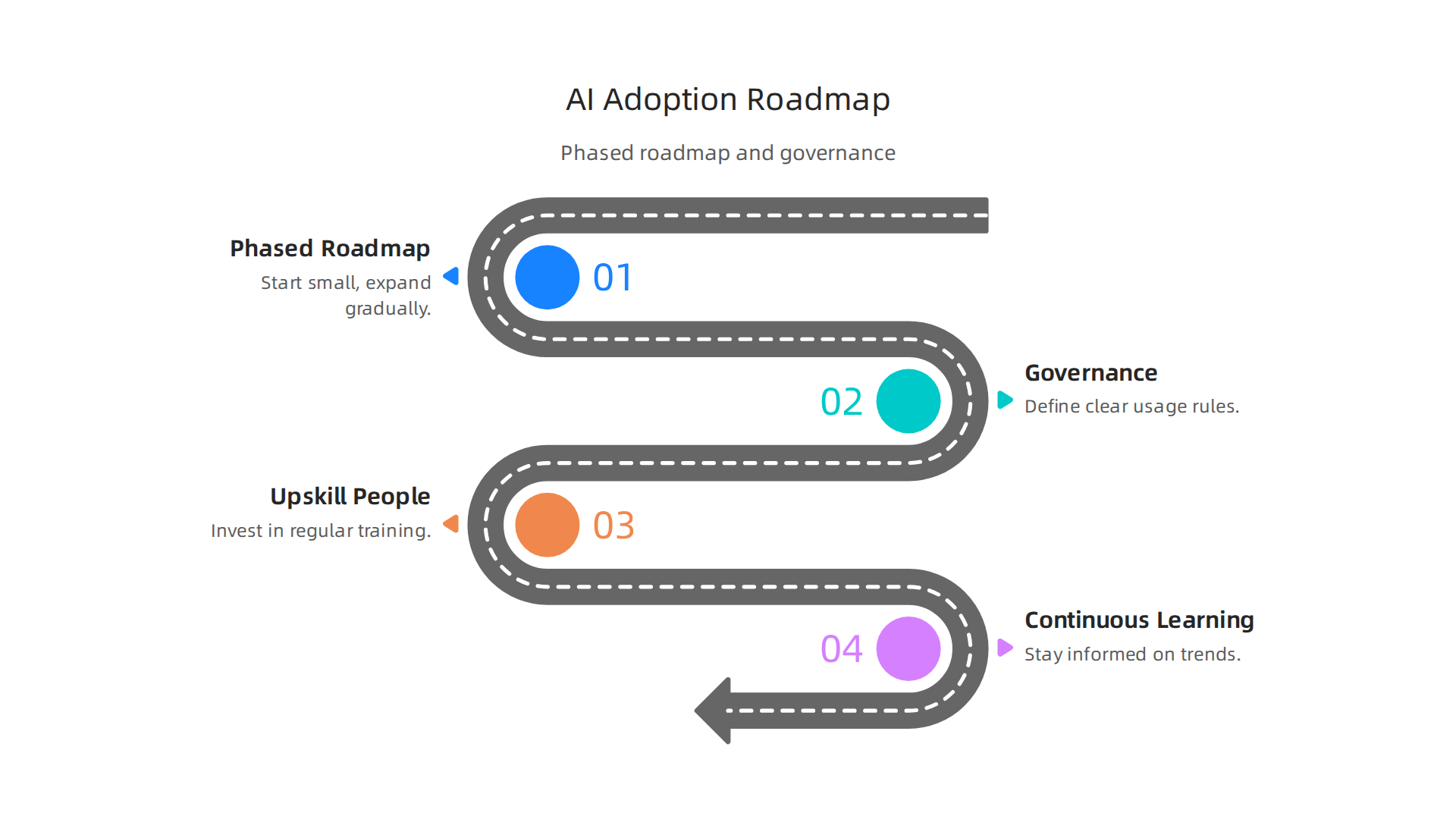
A plan that goes beyond a single tool or a one-month trial.
Start with a phased roadmap. Do not try to roll out AI to your whole team at once. That is a recipe for chaos. Instead, treat AI adoption like a product launch. Begin with a small pilot group of two to five developers who are excited to experiment. Let them test tools and report back. Learn from their wins and mistakes. Then expand to a second group. After that, scale teamwide. According to IBM’s guide to maximizing AI ROI in 2026, only about 25 percent of AI initiatives deliver the expected return. The teams that succeed are the ones that follow a structured plan with clear milestones.
Each phase should have a clear goal. In the pilot phase, the goal is learning. In the scale phase, the goal is standardization. In the final phase, the goal is optimization. Measure progress at each step using the metrics we covered earlier. Adjust your approach based on real data.
Now, you also need to think about governance and ethical use. AI coding tools are powerful. But they make mistakes. They can introduce security flaws, bias, or logic errors. Your team needs clear rules. Define when it is okay to accept AI generated code without review and when a human must double check everything. Set guidelines for sensitive projects. Create a shared policy document. This builds trust and protects your team from shipping bad code. If you want a deeper look at building trust with AI tools, the guide on AI coding assistants in 2026 covers how to solve the trust problem with prompt engineering.
The third piece of a long-term strategy is upskilling your people. AI tools change fast. The skills your team needs today will be different next year. Invest in regular training. Set aside time each week for team members to learn new features or experiment with different AI powered coding assistants. Encourage them to share what they discover. This builds an AI positive culture where people feel excited, not threatened. A practical starting point is the roadmap on how to study AI for software development in 2026, which breaks down learning paths by skill level.
Finally, make continuous learning part of your routine. The landscape is shifting every month. What works today might be outdated next quarter. Stay informed by following trusted sources and news from the industry. To keep your skills sharp and stay ahead of the curve, get clear daily AI updates from The Deep View Newsletter.
The teams that build a long-term strategy now will see compounding returns. Start small, govern carefully, upskill constantly, and keep learning. That is how you turn AI from a shiny experiment into a lasting advantage.
Summary
This practical guide shows how to use AI across every stage of software development so teams get real speed and quality gains without adding risk. It explains how to assess your workflow and prioritize repetitive, well-understood tasks; how to pick assistants that match your languages, integrations, privacy needs, and budget; and how to write prompts that produce useful, testable code. The article covers AI-driven refactoring and debugging, automated test generation, live documentation and knowledge bases, CI/CD integrations, and AI-assisted code review and security scanning. It stresses keeping humans in the loop, using tests as safety nets, running small pilots, and measuring before-and-after metrics to prove ROI. Finally, it outlines governance, upskilling, and a phased rollout so teams can scale AI adoption sustainably.