
GLM Coding Plan The Developer’s Guide to AI Assisted Code Generation in 2026
· 20 min read

Introduction
You sit down to build a new feature. The AI tools are there, ready to generate code. But you quickly realize that just typing a prompt isn’t enough. You need a clear plan to guide the AI, or you end up with a mess.

That is exactly why the GLM coding plan has become so important in 2026.
A GLM coding plan is a subscription package from Zhipu AI built specifically for AI-powered coding.
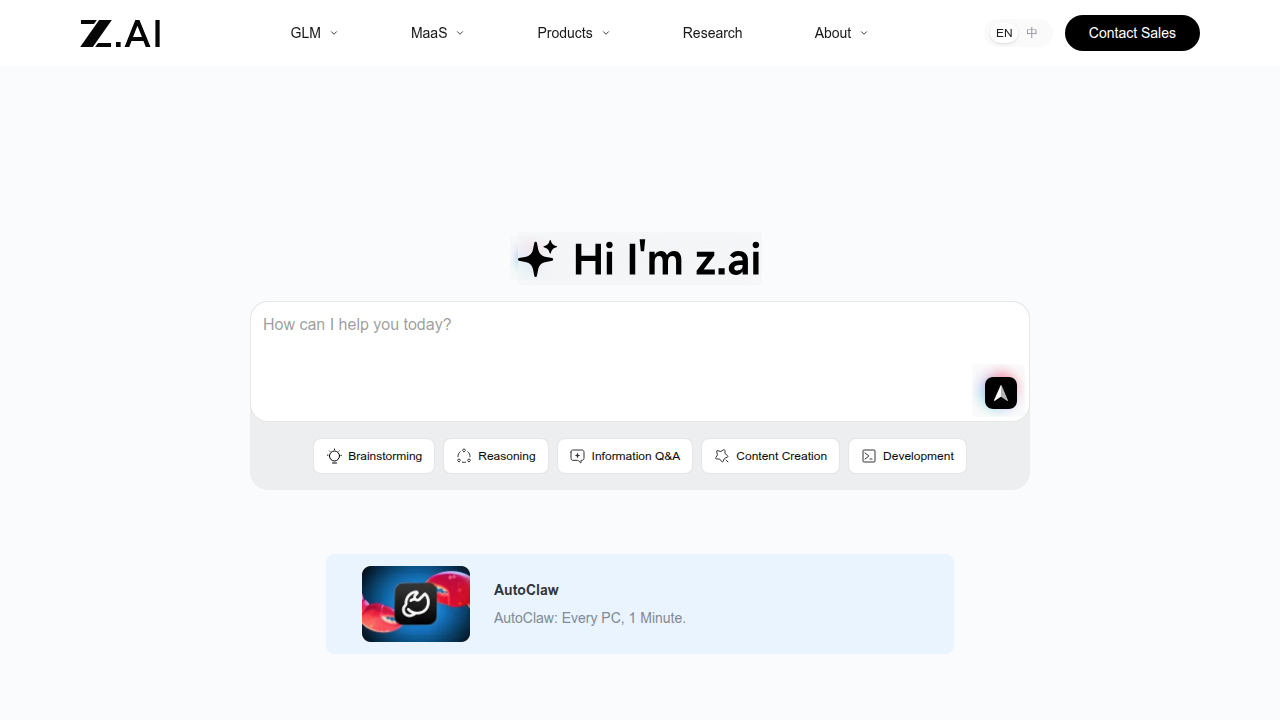
It gives developers access to their latest models, including the powerful GLM-5 Turbo, inside official coding tools. As the AI coding market has split into tool interfaces and model subscriptions, this plan offers a structured way to generate and manage code with less guesswork.
The research behind GLM-5 shows it beats previous models on real-world coding tasks, moving from simple "vibe coding" to true agentic engineering. In fact, GLM-5 is a massive 744 billion parameter model that was released under an open MIT license. That means developers can tap into some of the best AI capabilities available today.
But having access to a great model is only half the battle. You still need a strategy to use it well. That is what this article covers: from the basics of what a GLM coding plan offers to practical steps for integrating it into your daily workflow. Whether you are a solo developer or part of a larger team, understanding this new approach can give you a serious edge.
If you are also looking to level up your credentials in 2026, you might find our guide on the 2026 software engineer certification that actually pays off helpful.
The AI world moves fast. To keep up with the latest breakthroughs in AI-assisted coding and tools like the GLM coding plan, stay informed daily. The Deep View Newsletter delivers clear, practical AI updates straight to your inbox.
It is one of the best ways to stay ahead without the noise.
What Is a GLM Coding Plan? Understanding the Foundation
So what exactly is a GLM coding plan? At its simplest, it is a subscription package from Zhipu AI that gives you access to their powerful language models inside official coding tools. Think of it as a membership that unlocks the model’s full potential for writing, editing, and managing code. According to Zhipu AI’s own documentation, the plan is "strictly limited to use within officially supported coding environments," which means you get a focused, purpose-built setup for AI-assisted development.
But here’s the thing. A GLM coding plan is not just about paying for API tokens. It is a structured approach to generating code with context and direction. Instead of dumping a random prompt and hoping for something useful, you define a clear plan first. The model uses that plan to produce consistent, reliable output. This is a big step up from the early days of "vibe coding" where you just typed a vague idea and crossed your fingers.
The foundation rests on three key pieces:
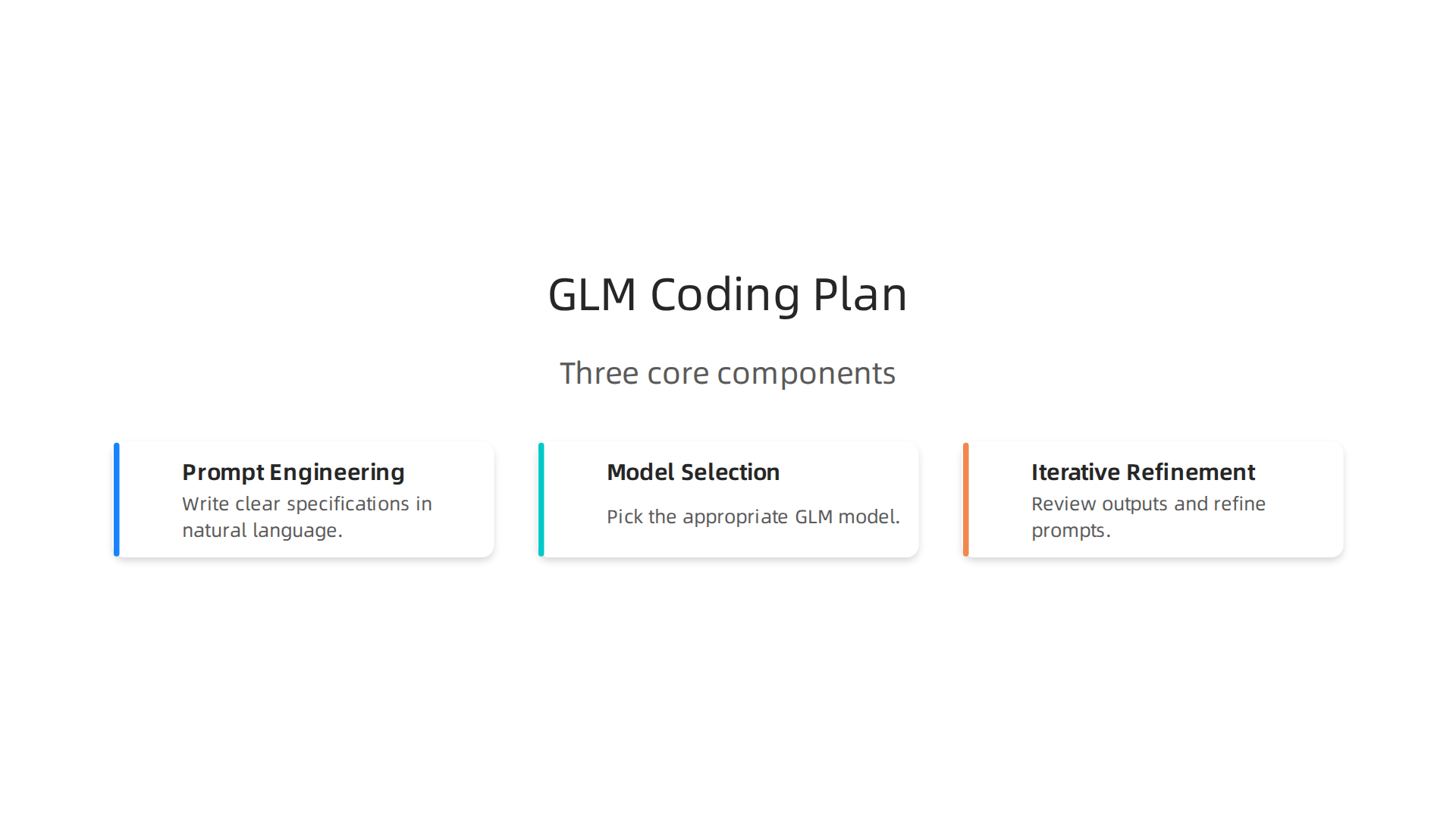
- Prompt engineering – You write clear specifications in natural language. The model reads your intent and creates a blueprint for the code.
- Model selection – You can choose which model to use, like the flagship GLM-5 Turbo. With 744 billion parameters, GLM-5 handles complex, real-world coding tasks much better than earlier versions, as shown in the research paper on its agentic engineering capabilities.
- Iterative refinement – You don’t get perfect code on the first try. Instead, you review the output, give feedback, and let the model adjust. This loop is where the real power lies.
The AI coding tool market in 2026 has split into two layers: tool interfaces (like Cursor, Claude Code, and Roo Code) and model subscriptions. The GLM coding plan sits on the model side. You pair it with your preferred tool interface to get both a great model and a smooth workflow.
Now, understanding the foundation is great, but you also need to know how to actually use these outputs effectively. That’s where learning to read and debug AI-generated code becomes crucial. If you want to dive deeper into understanding complex code, check out our guide on grok code with a science-backed framework for deep comprehension.
We’ve covered what a GLM coding plan is and the core pieces that make it work. Next, let’s look at how you can set it up and start using it in your daily development work.
Why GLM Coding Plans Are Transforming AI-Assisted Development
The shift is real. Early adopters of agentic AI tools are reporting over 50% reductions in time and effort, with productivity gains between 20% and 60%, according to recent AI adoption statistics.
A GLM coding plan is a key reason why teams are seeing these results.
Less boilerplate, faster prototypes
Writing repetitive boilerplate code drains your energy and eats up your day. A GLM coding plan solves this directly. You describe your feature at a high level, and the model generates the code scaffold for you. Prototyping jumps from days to minutes. You spend your time on the logic that actually matters instead of wrestling with setup code. This alone changes how fast teams can test and validate new ideas.
Productivity backed by real data
The numbers back up what early adopters feel. The Stanford AI Index Report shows generative AI adoption reached 53% within three years, faster than the PC or the internet.

Developer-specific 2026 benchmarks confirm that AI-native teams produce more code with fewer defects. When you pair a GLM coding plan with tools like Claude Code, the combination becomes a force multiplier. Those code unknown tasks that used to take hours now resolve in minutes. The AI becomes practically undetected in your daily flow, blending into how you naturally work.
Better collaboration across roles
Here is a benefit that often gets missed. A GLM coding plan creates a shared planning language between product managers and developers. Non-technical team members describe features in plain terms. Developers turn those descriptions into working prototypes faster. Less miscommunication means faster delivery and fewer late-stage surprises.
Teams that want to upscale their development need both the right tools and the right skills. Understanding how to use AI effectively is becoming a core competency for any serious developer. For those looking to grow, pairing hands-on experience with formal learning pays off. Check out our guide on the 2026 software engineer certification that actually pays off to see how structured training can accelerate your career.
The field moves fast, and staying current requires reliable sources. If you want clear daily AI updates without the noise, The AI Newsletter Worth Reading delivers essential insights straight to your inbox.
Next, we will walk through the practical setup of your GLM coding plan.
Core Components of an Effective GLM Coding Plan
Now let’s get into the practical pieces. A solid GLM coding plan isn’t just about asking the AI to write code. You need a structure that turns vague ideas into working features without chaos. Here are the core components that make it work.
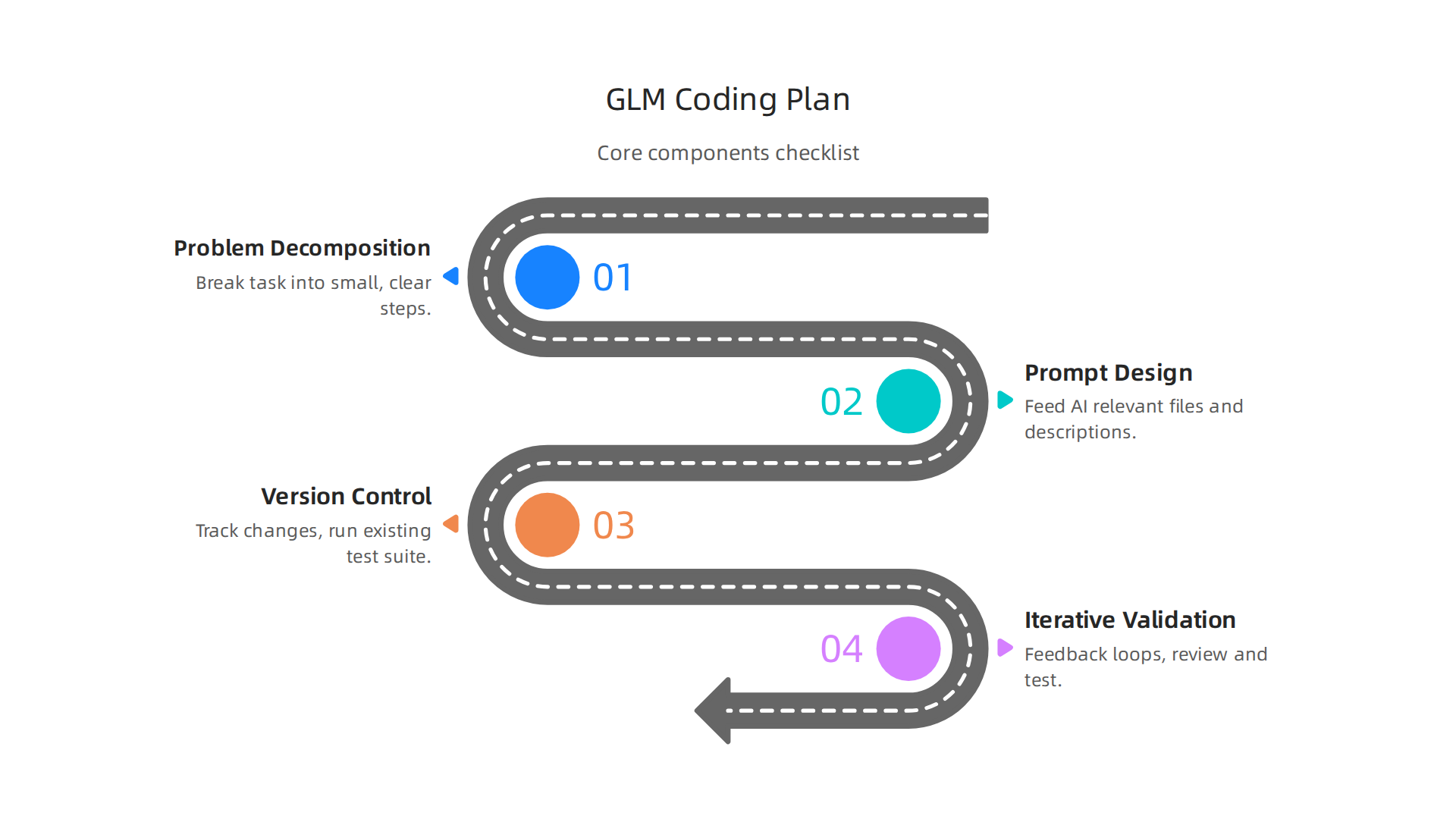
Clear problem decomposition and AI role assignments
Before you type a single prompt, break your task into small, clear steps. Instead of saying “build a login system,” say “create a login form, validate email format, check password against a database, and return a token.” This level of detail helps the AI give you better results.
Assign specific roles to the AI too. Tell it “act as a backend Python developer” or “you are a frontend UI specialist.” This sets expectations and improves output quality. Each piece of the plan should have a clear input, action, and validation step. This kind of structured thinking also helps you understand the code unknown areas of your project. For a deeper look at how to break down and truly understand complex code, check out our guide to grok code with a science-backed framework for deep comprehension.
Prompt design and context management
Your prompts are the steering wheel. Bad prompts mean bad code, full stop. Keep your context window clean by feeding the AI only the relevant files and descriptions. Avoid dumping entire codebases. Give it the function signatures, the expected behavior, and the constraints. This is where the best AI models for coding in 2026 really shine. Tools like Claude Code version handle long contexts well, but you still need to provide quality input. A complete comparison of AI coding tools for complex codebases shows that context management separates good results from great ones.
Version control and testing strategies
AI-generated code is not immune to bugs or security issues. In fact, a 2026 analysis of AI coding assistants points out that these tools can introduce vulnerabilities from public training data. So you must treat every AI contribution with the same scrutiny as human code.
Use version control to track every change the AI makes. Commit each feature or fix separately so you can roll back easily. Then run your existing test suite and add new tests for the generated code. The top AI coding agents in 2026 recommend incremental features, refactoring, and improving test coverage as core tasks. Follow that pattern. Don’t accept a block of AI code without running it through your pipeline.
Iterative validation
Finally, build in feedback loops. After the AI produces a block of code, review it, test it, and give the AI feedback. This iterative cycle is what makes undetected AI feel seamless in your workflow. You catch problems early and the AI learns from your corrections within the same session.
Staying current on best practices for AI-assisted development is tough. The field shifts fast. That is exactly why you need a steady stream of reliable insights. Subscribe to The AI Newsletter Worth Reading and get clear daily updates that help you upscale AI in your workflow without the noise.
Model Selection and Fine-Tuning Strategies
Once you have your core components in place, the next big decision is which AI model to use and how to tailor it to your needs. Your choice directly affects the quality of the code your GLM coding plan produces.

Choosing the right base model
Not all AI models are built the same. Models like CodeLLaMA, GPT-4, and Claude (the latest Claude Code version is a strong contender in 2026) each have strengths. Think about what you need the model to do. Is it generating Python scripts, reviewing .NET code, or explaining complex logic? And consider your compute budget. Smaller models run on modest hardware but may lack depth. Larger ones give better results but cost more to run. As a general rule, pick a base model that matches your task specificity and resource constraints.
Why fine-tuning matters
A general model knows a bit about everything. Fine-tuning teaches it about your specific world. When you fine-tune on your private codebase, the model learns your naming conventions, your architecture patterns, and your bug history. This makes its output more accurate and relevant from the start. With the right fine-tuning, the AI becomes nearly undetected in your workflow, producing code that feels handwritten.
Research shows this approach really works. One study found that fine-tuning LLMs improved secure code generation by 6.4% in C and 5.4% in C++. For a deeper look at C programming nuances, check out our guide on when to use n in C programming. And for proprietary codebases, fine-tuning helps the model handle tasks like code generation and review that involve code unknown to the public model, as this Hugging Face discussion highlights.
How to fine-tune without breaking the bank
You do not need a supercomputer to customize a model. Techniques like LoRA (Low-Rank Adaptation) let you update just a small fraction of the model’s parameters. This keeps training costs low and still gives you big improvements. For example, you can build a domain-specific assistant that understands your team’s unique patterns without spending thousands on GPU time. This guide to LLM fine-tuning covers LoRA and other cost-effective methods. Fine-tuning is a proven way to upscale AI performance for your specific needs.
Staying current
The field of model tuning moves fast. New techniques and tools appear every month. To keep your GLM coding plan current and effective, you need reliable updates. That is why it helps to get clear daily insights straight to your inbox.
Get clear daily AI updates from The Deep View Newsletter
Integration with Existing Development Workflows
So you have a fine-tuned model that writes solid code. But now comes the real test. How do you actually fit that AI into the tools your team uses every day? Your GLM coding plan needs to live inside your IDE, talk to your version control system, and run inside your CI/CD pipelines. That is where the magic happens.
Start with IDE plugins. Many editors in 2026 have built-in support for AI assistants that follow a GLM coding plan. You set up the model endpoint, connect it to your editor, and the suggestions appear right where you type. No context switching. The same goes for version control. You can link your model to automatically suggest commit messages or review pull requests.
Automated code review is a big win here. Instead of manually checking every line of AI-generated code, you can use a second fine-tuned model to validate the output. This NVIDIA guide on optimizing code review accuracy shows how a feedback-driven approach catches errors before they reach production. To get the most out of automated reviews, you need to understand the logic behind the code first. Our guide on how to grok code with a science-backed framework for deep comprehension can help your team read AI output with confidence.
Many teams also use retrieval-augmented generation (RAG) to bridge the gap between a general model and your specific project. RAG lets the AI pull in private documentation, API specs, and past code reviews on the fly. This study on parameter-efficient fine-tuning shows how combining RAG with fine-tuning gives you both speed and accuracy for code unknown to the public model. It helps your AI stay undetected as a separate tool, blending fully into your daily workflow.
Integration workflows evolve quickly. To keep your GLM coding plan current and effective, you need reliable updates straight to your inbox.
Get clear daily AI updates from The Deep View Newsletter
Real-World Applications and Case Studies
You have your GLM coding plan integrated into your daily tools. Now it is time to see what it can actually do. The best way to understand its power is to look at real examples and hear from teams who have put it to work.
Where the GLM Coding Plan Shines
Most teams start with three repetitive tasks that take up way too much developer time.
First is unit test generation. Writing tests is tedious, but it is critical for quality. A fine-tuned GLM model can look at a function and generate a full set of unit tests in seconds. One developer shared how using GLM-5 Turbo as part of their GLM coding plan cut test writing time by 70 percent. The hands-on review of GLM-5 Turbo shows how the model catches edge cases you might miss.
Second is API scaffolding. Instead of manually typing out route handlers, request validators, and response schemas, you describe the endpoint in plain language. The AI writes the boilerplate for you. Teams using the GLM-4.7 model have reported building full REST APIs in less than an hour.
Third is documentation creation. Nobody loves writing docs. But you can feed the AI your functions and ask it to generate clear, correct documentation. The output stays consistent with your project style.
Case Studies That Show Real Results
Here is where the numbers get interesting. A mid-sized SaaS company adopted a GLM coding plan for their backend team. They used the model to generate code for features that were previously unknown to the model. Within two months, their time-to-market for new features dropped by 35 percent. They credited the combination of fine-tuning and RAG for making the code fit their existing architecture.
Another startup used a Claude Code version with a GLM backend to handle all their API development. They reported that the AI stayed undetected in their workflow, meaning other team members could not tell which parts were AI-generated without checking the commit history. That level of seamlessness comes from proper integration.
A research team even used a GLM model to handle complex agentic engineering tasks. Their case study, published on arXiv, shows how the model balanced planning and execution for multi-step coding problems.
Lessons from Early Adopters
Not everything went smoothly at first. Here is what early users learned the hard way:
- Do not trust the first output. Always review AI-generated code manually. Use a second model or a linter to catch mistakes.
- Start small. Pick one repetitive task, like writing tests for a single module. Scale up once you see consistent quality.
- Keep your documentation clean. The AI works best when it has good context. If your code is messy, the output will be messy too.
- Stay current. Models update often. The same GLM coding plan that works today might need new prompts next month.
The teams that succeed are the ones that treat the AI as a junior developer, not a magic wand. They review, test, and refine. And they keep learning as the tools evolve.
To stay on top of these changes and get practical tips delivered every day, subscribe to The Deep View Newsletter. It gives you clear, actionable AI updates without the fluff.
Challenges and Best Practices for GLM Coding Plans
The case studies show real wins, but no tool is perfect. Adopting a GLM coding plan comes with its own set of hurdles. The key is knowing what to watch for and how to handle it.
Common Challenges You Will Face
Code quality can slip. AI models sometimes produce code that looks right but has hidden bugs. They can also suggest insecure patterns. A 2026 report on AI coding assistants warns that these tools often pull from public repositories that contain vulnerabilities. That means your team must stay vigilant.
Security risks are real. If you connect the AI to your codebase, sensitive data could leak through prompts or generated outputs. You need clear boundaries and access controls.
Developer oversight can fade. When the AI handles most of the work, it is easy to stop paying close attention. That is how mistakes sneak into production.
Best Practices to Keep You on Track
Always keep a human in the loop. Review every piece of generated code before it goes into your main branch. Treat the AI like a junior teammate who needs guidance.
Test rigorously. Do not skip unit tests or integration tests just because the AI wrote the code. Run your full test suite. Compare different AI models to see which one works best for your use case. The Faros AI review of the best coding models in 2026 is a good starting point for comparing options.
Refine your prompts iteratively. Small changes in how you describe a task can produce much better results. Keep a library of prompts that work and update them as the model improves.
Invest in training your team. A GLM coding plan is only as good as the people using it. Teach developers how to prompt effectively, how to spot AI mistakes, and how to evaluate the output. This is a skill that grows over time. For more on building strong development habits, check out our guide on grokking code with a science-backed framework.
The Bottom Line
A GLM coding plan can upscale your team’s productivity, but only if you pair it with discipline. Stay hands-on. Keep testing. And never stop learning.
Measuring Success: KPIs for AI-Assisted Development
You have set up a GLM coding plan and followed best practices. But how do you know if it is actually working?

You need to measure what matters. Without clear numbers, you are just guessing.
Key Metrics to Track
Start with the basics. Code generation accuracy tells you how often the AI produces code that works without major fixes.
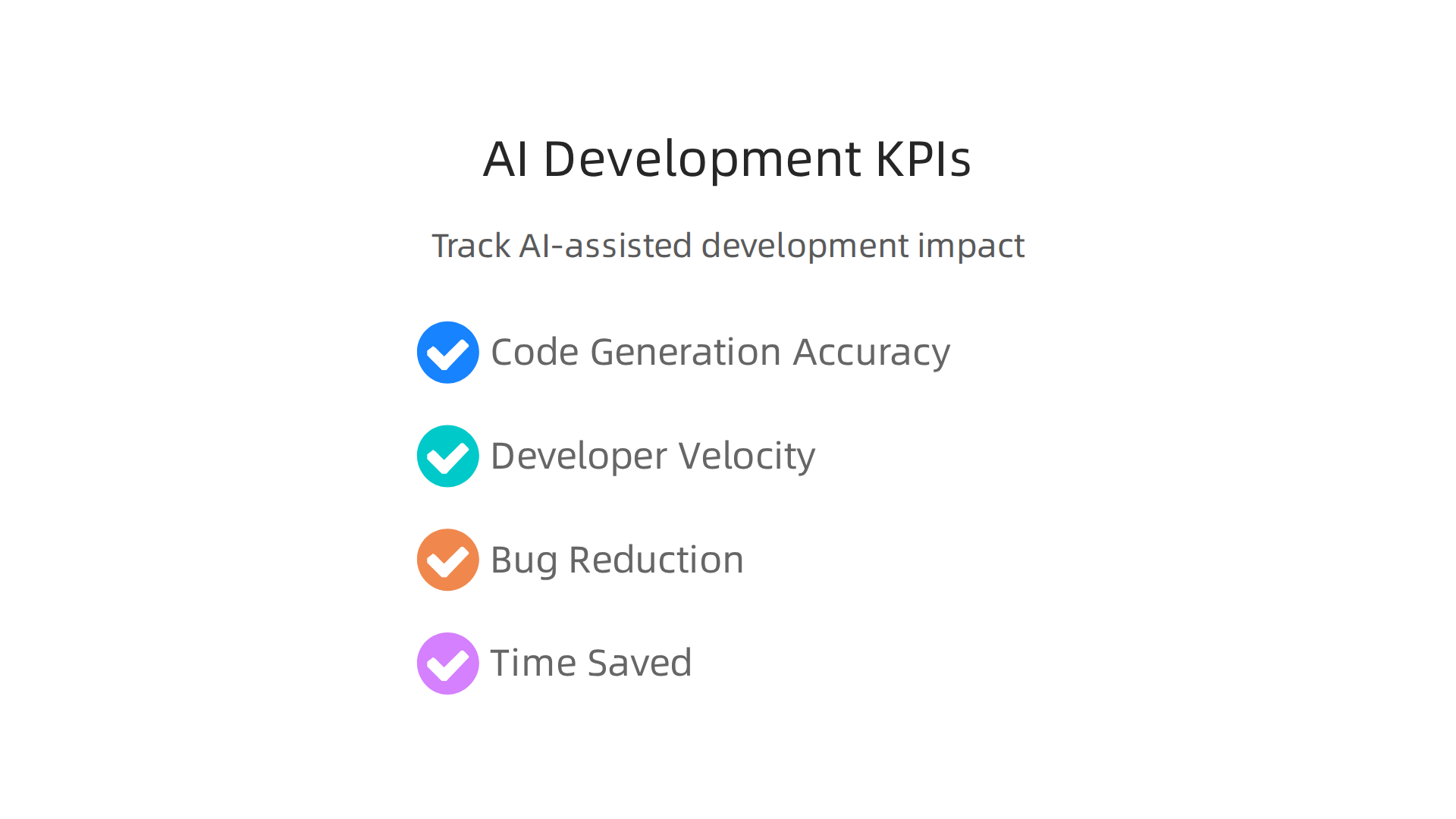
Developer velocity measures how quickly your team ships features. Bug reduction shows whether the AI is helping you catch mistakes early. And time saved per task gives you a direct look at efficiency.
Early adopters of agentic AI are already reporting big wins. According to AI adoption statistics from Vention, teams are seeing over 50% reductions in time and effort, plus productivity gains between 20% and 60%. Those are numbers worth chasing.
Track Adoption and Satisfaction
Numbers alone do not tell the whole story. You also need to know if your team actually likes the tool. Surveys and tooling can track adoption rates and user satisfaction. If developers avoid the AI or feel frustrated, something is off.
The 2026 Developer Productivity Benchmarks include metrics like AI code share and complexity-adjusted throughput. These help you see how much of your codebase comes from the AI and whether it is making work easier or harder.
Calculate Your ROI
Here is where it gets real. You need to weigh the productivity gains against the cost of AI infrastructure. Think about subscription fees, compute costs, and the time your team spends on prompt engineering and review.
A good ROI calculation includes both hard savings (hours saved) and soft benefits (fewer bugs, happier developers). If you want to go deeper on building strong coding habits that improve these metrics, check out our guide on grokking code with a science-backed framework.
Stay Informed
AI changes fast. What works today might not work next month. That is why staying on top of the latest trends is part of measuring success. For daily updates on AI and software development, the The Deep View Newsletter delivers clear, actionable insights straight to your inbox. It is a simple way to keep your GLM coding plan on track.
Summary
This article explains the GLM coding plan from Zhipu AI and shows how teams can use it to accelerate real-world software development. It defines the plan as a subscription-backed way to access powerful models like GLM-5 Turbo inside official coding tools, then breaks down the practical pieces you need: prompt engineering, model selection, iterative refinement, version control, and testing. You’ll learn how to choose and fine-tune models cost-effectively, integrate AI into IDEs and CI/CD pipelines, and apply retrieval-augmented generation for project-specific accuracy. The guide covers common use cases—unit test generation, API scaffolding, and documentation—as well as lessons from early adopters and measurable KPIs to track ROI. It also highlights risks such as security leaks and degraded code quality and gives best practices for keeping a human in the loop. After reading, you’ll have a clear checklist to set up a GLM coding plan, avoid common pitfalls, and measure whether AI-assisted development is delivering real value for your team.