
Meta Quest App Development 2026 Build Launch and Monetize Your VR App
· 21 min read

The world of virtual reality (VR) is always changing, and in 2026, the Meta Quest app ecosystem is more important than ever for people who make apps.

Meta Quest devices, like the popular Quest 3, are now powered by Meta Horizon OS. This special operating system is built to let many different kinds of apps run smoothly.
It even lets other companies make hardware that uses Meta Horizon OS, which means more choices for everyone and a bigger space for app creators to work in Meta Horizon OS Aims to Scale, Speed App Development.
For app makers, product managers, and engineering leaders, understanding this ecosystem is key. It’s not just about making a cool app; it’s about making one that works really well, reaches lots of users, and can actually make money. This means staying on top of all the specific rules and tools that Meta provides. You need to know about the latest software development kits (SDKs) and keep your workflow quick and easy. This helps your app run fast and look good on Meta Quest devices, making sure users have a great experience.
Meta has even changed its focus. Now, it’s putting more effort into helping outside app creators make great games and experiences for Meta Quest headsets Changes to Quest and Horizon Worlds Explained. This shift means there’s a big chance for developers to shine. Keeping up with how the platform changes is a vital part of the mastering the software development life cycle in this fast-paced area. It helps ensure your app is always at its best.
To keep ahead in the world of software development and AI, developers often look for reliable news and insights. Stay informed with daily updates on the latest trends and tools.
Get clear daily AI updates from The AI Newsletter Worth Reading.
Ecosystem Architecture: Platforms, Stores, and Developer Programs
To make a great Meta Quest app, you need to understand how the whole system works. Think of it like a house: there are the foundation, the rooms, and the rules for living there. For Meta Quest devices, the foundation is Meta Horizon OS. This special operating system is built on Android, so it can run different kinds of apps, including those made with game engines like Unity, native C/C++ tools, and even web-based experiences Quick start guide | Meta Horizon OS Developers.
This Meta Horizon OS is at the heart of the Meta Quest app ecosystem. It runs all the software on devices like the Quest 3. Because it’s becoming more open, other companies can now make hardware that uses it, meaning more places for your apps to live A More Open Ecosystem For Developers. This expands the reach for any new Meta Quest app.
The Meta Quest Store and App Approval
Once you build your app, it needs a home. That home is the Meta Quest Store, which is where users find and download apps. To get your app into the store, it must pass certain checks. These are like certification gates, making sure every app meets Meta’s quality and safety rules. For example, some content like Horizon Worlds will no longer be available in the Quest Store by March 2026, showing how the store’s content can change over time Updates to Your Meta Quest Experience in 2026.
These rules are important steps in the application development life cycle for any Meta Quest app. They help ensure users have a good experience.
Developer Tools and Making Smart Choices
Meta offers many tools to help app creators. The Meta Quest Developer Hub, for instance, is a key program that helps you manage your devices, find and fix problems in your apps, and send them to the store
Meta Quest Developer Hub. If you use game engines like Unity, tools like Unity Cloud can also help you manage your projects and share code with your team easily.
When you’re making your Meta Quest app, you need to think about a few things:
- Hardware Capabilities: What can the Meta Quest devices actually do? For example, the Quest 3 offers great mixed reality features, so your app can combine virtual things with the real world. Knowing what the hardware can handle helps you design better experiences.
- Distribution: How will people get your app? The Meta Quest Store is the main way, but sometimes there are other options for businesses or special uses.
- Telemetry and Analytics: This means gathering data about how people use your app. It helps you understand what’s working well and what needs to be changed. This is super important for improving your app over time.
By understanding these parts of the ecosystem, you can make smarter choices and build a Meta Quest app that stands out. Staying on top of how platforms like these evolve is key for performance, ensuring your apps are always running smoothly and offering a great experience, which you can learn more about in our guide to master installed apps performance.
Platform Requirements & SDKs: What Developers Must Know
Now that you know how the Meta Quest world works, let’s talk about the important tools and rules for building your own Meta Quest app. These tools are called Software Development Kits, or SDKs for short. They are like special toolboxes that help you create apps that run well on Meta Quest headsets.
Main Tools for Making Apps
To build a Meta Quest app in 2026, you’ll mainly use the Meta XR All-in-One SDK if you work with Unity, a popular game engine. This SDK helps your app talk to the Quest headset’s special features. If you prefer to write code in C/C++, you’ll use OpenXR. This is a common standard that lets your app work on many different virtual reality systems, including Meta Horizon OS Meta Quest App Development: A Technical Guide for 2026. Remember, Meta Horizon OS is based on Android, so it understands a lot of the same things Android apps do Meta Horizon OS – Wikipedia.
Engines and Their Versions
Most developers use game engines like Unity or Unreal Engine to build their apps. These engines make it easier to create amazing virtual worlds. If you use Unity, tools like Unity Cloud can help your team work together better. You can use it to manage your projects and even share code with others on your team. It’s a big part of making the application development life cycle smoother when many people are working on the same Meta Quest app.
Keeping Your App Up-to-Date
Meta Horizon OS gets updates all the time. These updates can bring new features or fix problems. So, it’s very important to use the latest SDKs and keep an eye on the Meta Quest release notes. This makes sure your Meta Quest app works with the newest headsets and features.
Important Parts Your App Needs
Your app also needs to use certain parts of the Quest system. These are called APIs. They help your app handle things like:
- Input: How users interact with your app, like pressing buttons on controllers or using their hands to grab things.
- Performance: Making sure your app runs smoothly without slowing down. If an app runs slowly, it can make people feel sick, which is called "cybersickness." Designing your app so it runs well and feels comfortable is very important for a good user experience Virtual Reality User Interfaces: Guidelines for Human Factors and Ergonomic Design.
- Tracking: How the headset knows where the user’s head is looking and where their hands or controllers are in the real or virtual world.
Things to Watch Out For
When you update your SDKs, sometimes things can break in your Meta Quest app. It’s like changing a part in a car; you need to make sure everything still works together. Always test your app well after any updates.
Also, Meta has different Quest headsets, like the Quest 2, Quest 3, and Quest 3S. Each one has different power and features. For example, the Quest 3 is known for its strong mixed reality abilities. When you build your Meta Quest app, you need to think about all these different headsets. You might need to make sure your app works well on less powerful devices too. This means designing for many devices and keeping everyone in mind, including users with disabilities, to make sure your app is accessible to all Accessible XR in 2026: What Meta Horizon Worlds Teaches Us …. This approach is key for anyone involved in modern mobile app development trends in 2026.
Building a Meta Quest app involves a careful mastering the software development life cycle and understanding how to define code in 2026 to ensure it performs well across all these systems.
Building a great Meta Quest app is not just about writing good code. It’s also about how the app looks and feels to people who use it. This is called design and user experience, or UX for short. Because Meta Quest apps are worn on your head, they have special rules for design to make sure users feel good and can easily use your app.

Making Apps Comfortable and Easy to Use
When you design a Meta Quest app, you must think about how users wear the headset. If an app runs slowly or moves too fast, it can make people feel unwell, a feeling called "cybersickness" Cybersickness and discomfort from head-mounted displays delivering fully immersive virtual reality: A systematic review. Good design helps avoid this by keeping things smooth and calm.
Here are some key things to keep in mind:
- Performance is Key: Your Meta Quest app needs to run very smoothly. If it stutters or lags, it can cause discomfort. Making sure your app performs well from the start is important for a good user experience A Systematic Review of Data, Strategies, and Impact in …. This helps to master installed apps performance for flawless speed and user experience.
- Comfort Guidelines: Design your app so users don’t have to strain their necks or eyes. Place important information right in front of them, not too far off to the sides Virtual Reality User Interface Design: Best Practices and … – arXiv. Also, avoid sudden or fast movements in your app that might surprise or disorient users.
- Clear Ways to Interact: Think about how users will press buttons, point, or use their hands in your Meta Quest app. Make these actions simple and easy to understand. The menus and buttons should be placed where they are easy to see and reach Menu user interface design for Head-mounted display Virtual Reality.
Designing for Everyone
A truly great Meta Quest app works for as many people as possible. This means thinking about accessibility.
- Consider Different Abilities: Some users might have trouble hearing, seeing, or moving. Your app should offer different ways for people to enjoy it. For example, give options for voice commands, larger text, or ways to play while sitting down.
- Avoid Triggering Discomfort: Be mindful of flashing lights or patterns that can be harmful to some users. Always offer ways to adjust settings for comfort. Research shows that good user experience helps with acceptance of VR/AR systems Table 3. Usability, acceptability, and UXh of VRb or ARc systems..
Testing Your App’s User Experience
How do you know if your Meta Quest app feels good to use? You test it!
- User Testing: Have real people try out your app. Watch how they use it. Ask them what they liked and what was hard to do. This helps you find problems before your app is released. Even simple tests can tell you a lot about how people feel when using your app Usability Testing of Virtual Reality Applications—The Pilot Study – PMC.
- Iterate and Improve: Based on what you learn from testing, make changes to your app. Then, test it again. This cycle of making and testing helps create the best possible experience. This is a key part of user-centered design, which is important for improving usability in virtual reality Virtual reality design solutions to improve usability.
By focusing on these design and UX best practices, you can make a Meta Quest app that not only works well but also delights its users.
A well-designed Meta Quest app needs a smart way to be built. This involves good plans for how you work, the tools you use, and how you test your app over and over again. This whole process helps make sure your Meta Quest app runs great and avoids problems that can make users feel sick or frustrated. It’s all part of the Mastering the Software Development Life Cycle.
Building with Local and Cloud Tools
When you create a Meta Quest app, you can build it on your own computer. This is called a local build. But sometimes, you need more power or want to work with a team. That’s where cloud build pipelines come in. Cloud tools, like Unity Cloud, let you build your app using powerful online computers. This can make building faster and easier to share code with others. Using cloud services also helps you make sure everyone on your team is building the app the same way.
For some advanced features, like AI that runs right on your headset (called on-device AI), careful thought is needed. For VR, these AI tasks must happen very fast, often less than 10 milliseconds per frame, to keep things smooth XR Performance: Real-Time Inference Optimization. This is much faster than sending information to the cloud and back, which can add delays of 50 to 500 milliseconds AI Model Inference: Cloud, Edge, On-Prem Compared. So, choosing the right way to run your app’s AI can greatly affect how it performs.
Testing on Real Devices
Even with great code, you need to see how your Meta Quest app truly works on the actual headset. A "device lab" is a place where you have many Meta Quest devices to test on. This helps you find out if your app works well on different versions of the headset. Testing on real devices is super important to catch problems that only show up when the app is running on the hardware it was made for.
Smart Ways to Test Automatically
After you write new code, you want to know quickly if it broke anything. This is where automated testing comes in. Instead of someone manually checking every part of the app, computers run tests for you. These tests can be set up in steps, like a "testing pyramid" CI/CD Pipeline Best Practices: A Production-Ready Guide for 2026:
- Unit tests: These check small pieces of your code, like a single puzzle piece. They are very fast.
- Integration tests: These check if different parts of your app work well together, like two puzzle pieces fitting.
- End-to-End tests: These check the whole app, making sure the user can do important tasks, like putting the whole puzzle together.
Automated tests should include checks for performance and frame-rate. This means making sure the app runs smoothly enough (for example, 90 frames per second) so users don’t feel sick or uncomfortable. Many teams use "Continuous Integration" (CI) to run these tests automatically every time someone adds new code. This helps to catch issues early and ensures your app always performs well, which helps you to master installed apps performance for flawless speed and user experience.
Using good tools and automated testing helps reduce how much time you spend fixing mistakes. It also helps spot problems that are specific to the Meta Quest platform before they become bigger issues for your users. Knowing how to use AI for software development in 2026 can make these workflows even better.
Building a great Meta Quest app often means thinking about new ideas, and one of the biggest ideas in 2026 is using Artificial Intelligence, or AI. We talked about how smart ways to test your app help fix problems quickly. Now, let’s look at how AI can make your Meta Quest app even better.
AI Integration in Meta Quest Apps: Practical Approaches
Adding AI to your Meta Quest app can make it feel more alive and personal. But you have to choose wisely how and where the AI does its work. You can have the AI run its tasks right on the headset, which is called "on-device AI," or you can have it run on powerful computers over the internet, which is "cloud AI."
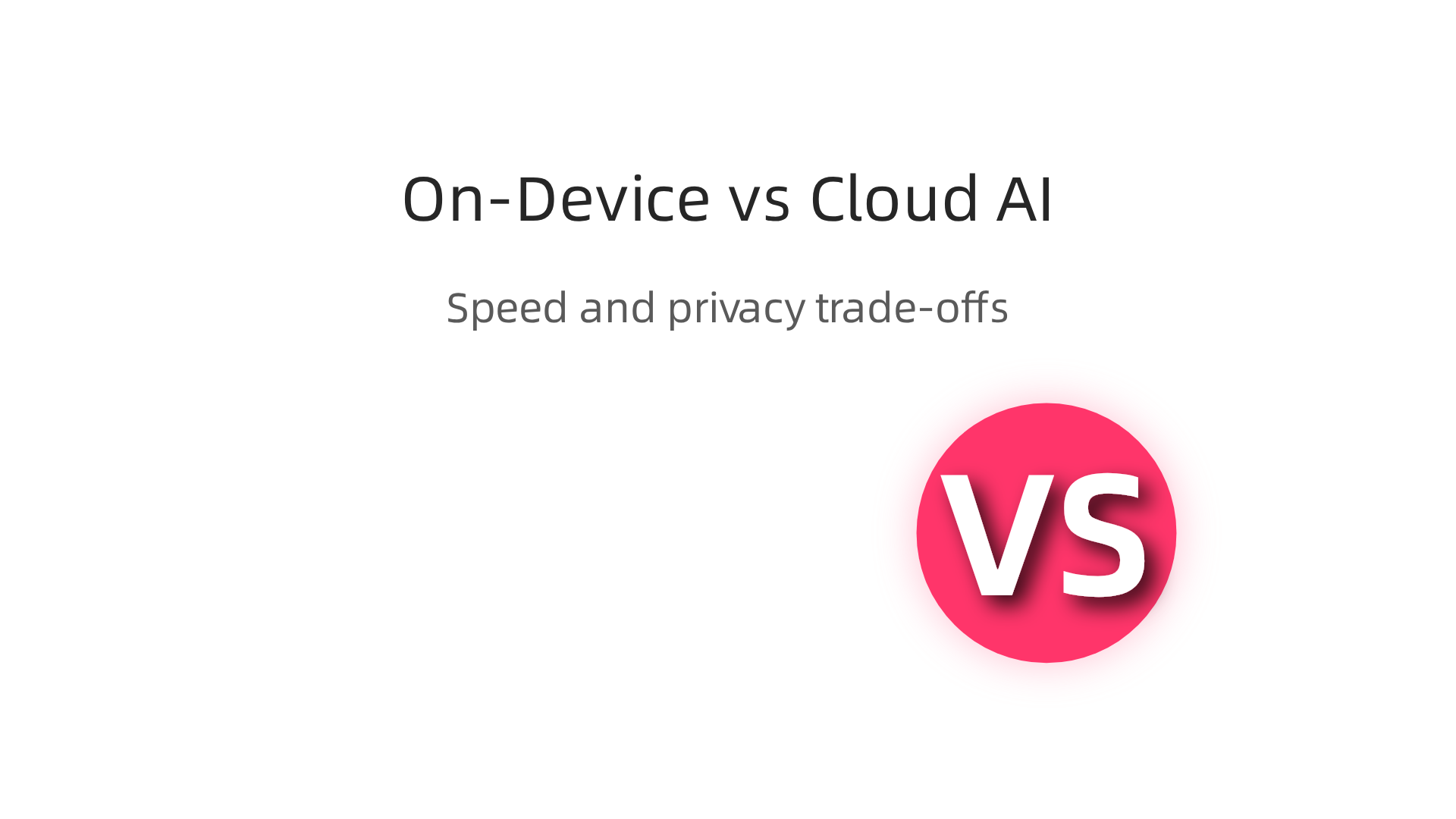
Each has its own good points and bad points.
On-Device AI vs. Cloud AI for Your App
When AI runs right on your Meta Quest headset, it’s very fast. This is important for virtual reality (VR) because any delay can make users feel dizzy or disconnected. On-device AI can respond in less than 20 milliseconds, which is super quick and perfect for things like computer vision in production models, as studies in 2026 show On-Device AI Inference in 2026: Sub-20ms on Android, Real …. The information stays on the device, which also means more privacy for your users. Many experts believe that on-device AI will be the usual way to do things in 2026 for mobile apps because of its speed and privacy On-Device AI on Android: 2026 Build Guide – Fora Soft.
On the other hand, cloud AI is great for tasks that need a lot of power or huge amounts of data. Maybe you need to create very detailed content or run a super complex AI model. These models might be too big for a headset to handle easily. The downside is that sending information to the cloud and waiting for it to come back takes time. This "network delay" can be between 50 to 500 milliseconds, or even more for very big tasks On-Device AI vs Cloud API for Enterprise Mobile Apps: Privacy, Cost …. So, if your Meta Quest app needs instant reactions, on-device AI is usually the better choice. But for things like updating game worlds that don’t need instant feedback, cloud AI can be very useful Hybrid Cloud-Edge LLM Inference: When On-Device ….
How AI Makes Meta Quest Apps Better
AI can bring many exciting features to a Meta Quest app:
- More Real Experiences: AI can make virtual characters act smarter, understand what you say, or create scenes that change based on what you do. This makes the experience feel much more real and personal. Think of AI helping to make virtual worlds that react just to you.
- New Content: AI can help make new parts of your game or application on the fly. This could be anything from new puzzles to new items, making sure the experience stays fresh every time someone uses your Meta Quest app.
- Helpful for Developers: AI tools can also make building the app easier for you. They can help with writing code, finding errors, or even suggesting ways to improve your application development life cycle. This can save time and help you share code more easily with your team.
However, when using AI, especially in VR, it’s super important to keep the app running smoothly. AI tasks need to finish very quickly so the app doesn’t slow down. Also, we must make sure the AI is used in a fair and safe way. This means thinking about things like user privacy and making sure the AI doesn’t create anything harmful. Learning more about how AI helps build better code can be a big step forward. For those wanting to dive deeper into how AI is changing software creation, you can learn more about AI software development in 2026.
Getting the right balance between on-device and cloud AI, along with smart testing, helps make sure your Meta Quest app offers a truly amazing and smooth experience. As you explore the latest in AI and software development, staying informed is key.
Get clear daily AI updates from The AI Newsletter Worth Reading.
After making your Meta Quest app smart with AI and testing it well, the next big steps are figuring out how it will make money, getting it onto the store, and keeping users happy after launch.
How Your App Can Make Money
There are many ways for a Meta Quest app to earn money. You could sell your app for a one-time price. Or, you might offer it for free but have special items or features inside that users can buy, which are called in-app purchases. Another idea is a subscription model, where users pay a small fee every month or year to keep using the app or access special content. Some apps also show ads, but you have to be careful not to make the experience less fun. Choosing the right way to make money depends on what your app does and who it is for. Think about what will make users happy while also supporting your hard work.
Getting Your App Ready for the Store
Getting your Meta Quest app into the Meta Horizon Store means following some important rules. First, you’ll need to sign your application with an Android certificate before sending it in for review, as explained in the Submitting your app | Meta Horizon OS Developers guide. Meta checks apps carefully to make sure they are high quality and will work well for users. This often means providing a concept document early on to show your idea is strong and fits their guidelines, as discussed in Submitting Your App to the Oculus Quest Store.
There are also technical rules your app must follow. For example, your app needs to be a 64-bit binary, and its main file size, called an APK, should be under 1 GB, though you can have extra files up to 4 GB. This is mentioned in the Meta Quest App Submission Guide: Avoid Rejection Cycles. It’s also very important that your app doesn’t ask for Android features that the Meta Quest headset doesn’t have, like precise GPS or phone calls, as noted in the Meta Quest Virtual Reality Check (VRC) guidelines. After you’ve done all this, you’ll upload your build to the Developer Dashboard and start the submission process, which is detailed in the App Submission Review Process Guide.
You’ll also need to prepare good looking pictures and videos of your app, along with a clear description. These are called assets and metadata. They help users decide if they want to download your app.
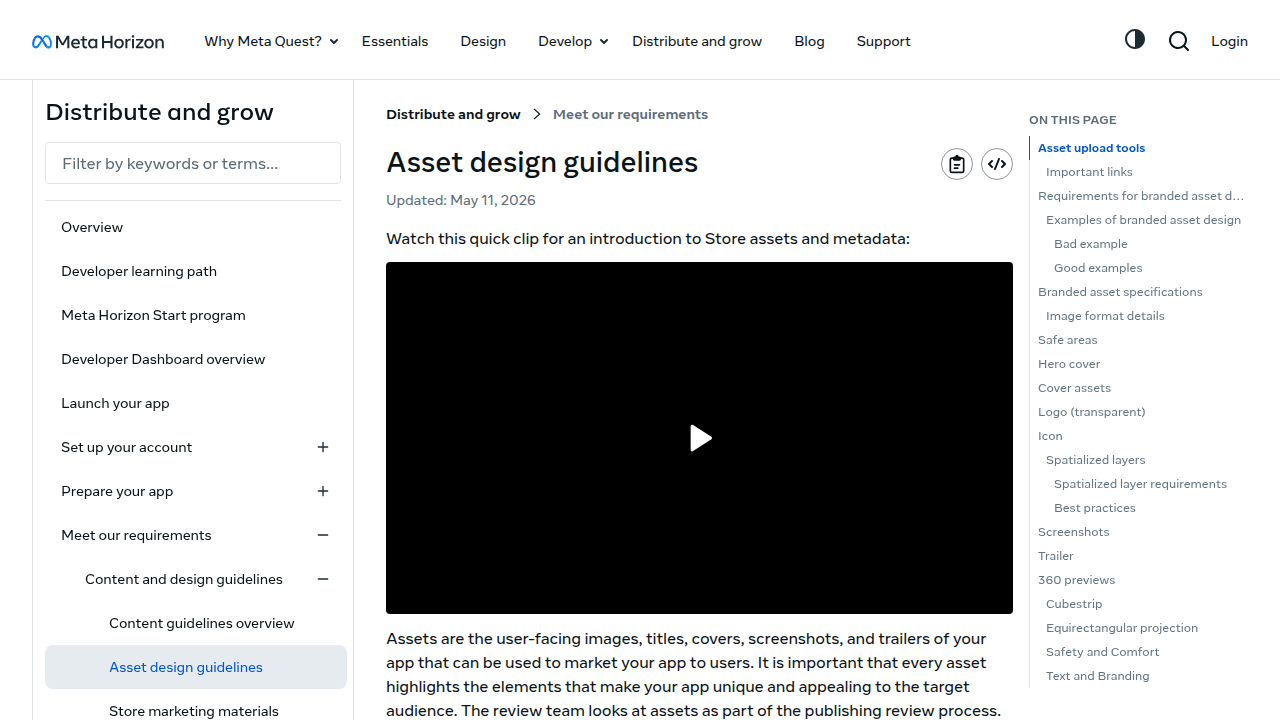
Make sure your title matches exactly on all your creative assets, as Meta checks this closely through their Meta Horizon Store asset design guidelines.
Keeping Your App Successful After Launch
Once your Meta Quest app is on the store, the work isn’t over. You’ll want to make sure people can find it and keep using it.

This is called discovery and retention. You can use analytics tools to see how users interact with your app, where they spend their time, and if they run into any problems. This data, sometimes called telemetry, is super helpful.
Using A/B testing can help you try out different ideas, like changing how a button looks or new features, to see what users like best. This way, you can improve your app based on real user actions. Planning for regular updates is also key. Updates can fix bugs, add new content, or bring in new features that keep users interested. This ongoing process is part of mastering the software development lifecycle models. Regularly updating your app and making smart changes helps keep it fresh and reduces the chance of future rejection during review processes. It also helps your team to efficiently share code and integrate new features smoothly.
Summary
This article explains how to build successful Meta Quest apps in 2026 by walking through the Meta Horizon OS ecosystem, developer tools, and practical best practices. It describes the platform architecture, how the Meta Quest Store and approval process work, and the main SDKs and engines (Meta XR All‑in‑One for Unity and OpenXR for native C/C++). The guide covers essential design and UX rules to minimize cybersickness and improve accessibility, plus performance targets and testing strategies including device labs and automated CI/CD pipelines. It compares on‑device versus cloud AI for responsiveness, privacy, and cost, and explains key submission rules, asset requirements, and monetization models. After reading, developers and product leads will know which tools to choose, how to test and optimize for different Quest headsets, and how to prepare apps for store review and post‑launch growth.