
Clearbit API for Modern Web Apps Your 2026 Integration Guide
· 25 min read

Why Clearbit API matters for modern web apps (and what this guide covers)
In 2026, building a modern web app often means making it smart. You want your app to know more about its users or the companies they work for. This is where the Clearbit API comes in handy. It’s a special tool that helps your web app gather important details about people and businesses. This process is called data enrichment, and it’s key for lead intelligence, which means finding and understanding potential customers better.
Think about it this way: when someone visits your website or signs up for something, wouldn’t it be great to instantly know their job title, the company they work for, or even what industry that company is in?

The Clearbit API helps you do just that. It connects to a large database to pull this information, making your app more powerful and your marketing efforts much smarter. For example, an iot development company might use this data to understand its business clients better.
However, it’s important to know that the way Clearbit works has changed. The old, standalone Clearbit Enrichment API, which many developers used for years, is now being phased out in 2026 after HubSpot bought Clearbit. The platform is now part of something called Breeze Intelligence. So, if you’re looking to use Clearbit today, you’ll mostly be working with its newer forms, which still offer powerful ways to enrich data about people and companies by using their email or website domain
Clearbit Enrichment API: Endpoints + Code Examples (2026) . You can find different kinds of Clearbit APIs to get person, company, or combined information
Available Clearbit APIs.
This guide will walk you through everything you need to know about working with the Clearbit API in 2026.
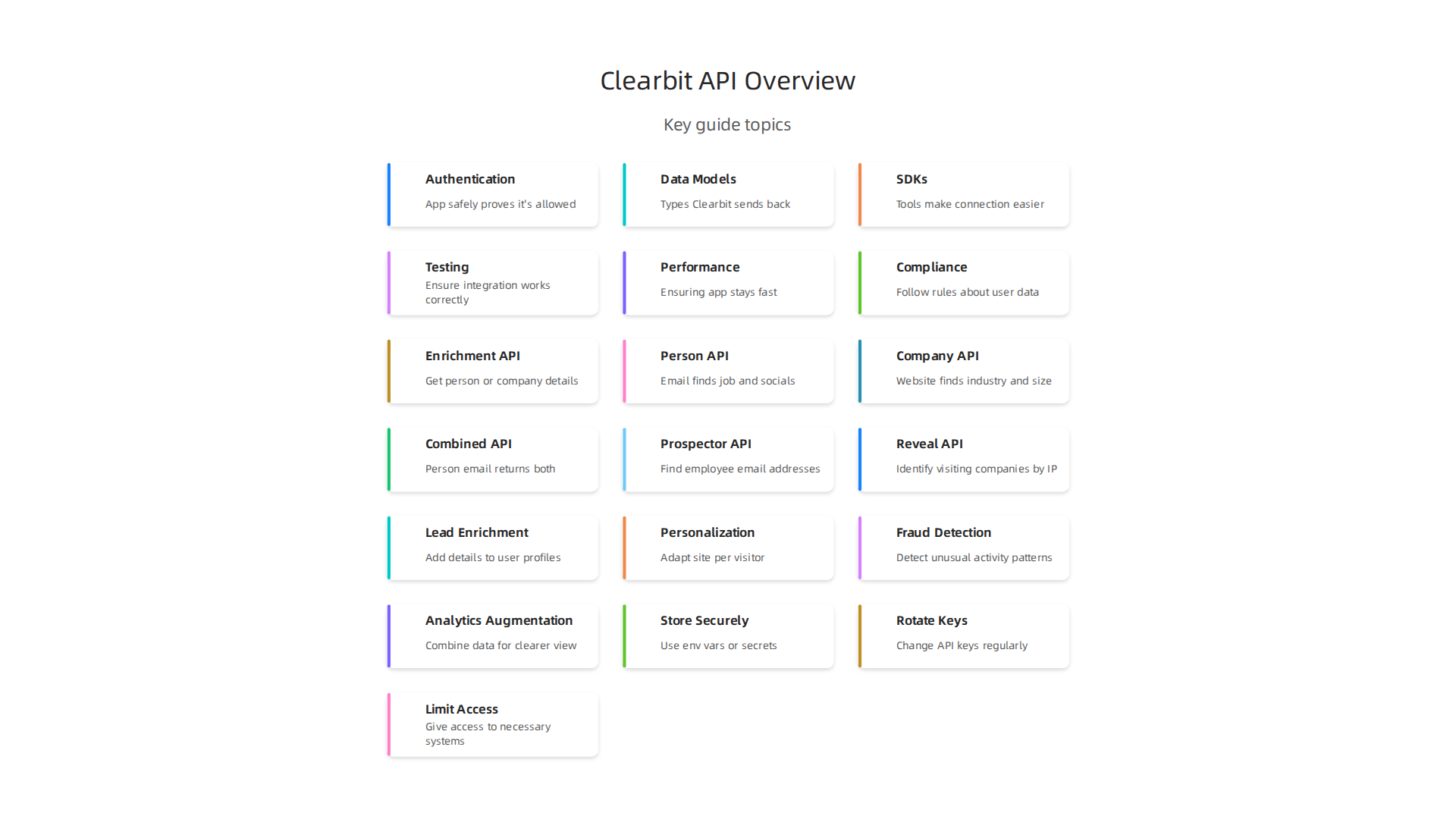
We will cover important steps like:
- Authentication: How your app safely proves it’s allowed to use the Clearbit API.
- Data Models: Understanding the types of information Clearbit sends back to your app.
- SDKs (Software Development Kits): Tools that make it easier to connect your app to Clearbit.
- Testing: Making sure your integration works correctly and handles all situations.
- Performance: Ensuring your app stays fast even when asking Clearbit for data.
- Compliance: Following rules and laws about how you use and store user data.
Learning about these areas will help you build web applications that are not only smart but also reliable and secure. It’s a key part of Mastering the Software Development Lifecycle Models in today’s fast-paced tech world.
Want to stay informed about the latest tech insights, including AI and development trends that impact APIs like Clearbit?
The AI Newsletter Worth Reading
Building on what we discussed, the Clearbit API is all about making your web applications smarter by giving them rich data. When you connect your app to Clearbit, you’re tapping into a system that provides deep insights into people and companies. This helps your app do more, like understand who is visiting your site or signing up for your service.
What the Clearbit API Actually Provides: Endpoints and Data Types
The Clearbit API offers different ways to get this important information. Think of these ways as "endpoints" or specific requests your app can make to the Clearbit system. Here are the main ones:
- Enrichment API: This is a big part of Clearbit. It lets you get details about a person or a company.
- Person API: You give it an email, and it tries to find information about that person, like their job title or social media links.
- Company API: You give it a website address (like google.com), and it finds details about the company, such as its industry or how many people work there.
- Combined API: This is handy because you can give it a person’s email, and it will give you details about both the person and the company they work for at the same time Clearbit Is Now HubSpot-Only: A 1-to-1 API Migration Map for ….
- Prospector API: If you’re looking for new potential customers, this API can help. You give it a company’s website, and it can help find email addresses of people who work there.
- Reveal API: This is a bit like magic. It tries to figure out which companies are visiting your website, even if they don’t fill out a form. It does this by looking at their computer’s internet address and then giving you information about that company Clearbit (HubSpot Breeze Intelligence).
The kind of data you get back from these Clearbit tools is very detailed. It can include:
- Firmographics: Basic facts about a company, like its size, industry, or how much money it makes.
- Technographics: What technology a company uses.
- Persona Data: Information that helps you understand who a person is, like their role or interests.
- Contact Enrichment: Making sure you have the best contact details for someone.
- Website Visitor Identification: Knowing which businesses are visiting your site. These types of data are key for many B2B data providers in 2026 B2B Data Providers: Complete Guide for 2026.
Common Ways to Use Clearbit
Here are some real-world uses for the Clearbit API in your web apps:
- Lead Enrichment: When a new person signs up for your service, Clearbit can quickly add more details to their profile. This helps your sales team know more about who they are talking to.
- Personalization: Imagine your website changing what it shows based on who is visiting. Clearbit data can make this happen, showing relevant content to someone from a small startup versus a big company.
- Fraud Detection: By having more data about users and companies, you can spot unusual patterns that might mean someone is trying to trick your system. This helps keep your app safe.
- Analytics Augmentation: This means making your reports much better. When you combine your own data with Clearbit’s data, you get a much clearer picture of your users and how they interact with your app. This can be very useful for advanced projects, much like exploring how to use AI software development in 2026 helps create better, smarter solutions.
By understanding these Clearbit API services and the rich data they offer, you can choose the right tools to make your web app truly smart and helpful for your users and your business.

Using the Clearbit API to make your web app smarter means you also need to think about how your app talks to Clearbit. This involves making sure those conversations are secure and that your app plays by the rules to avoid issues. Let’s look at how to handle access and common limits.
Authentication, rate limits, and security best practices when calling Clearbit
When your web application talks to the Clearbit API, it needs a special "key" to prove it’s allowed. This is called authentication. Think of it like a password for your app. Clearbit uses an API key that you pass along with your requests. For example, some systems use HTTP Basic Auth, where your API key acts like a username with no password Common Scenarios.
Keeping Your Clearbit API Keys Safe
Making sure your API key is safe is super important.
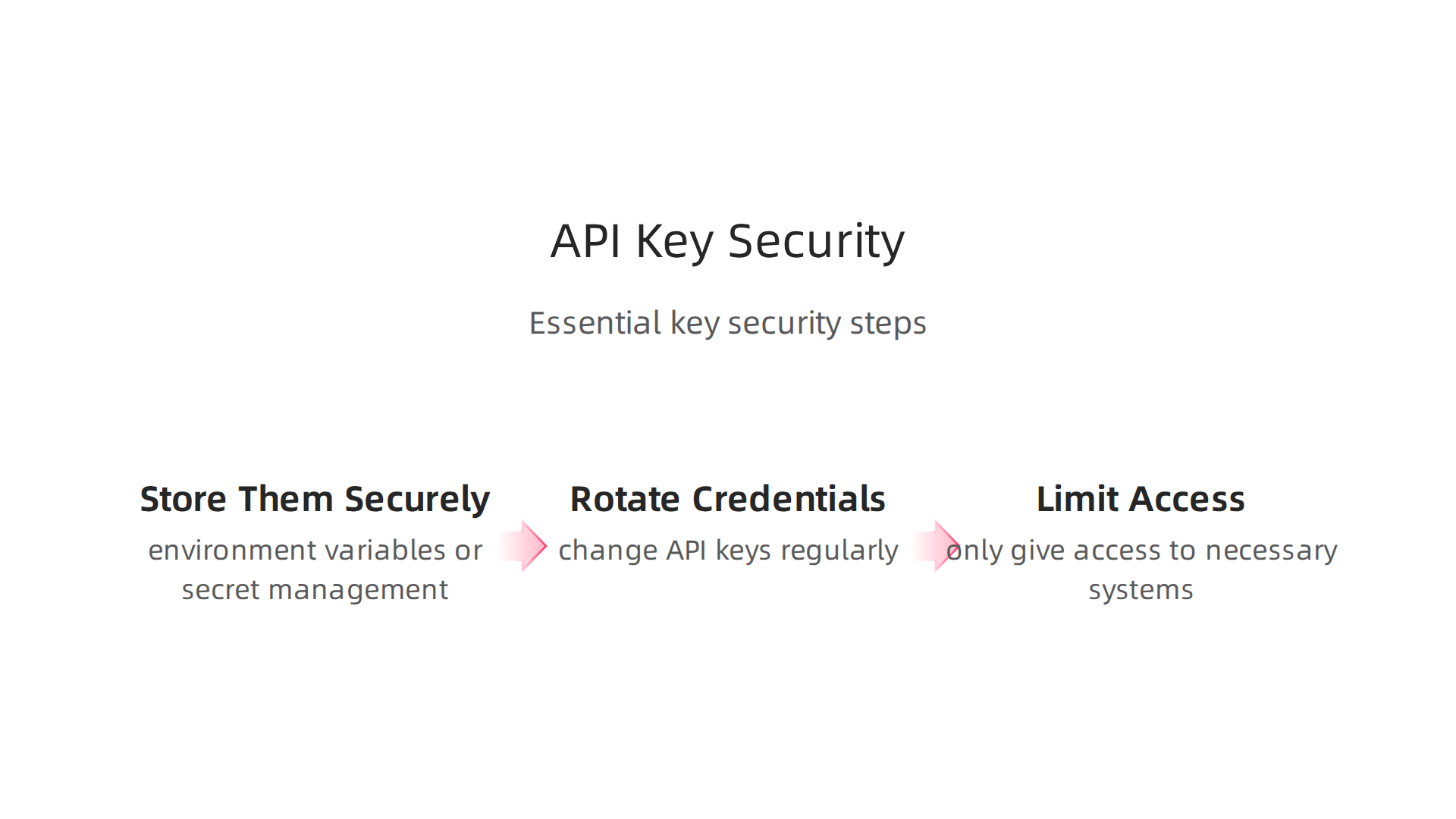
If someone else gets your key, they could use your Clearbit account, which might cost you money or expose private information. Here’s how to keep them secure:
- Store Them Securely: Never write your API keys directly in your app’s code. Instead, store them in secure places, like environment variables or special secret management services in the cloud. This keeps them away from public view. The process for generating these keys should also be secure, often automated, to limit human handling 2. API authentication and authorisation.
- Rotate Credentials: Don’t use the same key forever. Just like you change your house keys, you should change your API keys regularly. If you think a key might have been seen by the wrong person, you can revoke or delete it from your Clearbit dashboard right away and get a new one Clearbit API Key – SailPoint Entro. Companies like GitGuardian even help find and fix API key leaks Remediating Clearbit API Key leaks.
- Limit Access: Only give access to the API key to the people or systems that absolutely need it. This helps reduce the chances of it falling into the wrong hands. When you build applications, planning API security from the start is much better than trying to fix it later API Security Best Practices.
These steps are part of good API security practices in 2026, which also include strong authentication and encrypting data.

Learning about how to secure your app’s interactions with services like the Clearbit API is a key part of becoming a skilled developer. To deepen your knowledge, you might want to look into how to Master Programming Language Fundamentals in 2026.
Handling Rate Limits Gracefully
Clearbit, like many other services, has "rate limits." This means they put a cap on how many requests your app can make in a certain amount of time. These limits are there to protect their service from being overloaded and to make sure everyone gets fair access. If your app sends too many requests too fast, Clearbit will temporarily stop responding, giving you an error.
To avoid this, your app should be smart about its requests:
- Backoff Strategies: If Clearbit says "too many requests," your app should wait a bit before trying again. It’s smart to wait longer with each failed try. For example, wait 1 second, then 2 seconds, then 4 seconds, and so on.
- Retries: For temporary errors, your app can try the request again after a short delay. This is different from a backoff strategy, which is for hitting specific limits.
- Graceful Degradation: What happens if the Clearbit API is slow or not working? Your app should still be able to run without crashing. Maybe it shows older data, or tells the user to try again later, rather than stopping completely. This is especially important for web apps and other critical systems.
- Batching (where possible): While the Clearbit API often handles one request at a time, for some services, you might be able to send multiple pieces of data in a single request. Always check the Clearbit documentation for specific guidance on this.
Setting up these strategies helps your app run smoothly and keeps it from getting blocked. It’s a key part of being a good neighbor in the world of APIs, helping to protect API performance and security Top 10 API Security Best Practices: From Basic to Advanced.
If you are always looking for ways to make your development process better and stay ahead of the curve, especially with new tech, you’ll find the following useful:
Get clear daily AI updates from The Deep View Newsletter. The AI Newsletter Worth Reading
After making sure your app talks to the Clearbit API safely and smoothly, the next big step is thinking about the data itself. How does your app understand the information it gets back from Clearbit? This is all about designing your data models and setting up how that new information flows into your system. We also need to think about keeping sensitive data private.
Designing data models and enrichment workflows: schema mapping, identity resolution, and privacy
When you use the Clearbit API, it gives you lots of details about people and companies. This process is called data enrichment, where you add more information to your existing records Data enrichment explained (with examples). Clearbit focuses on providing a full picture of people and companies through its enrichment services Clearbit Enrichment API — Documentation, OpenAPI.
Mapping Clearbit Data to Your System
Your app already has a way to store information about your users or potential customers, like their names, email addresses, or company details. This is your "internal schema." Clearbit’s data also has its own structure. "Schema mapping" is like drawing a map to connect Clearbit’s fields to your app’s fields.
For example, Clearbit might send you a person’s "job title" and a company’s "industry." You need to decide where those pieces of information will go in your own database. Clearbit offers many data points, over a hundred, which you can map to your fields How to enrich and standardize your database with …. It’s important to know what the data looks like when it comes back so you can map it correctly What Does an Enrichment Payload Look Like?. This careful mapping makes sure the new data is useful and doesn’t mess up your existing records.
Keeping Identities Consistent
"Identity resolution" means making sure that when Clearbit gives you new information, you know exactly which person or company it belongs to in your own system. Imagine you have a customer named "John Doe" in your system, and Clearbit finds more data about "John Doe." You need to be sure it’s the same John Doe, not someone else with the same name.
The Clearbit API is really good at this. It often uses an email address or a company’s website domain to find a match and bring back firmographic, demographic, and technographic details Common Scenarios. This helps keep your customer profiles complete and accurate, which is very important for an fc 26 web app or any system dealing with user data.
Designing with Privacy in Mind
When you work with data that describes real people, privacy is super important.

This means you need to be thoughtful about how you collect, store, and use that information from the Clearbit API.
- Minimize Personal Information (PII): Try to only collect and store the personal data you absolutely need. If you don’t need a specific piece of information, don’t keep it.
- Consent Matters: In 2026, it’s vital to get clear permission from people before you collect and use their data, especially their contact information Clearbit API Docs – Auth, Webhooks, SDKs for Developers. Make sure your app’s terms and conditions explain how you use Clearbit data.
- Data Retention Policies: Don’t keep data forever. Decide how long you need to store different types of information and delete it when you no longer need it. This reduces the risk if your data is ever misused.
Thinking about user control and privacy from the start helps build trust with your users. To learn more about how important this is in modern app development, check out why Freedom App: How User Control and Privacy Drive Mobile Success in 2026 is a good example. Designing your data models with these privacy rules helps ensure your app is responsible and compliant.
As you navigate the fast-paced world of software development and integrate advanced APIs, staying updated on broader tech trends, especially in AI, is crucial.
Get clear daily AI updates from The AI Newsletter Worth Reading.
As you navigate the fast-paced world of software development and integrate advanced APIs, staying updated on broader tech trends, especially in AI, is crucial.
After understanding how to map Clearbit data and protect privacy, the next step is deciding how your application will actually connect to the Clearbit API and get that information. This is where SDKs, client libraries, and different ways of integrating come in. For any fc 26 web app, choosing the right method is key for a smooth experience.
SDKs, client libraries, and integration patterns for web apps
When your web app needs to talk to the Clearbit API, you have a couple of main choices: use a special tool called an SDK or client library, or talk directly to the API using HTTP requests. Each way has its good points and things to consider.
SDKs vs. Direct HTTP Calls
SDKs (Software Development Kits) and Client Libraries are like ready-made toolkits that help your app communicate with the Clearbit API. Clearbit, for example, has offered code snippets and support for languages like Ruby, Node, and Python Powered by Clearbit program now offers API provisioning and flexible ….
- Easy to Use: SDKs handle many tricky parts for you, like setting up the connection, sending requests correctly, and understanding the answers. This means you can write less code and get things done faster.
- Better Error Handling: They often come with built-in ways to catch and understand errors from the API, making it easier to fix problems.
- Language Support: If you’re building in a popular language, there’s likely an SDK or library that fits.
- Maintenance: These tools are often updated by Clearbit or the community, meaning they stay current with changes to the Clearbit API.
Direct HTTP Usage means your app builds and sends requests to the Clearbit API all by itself, without an SDK.
- More Control: You have full power over every detail of the request and response.
- Less Overhead: Sometimes, an SDK might add extra code your app doesn’t need. Direct calls can be lighter.
- More Work: You have to handle all the details yourself, like how to send secure keys, structure your data, and manage errors. This means more coding and testing on your part.
In 2026, it is important to know that the standalone Clearbit Enrichment API endpoints are being phased out. If your fc 26 web app relies on these, you might need to adjust. Actually, Clearbit is now mainly integrated with HubSpot, so developers might need to rethink their API setups Clearbit Is Now HubSpot-Only: A 1-to-1 API Migration Map for …. This change means you’ll need to look at how Clearbit’s services connect within the HubSpot ecosystem. Always check the current status of the API to ensure smooth operation for your iot development company or any other business building with it Clearbit API Status — Real-time Uptime Monitoring | Probecast.
Recommended Integration Patterns
How you ask for Clearbit data depends on your app’s needs.
- Server-Side Enrichment: This is often the best choice for security and performance. Your web server makes the call to the Clearbit API. This keeps your secret API keys safe on your server, away from users’ web browsers. It also means your server can process the data before sending it to the user, leading to a faster and more secure experience.
- Client-Side Considerations: While technically possible, having a user’s web browser call the Clearbit API directly is usually not recommended for data enrichment. It could expose your API keys or make your app slower. However, for certain non-sensitive data or if you’re exploring mobile app development trends, careful client-side use might be considered with strong security measures in place. To understand more about security in app development, you might want to learn about Mastering the Software Development Lifecycle Models AI and Best Practices for 2026.
- Background Batch Jobs: If you have a lot of existing user data and want to enrich it all at once, not just when new users sign up, background batch jobs are great. Your server can slowly work through your database, sending requests to the Clearbit API in batches. This is efficient for enriching many records without slowing down your live
fc 26 web app. For instance, aniot development companymight use this to enrich customer profiles linked to their devices.
Choosing the right way to connect is crucial for the success of your web application using the Clearbit API. It affects how fast your app runs, how secure it is, and how easily you can maintain it over time.
After choosing how your application will connect to the Clearbit API, it’s super important to make sure everything works correctly and stays working. This means thinking about testing, dealing with errors, keeping an eye on things (observability), and making sure your app runs fast. This is true for any fc 26 web app or even an iot development company that uses external services.
Testing, error handling, observability, and performance tuning
To build a strong web app, you need to test it well. This helps you find problems before your users do.
Smart Ways to Test Your App
When you use a service like the Clearbit API, you need different kinds of tests.
- Unit Tests: These check small parts of your code. For example, if you have a function that prepares data for the Clearbit API, a unit test would make sure that function works right on its own. It doesn’t actually talk to the Clearbit API, it just checks your code.
- Integration Tests: These tests make sure your app talks to the Clearbit API correctly. They check if your app can send requests and understand the answers. For these tests, you can use:
- Recording fixtures: Imagine the Clearbit API sends back specific information. You can save this information as a "fixture." Then, in your tests, you can use this saved information instead of calling the real API every time. This makes your tests faster and more reliable.
- Sandbox environments: Sometimes, an API offers a special "sandbox" or test version. This allows you to send test requests without affecting real data. It’s like a playground for developers.
- Mocking external calls: This means pretending the Clearbit API is there. Your app thinks it’s talking to the Clearbit API, but it’s actually talking to a fake version you set up for testing. This helps you test how your app reacts to different API answers, even errors, without needing a live connection.
Handling Errors and Keeping Things Secure
Things can sometimes go wrong with an API. Maybe the internet connection breaks, or the Clearbit API sends an error message. Your fc 26 web app needs to be ready for this.
- Catching Errors: Your code should always expect errors and have a plan for what to do. This might mean showing a friendly message to the user or trying the request again later.
- API Key Security: The Clearbit API uses a special key to know it’s your app talking. It’s vital to keep this key secret. If someone else gets your API key, they could use your Clearbit account without permission. Make sure your API keys are stored safely and not shared publicly Remediating Clearbit API Key leaks. If a key is ever leaked, you should quickly revoke it and get a new one from your Clearbit dashboard Clearbit API Key – SailPoint Entro. Good security practices should be part of your design from the start API Security Best Practices.
Watching Your App (Observability)
After your app is live, you want to make sure it’s always working well. This is called observability.
- Logging Requests: Your app should keep a record of every time it talks to the Clearbit API. This log can show what information was sent and what came back. If something goes wrong, these logs help you understand why.
- Monitoring Performance: You need to watch how fast your app is and if it’s running into many errors when using the Clearbit API. Tools can help you see charts of how often calls are made, how long they take, and if errors are happening. You can also monitor the Clearbit Status page to check for any official service issues.
- Tracing Flows: For a complex
fc 26 web app, you might want to see the whole journey of a request. Tracing tools let you follow a single user action, like signing up, and see every step it takes, including when it calls the Clearbit API. This helps you find slow spots or problems easily. For example, aniot development companyneeds to ensure smooth data flow from devices to enrichment services.
Making It Faster (Performance Tuning)
A slow app can make users unhappy. So, making your Clearbit API calls fast is important.
- Rate Limits: APIs often have "rate limits," which means you can only make a certain number of calls in a specific time. If you make too many, the API might temporarily block you. You need to design your app to respect these limits and possibly wait before trying again. Using techniques like rate limiting and throttling can also help protect your own API services from abuse Top 10 API Security Best Practices: From Basic to Advanced.
- Caching: If you ask the Clearbit API for the same information many times, you might not need to. You can save (cache) the answer for a short time and use it again. This makes your app faster and uses the API less.
- Batching Requests: If you need to enrich many pieces of data, sometimes you can send them all at once in a "batch" instead of one by one. This can be much quicker.
By following these steps, you can make sure your fc 26 web app or any project using the Clearbit API is stable, secure, and snappy.
Stay on top of the latest developments in AI and technology that impact software development workflows. Get clear daily AI updates to help you navigate the changing tech landscape.
The AI Newsletter Worth Reading
When you build an app using a service like the clearbit api, it’s not just about making it work. You also need to think about how much it costs, if it follows the rules (compliance), if you’ll be stuck with that one service (vendor lock-in), and what other options are out there.
Pricing, compliance, vendor lock-in, and evaluating alternatives
It’s smart to look at the money side of things early on. How much will it cost to run your app, especially if it uses a lot of data enrichment?
Understanding Clearbit API Costs
In 2026, using the clearbit api mostly means using it as part of HubSpot’s Breeze Intelligence. This change happened after HubSpot bought Clearbit in late 2023, and the old, standalone Clearbit Enrichment API is actually being phased out this year Clearbit Enrichment API: Endpoints + Code Examples (2026).
This new setup means your costs are often credit-based, and you typically need a paid HubSpot plan first. For example, the lowest cost you might see is around $75 each month. This includes a HubSpot Starter plan for about $30 and then $45 for 100 Breeze Intelligence credits per year Clearbit Pricing 2026: Real Cost After HubSpot Acquisition. One "credit" usually means one piece of data enrichment.
Pricing can go up a lot depending on how much data you need to enrich. For instance, 100 credits might cost about $45-$50 a month, while 1,000 credits could be around $350-$450 a month Clearbit Pricing 2026: Total Cost of Ownership and …. You’ll need to figure out how many enrichments your fc 26 web app will do each month to estimate your true operating costs. Remember, these credits usually reset monthly and don’t roll over Clearbit Review 2026: Pricing, Features & Honest Verdict.
Dealing with Vendor Lock-in
When you rely heavily on one service, you can run into something called "vendor lock-in." This means it becomes hard or costly to switch to a different provider later. With the clearbit api now being deeply tied to HubSpot, moving your data enrichment to another service could be more difficult for some teams Clearbit Is Now HubSpot-Only: A 1-to-1 API Migration Map for ….
To avoid getting stuck, you can try a few things:
- Abstraction Layers: Think of this as putting a special layer of code between your app and the
clearbit api. If you ever need to switch, you only change this middle layer, not your entire app. - Fallback Datasets: Keep some basic information yourself or from another source. If the main API is down or you switch providers, you have a backup.
- Hybrid Approaches: Use Clearbit for some tasks and other services for different data needs. This spreads out your risk.
For an iot development company, carefully planning your data sources can prevent big headaches if a vendor changes its services or pricing. You need to make informed choices about your technology partners. If you’re a business leader, understanding how to pick enterprise services is key to avoiding these issues in 2026 How to choose enterprise IT services in 2026: a practical guide for business leaders.
Evaluating Alternatives
It’s always a good idea to look at other options to make sure you’re getting the best value and flexibility for your fc 26 web app. There are many other companies that provide B2B data B2B Data Providers: Complete Guide for 2026.
When you look at other data providers, consider:
- Features: Do they offer the same kind of person and company data enrichment you need?
- Pricing Models: How do their costs compare? Is it also credit-based, or do they have different plans?
- Integration: How easy is it to connect their API to your app? Do they have good documentation and support?
- Compliance: Do they meet all the privacy and data handling rules important for your business?
Comparing options like ZoomInfo or Apollo with Clearbit can give you a clearer picture of the market in 2026 ZoomInfo vs Apollo vs Clearbit [2026]: 3-Way Tested. Making a smart choice helps your app run smoothly and keeps your budget in check.
Summary
This guide explains how to use the Clearbit API in 2026 to enrich web applications with firmographic, technographic and persona data so apps can personalize, qualify leads, detect fraud, and improve analytics. It covers the main Clearbit endpoints (person, company, combined, prospector, reveal), how the product landscape changed after the HubSpot acquisition (Breeze Intelligence), and practical integration choices such as SDKs versus direct HTTP calls. You’ll learn concrete security steps for storing and rotating API keys, strategies for handling rate limits (backoff, retries, batching, caching), and how to map Clearbit fields into your own data models while resolving identities. The guide also walks through testing patterns, observability, performance tuning, pricing models and risks like vendor lock-in, so you can pick the right integration pattern and estimate costs for production. By reading it, developers and product owners will know how to design secure, scalable enrichment workflows and when to consider alternatives or fallbacks.