
Anthropic AI for Developers How Claude Supercharges Your Coding Workflow
· 20 min read
Introduction: Why Anthropic AI Matters for Software Development Today
If you have written code in the last year, you already know. The world of AI coding assistants is changing faster than ever. New models, new tools, and new workflows pop up every few weeks. Keeping up feels like a job on its own.
That is where Anthropic AI comes in.
Anthropic builds the Claude family of language models, and Claude has become a powerful option for developers who want both cutting-edge performance and strong safety practices. In fact, Anthropic has shipped a major Claude release roughly every two weeks since January 2026, introducing features like Claude Code, Cowork, and dynamic workflows that handle real software tasks from releasebot.io.
Here is the challenge. Developers face information overload.

Every day brings new announcements, benchmarks, and opinions. It is hard to know which AI tools actually help you ship better code and which ones just add noise. That is why this guide exists.
This article gives you a clear, evidence-based look at Anthropic AI innovations. We will compare Claude model capabilities, share integration best practices, and outline where this technology is heading. Whether you are a solo developer or part of a large team, you will walk away knowing exactly how to use Anthropic tools in your daily work.
If you want to stay ahead of the curve on all AI developments, consider subscribing to The Deep View Newsletter for daily insights straight to your inbox.
Let us start by looking at the models that make Anthropic AI stand out.
The Rise of Anthropic AI: Claude’s Architecture and Coding Capabilities
Claude is not just another large language model. Its secret sauce is something Anthropic calls constitutional AI. Instead of relying on endless human feedback to shape behavior, Claude follows a set of guiding principles. These rules help it stay helpful, honest, and harmless. This approach makes Claude different from models that can be tricked into bad outputs or that lack clear boundaries from anthropic.com/news/claude-new-constitution.
What does that mean for you as a developer? It means you get a coding assistant you can trust. Claude refuses unsafe requests without being difficult. It explains its reasoning clearly. And it learns faster because the constitution acts like a built-in moral compass.
Coding features that actually help you ship
Claude brings several powerful features to your editor:
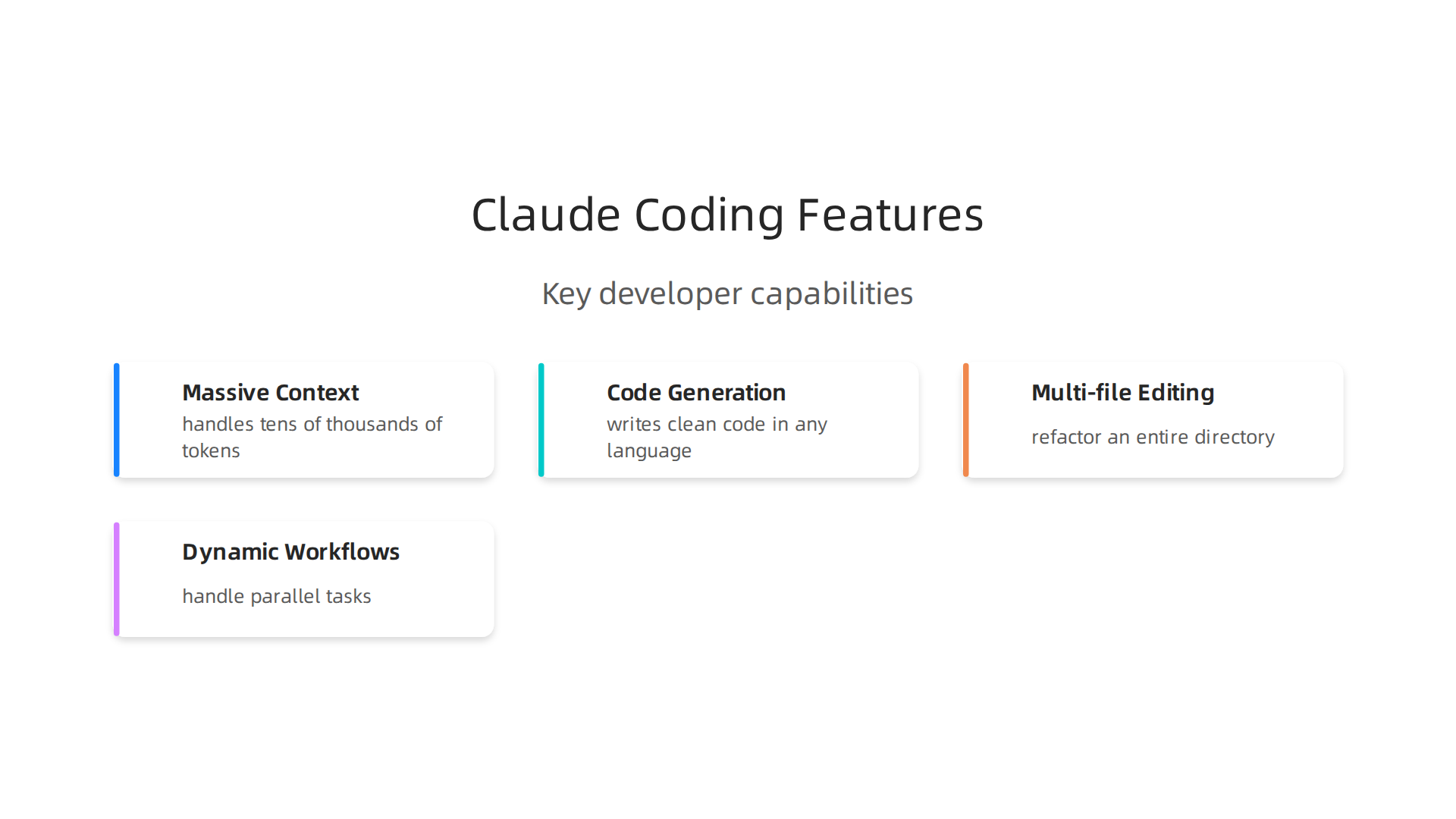
- Massive context window. Claude can handle tens of thousands of tokens. You can paste an entire codebase into a single prompt and ask for changes across multiple files. No need to chop your project into tiny pieces.
- Code generation and debugging. From Python to JavaScript to Rust, Claude writes clean code in almost any language. It can spot bugs, suggest fixes, and even write unit tests on the fly.
- Multi-file editing. Claude Code, the new command-line tool, lets you refactor an entire directory at once. You tell it what to change, and it edits every relevant file in one go from releasebot.io.
- Dynamic workflows. As of May 2026, Claude can handle parallel tasks across your whole codebase. It handles migrations, dependency updates, and complex features without breaking stride.
These features come together in tools like Claude Cowork (for macOS) and the expanded Claude for Work API. All of them tap into the same constitutional AI core, which keeps outputs safe and predictable.
A fast-evolving product line
Anthropic has not slowed down. Since January 2026, they shipped a major Claude update every two weeks from the-ai-corner.com.
The model lineup now includes Claude Sonnet 4.6, Opus 4.8, and Haiku 4.5, each tuned for different use cases from clickup.com. The API keeps getting smarter too, with faster response times and lower costs.
For teams, Claude for Work adds enterprise controls and collaboration features. The API now supports structured outputs and tool use, making it easy to plug Claude into your existing CI/CD pipeline. And the transparency hub from Anthropic gives you clear model reports and system cards, so you always know what you are working with from anthropic.com/transparency.
If you are ready to see how Claude fits into your own AI-assisted coding workflow, check out our guide on GLM Coding Plan: The Developer’s Guide to AI-Assisted Code Generation in 2026. And for daily updates on AI tools that actually matter, subscribe to The Deep View Newsletter and stay ahead of every release.
Claude Code Generation: Hands-On with AI-Assisted Programming
So picture this. You have a huge project with messy code. You need to add a feature, but it touches ten different files. Your brain feels fried before you even start. That is where Claude Code Generation changes everything.
Let me walk you through how you can use Anthropic AI in your daily work.
No theory. Just real tasks.
Writing boilerplate without the boredom
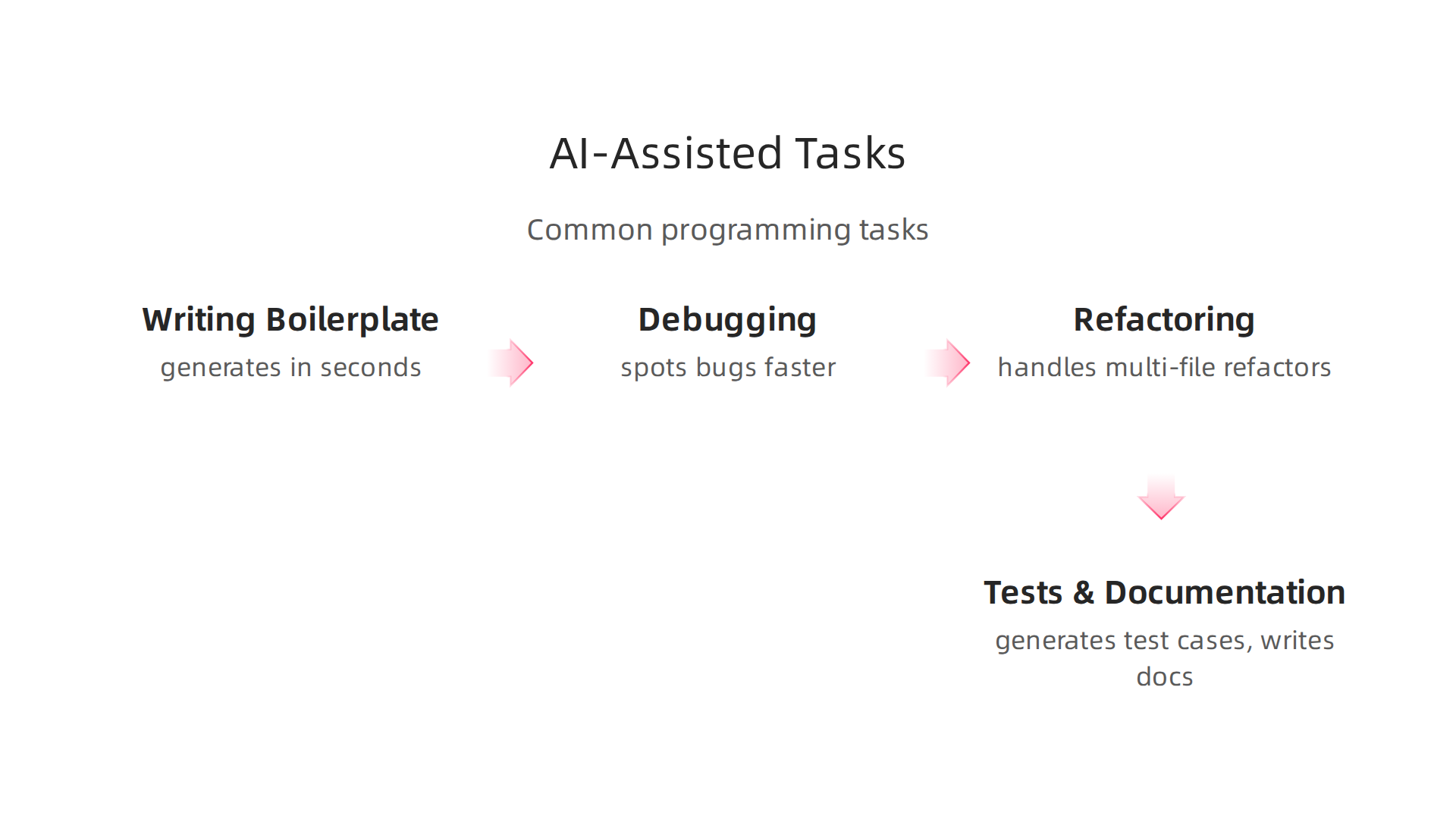
Boilerplate code is the worst. All that repetitive setup. Claude can generate it in seconds. Need a REST API endpoint? A new model class? A database migration? Just describe what you want in plain English. Claude writes the skeleton. You fill in the logic.
This works because Claude holds a massive amount of context at once. Its context window can handle an entire codebase. You can open a project, describe the change you want, and Claude edits every file that needs updating. No more copying and pasting between tabs from clickup.com.
Debugging that actually saves time
Staring at a stack trace is no fun. Paste it into Claude along with the relevant files. It spots the bug faster than you can scroll. It can even suggest fixes and explain why the bug happened. For tricky problems, Claude’s long context helps it see the whole picture, not just a single function.
Refactoring without breaking everything
Refactoring is risky. Change one thing, and something else breaks. Claude handles multi-file refactors in one go. Tell it to rename a class, extract a method, or change an API. It understands dependencies across your project and updates everything consistently. The new dynamic workflows in Claude Code let it run tasks in parallel across your entire codebase from releasebot.io.
Tests and documentation? Yes please.
Nobody likes writing unit tests or docstrings. Claude does it for you. Give it a function, and it generates test cases for edge conditions. Give it a module, and it writes clear documentation. This frees you up for the creative, big picture work.
Where to keep your eyes open
Here is the honest part. Claude is incredible at pattern recognition and repetitive tasks. But it does not truly understand your business rules, security requirements, or deployment environment. You always need to review its output. AI security risks like prompt injection or hidden vulnerabilities can sneak into generated code.

That is why you should follow secure coding practices from groups like OWASP from owasp.org.
Think of Claude as your super-fast intern. It handles the grunt work. You handle the judgment calls.
As the world of galaxy ai tools expands, your role as a developer shifts toward oversight and strategic thinking. AI jobs of the future will rely more on reviewing and guiding AI output than writing every line from scratch. Tools like evotech code help streamline this, but human oversight remains critical.
If you want to shift your whole workflow to AI-assisted development, check out our guide on the GLM Coding Plan: The Developer’s Guide to AI-Assisted Code Generation in 2026. And for daily updates on tools like Claude that actually move the needle, subscribe to The Deep View Newsletter. Stay ahead without the noise.
Anthropic vs. Competitors: A Developer’s Guide to Choosing an AI Coding Assistant
So you just saw how Claude can transform your workflow. But here is the honest truth: in 2026, you have at least a dozen AI coding assistants fighting for your attention. GitHub Copilot, Cursor, Gemini Code Assist, Codeium, and open-source models like Code Llama all promise to make you faster. Which one should you actually use?
I tested the top tools side by side. The answer? It depends on what you are building and who you are building with.
The major players at a glance
Let me break down the key differences that actually matter when you are writing code every day.
Claude Code (Anthropic AI)
Claude leads the pack in benchmark performance, scoring 70% on CursorBench with its Opus 4.7 model from nxcode.io. Its massive context window handles entire codebases in one session. This makes it ideal for complex, multi-file refactors and long debugging sessions. It integrates deeply with your terminal and supports parallel task execution across your project.
GitHub Copilot
Copilot remains the most seamless choice if you live inside VS Code or JetBrains. It excels at inline code completion but struggles with full-context understanding compared to Claude. For simple autocomplete during everyday coding, Copilot is excellent. For complex architecture changes, it falls short from sitepoint.com.
Cursor
Cursor is built as a standalone editor with AI at its core. It excels at agentic tasks where the AI takes multiple steps autonomously. Many developers find its chat interface more intuitive for debugging compared to traditional tools from faros.ai.
Gemini Code Assist
Google’s offering shines when your project involves multi-modal contexts, like code that references images, diagrams, or documentation. Its integration with Google Cloud services makes it a strong choice for teams already in that ecosystem.
Open-source models (Code Llama, StarCoder, DeepSeek Coder)
These give you full control over data privacy and customization. You can fine-tune them on your internal codebase. But they require significant infrastructure to run at scale and often lag behind commercial models in raw accuracy from the-ai-corner.com.
A simple decision framework
Here is how to pick the right tool for your situation.
No fluff. Just practical guidance.
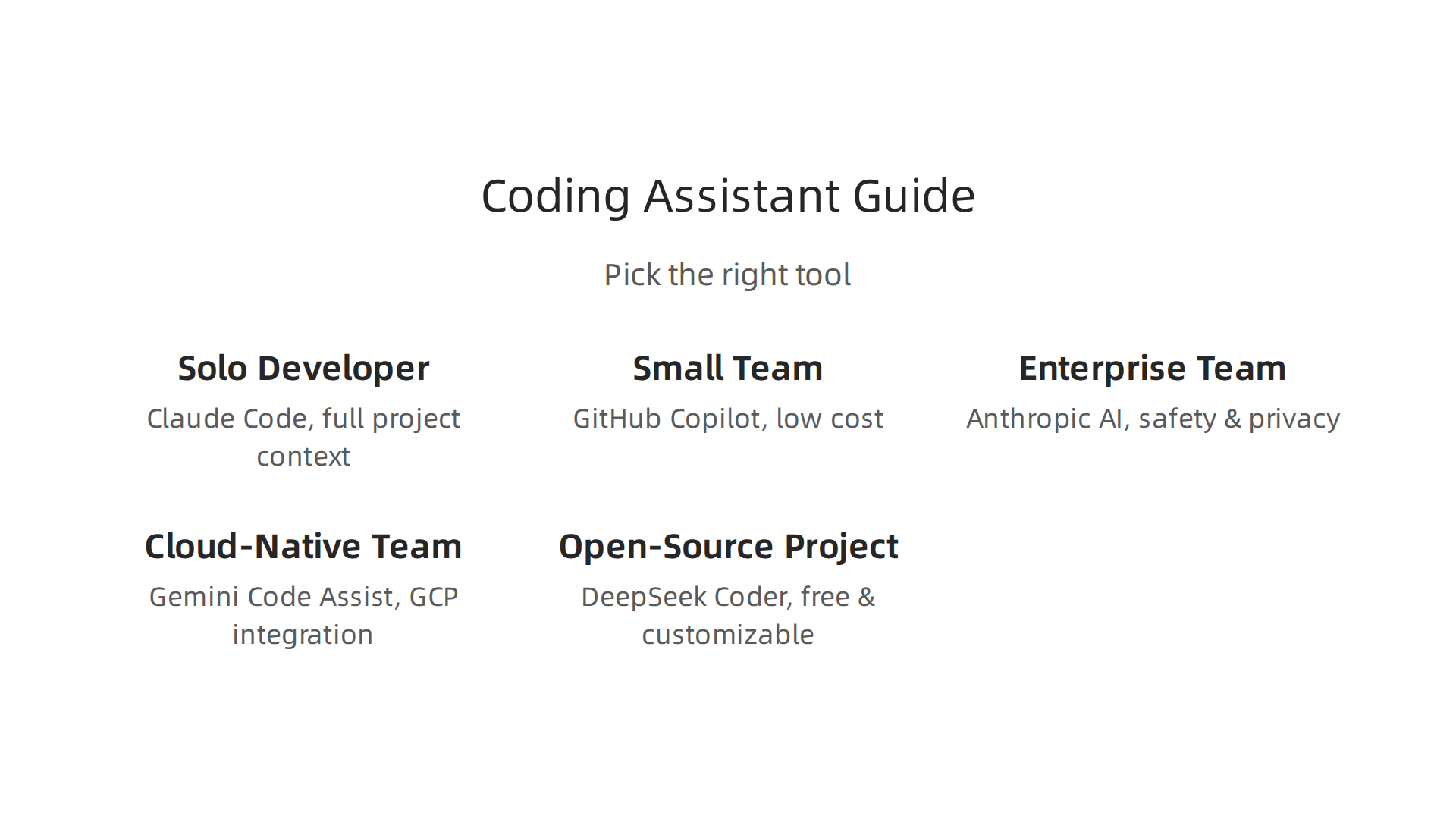
| Your situation | Best option | Why |
|---|---|---|
| Solo developer building complex apps | Claude Code | Context window handles full project, reduces context switching |
| Small team on a tight budget | GitHub Copilot (free tier) or Cursor (basic plan) | Good enough accuracy, low cost, easy setup |
| Enterprise team with compliance needs | Anthropic AI (Claude) with API control | Safety features, red-teaming, data privacy options |
| Cloud-native team on Google Cloud | Gemini Code Assist | Deep GCP integration, multi-modal support |
| Open-source project with no budget | DeepSeek Coder or Code Llama | Free, customizable, community-supported |
The best tool for you depends on your team size, project complexity, and budget. If you are a solo developer wrestling with a 50,000-line codebase, Claude is your best friend. If you are on a large team using standardized frameworks, Copilot or Gemini might save you more time on daily tasks.
What about the future of AI jobs?
As the landscape of galaxy ai tools expands, your role as a developer shifts. The most valuable skill today is not writing code from scratch. It is knowing which AI tool to use for which job. That is exactly the kind of strategic thinking that defines the best ai jobs of 2026. Tools like evotech code will continue to automate repetitive tasks, but humans will always decide the direction.
Want to dig deeper into how to structure your AI-assisted workflow? Check out our guide on the GLM Coding Plan: The Developer’s Guide to AI-Assisted Code Generation in 2026. It walks you through building a repeatable system that works across any AI coding tool.
Your next move
Honestly, the best way to choose is to try two or three tools on a real project. Pick one focused task, like refactoring a module or writing test cases, and see which assistant gives you the best result. Then stick with that tool for a week.
The AI landscape changes fast. To stay ahead of the curve without the noise, subscribe to The Deep View Newsletter. It delivers practical AI updates straight to your inbox every day, so you always know which tool is worth your time.
Integrating Anthropic AI into Your Development Workflow
You picked your tool. Now comes the real work. Getting Anthropic AI into your daily development routine takes some setup, but the payoff is worth it. Here is a practical guide to make it happen fast.
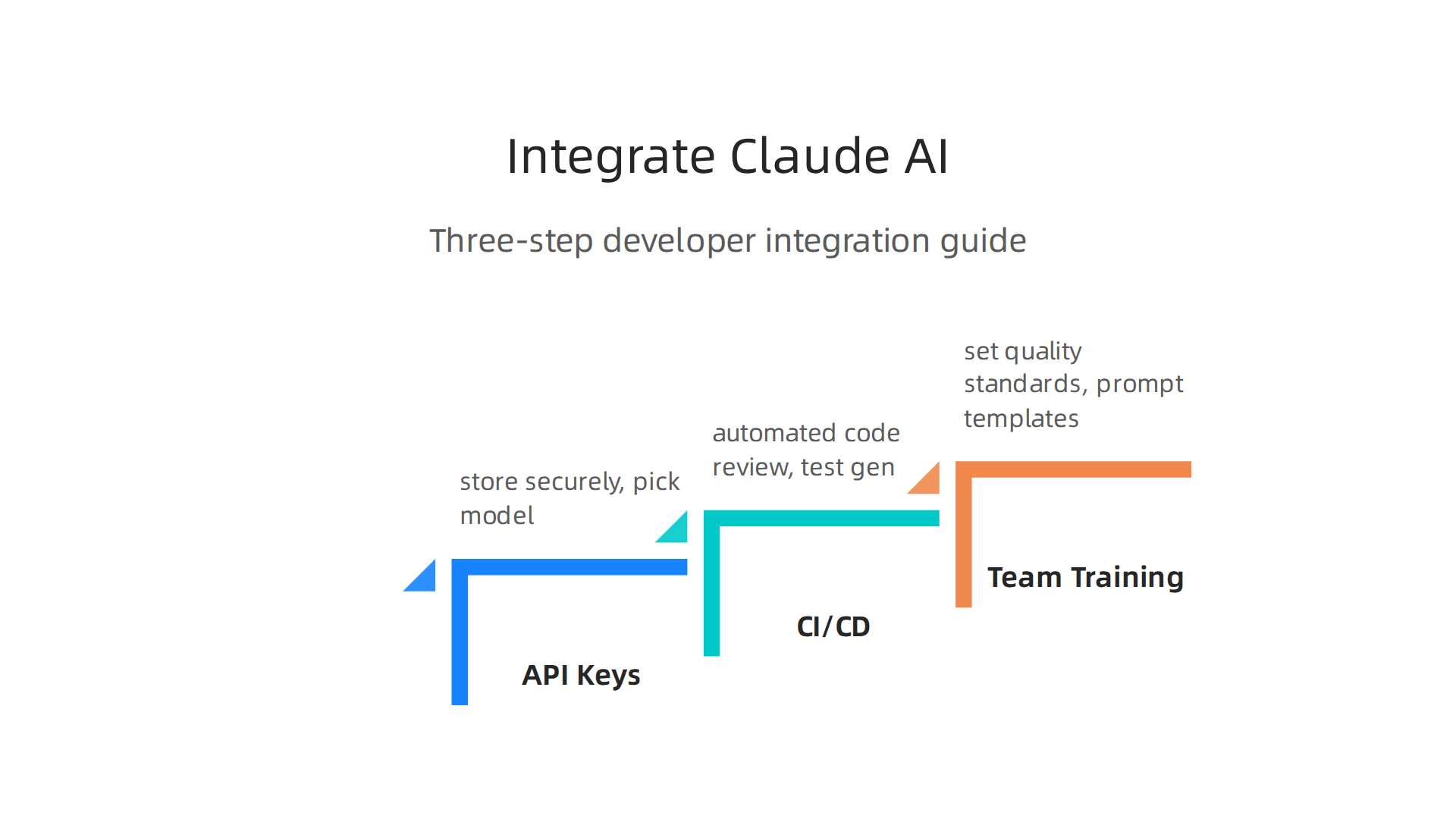
Step 1: Set up API keys and pick your model
First, grab your API key from the Anthropic console. Store it securely in environment variables. Do not hardcode it into your codebase.
Next, choose the right model for each task. Use Claude Opus 4.7 for complex work like multi-file refactoring and architecture decisions. It leads the benchmarks with a 70% score on CursorBench from nxcode.io. Use Claude Sonnet for everyday tasks like simple code generation, documentation drafts, and quick Q&A. It handles most daily work at a lower cost.
Batch your requests when you can. Instead of sending files one at a time, group them together in a single prompt. Claude’s large context window processes them all at once, and you save on API calls.
Step 2: Integrate Claude into your CI/CD pipeline
This is where Claude becomes a teammate rather than just a tool.
Set up automated code review. Every time someone pushes a pull request, Claude scans the diff for logic bugs, security issues, and style problems. Issues get flagged before a human ever looks at the code.
Automate test generation. When you add a new function, Claude writes matching unit tests in your framework. You just review the output and commit it.
Keep documentation fresh. Claude reads your code changes and updates README files, API docs, and inline comments automatically. No more stale docs.
For a complete walkthrough of building this kind of AI-assisted workflow, check out the GLM Coding Plan: The Developer’s Guide to AI-Assisted Code Generation in 2026. It covers the whole process from setup to shipping.
Step 3: Train your team and set quality standards
A great tool fails without good habits. Enterprise case studies show that companies deploying Claude at scale see real ROI, but only when they invest in training from datastudios.org.
Run a short workshop on writing effective prompts. Show examples of good prompts versus bad ones. Build a library of reusable prompt templates for code review, test writing, and debugging. Share them in a team wiki so everyone stays consistent.
Set clear governance rules. For sensitive or security-critical code, keep a human in the loop. For boilerplate, tests, and documentation, let Claude run freely.
The galaxy ai of tools keeps expanding, and the best ai jobs in 2026 belong to developers who integrate AI strategically from the-ai-corner.com. Tools like evotech code and others appear constantly. Integration skill is what separates top performers from the rest.
Your next move
Pick one thing from this list. Set up automated test generation on your next pull request. See how much time it saves. Then add code review. Then documentation.
To stay current as the field evolves, subscribe to The Deep View Newsletter. It delivers practical AI updates daily, so you always know what works right now.
Real World ROI: Case Studies of Anthropic AI in Software Teams
Numbers tell the real story. Companies using Anthropic AI are seeing measurable results that go beyond the hype.

Here is what actual teams have achieved.
Quantified Productivity Gains
Anthropic’s own research shows that real conversations on Claude.ai contain tasks that save significant development time. Using a privacy preserving analysis method on thousands of conversations, the company estimated just how much time teams save from anthropic.com.
In one study of seven companies deploying Claude as an operational coworker, the combined measurable business benefit passed $90 million from YouTube. These are not small wins.
Teams report cutting bug-fix time by hours per week. Feature delivery speeds up because developers stop doing repetitive work and start solving real problems. Enterprise case studies confirm that companies deploying Claude at scale see real ROI, but only when they invest in training and governance from datastudios.org.
Qualitative Improvements That Matter
Beyond the numbers, code quality gets better. Claude catches logic errors early. It enforces consistent style across the codebase. New developers onboard faster because they get instant feedback on their code.
Team morale improves too. Developers spend less time on boring tasks like writing boilerplate tests or updating documentation. They focus on creative work that needs human judgment. This shift matters a lot. The best galaxy ai tools help teams do more, but Anthropic AI stands out in high-stakes environments.
Companies exploring evotech code and other emerging tools should start with proven platforms. The top ai jobs in 2026 go to developers who can work alongside AI strategically.
Industry Impact: Fintech, Healthcare, and E-commerce
These sectors demand safety and accuracy. Mistakes cost money or even lives. That is why they lead in Claude adoption.
In fintech, Claude helps audit transaction code for regulatory compliance. In healthcare, it catches sensitive data exposure in patient facing applications. In e-commerce, it generates consistent product descriptions across thousands of SKUs while keeping the brand voice intact.
ClickUp documented 10 enterprise use cases that drive ROI, showing how teams turn AI outputs into shipped work from clickup.com. The pattern is clear: start with a specific pain point, apply Claude, measure the result, and scale.
For a complete walkthrough of building an AI assisted workflow from scratch, check out the GLM Coding Plan: The Developer’s Guide to AI-Assisted Code Generation in 2026.
Your Next Step
The evidence is clear. Anthropic AI delivers real results when applied thoughtfully. The key is starting small, measuring everything, and scaling what works.
To stay current as new case studies and best practices emerge, subscribe to The Deep View Newsletter. It delivers practical AI updates daily so you always know what works right now.
Safety, Hallucinations, and Best Practices When Using AI Code Generators
You just copied code from Claude. It looks perfect. It compiles. But is it safe? Here is the thing: AI code generators can produce code that looks right but hides serious problems. These are called hallucinations, and they are not just wrong answers. They can be subtle bugs, security vulnerabilities, or even license violations.
The OWASP GenAI Exploit Round-up Report for Q1 2026 documented actual exploits tied to AI-generated code from genai.owasp.org. These aren’t hypothetical risks. Real teams shipped code that contained prompt injection vulnerabilities, data leakage, and logic errors that looked correct to a human reviewer.
The OWASP Top 10 for Large Language Models lists prompt injection, model denial of service, and hallucinations as top threats from owasp.org.
Every developer using AI needs to know these risks. The best way to protect yourself is to build a safe workflow around your AI tools.
Anatomy of a Safe AI-Assisted Workflow
Here is what a responsible workflow looks like:
- Peer review every AI output. Treat AI-generated code like a junior developer’s first draft. Review it with the same rigor you would apply to any pull request.
- Run automated tests. Unit tests, integration tests, and security scans catch what human eyes miss. Checkmarx’s secure coding guide recommends testing early and often from checkmarx.com.
- Use prompt engineering. Write clear, specific prompts. Tell the AI what language, framework, and security patterns to follow. This reduces the chance of hallucinated code.
- Check for license issues. AI models trained on public code may reproduce copyrighted snippets. Always verify licensing before shipping.
Secure Code Warrior published essential guidelines for securing AI-generated code in 2026, emphasizing that security must be built into the development cycle, not added after from securecodewarrior.com. The OWASP Top 10 for Agentic Applications also highlights risks unique to agentic AI, where models take actions on your behalf from goteleport.com.
How Anthropic AI Handles Safety
Anthropic built Claude with safety as a core feature, not an afterthought. Three key mechanisms set it apart:
- Constitutional AI. Claude is trained to follow a set of guiding principles. This reduces harmful outputs and hallucinations compared to models without such guardrails.
- Red-teaming. Anthropic constantly tests Claude by having internal teams try to break it. They find weaknesses before bad actors do.
- Content filtering. Claude filters sensitive content, which helps prevent it from generating insecure code patterns in high-stakes environments like fintech or healthcare.
These features make Anthropic AI a strong choice for teams that prioritize safety. But no AI is perfect. You still need the human in the loop. The best galaxy ai tools are only as good as the workflows around them.
Your Safety Checklist
Before you ship any AI-generated code, ask yourself:
- Did I review this line by line?
- Did I run my test suite?
- Did I check for security vulnerabilities using tools aligned with the OWASP Top 10 for LLMs?
- Did I verify the license?
For a deeper look at turning AI outputs into reliable code, check out the GLM Coding Plan: The Developer’s Guide to AI-Assisted Code Generation in 2026. It walks you through a complete workflow from prompt to production.
Security and AI safety evolve fast. New exploits and best practices appear every week. To stay on top of the latest developments, subscribe to The Deep View Newsletter. It delivers practical AI safety updates daily so you can code with confidence.
The Future of AI in Software Development: Anthropic’s Role and What’s Next
The way we build software is changing fast. In 2026, we have moved beyond AI as a simple autocomplete tool.

AI is becoming an active participant in the development process. Agentic workflows are reshaping how teams plan, write, and ship code. Motion Recruitment describes this shift as “applications that can plan, execute and iterate” on their own from motionrecruitment.com.
Anthropic’s 2026 Agentic Coding Trends Report notes that agentic AI has already changed how a large group of developers code from resources.anthropic.com. The next step is self-improving models that learn from each interaction and real-time collaboration where you and an AI work on the same codebase like paired programmers.
Where is this heading? Speculative yet grounded predictions paint a clear picture. AI-native IDEs will become the norm. Think of an editor that automatically runs tests, suggests refactors, and even fixes bugs before you notice them. Automated testing suites will evolve to generate test cases from code alone, not just detect issues. And the role of the developer will shift. Keyhole Software predicts that by 2028 more than 65% of developers will use AI coding assistants daily from keyholesoftware.com. Junior developer demand has already dropped by 40% in some areas where AI handles routine tasks, as reported in a 2026 analysis from firstlinesoftware.com. New ai jobs will focus on architecture, prompt engineering, and system design rather than boilerplate coding.
Anthropic’s strong emphasis on safety could set the standard for the entire industry. As agentic models take on more responsibility, safety guardrails become critical. Anthropic’s Constitutional AI approach and red-teaming practices provide a blueprint that other companies may adopt. If you want to thrive in this new landscape, understanding these technologies is essential. For a practical roadmap, read the GLM Coding Plan: The Developer’s Guide to AI-Assisted Code Generation in 2026.
The future is arriving quickly. To stay ahead, you need daily insights on AI tools and their impact on software development. Get clear updates from The Deep View Newsletter at this link.
Summary
This article explains why Anthropic’s Claude models are becoming essential tools for modern software development, showing how constitutional AI, large context windows, and frequent product updates make Claude a trustworthy coding assistant. It walks through concrete uses—generating boilerplate, debugging across many files, multi-file refactors, and automated test and doc generation—while comparing Claude to other assistants like GitHub Copilot, Cursor, and open-source models. The guide gives practical integration steps (API keys, model choice, CI/CD hooks), governance and training advice for teams, and a safety checklist to reduce hallucinations and security risks. Case studies and quantified ROI demonstrate measurable productivity gains in fintech, healthcare, and e-commerce. The piece also outlines a decision framework for choosing tools by team size, project complexity, and budget, and closes with forward-looking trends about agentic workflows and evolving developer roles.