
The 6 Phases of Software Development Life Cycle Reimagined for 2026 with AI
· 24 min read

Welcome to 2026! Things in the world of software are moving super fast. It seems like every day there are new tools, especially with AI getting smarter and helping us build things faster than ever before. This fast pace also means there’s a lot of information to keep up with. It can feel like a tidal wave!

Because of all this rapid change, thinking clearly about how we build software is more important than ever. This is why having an "advanced" way of looking at the Software Development Life Cycle (SDLC) matters so much right now.
The Software Development Life Cycle, or SDLC, is like a roadmap that teams use to plan, build, test, and deliver software. It’s a structured way to get a job done right. Traditionally, the common phases of software development life cycle include steps like planning, design, development, testing, deployment, and maintenance [1, 2]. But in 2026, these steps are no longer just a straight line. They often loop back and happen at the same time, thanks to new tools and ways of working [3].
Old ways of thinking about how we make software aren’t enough when AI is changing everything. The truth is, AI has really shaken up how we build software [4]. It makes the whole software life development cycle more complex but also full of new chances. We need to think smart about how to use these new tools and ideas.
So, who really needs this advanced way of thinking about the software development life cycle software? Many people actually.
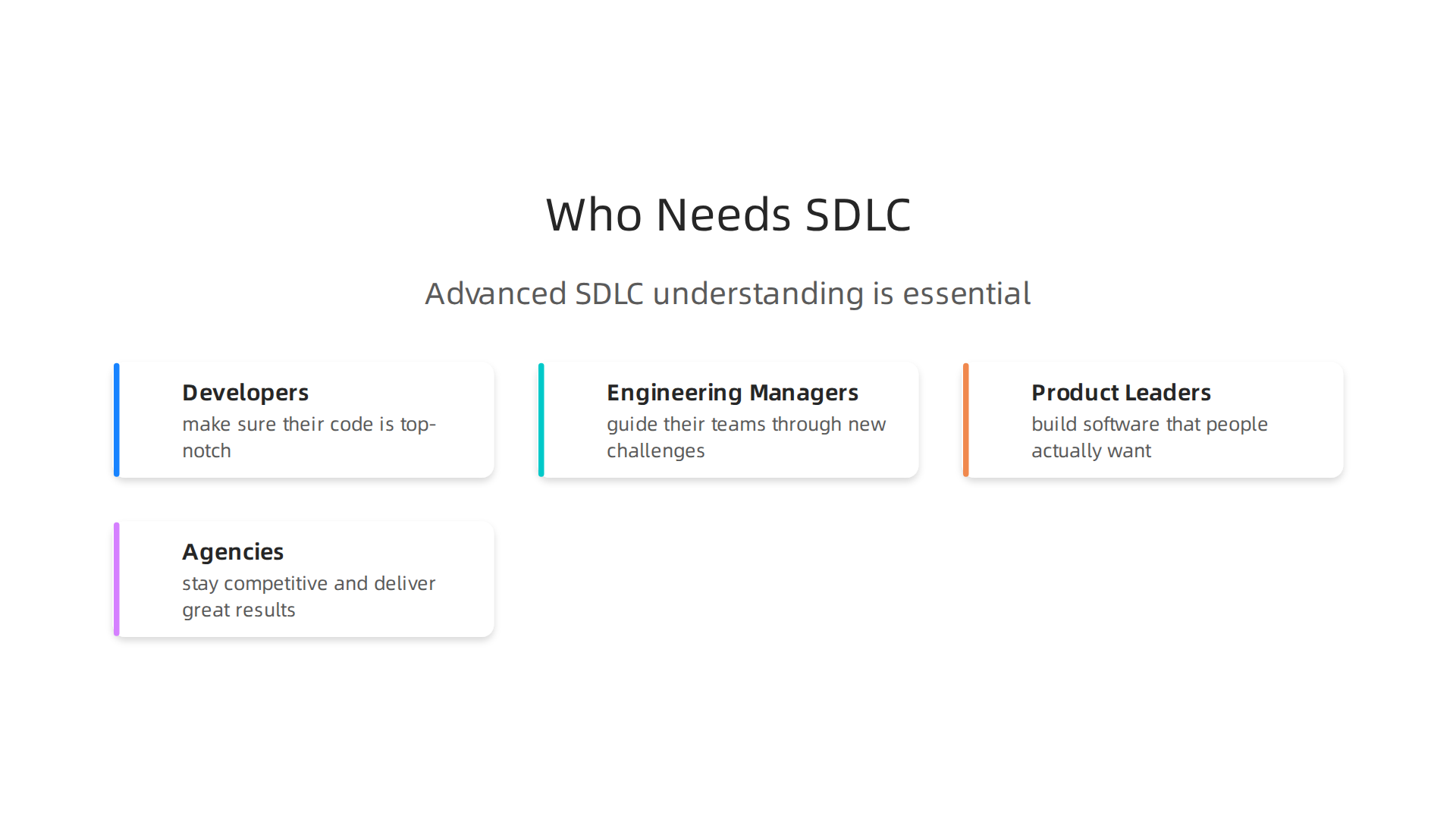
- Developers need it to make sure their code is top-notch and works well with new AI helpers.
- Engineering Managers need it to guide their teams through new challenges and make sure projects stay on track.
- Product Leaders need it to build software that people actually want and use.
- Agencies need it to stay competitive and deliver great results to their clients.
It’s about making smart choices to build better software, faster, and with fewer problems. It also involves understanding things like how different teams work together, which is part of something bigger we call interdisciplinary engineering. Staying informed about these fast changes, especially in AI, is key to success.
To keep up with the latest in AI and how it’s shaping software development, consider subscribing to The AI Newsletter Worth Reading. It offers clear daily AI updates to help you navigate this changing landscape.
Modernizing the SDLC: Core Concepts and Where Teams Trip Up
To really succeed in 2026, staying on top of how AI changes software development is super important. That means we need to look at the phases of software development life cycle in a new way. The old ideas of building software step-by-step just don’t work as well anymore. Now, it’s more about loops and working on different things at the same time.
How Modern SDLC Works
Think of today’s software development life cycle software not as a straight road, but as a highway with many lanes and exits that loop back. Here are some key ideas:
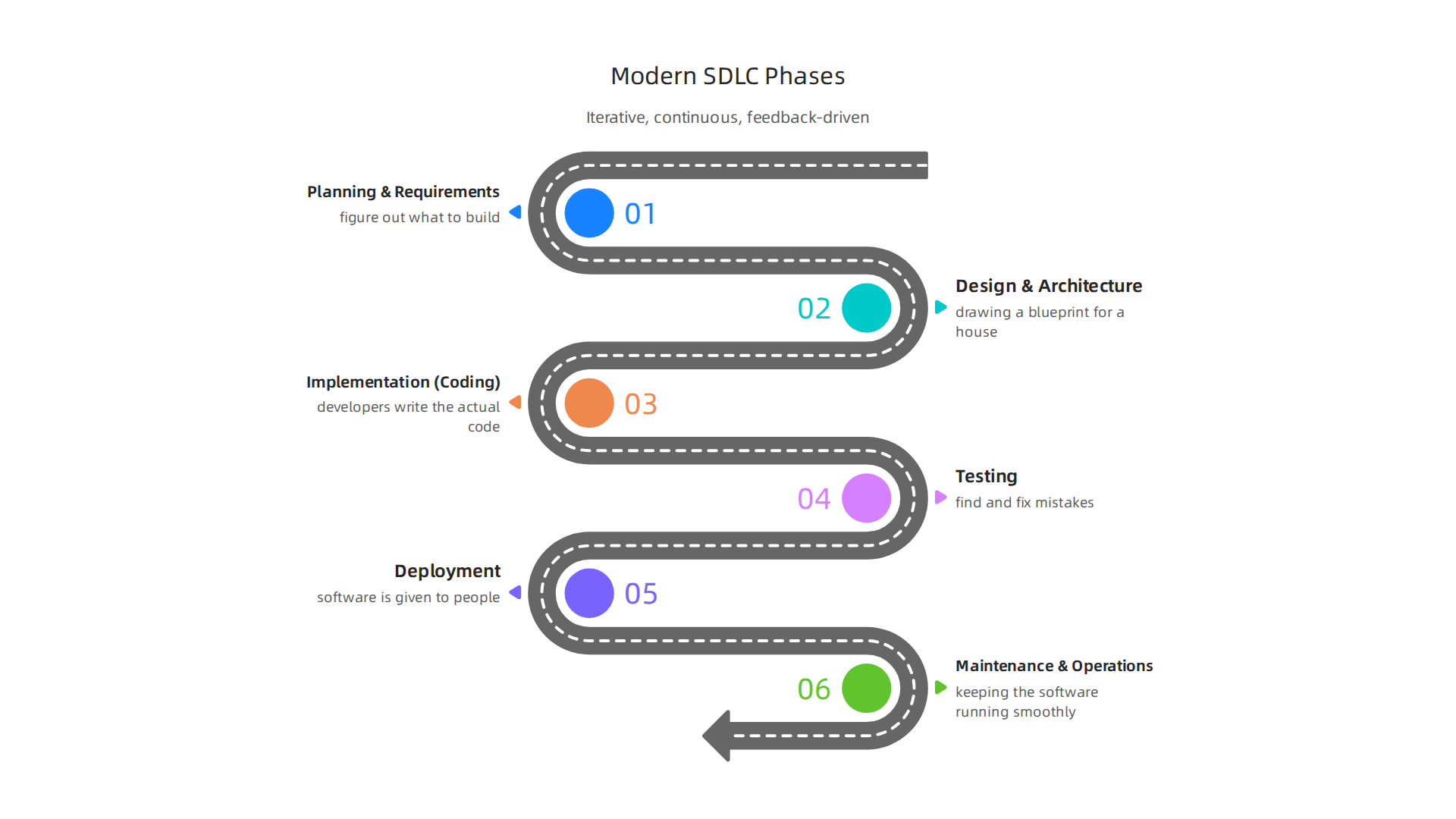
- Iterative Pipelines: This means building software in small, repeated cycles instead of one big effort. Teams work on a small part, get it ready, and then repeat the process. This helps them learn and make changes quickly. Many core SDLC phases like planning, design, and development still exist, but they are often done in these smaller, repeating steps [1]. This approach is much more flexible, especially with new tools and AI that speed things up.
- Continuous Delivery: Imagine a conveyor belt always moving. Continuous delivery is like that for software. It means making sure new code changes are always ready to be sent out to users. This happens often and automatically. When teams can release new features or fixes all the time, users get updates faster, and problems can be fixed sooner.
- Feedback Loops: This is about listening and learning. After you build something and deliver it, you get feedback from users or through testing. This information then helps you improve the next small cycle of work. It’s like a constant conversation between the software and the people using it. This feedback helps shape the future of the product and is a big part of successful interdisciplinary engineering, where different teams share insights.
These modern ideas make the software life development cycle faster and more flexible. They help teams create better software that truly meets user needs.
Common Places Teams Get Stuck
Even with these great new ways of working, teams can still face problems. It’s not always easy to put these ideas into practice.

- Misaligned Processes: Sometimes, different parts of a team might not be working together smoothly. One team might be moving very fast, while another is stuck on older ways. This can cause delays and frustration. When processes don’t match up, it’s hard to keep the whole software development life cycle software on track.
- Vague Phase Boundaries: In the past, the phases of software development life cycle were very clear. Plan, then design, then build. But now, with things looping and happening at once, it can sometimes feel messy. If teams don’t clearly understand what needs to be done in each "loop" or how tasks flow from one to another, it can lead to confusion and mistakes. Good communication and clear goals are key here.
- Tooling Gaps: Modern SDLC relies heavily on smart tools. These tools help with things like automating tests, managing code, and even checking for errors using something called static code analysis. But if a team doesn’t have the right tools, or if their tools don’t work well together, it can slow everything down. Imagine trying to build a house without the right hammer or saw! Finding the right tools is crucial for smooth development.
By understanding these modern ways of building software and knowing where teams often stumble, we can work towards making the process better for everyone. If you’re looking to dive deeper into how to pick the best methods for your projects, check out our guide on mastering the software development life cycle. It offers practical advice for navigating these choices in today’s fast-moving tech world.
Citation Sources:
[1] Software Development Life Cycle (SDLC) – GeeksforGeeks
Even though we use new ways of building software in 2026, the basic steps are still there. Think of them as the foundation of any software development life cycle software. These fundamental stages help teams build and improve products, even if they’ve changed how they are done. Today, these steps often happen together and repeat, instead of strictly one after another.
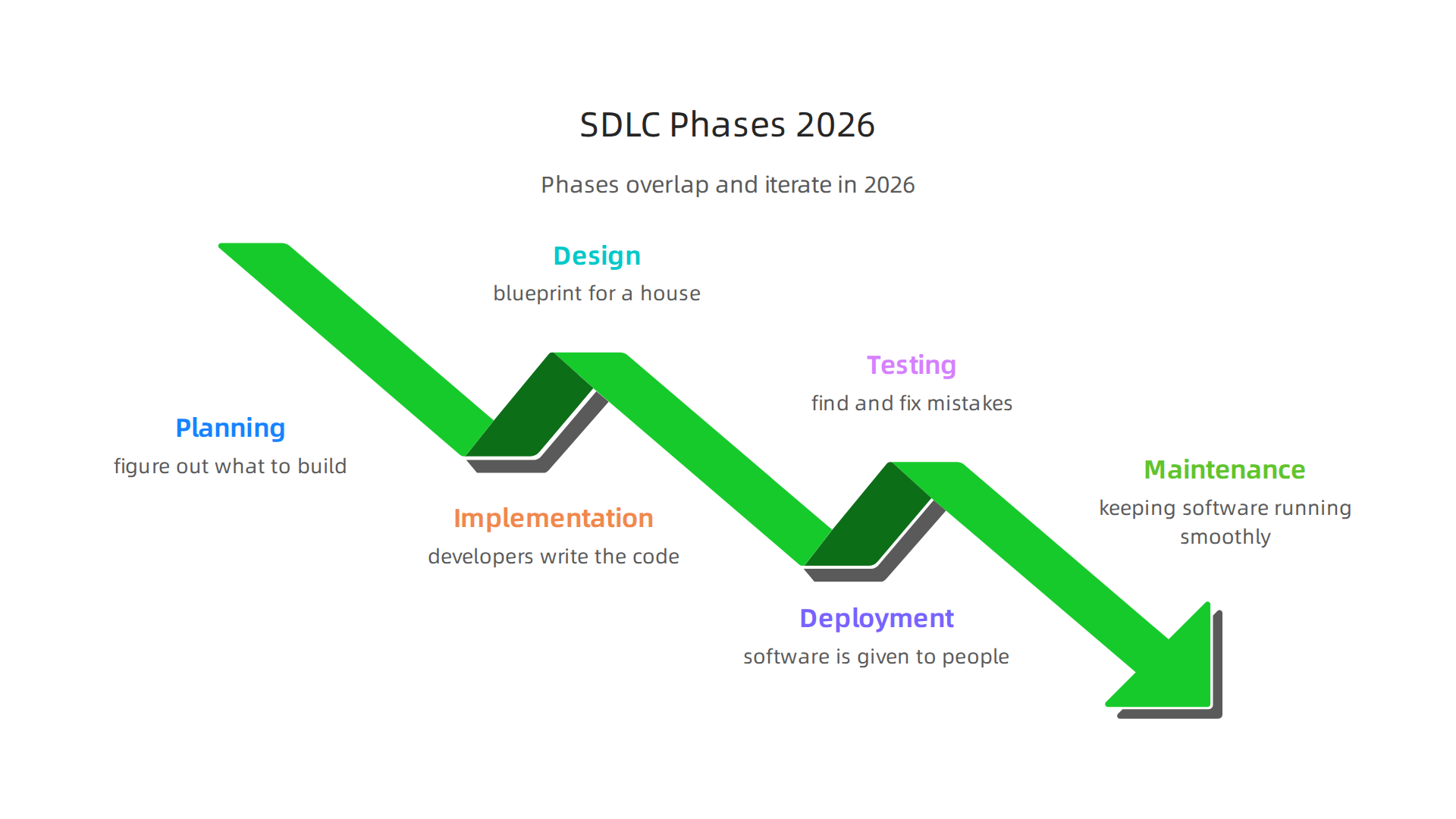
Here’s a look at the main phases of software development life cycle and how they work in 2026:
1. Planning and Requirements
The first of these phases starts with Planning. This is where teams figure out what they want to build. They decide on goals, what the software will do, and who it’s for. This stage also assesses if the project is possible with the time and money available. In the past, this was a long, upfront process. Now, it’s more flexible. Teams gather detailed information about what’s needed, often called ‘requirements analysis’, but they do it in smaller pieces. This allows for changes as they learn more about what users truly want, as explained in a detailed guide on The Software Development Life Cycle Explained 2026. Key decisions here include defining the problem and outlining the main features.
2. Design and Architecture
Next comes Design. This is like drawing a blueprint for a house. Teams decide how the software will be structured, how its parts will connect, and what technologies to use.

They think about how it will look and work for the user. In modern interdisciplinary engineering, different experts work together. Designers, developers, and even users give ideas to make sure the design is practical and meets real needs. This phase now often adapts as development happens, rather than being a totally rigid plan from the start.
3. Implementation (Coding)
Then comes Implementation, which is just a fancy word for building or coding. This is where the developers write the actual code. With modern tools, this part is often sped up. Developers work in small bursts, creating parts of the software. AI tools can even help write some of the code or suggest improvements. This phase is no longer a hidden process but an open one, often with continuous checks on the code quality.
4. Testing
After building, teams move to Testing. This is super important to find and fix mistakes. It makes sure the software does what it’s supposed to do and doesn’t break when people use it. Today, testing happens all the time. Automated tests run with every small change to the code. Tools for static code analysis also check the code for problems even before it runs. This helps catch issues early, making the whole process smoother and the software more reliable.
5. Deployment
Deployment is when the software is given to the people who will use it. In the past, this was a big, sometimes risky event that didn’t happen often. Now, it happens much more frequently. Thanks to continuous delivery, small updates can go out many times a day, sometimes to a small group of users first to get feedback. This means users get new features and fixes very quickly, as outlined in a comprehensive software development lifecycle: a complete 2026 guide.
6. Maintenance and Operations
Finally, there’s Maintenance. This means keeping the software running smoothly after it’s been released. It includes fixing any new problems that come up and making small changes or improvements. This phase isn’t the end of the software life development cycle, but often loops back to planning new features. User feedback from maintenance helps start the next round of improvements, making the process a continuous cycle of learning and building.
What’s important to remember in 2026 is that these phases of software development life cycle don’t happen one after another in a strict line. They often overlap and run in parallel. Teams might be designing one part while testing another and planning a third. This overlapping and looping back helps teams build better software faster and adapt to new ideas quickly. This modern approach is a key part of any Modern Software Development Lifecycle (SDLC) Guide for 2026. If you want to explore different ways teams put these phases together, you can learn more about how to SDLC models pick the best for your 2026 software projects.
Integrating AI across SDLC phases: practical patterns and guardrails
In 2026, Artificial Intelligence (AI) is changing how teams work through the various phases of software development life cycle. Almost all organizations are already using AI or planning to use it in their software building process, showing how important it has become DevSecOps Statistics (2026): Market, Adoption, and AI Trends. AI tools can help at every step, making things faster and often better, but they also come with new things to think about.
Here is how AI fits into each phase and what to watch out for:
Planning and Requirements
AI can help teams at the very start of a project. It can look at lots of information to help understand what users want or find problems that need solving. AI assistants can even help draft the first ideas for how a project will work, creating a baseline workflow that teams can build upon How to Automate CI/CD Pipelines with AI in 2026 (Developer Guide). This can make the planning phase quicker.
Design and Architecture
When drawing up the plans for software, AI can suggest different ways to structure the system. It can help in interdisciplinary engineering by quickly showing how different parts might connect. However, for big decisions about how software is put together and its security, human experts must be careful. It’s wise to be a bit skeptical of AI suggestions in these important areas and always have people review the plans thoroughly AI-Assisted Development in 2026: Best Practices, Real Risks, and ….
Implementation (Coding)
This is where AI truly shines for many developers. AI tools can help write code, suggest improvements, and even find small errors as developers work. These AI coding assistants 2026 make the coding part of the software development life cycle software much faster. Still, it’s important to remember that AI-generated code should always be treated like work from a new team member and needs a careful human review AI-Assisted Development in 2026: Best Practices, Real Risks, and ….
Testing
AI is also a huge help in the testing phase. It can create new tests, run them automatically, and even spot problems in the code before anyone runs it, a process known as static code analysis. This helps teams find and fix bugs much earlier. AI can even automate testing and deployment steps, leading to smoother releases AI in CI/CD pipeline: Automate Testing and Deployment Smarter.
Deployment and Maintenance
After the software is released, AI can keep an eye on it to make sure it’s working well. These "observability assistants" can quickly tell teams if there’s a problem and sometimes even suggest how to fix it. This helps with the ongoing maintenance of the software life development cycle, making sure users have a good experience.
Important Guardrails for AI in Software Development
While AI offers many benefits, there are important rules and checks needed.
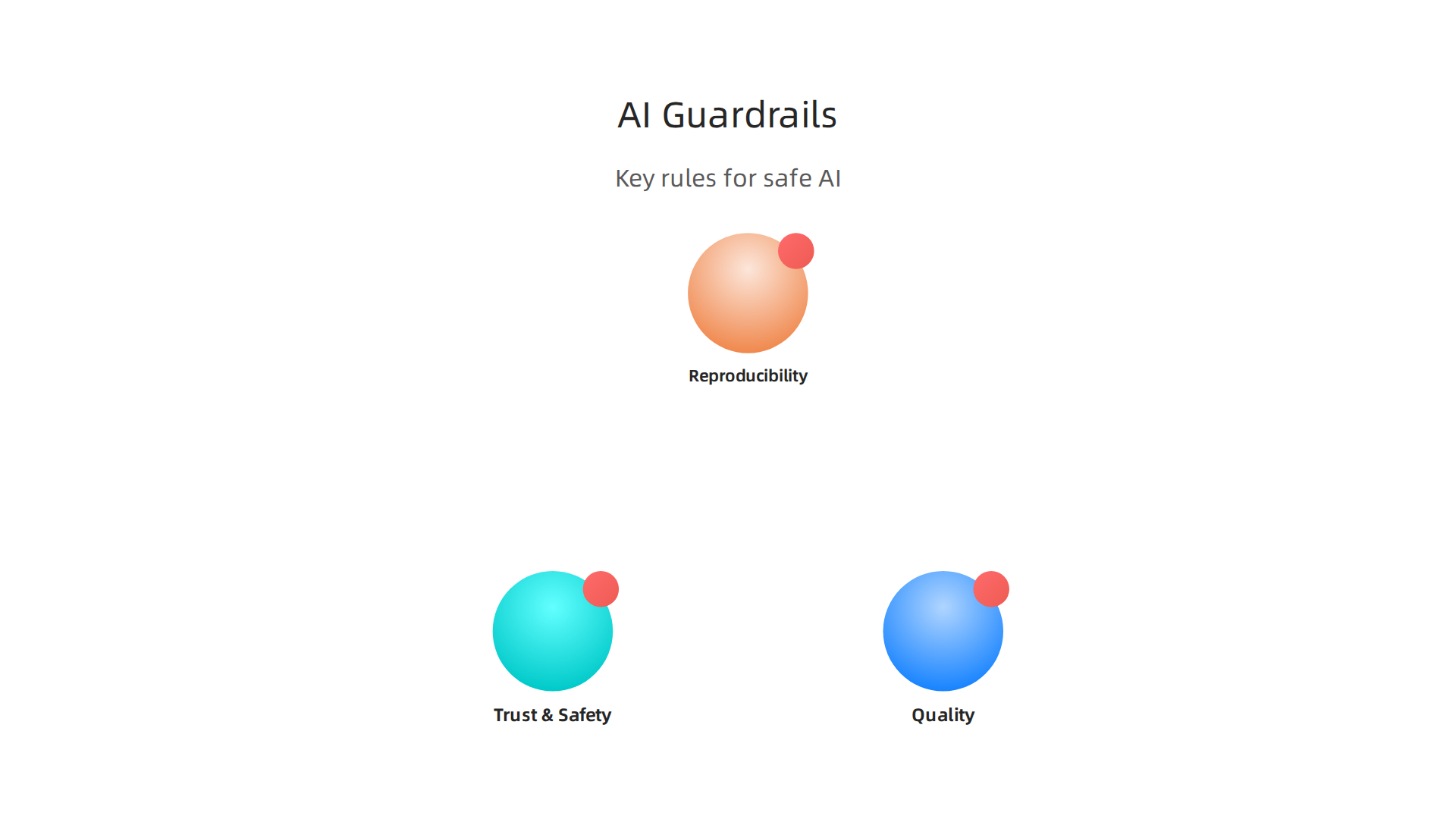
- Quality: AI can sometimes create code that is not quite right or has mistakes. These are sometimes called "hallucinations." Every piece of AI-generated code must go through the same careful checking process as code written by people AI-Assisted Software Development: Benefits, Risks, and Best ….
- Trust and Safety: There’s a need for clear rules on how AI is used. Teams should create a good policy for AI governance and make sure it’s followed Best Ai-Assisted Software…. This helps keep the software secure and reliable. You can learn more about how to set up AI ethics for software teams.
- Reproducibility: It’s important to be able to get the same results when using AI tools. This means keeping records of how AI was used and what it produced.
Using AI smartly across the phases of software development life cycle means getting the most out of these tools while also being careful and responsible. This way, teams can build amazing software faster and safer. To dive deeper into how to effectively use AI throughout the SDLC, explore this guide on how to use AI for software development in 2026.
Staying updated on the latest AI trends and how they impact software development is key. Get clear daily AI updates to help you make smart choices.
The AI Newsletter Worth Reading
Optimizing Workflows: CI/CD, Observability, and AI-Augmented Developer Tooling
Building on the smart use of AI across the phases of software development life cycle, it’s clear that AI can make big improvements. This is especially true when we talk about how work flows through Continuous Integration/Continuous Delivery (CI/CD) pipelines and how we keep an eye on software after it’s released. AI helps us make these processes faster, smoother, and more reliable.
Better Pipelines and Quicker Feedback
CI/CD pipelines are like assembly lines for software. They help bring new features and fixes to users quickly and often. In 2026, AI is a key helper here. It can suggest ways to design these pipelines better, making sure code moves from idea to user without getting stuck. For example, AI can help set up the best ways to cache information and secure the software’s journey from start to finish CI/CD Pipeline Best Practices for 2026.
One major benefit is speeding up feedback. If there’s a problem, you want to know right away. AI tools can run automatic tests and perform static code analysis very early in the process. This is called "shift-left" testing because you find issues further to the "left" (earlier) in the development timeline Continuous Testing: Shift Left & Shift Right, Get it RightMarketing. This quick feedback helps teams fix problems before they become bigger, saving time and effort across the entire software development life cycle software. You can learn more about how to choose the right models for your projects with this guide on SDLC models pick the best for your 2026 software projects.
How AI Changes How We Find and Fix Problems
Once software is out in the world, we need to know it’s working well. This is where "observability" comes in. It’s about being able to see what’s happening inside your running software. AI agents and tools are changing this greatly. They act like smart assistants that constantly watch the software. If something goes wrong, an AI agent can quickly tell you where the problem is and even suggest ways to fix it. This changes how teams "triage" (figure out what’s wrong) and "remediate" (fix) issues. AI helps make these workflows much faster. For complex systems, especially in interdisciplinary engineering, this AI support is invaluable for keeping things running smoothly.
AI can even help manage the CI/CD for its own agents, ensuring that the tools themselves are working correctly and securely CI/CD for AI Agents: Best Practices 2026. This deeper look into system health helps keep the software life development cycle efficient and robust.
AI in Developer Tools
Today’s developers also use AI right in their coding tools. These AI coding assistants 2026 do more than just write code; they suggest ways to improve it, find bugs, and even help with repetitive tasks. This frees up developers to focus on the more creative and complex parts of their job. They act as a helpful partner, making every step of the development process more efficient. These tools help engineers become better at their craft by handling the mechanical work AI-Assisted Development: The 2026 Guide for Engineering ….
While AI helps make building software much faster, it’s super important to also make sure the software works well and is safe. This is where "quality engineering" comes in.

It means we build quality into the software from the start, not just check for it at the end. Also, "security-by-design" means we plan for safety right away, not as an afterthought. Both are key parts of the various phases of software development life cycle.
Think about it like building a house. You do not want to wait until the house is finished to check if the walls are strong or if the doors lock properly. You check as you build. In software, this means doing tests and security checks very early on. This idea is called "shift-left" because we move these important checks to the left side of the project timeline, to earlier stages. By shifting left, we find problems when they are small and easy to fix, instead of big, expensive issues later Shifting left on security. This is a smart way to work in any kind of engineering, even in complex interdisciplinary engineering projects where different fields come together.
Testing Early and Often
One big way to shift left is through testing. Instead of doing all tests at the very end, teams use special tools that test code as it is being written. This includes:
- Regression testing: This checks if new changes accidentally broke old parts of the software. It makes sure that fixing one problem does not create another.
- Performance testing: This checks how fast and smooth the software runs, even when many people use it at once.
- Security testing: This is super important to find weak spots where bad actors could try to get in.
For security, there are specific types of tests. SAST (Static Application Security Testing) looks at the code itself without running it, like a smart editor finding mistakes. This is a form of static code analysis that helps identify security issues. DAST (Dynamic Application Security Testing) actually runs the software and checks for vulnerabilities while it is working, like trying to open locked doors. Integrating these into your CI/CD pipelines is crucial for secure software development life cycle software, helping to prevent attacks on the CI/CD provider itself Understanding CI/CD Security.
Automation in CI/CD
Thanks to automation, we can run these tests automatically every time new code is added to the system. This means problems are caught fast. AI also helps here by finding even better ways to test and by creating new tests on its own. It is like having a super-smart helper always looking for ways to make the software stronger and safer. This approach helps improve the overall software life development cycle by catching issues early. To truly get the most out of these practices, it is helpful to understand the various models and strategies available. You can learn more about picking the best ways to manage your project’s journey from start to finish by exploring how to choose the right methods in Mastering the software development lifecycle models.
Team structures, governance, and decision-making for resilient delivery
After understanding how to build quality and security into software early, let’s talk about the people who make it happen and how they work together. Building great software in 2026 means having the right team setups and clear rules for how things get done. This helps make sure that every step in the phases of software development life cycle runs smoothly.
One common way teams are set up today is with cross-functional teams. This means a team has all the different skills it needs to complete a project, like coders, testers, and designers, working closely together. Another important setup involves product-focused squads, which are small teams that own a specific part of the product. Then there are platform teams, which build tools and services that other teams can use. This way, product teams can build new features faster, much like how different groups work together in larger engineering projects, sometimes even in cases of interdisciplinary engineering. These different team types help define the overall flow of the software development process, as explored in discussions about building cloud solutions and team collaboration for example AWS Community Day Ireland – Building roads and bridges in the last decade of Cloud.
Keeping Things in Order with Governance
Having good governance is like having a clear set of rules for everyone to follow. It means setting up ways to make decisions, handle problems, and make sure that the software development life cycle software stays on track. This also helps with managing technical debt. Technical debt is like taking a shortcut in building software, which saves time now but can cause more work later. It is important to keep an eye on technical debt and plan to fix it so it does not slow things down too much. Companies need a good way to track and manage this debt, making it an enterprise-level concern Governing Technical Debt as an Enterprise Discipline. Strong governance helps teams make smart choices about when to tackle this debt, as outlined in Technical Debt Management Best Practices.
Deciding what to build next is also a big part of this. A "roadmap" shows what the team plans to work on in the future. Good decision-making processes mean everyone understands why certain things are being built and how they fit into the bigger picture of the software life development cycle. It ensures that work on new features, bug fixes, and technical debt is balanced. Understanding the best methods for these processes can make a big difference, and you can learn more about picking the right approach to managing your project’s journey from start to finish by exploring how to choose the right methods in Mastering the Software Development Life Cycle.
Now that we’ve talked about how teams are set up and how decisions are made, let’s look at what’s new in the world of software building in 2026. We’ll also figure out how to pick the best way to get your product from an idea to something real, choosing the right method for the phases of software development life cycle.
Emerging trends and choosing the right SDLC model for your product
The way we build software is always changing, and 2026 brings exciting new ideas. One big change is using more AI-native pipelines. This means that Artificial Intelligence (AI) helps a lot in how software is made, from writing parts of the code to testing it quickly. AI can make these steps faster and help catch mistakes early on, making the software development life cycle software more efficient. For instance, AI can help create a first plan for building software and even make testing smarter by splitting tests in a clever way for faster results How to Automate CI/CD Pipelines with AI in 2026. However, it’s important to remember that AI’s output still needs human eyes, almost like checking junior code, especially for important things like security AI-Assisted Development in 2026: Best Practices.
Another big trend is platform productization. This is where special teams build tools and services that other software teams in the same company can use. It’s like building a set of ready-made Lego blocks that different teams can use to build their own projects faster. This approach is becoming very popular. In fact, by the end of 2026, about 80% of large software companies are expected to have these dedicated platform teams Platform Engineering Hits 80% Adoption in 2026. This shift makes it easier to create new products and services, fitting right into the modern software life development cycle. About 97% of companies are using or planning to use AI in their software development processes, making good rules for AI important DevSecOps Statistics (2026): Market, Adoption, and AI Trends.
Picking the best way to build your software
With all these new ways of working, how do you choose the right approach for your product? The truth is, there’s no single perfect way to go through the phases of software development life cycle. What works best depends on a few key things:
- Risk: How bad would it be if something went wrong? If you’re building software for medical devices, the risks are high, so you might choose a very careful, step-by-step process. For a fun mobile game, you might be able to move faster and take more creative chances.
- Compliance: Do you have strict rules or laws you need to follow? Some industries, like banking or healthcare, have many regulations. This means you need a development model that helps you keep track of every step and prove you followed the rules.
- Market Speed: How quickly do you need to get your product out there? In fast-moving markets, you’ll want a way to build and test new ideas quickly, learn from users, and make changes fast.
Thinking about these things helps you pick or even mix different software development models. You can learn more about how to choose the right approach for your projects by exploring different options in SDLC Models Pick the Best for Your 2026 Software Projects.
Staying updated on all the new tools and methods can be tough. But getting daily insights into AI and other tech topics can make a big difference.
Get clear daily AI updates from The AI Newsletter Worth Reading.
Summary
This article explains how the Software Development Life Cycle (SDLC) has evolved for 2026 and why teams must adopt a more advanced, AI-aware approach. It walks through modern, overlapping SDLC phases—planning, design, implementation, testing, deployment, and maintenance—framed as iterative pipelines with continuous delivery and tight feedback loops. The piece shows practical ways AI accelerates planning, coding, testing, observability, and CI/CD while also highlighting common failure points like misaligned processes, vague phase boundaries, and tooling gaps. You’ll find guidance on CI/CD automation, shift-left testing, platform teams, governance, and how to choose an SDLC model based on risk, compliance, and market speed. The article stresses guardrails—quality reviews, AI governance, and reproducibility—so teams can safely realize AI’s productivity gains. After reading, you’ll understand concrete patterns to modernize workflows, reduce risk, and pick the right practices and tools for faster, more reliable delivery.