
How Companion App Development Is Reshaping Digital Ecosystems in 2026
· 22 min read

Why Companion Apps Are Reshaping Digital Ecosystems
Think about the last time you used a smartwatch, a fitness tracker, or a smart home device. You probably did not just use the hardware itself. You used a small piece of software on your phone to control it, check data, or change settings. That is a companion app.
In 2026, companion apps are no longer nice extras. They are essential for extending how products work across different devices. Whether you are a developer, a product manager, or a startup founder, building a smart companion app can make or break your product’s success.
The market data backs this up. The AI companion app market was valued at USD 17.2 billion in 2025 and is expected to grow rapidly through 2034, according to the AI Companion App Market Size & Share report. People now expect seamless control across phones, wearables, laptops, and smart home devices.

A good companion app delivers that experience.
But here is the challenge. Developers and product teams face a fragmented landscape. There are many platforms, different protocols, and high user expectations. An app that works well on iOS might feel clunky on Android. A tool that syncs smoothly with a smartwatch might fail on a desktop. Users today have little patience for apps that do not just work.
This guide pulls together current best practices, market data, and technical strategies to help you build a successful companion app in 2026. You will learn what makes a companion app truly valuable, which tools and frameworks work best, and how to avoid the most common mistakes teams make.
If you want to see where app development is heading, check out our take on mobile app development trends 2026. And for clear daily AI updates, subscribing to The AI Newsletter Worth Reading is one of the smartest ways to stay informed.
Let us start with what a companion app actually does and why your product probably needs one.
Understanding the Companion App Ecosystem: Market Trends and Opportunities
Here is something many product teams miss. The companion app market is not just growing. It is exploding into new sectors that did not even exist five years ago. Smart home systems, connected cars, health wearables, and even industrial IoT devices all depend on a strong companion app to give users control and feedback.
The numbers tell the story. The global AI companion market was estimated at USD 37.12 billion in 2025 and is predicted to climb to roughly USD 552.49 billion by 2035, according to the AI Companion Market Size to Hit USD 552.49 Billion by 2035 report. That kind of growth means opportunities for developers and companies that get their strategy right early.
Where the Growth Is Happening
The opportunities are not spread evenly. Some sectors are moving much faster than others.
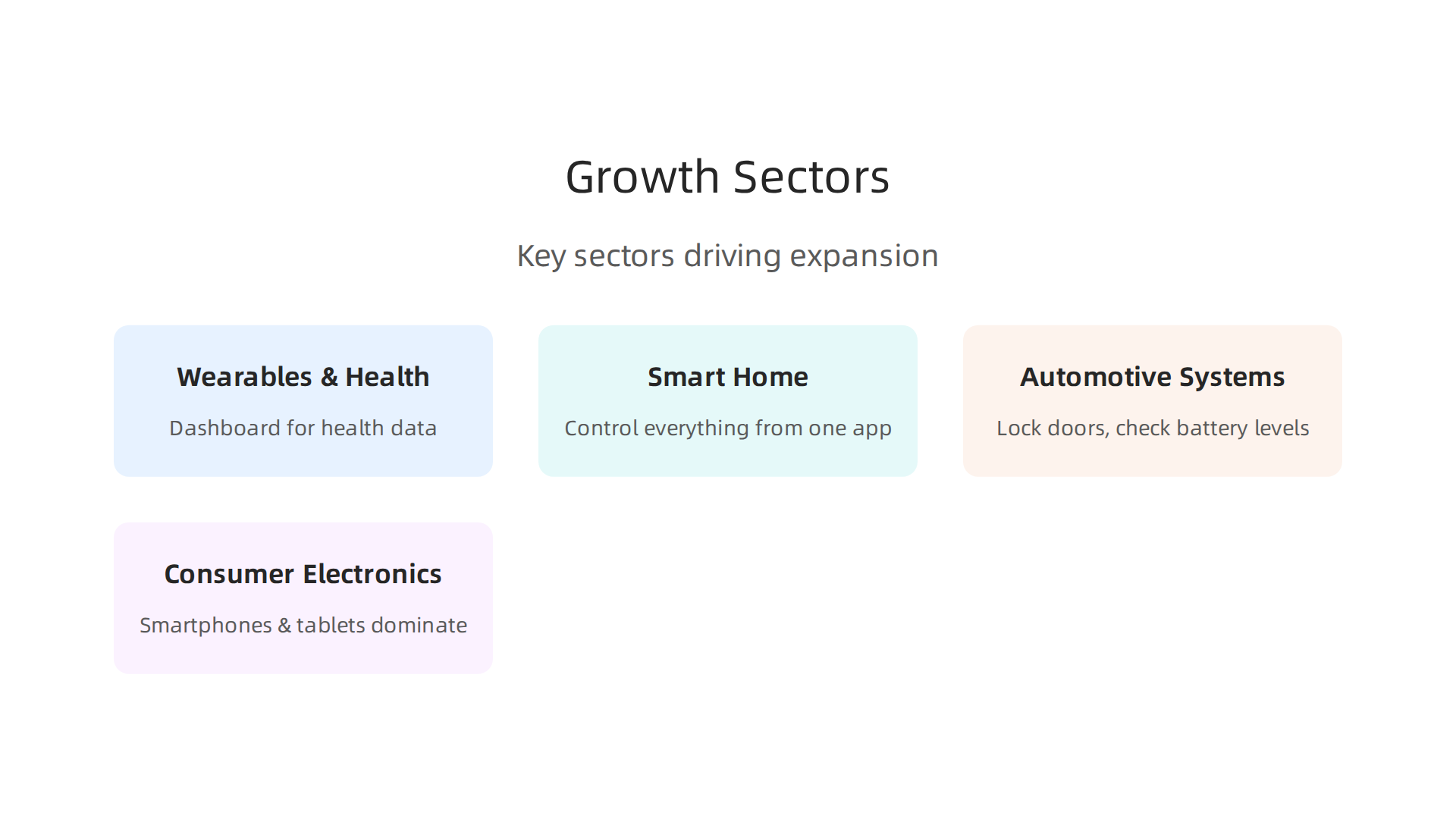
- Wearables and health devices lead the charge. People want to see their heart rate, sleep data, and workout stats in real time on their phone. The companion app becomes the dashboard for their health.
- Smart home products follow close behind. From smart thermostats to connected lights, users expect to control everything from one app. A laggy or confusing app kills the product experience.
- Automotive systems are a newer but fast-growing area. Car makers now offer companion apps that let you lock doors, check battery levels, and pre-cool the cabin before you get in.
- Consumer electronics still dominate. Smartphones and tablets accounted for the largest platform share in 2025, but wearables and IoT devices are catching up quickly.
What Users Expect Now
Here is the hard truth. Users today will not tolerate delays or broken connections. They expect their companion app to sync instantly across all their devices. If your app takes more than a second to show updated data, they will leave and maybe not come back.
This is why choosing the right technical architecture matters so much. Low-latency real-time sync, reliable background updates, and smooth cross-platform performance are no longer nice extras. They are table stakes.
Finding Your Niche
The biggest mistake teams make is trying to build a companion app that does everything for everyone. The smartest approach is to start narrow. Ask yourself: what one problem does my product solve, and how can the companion app make that experience ten times better?
For example, if you are building a smart water bottle, the companion app should not try to be a full fitness tracker. It should focus on hydration reminders and water intake logs. That focused value proposition is what keeps users coming back.
Before you commit to a platform or a communication protocol, study the market carefully. Look at what competing apps do well and where they fall short. Then design your companion app to fill that gap.
If you are curious about how broader app trends are shaping product decisions, check out the latest thinking on super app trends and privacy-first design. These patterns influence how users judge every app they download.
The companion app ecosystem is wide open right now. Teams that move fast and focus on real user needs will capture the most value. Next, we will look at the specific technical choices you need to make to build a companion app that actually works.
Core Technical Approaches for Building a Companion App
Now let us get into those choices. Building a companion app that syncs instantly and works reliably across devices starts with three big technical decisions: the framework you use, how you talk to the server, and how you handle platform-specific features. Get these right and your app feels fast and polished. Get them wrong and users will uninstall within minutes.
Native vs. Cross-Platform vs. Hybrid
Your first major fork in the road is whether to go native, cross-platform, or hybrid.
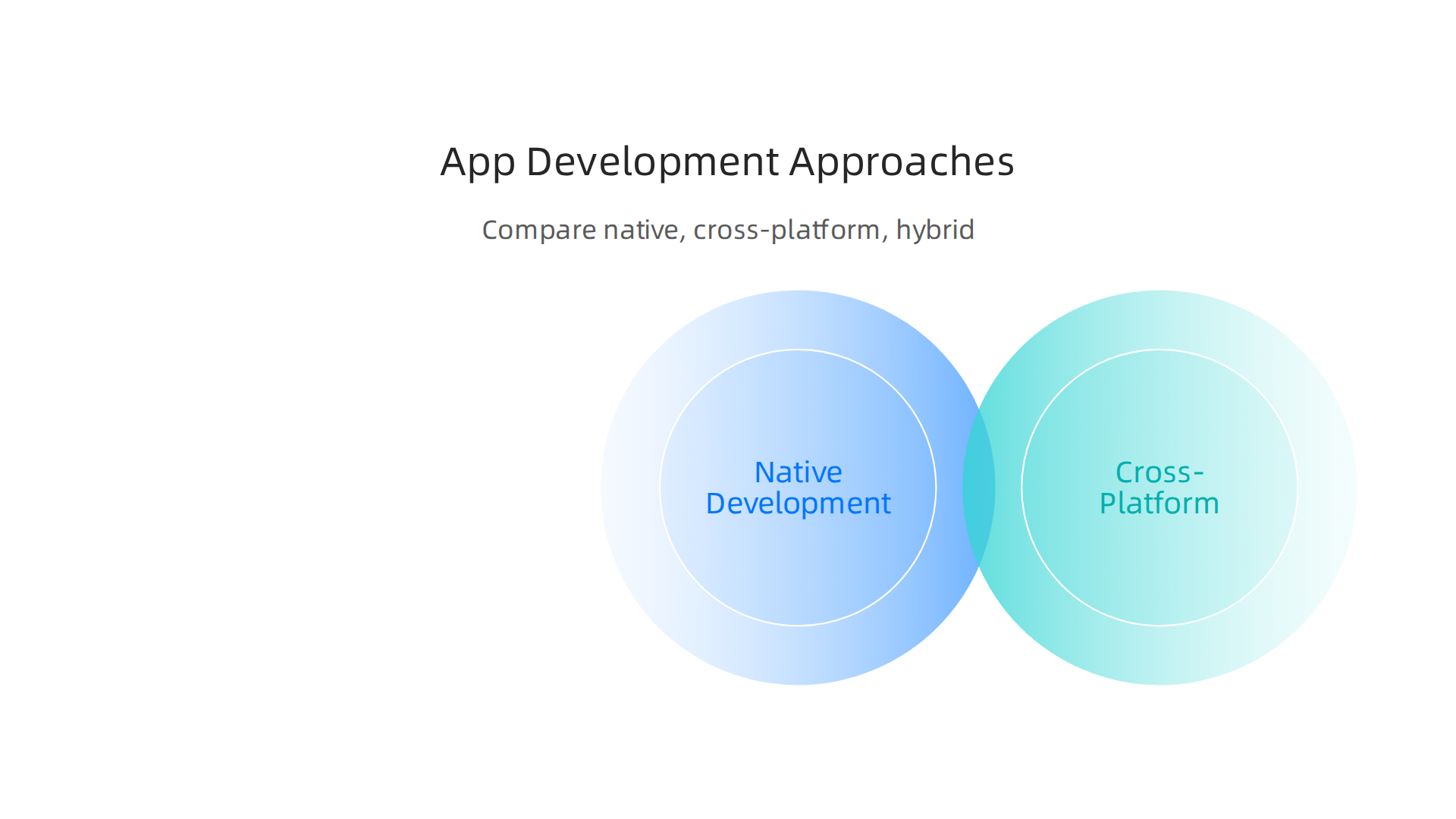
Each path has tradeoffs that depend on your performance needs, team skills, and how much device parity you require.
Native development means writing separate code for iOS and Android using each platform’s language and tools. This gives you the best performance and full access to all device features. But it also means maintaining two codebases. If your companion app needs to handle intense real-time data from a wearable or process sensor data quickly, native is often the safest bet.
Cross-platform frameworks like React Native and Flutter let you share most of your code across platforms while still feeling native to users. Flutter in particular has gained serious traction in 2026 because it compiles to native code and gives you near-native performance. The app development tools stack for 2026 highlights Flutter as a strong option for mobile-first products where you want to keep code ownership and avoid maintaining two separate codebases.
Hybrid approaches like using web views inside a native shell can work for simple apps, but they often struggle with lag and limited access to device hardware. For a companion app that must respond instantly, hybrid is rarely the right choice.
The key is to match the framework to the problem. If your companion app is a dashboard for a smart thermostat, cross-platform probably works fine. If it controls a medical device, go native.
Choosing Your Communication Protocol
How your companion app talks to your hardware or cloud backend matters a lot.
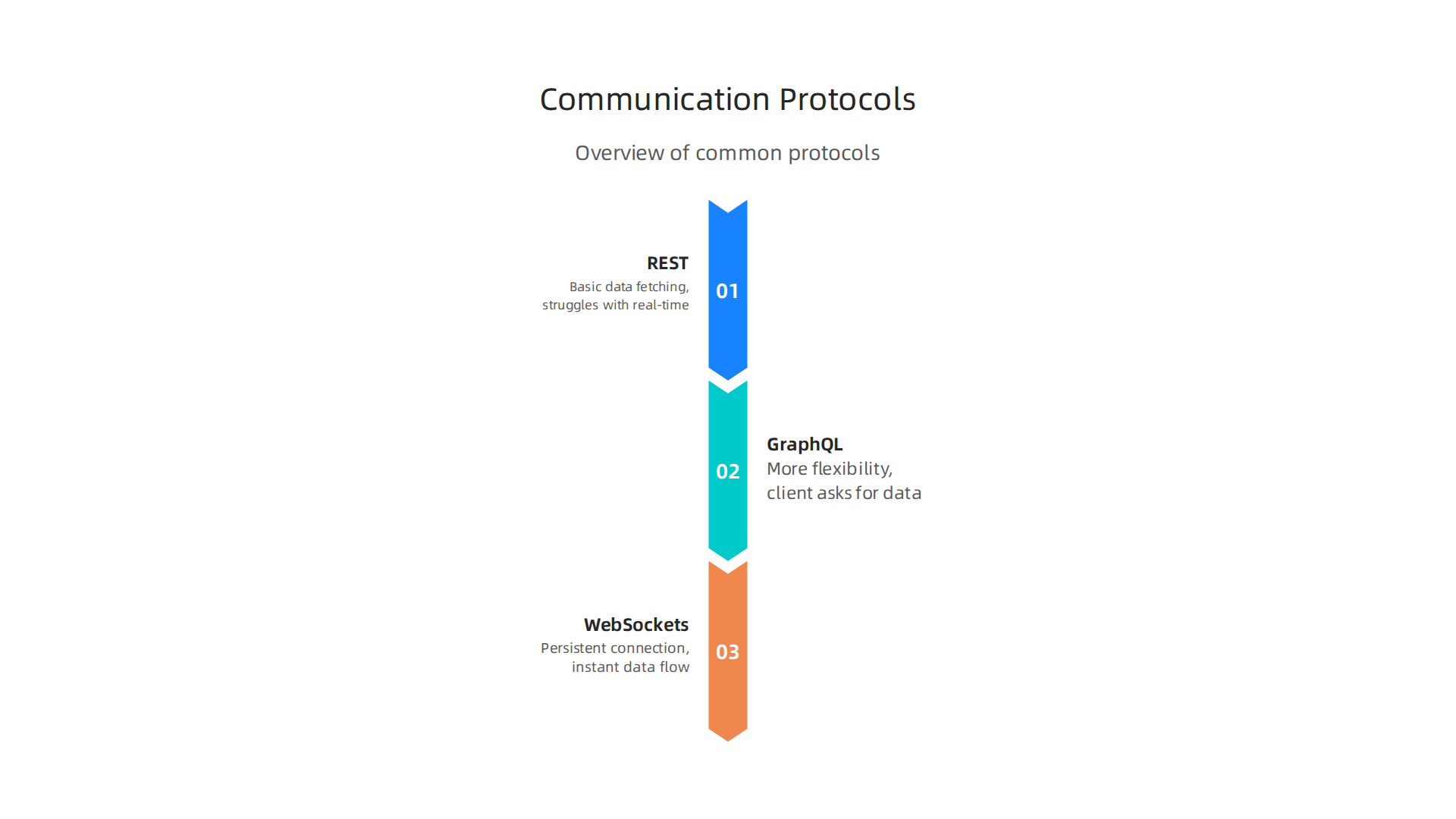
The three main options are REST, GraphQL, and WebSockets.
REST is the old standby. It is simple, well understood, and works for most basic data fetching. But it struggles with real-time updates. If you need the app to refresh every time the user opens it, REST is fine. If you need live data pushing to the screen, look elsewhere.
GraphQL gives you more flexibility. The client asks for exactly the data it needs, which reduces payload size and makes the app feel faster. This is great when your companion app shows different types of data on different screens. The mobile app development strategy for 2026 emphasizes API-first design, and GraphQL aligns well with that principle.
WebSockets are the gold standard for real-time sync. They keep a persistent connection open between the app and the server, so data flows instantly. For companion apps that need to show sensor readings or notifications without delay, WebSockets are almost mandatory.
Many teams end up using a mix. REST or GraphQL for initial data load, and WebSockets for live updates. That hybrid approach keeps the architecture manageable while delivering the real-time experience users expect.
Handling Platform-Specific SDKs and Avoiding Vendor Lock-In
Wearables and smart devices each come with their own SDKs. Apple Watch uses WatchKit, Android Wear uses Wear OS libraries, and Bluetooth Low Energy (BLE) devices have their own APIs. You have to support these to give users a complete experience. But you also have to be careful.
The danger is vendor lock-in. If your companion app is tightly coupled to Apple’s WatchKit, porting it to Wear OS later becomes a nightmare. The solution is abstraction. Create an interface layer that defines the behaviors your app needs (heart rate monitoring, step counting, notifications, etc.) and then write platform-specific implementations behind that interface. This way, when a new wearable platform emerges, you only swap out one layer instead of rewriting the entire app.
This approach also serves you well when dealing with BLE, which is finicky and varies across hardware. Abstract the communication logic so your app does not care whether it talks to a sensor from one brand or another.
Following mobile app development best practices for 2026 means thinking about this separation from day one. It saves months of refactoring later.
Bringing It All Together
Choosing the right stack for your companion app is not about picking the trendiest tool. It is about honestly assessing what your hardware needs, what your team can build, and what your users will actually experience. Sometimes that means going native for performance and sometimes cross-platform is enough. The startup app development trends 2026 show that the smartest teams match their technical approach to the specific use case rather than chasing what is popular.
If you are building a companion app with unique requirements, you might need custom software development. Partnering with a software development company based in the USA can give you access to experienced engineers who know how to navigate these decisions.
And because the tools and protocols keep evolving, staying current matters. A simple way to keep up is to subscribe to a daily briefing. The AI Newsletter Worth Reading is exactly that. It breaks down the latest AI and tech developments so you make informed decisions about your app stack without the noise.
Next, let us look at how to design the user experience of your companion app so it feels natural and keeps users engaged.
Designing for a Multi-Device Experience: UX/UI Considerations
Imagine this: you put on your smartwatch, pull out your phone, and open the companion app for your fitness tracker. On the watch, you see a quick glance at your step count. On the phone, you get the full dashboard with charts and history. The experience feels the same, but each device shows exactly what you need. That kind of seamless flow does not happen by accident. It takes deliberate design work.

Balancing Feature Parity with Device Constraints
The biggest challenge in designing a companion app is that every device has limits. A smartwatch has a tiny screen, a short battery life, and less processing power. A phone has more room but also has to share resources with other apps. You cannot just copy every feature from the phone onto the watch.
The trick is to give users what they actually need on each device. On a phone, that might be a detailed dashboard with charts and logs. On a watch, it should be just the most important info like current heart rate or a quick notification. This is called context-aware design. It means the companion app adapts to the device it runs on.
You also have to think about battery impact. Every background sync or animation drains power. Keep the watch version simple. Use low-power updates instead of constant polling. This makes the companion app feel fast and keeps users from turning off notifications.
Onboarding Flows That Reduce Friction
When someone first sets up your companion app, the experience must be smooth. Long sign-up forms kill engagement. Instead, use auto-detection. If the app can sense the nearby device via Bluetooth or Wi-Fi, it can start pairing right away.
A smart onboarding flow also remembers what the user already did. If they paired their watch, the phone app should already know about it. Do not make them re-enter information. Use cloud sync to carry settings across devices.
Context-aware interfaces go further. If the user opens the app on their watch first, show the watch-ready setup. If they start on the phone, give them the full setup with more options. This reduces confusion and gets them using the companion app faster.
Accessibility and Internationalization Matter More Than You Think
Many developers treat accessibility as an afterthought. That is a mistake. In 2026, users expect apps to work for everyone, no matter their ability. Screen readers, high contrast modes, and adjustable text sizes are not optional. They are basic requirements.
The same goes for internationalization. Your companion app could be used in dozens of countries. Text must fit in languages that use longer words or different scripts. Dates, times, and units must adapt. This affects everything from button labels to notification formats.
Getting this right early saves massive rework later. When you design the UI, use system fonts that support multiple scripts. Avoid hard-coded layouts that break with longer text. Use localization frameworks that handle right-to-left languages automatically.
Also consider security from a user trust perspective. People will share sensitive data like heart rate or location with your companion app. If that data leaks, you lose trust. The state of mobile app security 2026 shows that weak encryption and hardcoded secrets remain common problems. Embedding strong data protection into the user experience shows users you take their privacy seriously.
Real-World Lessons from 2026 Trends
The best companion apps in 2026 treat each device as part of a whole, not as isolated screens. They share state across devices in real time. They learn from user behavior and surface the right controls at the right moment. The mobile app development trends 2026 that reshape how teams build software highlight context-aware interfaces as a major shift. Users now expect apps to know where they are and what they are doing.
Designing for a multi-device experience is not about cramming everything into every screen. It is about giving each person exactly what they need, when and where they need it. That takes thoughtful UX decisions, solid testing on real hardware, and a commitment to making the companion app work for everyone.
Strategic Planning: Monetization, Retention, and Growth
Building a companion app is one thing. Making it pay for itself and grow is another entirely.

Without a clear plan, even the most beautifully designed companion app will struggle to survive. The key is deciding early how the app will earn money, how much it will cost to run, and how you will keep people coming back.
Choosing a Monetization Model
A companion app can make money in several ways.
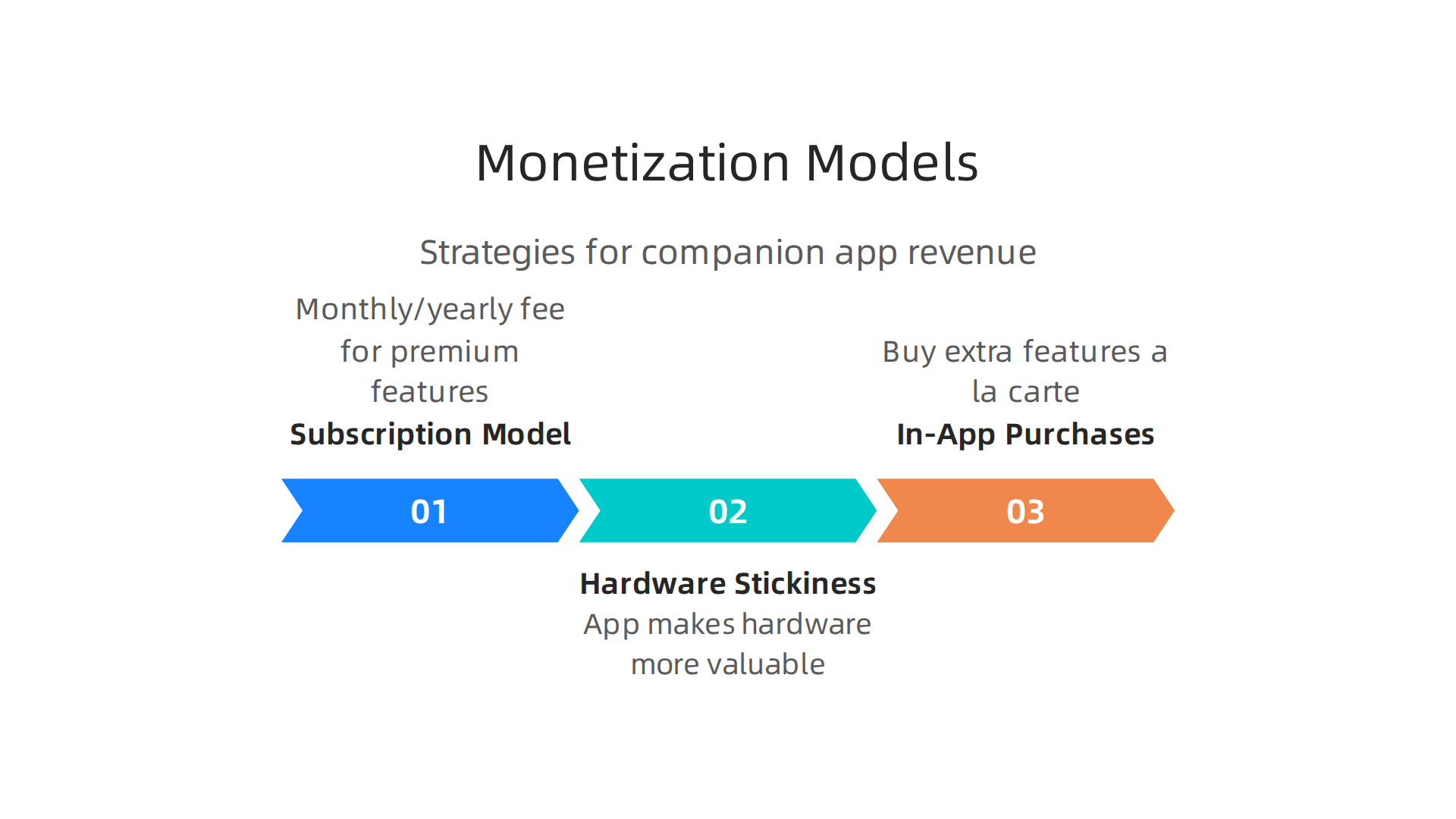
The model you pick depends on what your hardware does and who your users are.
Many companion apps work on a subscription model. Users pay a monthly or yearly fee for premium features like advanced analytics, custom insights, or unlimited cloud storage. This works well when the app provides ongoing value. A fitness tracker could charge for detailed sleep analysis. A smart home hub could charge for extra automation rules.
Another approach is the hardware stickiness model. Here, the companion app is free but tightly linked to the device. The app makes the hardware more valuable, which drives device sales. Think of a smart thermostat that only works well with its own app. You are not selling the app directly. You are selling the hardware, and the companion app is the reason people buy it.
In-app purchases also work for some companion apps. Users buy extra features a la carte. A language learning companion app might sell premium lesson packs. A wellness app might sell guided meditation sessions.
Whatever model you pick, plan for data costs. Every time the companion app syncs with the cloud, it costs money. File storage, server time, and data transfer add up fast. If you offer free cloud backup, factor those costs into your pricing. Otherwise, your profit margin disappears.
Retention Is the Real Growth Engine
Getting users to download your companion app is only the first step. Keeping them is where most apps fail. Data from 2026 shows that the median Day 30 retention across all mobile app categories sits around 5 to 7 percent. That means the typical app loses more than nine out of ten users within a month.
The Mobile App Retention Benchmarks by Industry (2026) report confirms that retention varies by category but remains brutally low across the board. Social and fintech apps perform better, while many others struggle to reach even 5 percent at Day 30.
How do you beat these numbers? It comes down to consistent value delivery. Push notifications work, but only if they feel personal. A generic "Come back!" message does nothing. A notification that says "Your step count is 500 higher than last week" feels helpful.
Personalization matters just as much. A companion app that learns user behavior and adapts its content keeps people engaged. If the app knows when someone works out, it can send a motivational message right before their usual gym time.
Timely updates also help. New features, fresh content, and regular improvements give users a reason to open the app again. Without updates, the companion app feels dead.
Growing Through Smart Strategy
Growth does not happen by accident. You need to build loops that bring users back and attract new ones. Referral programs work well for companion apps. If a user shares the app with a friend, give them a free month of premium features. Word of mouth is powerful when the app actually helps people.
You also want to integrate learning into your strategy. Staying current with startup app development trends for 2026 helps you spot what works and what does not. The best teams study what successful apps do differently and apply those lessons to their own companion app.
Monetization and retention are two sides of the same coin. A companion app that keeps users happy will naturally earn more over time. The trick is building the economics into your plan from the start, not as an afterthought.
If you want to stay ahead of the curve on AI and tech trends that shape companion app growth, consider subscribing to a daily resource that cuts through the noise. The AI Newsletter Worth Reading delivers clear daily updates on exactly what matters for building smarter, stickier apps in 2026.
Security, Privacy, and Compliance in Companion App Development
Building a companion app means you will handle data that matters. Health metrics, location history, biometric readings, and personal habits all flow through your app. That makes security and privacy non-negotiable. One mistake can cost user trust and lead to serious legal trouble.
Know the Rules Before You Build
Every region has its own rules. The GDPR in Europe requires explicit consent before collecting personal data. HIPAA in the United States sets strict standards for health information. The CCPA in California gives users the right to know what data you collect and ask you to delete it. If your companion app serves users in any of these areas, you must comply.
Ignoring these rules is not an option. Fines are steep, and reputation damage can kill your product. Work with a legal expert who understands data privacy from the start. If you are working with a custom software development partner, make sure they have experience building compliant systems.
Protect Data at Every Step
Your companion app sends and receives data constantly. That data must be encrypted in transit and at rest. Use TLS 1.3 for all network communication. For sensitive information like health data, add end-to-end encryption so even your servers cannot read it.
Bluetooth Low Energy is a common way companion apps talk to hardware. But BLE has its own security challenges. Understanding how Bluetooth Low Energy security works in apps helps you make the right choices. Use LE Secure Connections for pairing, AES-128 encryption, and always follow NIST guidelines.
On the device itself, store data locally with strong encryption. Never hardcode API keys or secrets. Use the operating system’s built-in keychain or keystore.
Test Your Defenses Regularly
Security is not a one-time task. You need regular audits. Penetration testing specific to the companion app ecosystem helps you find weak spots before attackers do. The 2026 landscape shows that privacy-first mobile app development trends are becoming the new standard. Staying ahead means proactive testing.
New vulnerabilities appear all the time. For example, researchers recently found design flaws in BLE re-pairing that could let attackers impersonate devices. Keeping your companion app updated with the latest patches is the only way to stay safe.
Stay Informed on Evolving Threats
Security changes fast. The teams that build the safest companion apps are the ones that never stop learning. If you want clear daily updates on AI and tech developments that affect security decisions, The AI Newsletter Worth Reading delivers exactly that.
Put security, privacy, and compliance at the center of your companion app development, not on the side. Your users will thank you, and your app will last much longer.
Testing, Quality Assurance, and Continuous Deployment
Security is only half the battle. Your companion app also needs to work reliably across every real-world scenario.
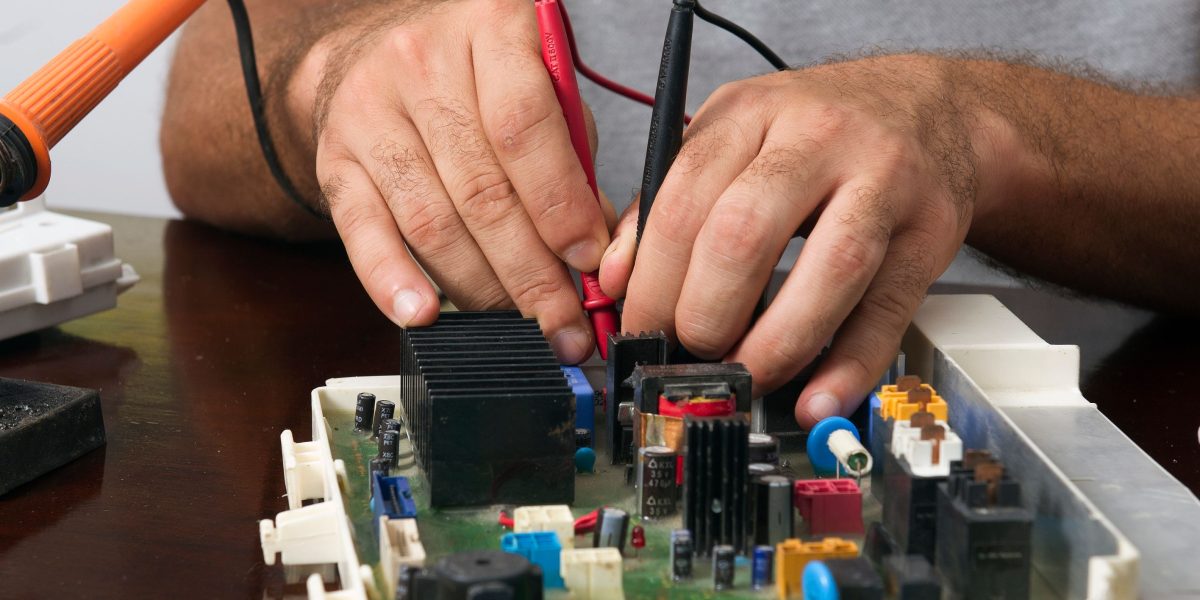
A user who picks up their phone in the morning expects the app to connect instantly to their wearable, sync the latest data, and respond without lag. When it does not, trust erodes fast.
Companion apps are tricky to test because they depend on hardware, Bluetooth, and multiple operating systems. A bug that only shows up on an older Android phone running in airplane mode might never appear in your development environment. But your users will find it.
Test Across Real Configurations
You cannot assume your app works on every device. You must test on a range of screen sizes, OS versions, and chipset types. Pay special attention to older devices. They handle Bluetooth LE connections differently and have less memory for background processes.
Automated UI testing is your best friend here. Tools like Appium or Espresso let you run the same user flow across dozens of device configurations in minutes. Set up a device farm. Run your tests nightly. Catch regressions before they reach users.
Simulate the Worst Connectivity
Companion apps rely on BLE and sometimes Wi-Fi or cellular. Networks are not perfect. You need to test what happens when the signal drops, when two devices try to pair simultaneously, or when the phone switches from Wi-Fi to mobile data mid-sync.
Use tools like the Network Link Conditioner on iOS or Charles Proxy to simulate slow, lossy, or unstable connections. Watch how your app behaves. Does it queue data and retry? Does it show a friendly message instead of a spinning loader? Does it crash? The answer will tell you where to improve.
Battery drain is another hidden killer. Your companion app may run in the background for hours. Profile battery usage on real devices. Reduce unnecessary wake locks and poll frequency. Users will delete an app that drains their phone by noon.
Build a CI/CD Pipeline That Handles the Hard Parts
Continuous integration and deployment for a companion app is more complex than a standard mobile app. You have firmware updates to manage, app store review timelines to respect, and often multiple build variants for different hardware partners.
Your pipeline should run your full test suite automatically on every commit. It should also simulate BLE pairing and data transfer. Once tests pass, the pipeline should build the app, sign it, and upload it to the appropriate store. If you are working with a custom software development partner, make sure they set this up from day one. A good CI/CD process can cut your release cycle from weeks to days.
Many teams postpone testing until the end. That is a recipe for disaster. Start testing the moment you have a minimum viable integration. Keep your test suite growing with every feature. Companion apps that survive in the market are the ones that never ship a broken connection.
If you want to dig deeper into how modern teams structure their development pipelines, the article on startup app development trends 2026 covers what actually works when building your next app. And for a broader view of how testing fits into a full mobile strategy, the Mobile App Development Strategy for 2026 and Beyond guide emphasizes the importance of dedicated QA from the start.
Put testing at the center of your development cycle, not at the end. Your companion app and your users will both be better for it.
Summary
Companion apps have become essential extensions of hardware and services, shaping how users interact with wearables, smart home devices, cars, and IoT products. This article explains why companion apps matter in 2026, where growth is concentrated, and the technical and product decisions that determine success — from choosing native or cross-platform frameworks to selecting REST, GraphQL, or WebSockets for communication. It covers UX strategies for multi-device experiences, onboarding, accessibility, and localization, plus monetization options and retention tactics that keep users engaged. The guide also details security and compliance needs (GDPR, HIPAA, secure BLE), plus practical testing, QA, and CI/CD practices to avoid shipping broken connections. Read it to learn how to match technology to user needs, design focused value, protect data, and build the processes that let a companion app scale reliably.